
Go to your SSD brand’s warranty page, enter the serial number, and confirm coverage.
If you have ever struggled with how to check ssd warranty status online, you are in the right place. I manage fleets of drives for teams and know the pain of a surprise drive failure. In this guide, I’ll show you exactly how to check ssd warranty status online, how to find your serial number, and what to do if the website says no. You’ll get a fast checklist, brand-specific tips, and pro advice to avoid delays.

What your SSD warranty actually covers
SSD warranties cover defects in materials or workmanship for a set time or until a write limit is reached. Most consumer SSDs carry three to five years of coverage, often capped by TBW, which means terabytes written. If you pass the TBW limit, the warranty may end early.
Your warranty is not a data-recovery plan. Brands replace or repair the drive, but they usually do not recover your files. Coverage also excludes damage from misuse, shock, fire, liquid, or unsupported firmware. Retail and OEM drives often have different terms. Keep your invoice and packaging, because support may ask for proof.
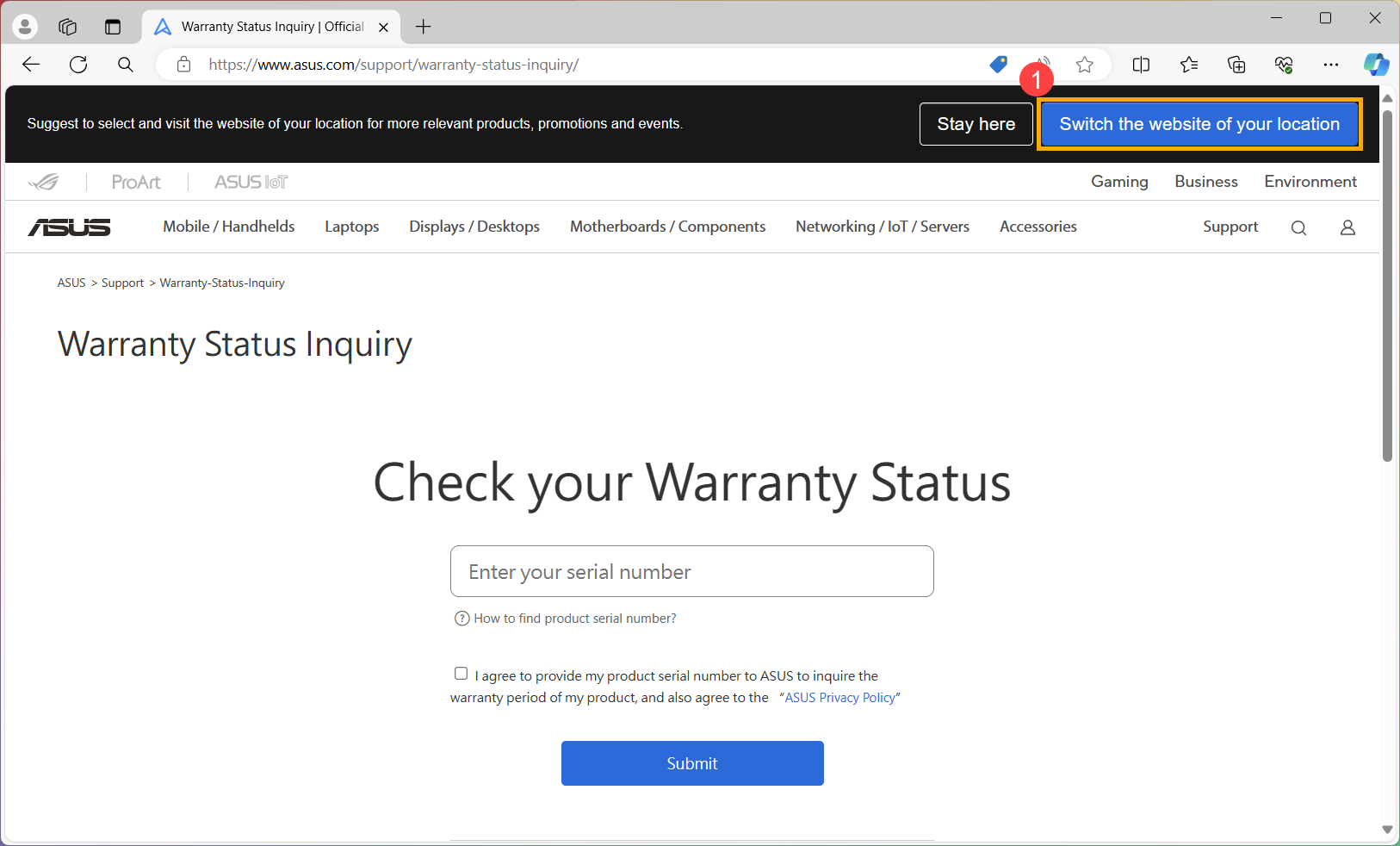
How to check SSD warranty status online: a fast checklist
Follow these steps to confirm coverage in minutes. This is the quickest way I know how to check ssd warranty status online.
- Identify the brand and model
- Find the serial number
- Go to the brand’s warranty page
- Enter serial, region, and sometimes model or part number
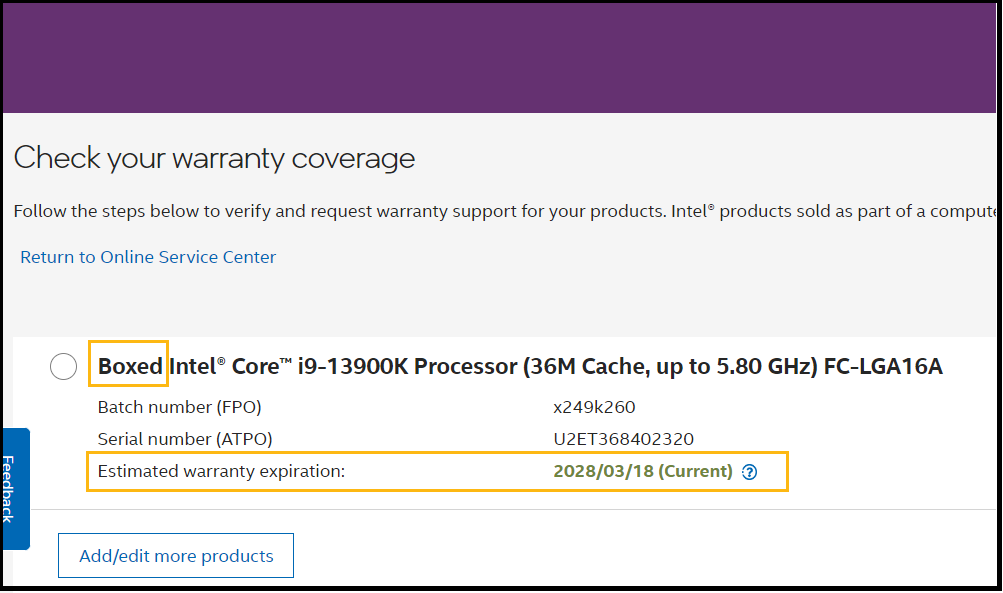
- Read the result and save a screenshot
- If asked, upload proof of purchase
Pro tips:
- Always check with your exact brand. Third-party checkers can be wrong.
- Use the serial from software and the label. If they differ, trust the physical label.
- If the portal shows “out of region,” select your country or contact support.
Mistakes to avoid:
- Entering the model instead of the serial.
- Skipping the region field.
- Using an OEM serial for a retail portal. OEM units need the system maker.
I use this same flow when I teach new techs how to check ssd warranty status online at scale.
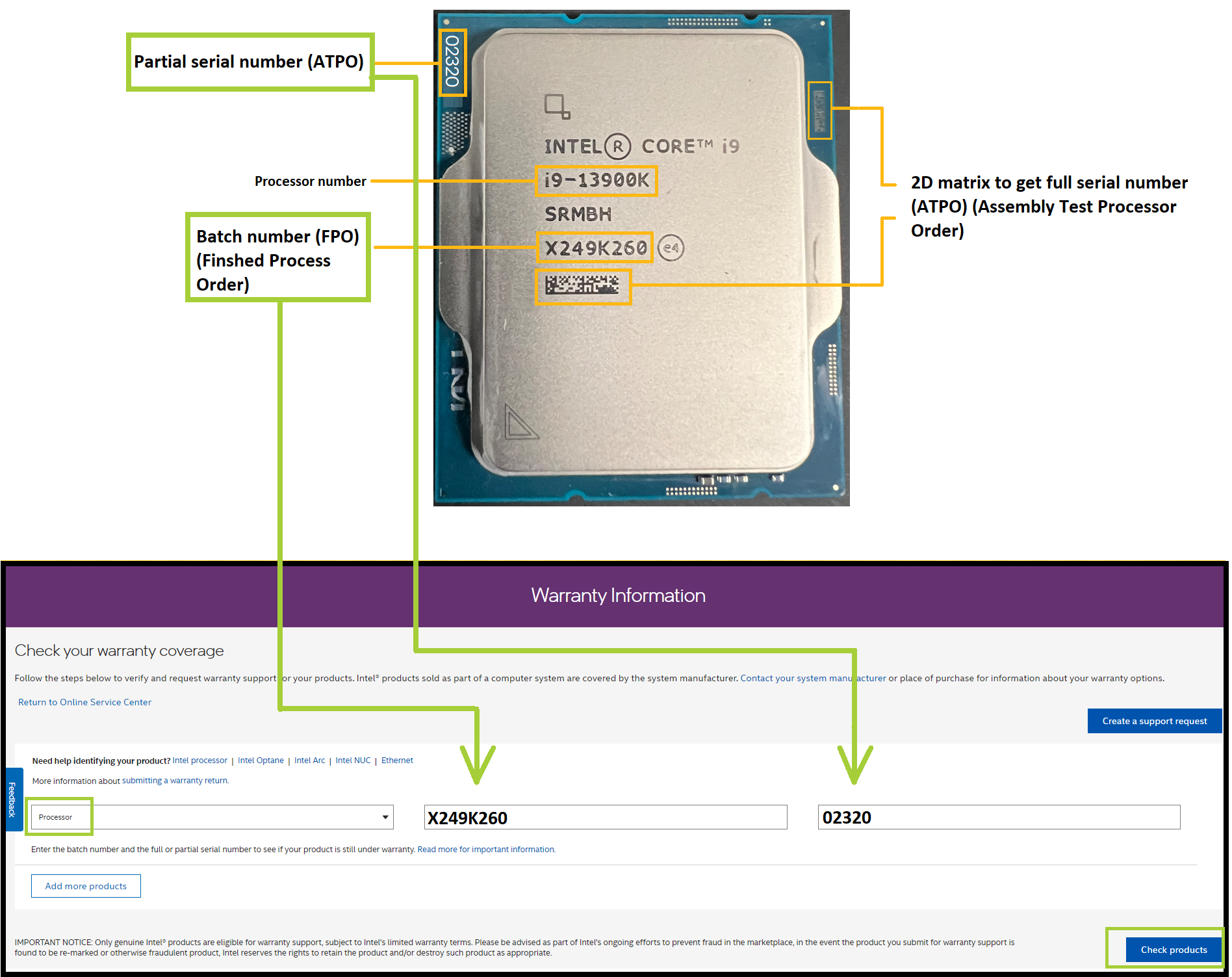
How to find your SSD serial number on any system
You can pull the serial number without opening your PC in many cases. This step is key in how to check ssd warranty status online.
Windows
- Command Prompt: wmic diskdrive get model,serialnumber
- Tools: Samsung Magician, WD Dashboard, Crucial Storage Executive, Kingston SSD Manager, or CrystalDiskInfo
- If you have a laptop, check the SSD label only if safe to open
macOS
- Terminal: system_profiler SPNVMeDataType
- Or: Apple menu > About This Mac > System Report > NVMe or SATA
- If not shown, power down and read the label on the drive
Linux
- NVMe: sudo nvme list
- NVMe detail: sudo nvme id-ctrl /dev/nvme0
- SATA: sudo smartctl -i /dev/sda or sudo hdparm -I /dev/sda | grep "Serial Number"
Physical label
- Look for “S/N,” “Serial,” or “SN” on the sticker
- Take a clear photo so you can copy it later

Brand-by-brand warranty checks and quirks
Every brand uses a different portal and set of rules. Here’s how to check ssd warranty status online for the most common names.
Samsung
- Use the Samsung warranty inquiry page. Search “Samsung SSD warranty check.”
- You’ll need the serial number and often the model or part number.
- Samsung Magician can show health and serial. Coverage is five years or TBW for most 970, 980, and 990 series.
Western Digital and SanDisk
- WD and SanDisk share systems. Search “WD warranty check” or “SanDisk warranty check.”
- Enter serial and your country. WD Blue/Black SN series and SanDisk Ultra/Extreme SSDs appear here.
- If you bought from a marketplace, save your invoice. WD may ask to prevent fraud.
Crucial (Micron)
- Search “Crucial warranty check.”
- Enter serial, sometimes part number. Crucial Storage Executive helps find the serial.
- If the site misreads your date, upload your proof of purchase to correct it.
Kingston
- Search “Kingston SSD warranty check” or open a support ticket.
- You may need both the serial and part number from the label.
- Enterprise drives may route through a partner portal.
Seagate
- Search “Seagate warranty validation.” Works for Seagate SATA and NVMe SSDs.
- Enter serial and country. SeaTools can confirm health if support asks.
Intel and Solidigm
- Intel sold its SSD business to SK hynix (Solidigm). Some Intel SSD warranties are now handled by Solidigm.
- Search “Solidigm warranty check” if you have Intel 660p/670p or data center models.
- If you see a redirect notice, follow it and use your Intel serial on the Solidigm site.
SK hynix, ADATA/XPG, Sabrent, Transcend
- Search “SK hynix SSD warranty check,” “ADATA warranty,” “Sabrent support,” or “Transcend warranty status.”
- Many ask for serial plus product family.
- Sabrent often accepts retail invoices from Amazon or Newegg.
Keep your proof ready. It speeds up how to check ssd warranty status online and any RMA.
Common roadblocks and how to fix them
Wrong serial format
- Fix: Use the label serial. Some tools show a short ID, not the real S/N.
“Out of region” error
- Fix: Pick the country of purchase. If you moved, contact support with your invoice.
OEM or prebuilt PC drive
- Fix: Warranty is often through the system maker, not the SSD brand. Check the laptop or desktop support page.
Date mismatch or “expired” but you just bought it
- Fix: Submit your invoice. Many portals default to manufacture date until you prove purchase date.
TBW or health exceeded
- Fix: If TBW is over the limit, coverage ends. Screenshot SMART data to confirm.
Portal cannot find your serial
- Fix: Try uppercase, no spaces. If still missing, contact support; it may be a counterfeit or discontinued line.
These issues are the main reason people think how to check ssd warranty status online does not work. They are fixable.

Personal tips from the field
- Take photos on day one. I snap the SSD label, the box, and the receipt. This has saved two RMAs for me when the portal wanted both serial and proof.
- Always grab a screenshot of the portal result. When an agent asked me to confirm status a week later, that image made the case easy.
- Do a surface check before RMA. I run the brand tool or smartctl to collect logs. This often skips a slow back-and-forth.
- Keep packaging for 30 days. I once had a drive die in week two; the foam saved it from shipping damage and sped up approval.
This is the human side of how to check ssd warranty status online. A little prep cuts days off your timeline.
Data safety during RMA
- Back up first. Treat every failing SSD as a ticking clock. Use a full image backup if it still mounts.
- Secure erase if possible. Use the brand tool or nvme format on Linux to wipe data before shipping.
- Remove add-ons. Pull heat sinks, adapter cards, or caddies unless support says to include them.
- Label the shipment. Put the RMA number on the box and inside on a note.
Vendors rarely recover data. Keep privacy in mind while you handle how to check ssd warranty status online and an RMA.
Maintain eligibility: habits that protect your SSD warranty
- Keep firmware current. Brand tools make this easy and safe.
- Match specs. Use correct M.2 key, interface, and slot. Avoid adapters that break thermal rules.
- Watch temps. Good airflow keeps NVMe drives under throttle points.
- Log invoices. I drop PDFs into a “Receipts > Hardware” folder and tag by brand.
- Check TBW once a quarter. If you write heavy video or VM data, you’ll see it early.
These simple habits support you the next time you need how to check ssd warranty status online and file a claim fast.

Frequently Asked Questions of how to check ssd warranty status online
How do I know which site to use for my SSD?
Use the brand on the label or packaging. Go to that brand’s warranty page and enter your serial number and country.
What if my SSD came inside a laptop or prebuilt PC?
It may be an OEM drive. In many cases, you must claim the warranty through the laptop or PC maker, not the SSD brand.
Can I check warranty without opening my computer?
Often, yes. Use system tools like Samsung Magician, WD Dashboard, or system_profiler on macOS to read the serial number.
Why does the site say my SSD is out of region?
The drive was made for a different market. Choose your country of purchase, and if that fails, contact support with your invoice.
Is TBW important for warranty status?
Yes. Many SSDs are warrantied for a set time or a TBW limit, whichever comes first. If you exceed TBW, the warranty may end.
What if the portal says expired but I bought it last week?
The site might use manufacture date. Upload your proof of purchase to correct the start date.
Do I need to register my SSD for warranty?
Some brands ask for registration, but many only need the serial and invoice. Registration can speed up support if you ever need service.
Conclusion
You now know how to check ssd warranty status online, how to find your serial number fast, and how to handle common blockers. Keep your proof of purchase handy, grab a portal screenshot, and back up your data before any RMA. That simple prep turns a stressful failure into a smooth swap.
Take action now: find your serial, run a quick check on your brand’s site, and save the result. Want more step-by-step guides like this? Subscribe or drop a comment with your brand and model, and I’ll help you verify your status.