

To turn on Bose earbuds, remove them from the charged case; older models may require pressing the Power button.
Knowing how to turn on Bose earbuds is simple once you understand the model you own. Most Bose wireless earbuds wake up when you open the charging case and remove both earbuds, while older bluetooth models use a physical power button. This guide explains each method, pairing steps, charging checks, and fixes for earbuds that seem unresponsive.
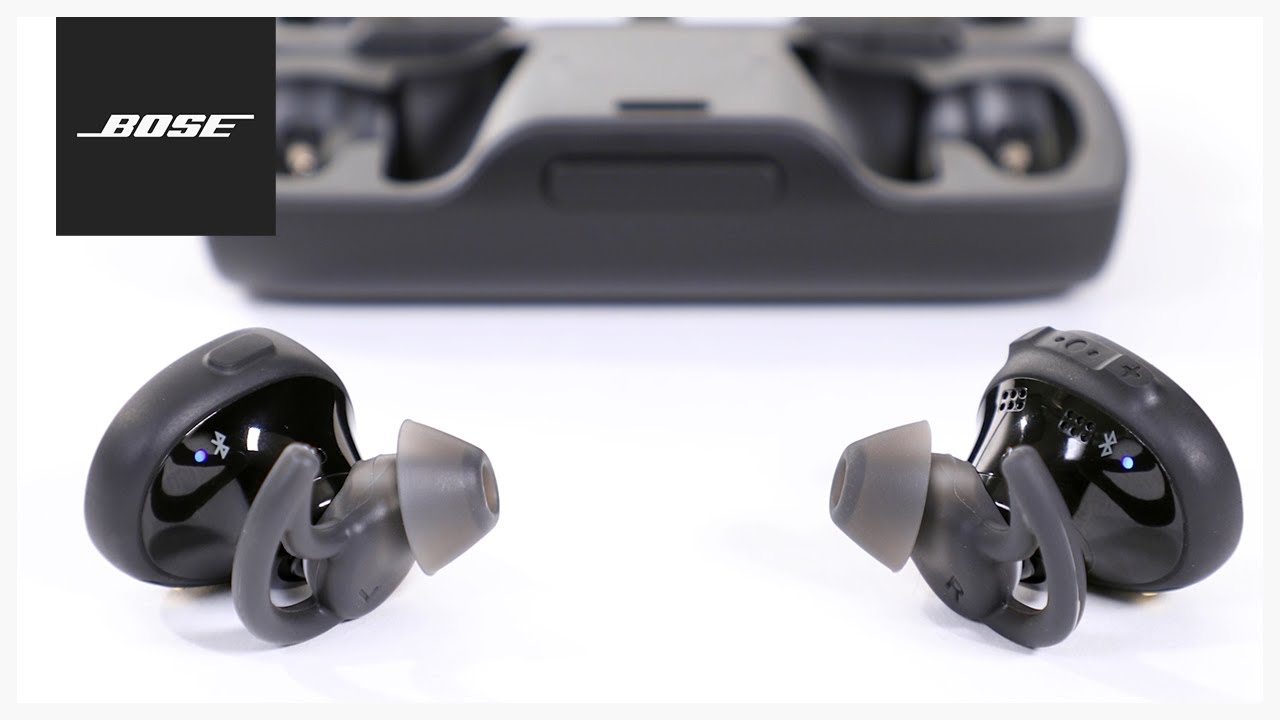
How to turn on Bose earbuds
Most Bose true wireless earbuds do not have a traditional power button. They turn on automatically when you take them out of the charging case.
Follow these steps:
- Charge the case and earbuds for a few minutes.
- Open the charging case.
- Remove both earbuds.
- Wait for the status lights to blink or glow.
- Listen for a startup tone or voice prompt.
- Check your phone’s Bluetooth menu for the earbuds.
This process works for many models, including Bose QuietComfort Earbuds, QuietComfort Earbuds II, QuietComfort Ultra Earbuds, and Bose Sport Earbuds.
The charging case acts like a small power station. When the earbuds sit inside it, they usually turn off and charge. When you lift them out, they wake up and try to connect to the last device they used.
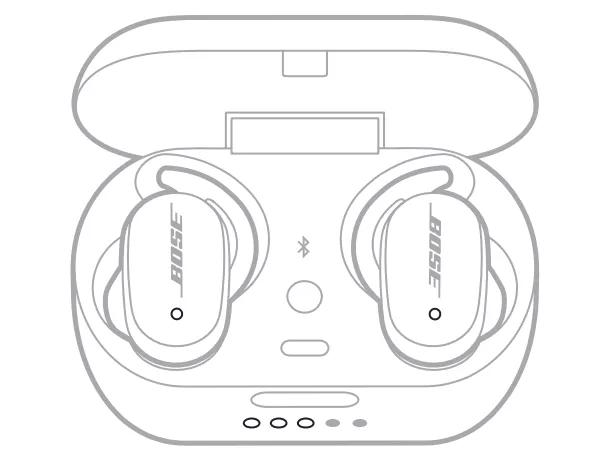
How to turn on Bose earbuds with a power button
Some older Bose earbuds use a physical Power button. This includes certain Bluetooth neckband models and older wireless earbuds.
To turn on Bose earbuds with a button:
- Find the Power button on the right earbud or inline remote.
- Press and hold it for about one second.
- Release the button when the status light turns on.
- Wait for the startup sound or voice prompt.
- Open Bluetooth settings on your phone if the earbuds do not connect.
Do not hold the button for too long if you only want to power on the earbuds. A long press may place the earbuds into Bluetooth pairing mode instead.
If your model has several buttons, look for a button marked with a power symbol. You can also check the model name inside the Bose Music app or on the charging case.
How to turn on Bose QuietComfort Earbuds
Bose QuietComfort Earbuds usually turn on when you remove them from the charging case. They do not need a separate power button.
Use this method:
- Place the earbuds in the case.
- Make sure the case has power.
- Close the lid for a few seconds.
- Open the lid.
- Remove both earbuds.
- Put them in your ears and wait for the connection prompt.
If the earbuds do not wake up, place them back in the case. Confirm that each earbud is seated correctly on its charging contact. Then remove them again.
A quick light check can help. If the lights do not appear at all, the case or earbuds may need charging. Dirty charging contacts can also prevent the earbuds from charging and waking properly.
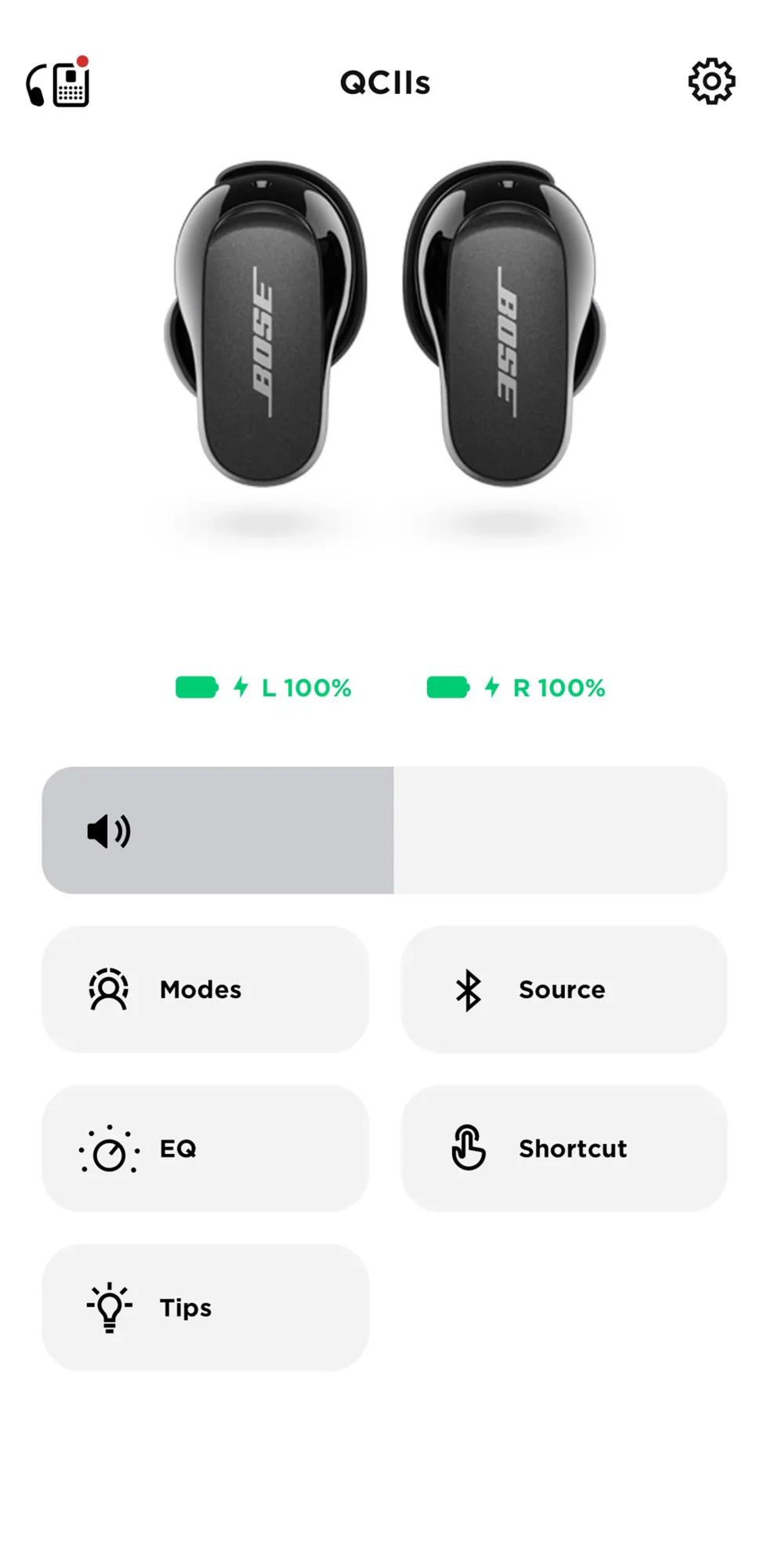
How to turn on Bose QuietComfort Earbuds II
To turn on Bose QuietComfort Earbuds II, remove them from the charging case. The earbuds should power on and reconnect to the most recent Bluetooth device.
If they do not connect, try these steps:
- Open the case.
- Remove both earbuds.
- Touch and hold the control surface on each earbud if your settings require manual interaction.
- Open the Bluetooth menu on your phone.
- Select Bose QuietComfort Earbuds II.
- Wait for the connected message.
The touch controls are mainly used for playback, noise control, and calls. They are not always a replacement for the charging case. When the earbuds are fully off, putting them in the case and taking them out is usually the most reliable way to start them.

How to turn on Bose QuietComfort Ultra Earbuds
Bose QuietComfort Ultra Earbuds normally turn on as soon as you remove them from the case. They may automatically connect to the last phone, tablet, or computer they used.
For the best result:
- Charge the case if its light is low or off.
- Open the lid.
- Remove both earbuds.
- Place them in your ears.
- Wait for the audio prompt.
- Open the Bose app if you need to change settings.
If the earbuds remain silent, check whether Bluetooth is enabled on your device. Also make sure another nearby device is not connecting to them first. Earbuds often reconnect to the last device, which can make them appear unavailable on a new phone.
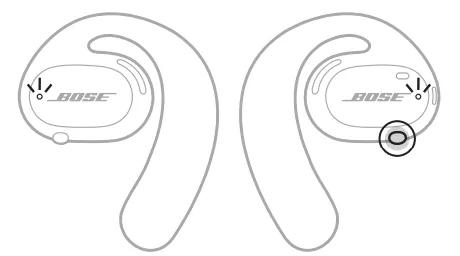
How to turn on Bose Sport Earbuds
Bose Sport Earbuds turn on when you remove them from the charging case. Their touch controls do not work as a normal power switch when the earbuds are fully off.
Try this sequence:
- Put both earbuds in the case.
- Check that the charging pins touch the metal contacts.
- Charge them for at least 15 minutes.
- Open the lid.
- Remove the earbuds.
- Look for the Bluetooth connection on your phone.
Bose Sport Earbuds may not turn on if only one earbud is removed and the other has no charge. Charge both earbuds together before troubleshooting.
.gif)
How to turn on Bose earbuds without the case
Most Bose true wireless earbuds cannot be manually turned on without the charging case if they are fully powered off. The case is part of the normal power system.
There are a few exceptions:
• Some older Bose wireless earbuds have a Power button.
• Earbuds that are already awake may remain on after you remove the case.
• Earbuds in a low-power state may respond when you touch the controls.
If your Bose earbuds are completely off and have no power button, you usually need the charging case. This is a design limitation, not a fault.
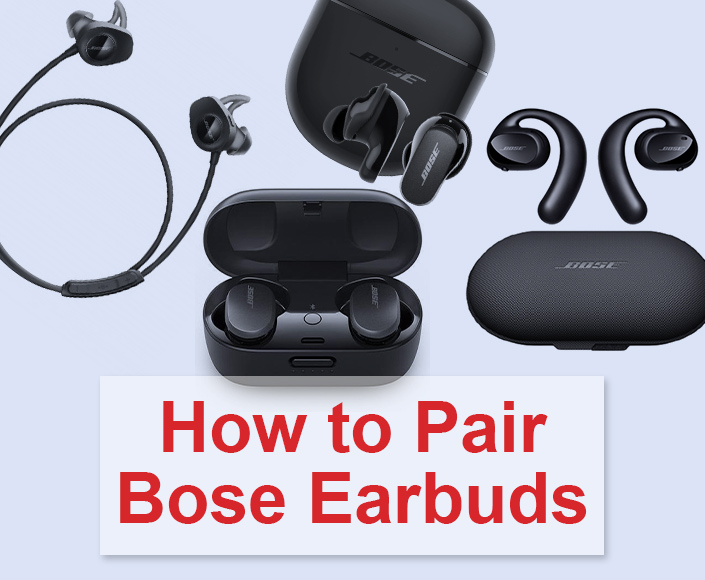
How to pair Bose earbuds after turning them on
Turning on Bose earbuds and pairing them are two different steps. Powering on wakes the earbuds, while pairing creates a Bluetooth connection with your device.
Pair them this way:
- Turn on Bose earbuds by removing them from the case.
- Open your phone’s Settings app.
- Select Bluetooth.
- Turn Bluetooth on.
- Find your Bose earbuds in the device list.
- Tap the name.
- Wait for the Connected message.
For a new phone, you may need to enter pairing mode. On many Bose true wireless models, touching and holding both earbuds brings up the Bluetooth prompt. Some models use a button on the case instead.
The Bose Music app can make setup easier. It can help identify the correct model, install firmware updates, manage noise cancellation, and adjust touch controls.

How to put Bose earbuds into pairing mode
Pairing mode allows your earbuds to connect with a new phone, laptop, or tablet. It is useful when your earbuds do not appear in the Bluetooth list.
Try the following:
- Remove the earbuds from the case.
- Touch and hold both earbuds, or use the pairing button on the case.
- Continue holding until you hear “Ready to connect” or see a flashing blue light.
- Open Bluetooth settings.
- Select the Bose earbuds.
The exact control differs by model. Bose product manuals are the best reference for the correct button or touch command. Avoid guessing if your model has a different control layout.
What the Bose earbud lights mean
The lights provide useful clues about power and connection status. The exact pattern varies by model, but these signals are common:
• White light: The earbuds may be powering on, charging, or connecting.
• Blue light: The earbuds may be ready to pair with a Bluetooth device.
• Red or amber light: The battery may be low, or the earbuds may need charging.
• No light: The earbuds may be fully discharged, switched off, or not making contact with the case.
A light does not always mean the earbuds are ready to play music. Check your phone’s Bluetooth menu and listen for the voice prompt. Using both signs gives a more accurate answer.
What to do when Bose earbuds will not turn on
When Bose earbuds do not turn on, start with power. A flat battery is the most common cause.
Work through these checks:
- Charge the case with a working USB cable.
- Leave the earbuds inside the case for at least 15 minutes.
- Check whether the case light turns on.
- Remove and reinsert each earbud.
- Clean the charging contacts with a dry, soft cloth.
- Restart Bluetooth on your phone.
- Try a different charging cable or wall adapter.
- Test the earbuds with another device.
Do not use water, sharp tools, or metal objects on the charging contacts. Moisture and scratches can damage the case or prevent a stable charge.
In my experience, the most overlooked issue is poor contact between an earbud and its case. A small amount of dust can act like a closed door between the charging pins and the earbud. Reseating the earbud often solves the problem faster than resetting the entire device.
How to reset Bose earbuds
A reset can clear temporary software or connection problems. It is useful when the earbuds have power but refuse to start, connect, or respond to touch controls.
A general reset process is:
- Remove the earbuds from the case.
- Place them back in the case.
- Close the lid for about 30 seconds.
- Open the lid.
- Remove the earbuds and test them again.
Some Bose models require a longer reset through the charging case or Bose Music app. Follow the instructions for your exact model because reset steps are not identical across the Bose range.
A factory reset may remove saved Bluetooth connections and personal settings. Use it only after charging, cleaning, and reconnecting have failed.
How to turn off Bose earbuds
Most Bose true wireless earbuds turn off when you place them back in the charging case. Close the lid after both earbuds are seated correctly.
To turn them off:
- Stop music playback.
- Remove the earbuds from your ears.
- Place each one in the correct side of the case.
- Check that the charging lights appear.
- Close the lid.
If the earbuds stay connected, one earbud may not be seated correctly. Press it gently into the case without forcing it. The case should begin charging it and end the Bluetooth connection.
Older Bose earbuds with a Power button can usually be turned off by pressing and holding that button until the light goes out.
Common mistakes when turning on Bose earbuds
Small setup mistakes can make working earbuds seem broken. Watch for these common problems:
• Removing only one earbud when both need to wake together.
• Forgetting to charge the case.
• Leaving Bluetooth turned off on the phone.
• Connecting to an old phone, tablet, or laptop nearby.
• Placing the left earbud in the right side of the case.
• Ignoring a dirty charging contact.
• Trying to use touch controls while the earbuds are completely discharged.
• Holding a button too long and entering pairing mode by accident.
One useful habit is to charge the case overnight and check the lights before leaving home. This prevents the common situation where the earbuds appear dead during a commute, flight, or workout.
How the Bose Music app helps
The Bose Music app is not required for every basic power function, but it can make troubleshooting easier. It may show battery levels, identify the earbuds, guide setup, and install firmware updates.
Use the app to:
• Confirm that the earbuds are detected.
• Check left and right battery levels.
• Rename the earbuds.
• Adjust noise cancellation.
• Change shortcut and touch settings.
• Install available firmware updates.
• Review model-specific support instructions.
Keep the app updated through the official app store. Firmware updates can improve stability, but the earbuds should have enough battery before an update begins.
Expert tips for reliable Bose earbud power
These practical habits can help your earbuds work each time:
- Keep the charging case above a low battery level.
- Store the earbuds in the case when not in use.
- Clean the charging contacts once a week.
- Avoid extreme heat, cold, and moisture.
- Use the correct USB cable and a safe power adapter.
- Turn off Bluetooth on devices you no longer use.
- Update the Bose Music app when prompted.
- Keep the earbuds dry before placing them in the case.
Bose earbuds are designed for everyday use, but they still rely on clean contacts and steady battery power. Treat the case like the key to a small lock: if it has no charge, the earbuds may not open the door to Bluetooth.
Frequently Asked Questions About How to Turn on Bose Earbuds
How do I turn on Bose earbuds?
Remove both earbuds from the charging case. Most Bose true wireless models turn on automatically and attempt to reconnect with the last paired device.
Why will my Bose earbuds not turn on?
They may have a dead battery, dirty charging contacts, or poor contact inside the case. Charge the case and earbuds, clean the contacts with a dry cloth, and try removing them again.
Do Bose earbuds have a power button?
Most newer Bose true wireless earbuds do not have a separate power button. Older Bose wireless models may use a physical Power button on an earbud or inline remote.
Can I turn on Bose earbuds without the case?
Usually not if the true wireless earbuds are fully powered off. Some older Bose models can turn on with a physical Power button, but most newer models depend on the charging case.
How do I connect Bose earbuds to my phone?
Turn on Bose earbuds, open your phone’s Bluetooth settings, and select the Bose model from the device list. If it does not appear, place the earbuds into Bluetooth pairing mode.
How do I know if my Bose earbuds are on?
Look for a status light, listen for a startup tone, or check the Bose Music app. Your phone may also show the earbuds as connected in its Bluetooth settings.
How do I turn off Bose earbuds?
Place both earbuds into the charging case and close the lid. Older models with a Power button can usually be turned off by holding the button until the status light goes out.
Conclusion
Learning how to turn on Bose earbuds is usually as easy as charging the case, opening the lid, and removing the earbuds. Older Bose models may need a short press of the Power button, while newer QuietComfort and Sport models normally wake automatically.
If the earbuds do not respond, check the battery, charging contacts, Bluetooth settings, and nearby devices before attempting a reset. Follow these steps with your exact Bose model in mind, and explore the Bose Music app for setup and support tools. If this guide helped, share your experience or leave a comment about your Bose model.
