

To reset Bose QuietComfort Earbuds, place them in the case, hold the case Bluetooth button for 30 seconds, then reconnect.
Knowing how to reset Bose QuietComfort Earbuds can save you from pairing errors, silent audio, uneven sound, and random disconnects. The exact steps vary slightly between the original QuietComfort Earbuds, QuietComfort Earbuds II, and QuietComfort Ultra Earbuds, so this guide explains each process clearly and safely.
When to Reset Bose QuietComfort Earbuds
A reset clears the earbuds’ stored connection data and returns them to a fresh setup state. It is useful when the earbuds act as if they are stuck between your phone, computer, tablet, or another Bluetooth device.
You may need to reset Bose QuietComfort Earbuds if you notice:
• The earbuds will not enter pairing mode
• Only one earbud produces sound
• The Bose app cannot find the earbuds
• The earbuds disconnect again and again
• Audio cuts out even when your phone is nearby
• The earbuds connect to the wrong device
• Touch controls stop responding
• You plan to give the earbuds to someone else
A reset is not the same as charging the earbuds or restarting your phone. Think of it as wiping a small digital whiteboard. The earbuds forget old Bluetooth links, but the reset does not repair physical damage, worn batteries, blocked microphones, or water damage.
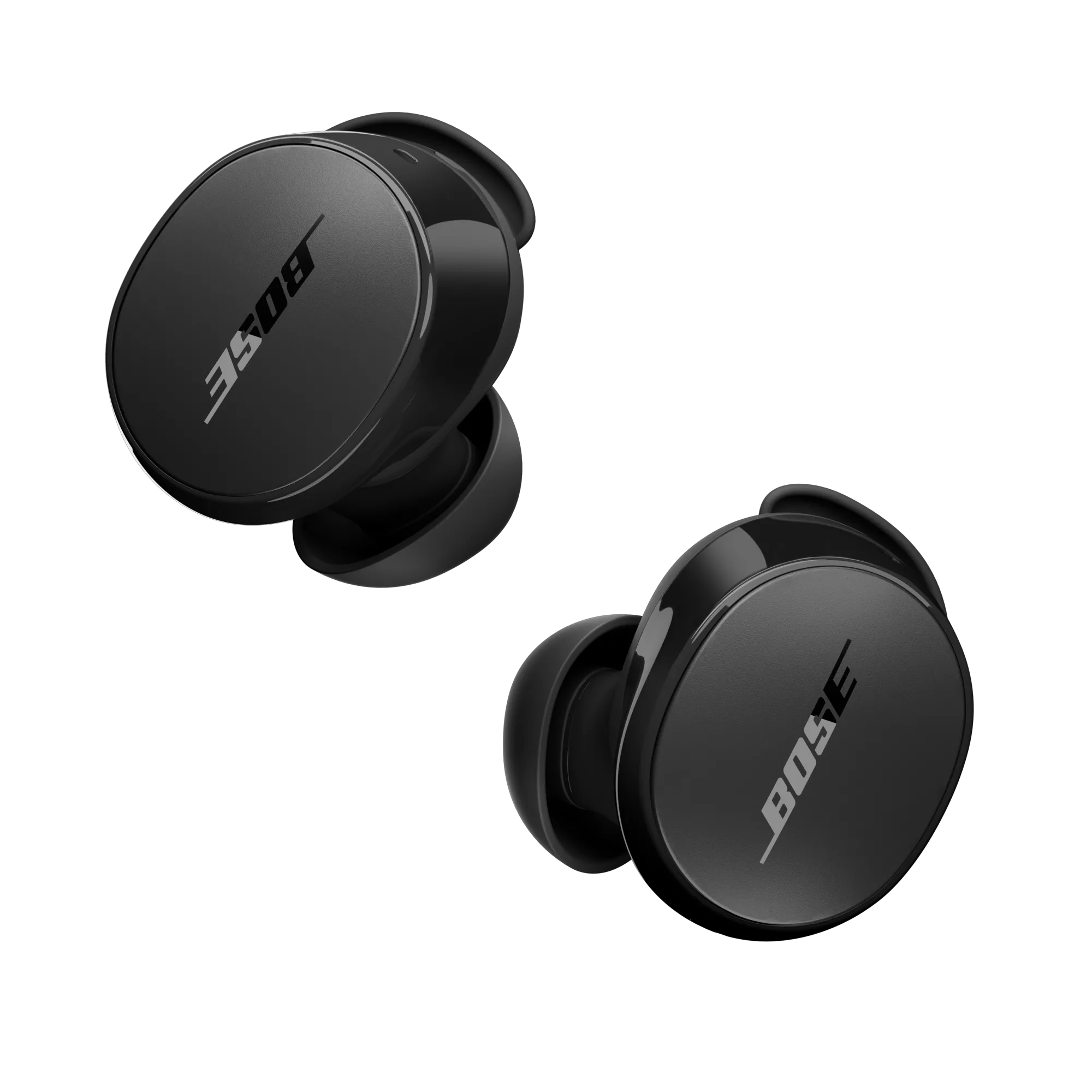
Before You Reset Bose QuietComfort Earbuds
Take a few simple steps before starting. Many failed resets happen because the case battery is too low or one earbud is not making contact with its charging pins.
Charge the case for at least 15 minutes.
Clean the metal charging contacts on the earbuds and inside the case.
Place both earbuds firmly in the charging case.
Check that the charging lights respond when the earbuds are inserted.
Move away from other Bluetooth devices during the reset.
Keep the Bose Music app installed if you plan to update the earbuds later.
Your phone does not need to be connected during the reset. In fact, turning Bluetooth off for a moment can prevent the phone from automatically reconnecting while you work.
I have seen users press the case button while one earbud was still sitting on a desk. The case then appears to reset, but the earbud keeps its old connection. Both earbuds should be seated in the case for the most reliable result.

How to Reset Bose QuietComfort Earbuds
The steps below cover the main Bose QuietComfort Earbuds models. Look at the name in the Bose Music app or on the product box if you are unsure which version you own.
Reset the original Bose QuietComfort Earbuds
Follow these steps for the first-generation QuietComfort Earbuds:
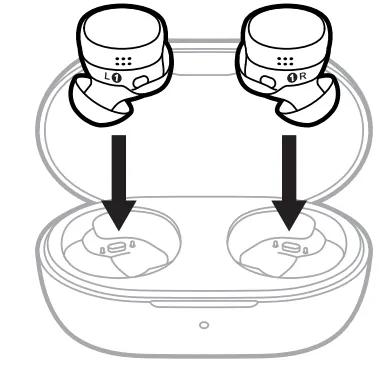
Put both earbuds into the charging case.
Leave the case open.
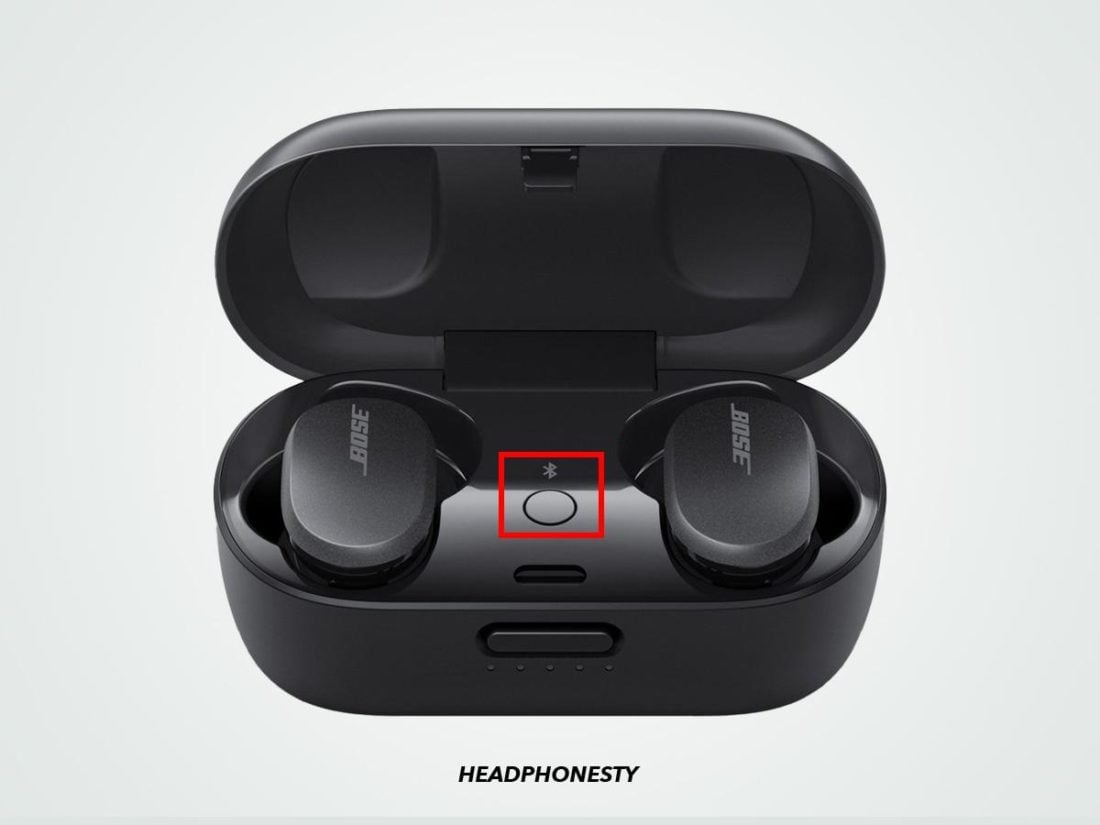
Find the Bluetooth button on the back of the case.
Press and hold the Bluetooth button for about 30 seconds.
Watch the earbud status lights. They should blink white, then blue, and then turn off.
Release the button after the light sequence finishes.
Close the case for a few seconds.
Open the case and remove the earbuds when you are ready to pair them again.
This process clears the Bluetooth device list stored on the earbuds. It does not remove the Bose Music app from your phone, so you may still need to remove the old earbuds entry from your phone’s Bluetooth settings.
Reset Bose QuietComfort Earbuds II
To reset Bose QuietComfort Earbuds II:
Place both earbuds in the charging case.
Leave the case open.
Press and hold the Bluetooth button on the back of the case.
Continue holding it for 30 seconds.
Wait for the status lights to blink white, then blue, and then turn off.
Release the button.
Close the case, wait several seconds, and open it again.
The earbuds should now be ready for a new Bluetooth connection. If the lights do not show the expected pattern, charge the case and repeat the process. A weak case battery is one of the most common reasons a reset does not complete.
Reset Bose QuietComfort Ultra Earbuds
The reset process for Bose QuietComfort Ultra Earbuds is similar:
Put both earbuds in the charging case.
Close the lid.
Wait about five seconds.
Open the lid.
Press and hold the Bluetooth button on the back of the case for about 30 seconds.
Release the button after the status lights complete the reset sequence.
Close the lid again, then reopen it before starting the pairing process.
The Ultra model may show different light behavior during setup, depending on the case charge and firmware. Follow the light pattern shown in the current Bose Music app if it differs from the basic sequence above.
If the case has no Bluetooth button
Some Bose charging cases or replacement cases may use a different control layout. Check the markings on the back and confirm the exact model in the Bose Music app. Do not press random buttons for a long period, as this may only place the case into pairing mode rather than perform a full reset.
Remove the Old Bluetooth Connection
Resetting Bose QuietComfort Earbuds clears the earbuds’ memory, but your phone may still remember the old connection. Removing that saved entry helps prevent pairing loops.
On an iPhone
Open Settings.
Tap Bluetooth.
Find the Bose earbuds in the list.
Tap the information icon beside the name.
Choose Forget This Device.
Confirm the action.
On an Android phone
Open Settings.
Tap Connected devices or Connections.
Select Bluetooth.
Tap the settings icon beside the Bose earbuds.
Choose Forget, Unpair, or Remove.
On Windows
Open Settings.
Select Bluetooth & devices.
Find the Bose earbuds.
Select the three-dot menu.
Choose Remove device.
On a Mac
Open System Settings.
Select Bluetooth.
Find the Bose earbuds.
Click the information button.
Choose Forget This Device.
After removing the old entry, restart your phone or computer. This step refreshes the Bluetooth service and gives the reset earbuds a clean start.

Pair the Earbuds Again After a Reset
Once you reset Bose QuietComfort Earbuds, pair them as if they were new. Keep the earbuds inside the open charging case during the first part of setup.
Open the case.
Press and hold the case Bluetooth button until the lights begin to blink blue.
Open Bluetooth settings on your phone.
Select the Bose QuietComfort Earbuds from the available device list.
Accept the pairing request.
Open the Bose Music app.
Add the earbuds and follow any firmware update instructions.
Do not close the case during the first pairing attempt. Also, keep your phone within a few feet of the case. Bluetooth pairing usually works across a room, but staying close removes another possible source of trouble.
After pairing, play a short podcast or song. Test both earbuds, the touch controls, noise cancellation, and the microphone. A quick test is better than discovering a problem during a call or flight.
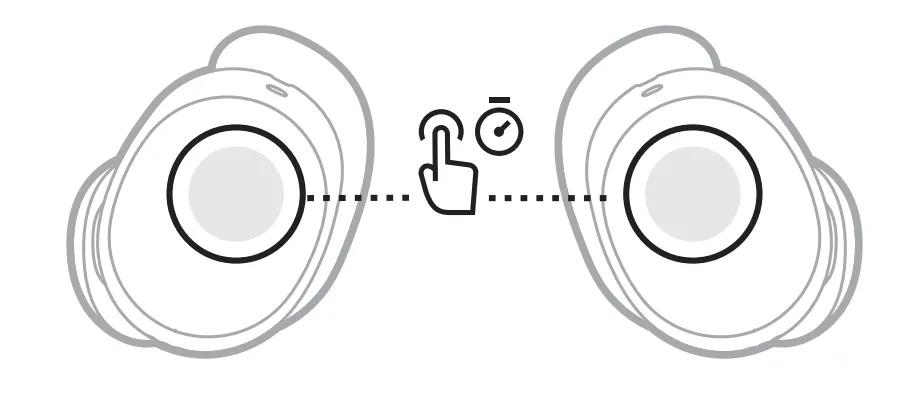
What to Do If the Reset Does Not Work
If Bose QuietComfort Earbuds do not reset, work through the problem in order. Avoid repeating the same button press many times without checking the basics.
Charge the case
Connect the case to a working USB cable and charger. Leave it connected for at least 15 to 30 minutes, then try again. The case must have enough power to control the reset process.
Check the charging contacts
Remove dust, skin oil, or lint from the contact points with a dry, soft cotton swab. Do not pour liquid into the case or use a sharp metal tool.
Reinsert both earbuds
Push each earbud gently into its slot. The status lights should respond if the contacts are working. If one earbud sits loosely, the case may not recognize it.
Restart the phone
Turn Bluetooth off, restart the phone, and turn Bluetooth on again. This does not reset the earbuds, but it can clear a frozen Bluetooth service.
Update the Bose Music app
Install the latest version of the Bose Music app from the official app store. App updates can improve setup, firmware delivery, and device recognition.
Try another device
Pair the earbuds with another phone or tablet. If they work there, the original phone may have a Bluetooth setting or software issue. If they fail everywhere, the case or earbuds may need service.
Inspect for physical damage
Cracks, corrosion, loose charging pins, and swelling can affect reset and charging behavior. Stop using the earbuds if the battery case becomes unusually hot, smells strange, or appears swollen.
In practical troubleshooting, the most useful order is power, contact, reset, forget, and pair. This prevents you from spending time on software fixes when the case simply cannot supply enough power.

Reset Versus Restart: What Is the Difference?
A restart is a quick power cycle. It may help after a temporary software glitch, but it usually does not erase stored Bluetooth connections.
A reset Bose QuietComfort Earbuds procedure is more complete. It clears pairing information and returns the earbuds to a setup state. You should use a reset when normal charging, restarting, or reconnecting does not solve the issue.
Choose a restart when:
• The earbuds briefly stop responding
• Audio pauses after switching between apps
• The Bose Music app temporarily freezes
Choose a full reset when:
• The earbuds refuse to pair
• The earbuds belong to a previous owner
• You changed phones and old connections cause problems
• The Bose app repeatedly loses the earbuds
A reset will not fix every fault. It cannot restore a damaged speaker, replace a weak battery, repair a broken microphone, or improve a poor Bluetooth signal caused by walls and interference.
Tips to Prevent Future Connection Problems
After you reset Bose QuietComfort Earbuds, a few habits can make daily use more reliable.
• Keep the Bose Music app updated.
• Install firmware updates when the earbuds have enough battery.
• Store both earbuds in the case after use.
• Keep the charging contacts clean and dry.
• Avoid pairing with many devices at the same time.
• Turn off Bluetooth on devices you no longer use nearby.
• Keep your phone’s operating system current.
• Do not leave the case in extreme heat, such as inside a parked car.
Modern Bluetooth earbuds are designed to manage several connections, but they can still become confused when a laptop, tablet, television, and phone all compete for attention. Removing unused pairings is like clearing a crowded desk. It gives the device fewer choices and often leads to faster connections.
Frequently Asked Questions About How to Reset Bose QuietComfort Earbuds
How long does it take to reset Bose QuietComfort Earbuds?
The button reset normally takes about 30 seconds, followed by a short pairing setup. The full process, including forgetting the old Bluetooth entry, usually takes only a few minutes.
Will resetting Bose QuietComfort Earbuds delete my Bose Music app settings?
The reset clears the earbuds’ stored Bluetooth connections. It does not uninstall the Bose Music app, but you may need to add the earbuds again and recheck settings such as noise cancellation modes.
Why are my Bose QuietComfort Earbuds not blinking during the reset?
The case may be low on power, or one earbud may not be seated correctly. Charge the case, clean the contacts, insert both earbuds again, and repeat the 30-second button press.
Do I need to reset both Bose QuietComfort Earbuds?
You should place both earbuds in the case during a full reset. This helps clear connection data from both sides and prevents one earbud from keeping an old pairing.
Can I reset Bose QuietComfort Earbuds without the Bose Music app?
Yes. The main reset uses the charging case and its Bluetooth button, so the app is not required. The app is useful afterward for pairing, settings, and firmware updates.
Will a reset fix one earbud having no sound?
It may fix a software or pairing problem, but it cannot fix a blocked speaker grille, damaged hardware, or a battery fault. Check charging, clean the earbud carefully, and test it on another device if the issue continues.
Conclusion
Learning how to reset Bose QuietComfort Earbuds is a simple way to solve many pairing and connection problems. Charge the case, place both earbuds inside, hold the Bluetooth button for about 30 seconds, forget the old Bluetooth entry, and pair the earbuds again.
Remember that the original QuietComfort Earbuds, QuietComfort Earbuds II, and QuietComfort Ultra Earbuds may show slightly different light patterns. If a reset fails, check power and charging contacts before assuming the earbuds are damaged.
Try the steps above, test both earbuds after pairing, and use the Bose Music app to keep the firmware current. If the problem remains, contact Bose support or arrange a professional inspection rather than repeatedly forcing the reset process.
