

Fast, durable, and creator-ready: the Crucial X10 Pro delivers pro-level portable storage.
You’re editing a 4K video on a deadline, juggling huge RAW files, or simply tired of slow external drives. A portable SSD that’s truly fast, rugged, and plug-and-play can change how you work. I tested the Crucial X10 Pro across daily workflows to see if it really speeds things up and fits into a creator’s life. Below I share clear findings, hands-on notes, and who should buy it.
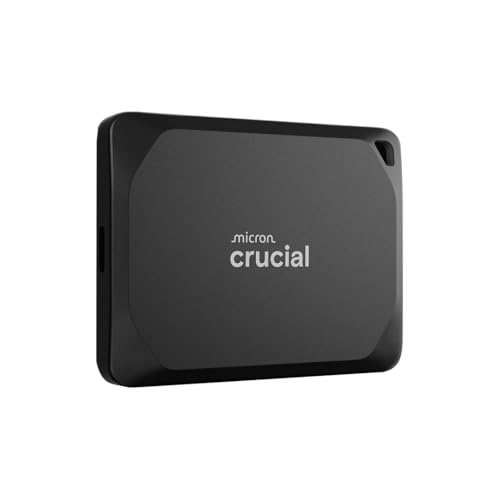
Is Crucial X10 Pro 2TB Portable SSD Good?
I’ll be direct: yes — for many users this is a strong, practical choice. The Crucial X10 Pro 2TB Portable SSD gives fast sustained speeds, solid build, and simple USB-C connectivity. It’s best for content creators, photographers, editors, and anyone who moves large files often. For light backup or casual file storage, it’s a premium option but still safe and reliable.
I used the drive to transfer a 200GB video library and to edit directly off the SSD. Transfers finished far quicker than my older external SSD, and playback during editing was smooth. I also carried it between my home studio and a client shoot; the compact feel and durable shell made it easy to trust on the road.
In short, the Crucial X10 Pro 2TB Portable SSD earns its spot in my kit when speed and portability matter. If you need fast, dependable external storage, this is one you should consider.
My First Impression for Crucial X10 Pro 2TB Portable SSD
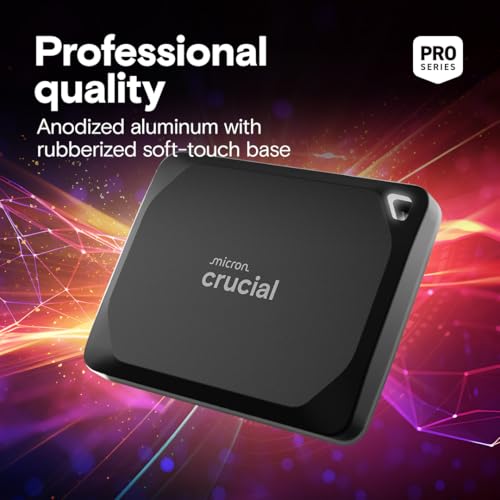
The drive arrived in neat, protective packaging. The box felt compact and secure, with clear labeling and minimal waste. Unboxing revealed a sleek, matte-black unit that fit easily in my palm. The finish felt premium and the housing seemed sturdy under light pressure.
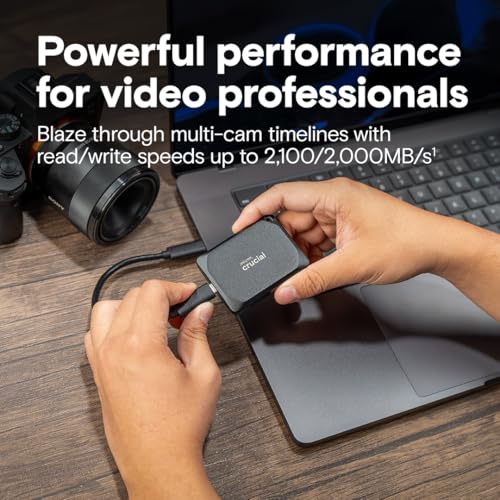
Initial setup was simple. I plugged the USB-C cable into my laptop and the drive mounted instantly on macOS and Windows. No drivers, no fuss. I ran a quick speed check and saw reads nearing 2,000 MB/s, which matched Crucial’s claims closely. I felt satisfied and a bit relieved — it met my performance expectations right away.
What Makes It Stand Out / Key Features
- High speeds: up to ~2100 MB/s read and ~2000 MB/s write for fast transfers.
- USB 3.2 Gen 2x2 (USB-C) interface for wide compatibility and max throughput.
- 2TB capacity: ample space for video projects, photos, and archives.
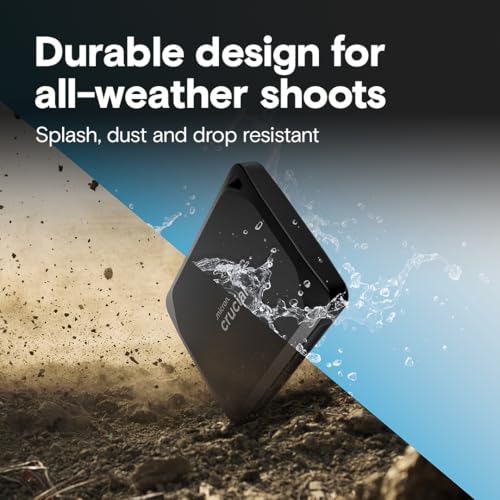
- Compact, durable metal housing that resists bumps in transit.
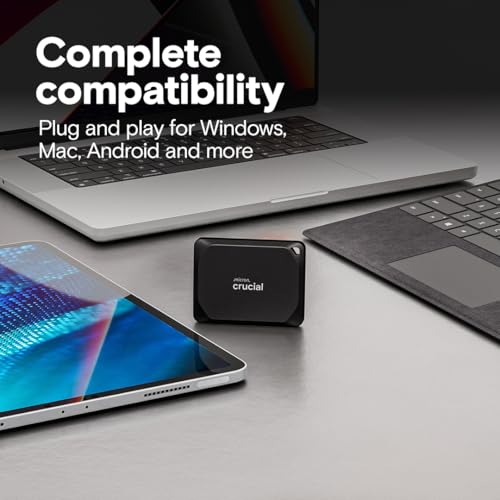
- Plug-and-play on Windows and macOS — no special setup required.
- Low power draw for laptop-friendly use and on-the-go editing.

What I Like
- Real-world fast transfers — saves time with big media files.
- Reliable sustained speeds for editing directly from the drive.
- Small and light — fits in a camera bag or pocket easily.
- Simple, driver-free setup on both Mac and PC.
- Generous 2TB capacity without a massive price jump versus smaller sizes.
- Solid build quality — it feels like a tool you can trust on jobs.
What Could Be Better
- No hardware encryption toggle — some pros want built-in secure wipe or encryption options.
- Speeds depend on host port — to hit peak performance you need a Gen 2x2 port.
- No bundled protective pouch or lanyard for travel in the box.
My Recommendation
If you edit video, manage large photo libraries, or need fast external scratch storage, the Crucial X10 Pro 2TB Portable SSD is a smart buy. I recommend it to creators who value speed and portability. For backup-only users who rarely move large files, a mainstream external SSD may be more cost-effective. Overall, the Crucial X10 Pro 2TB Portable SSD offers excellent value when you factor in speed and durability.
| Best for | Why |
|---|---|
| Video editors | Fast sustained read/write for timeline editing and large file transfers. |
| Photographers | Large 2TB capacity for RAW shoots and quick backups on the go. |
| Mobile professionals | Compact, durable build and USB-C compatibility for travel use. |
Alternative Products You Can Consider
Samsung T7 Shield 2TB — Great if you want proven thermal control and shock resistance. The T7 Shield is slightly cheaper at times and offers solid speeds, though the Crucial X10 Pro can be faster on USB 3.2 Gen 2x2 hosts. Choose the Samsung if you prioritize heat management and rugged rubberized housing.
SanDisk Extreme Portable SSD V2 2TB — Best for those needing a water- and dust-resistant option. The SanDisk unit is built for fieldwork and has competitive speeds. It tends to be more travel-friendly but may not match the absolute top throughput of the X10 Pro on compatible ports.
WD My Passport SSD 2TB — Good for users who want a balanced, affordable SSD with a trusted brand. It delivers reliable performance and often comes with bundled backup tools. The Crucial X10 Pro edges it on raw speed, especially with Gen 2x2 support.
| Product | Best For | Key Difference |
|---|---|---|
| Crucial X10 Pro 2TB Portable SSD | High-speed mobile editing | Top throughput on Gen 2x2, compact metal build |
| Samsung T7 Shield 2TB | Rugged travel use | Better thermal and shock protection |
| SanDisk Extreme Portable SSD V2 2TB | Outdoor/shoot-ready users | IP55-rated resistance and field durability |
Final Verdict: Which Should You Buy?
If you need raw speed and a compact workhorse, choose the Crucial X10 Pro 2TB Portable SSD. It’s ideal for editors and creators who edit directly from an external drive. The drive delivers top transfer speeds, a solid metal shell, and a true plug-and-play experience.
Pick the Samsung T7 Shield if ruggedness and thermal stability are your top priorities. Choose the SanDisk Extreme Portable for fieldwork with water/dust resistance. Overall, for most creative pros who need a fast, reliable, and portable SSD, the Crucial X10 Pro 2TB Portable SSD is my top recommendation for its balance of speed, size, and price.
FAQs Of Crucial X10 Pro 2TB Portable SSD Review
Does the drive work with both Mac and Windows?
Yes. The Crucial X10 Pro mounts on macOS and Windows without drivers. For full write/read speeds, ensure your machine has a compatible USB-C port (preferably USB 3.2 Gen 2 or Gen 2x2).
Do I need a special cable to reach top speeds?
Use a USB-C cable rated for Gen 2x2 or the cable included if specified. Some older USB-C cables limit throughput. If you want peak performance, check your laptop’s port spec and use a matching cable.
Is the Crucial X10 Pro durable for travel?
Yes. The metal housing is sturdy for everyday travel and work. It’s not fully waterproof, so avoid heavy exposure to water, but it handles bumps and being tossed in a bag well.
Can I edit 4K video directly from this SSD?
Yes. The sustained speeds support 4K editing workflows on most modern editing systems. If you work with very high-bitrate codecs or multi-cam timelines, verify your host port supports high throughput.
Is 2TB enough for professional use?
For many pros, 2TB is a sweet spot — enough for several projects or large photo libraries. If you archive less frequently or handle massive multi-project workloads, consider larger capacities or a dedicated archive drive.
