

To reset Jabra earbuds, place them in the case and hold both earbud buttons for about 10 seconds.
Learning how to reset Jabra earbuds can solve pairing errors, one-sided audio, charging problems, and random connection drops. The exact steps may vary by model, so this guide explains the standard reset method, model limits, app settings, and what to do if the reset does not work.
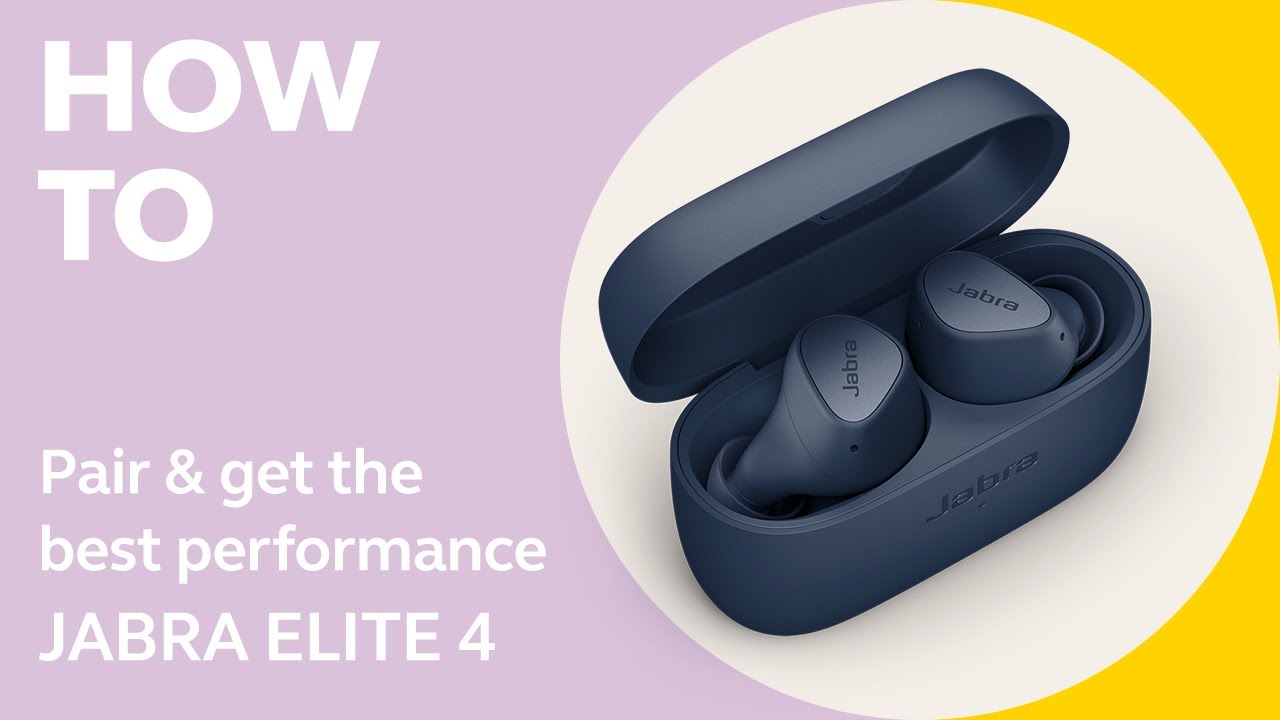
What a Jabra earbud reset does
A reset returns your Jabra earbuds to their factory settings. It clears saved Bluetooth connections and removes many software settings stored on the earbuds.
A reset can help when your earbuds:
• Will not connect to your phone
• Connect to only one earbud
• Keep disconnecting
• Show the wrong battery level
• Do not enter pairing mode
• Have uneven sound or control issues
• Fail to switch between devices
A factory reset is not the same as placing the earbuds back in the charging case. Charging only restores power. A reset clears internal settings, much like wiping a small digital slate clean.
In my own troubleshooting, I have found that many “broken” Jabra earbuds only needed a full reset and a fresh Bluetooth pairing. Still, a reset will not repair physical damage, a worn battery, blocked speaker mesh, or a faulty charging case.
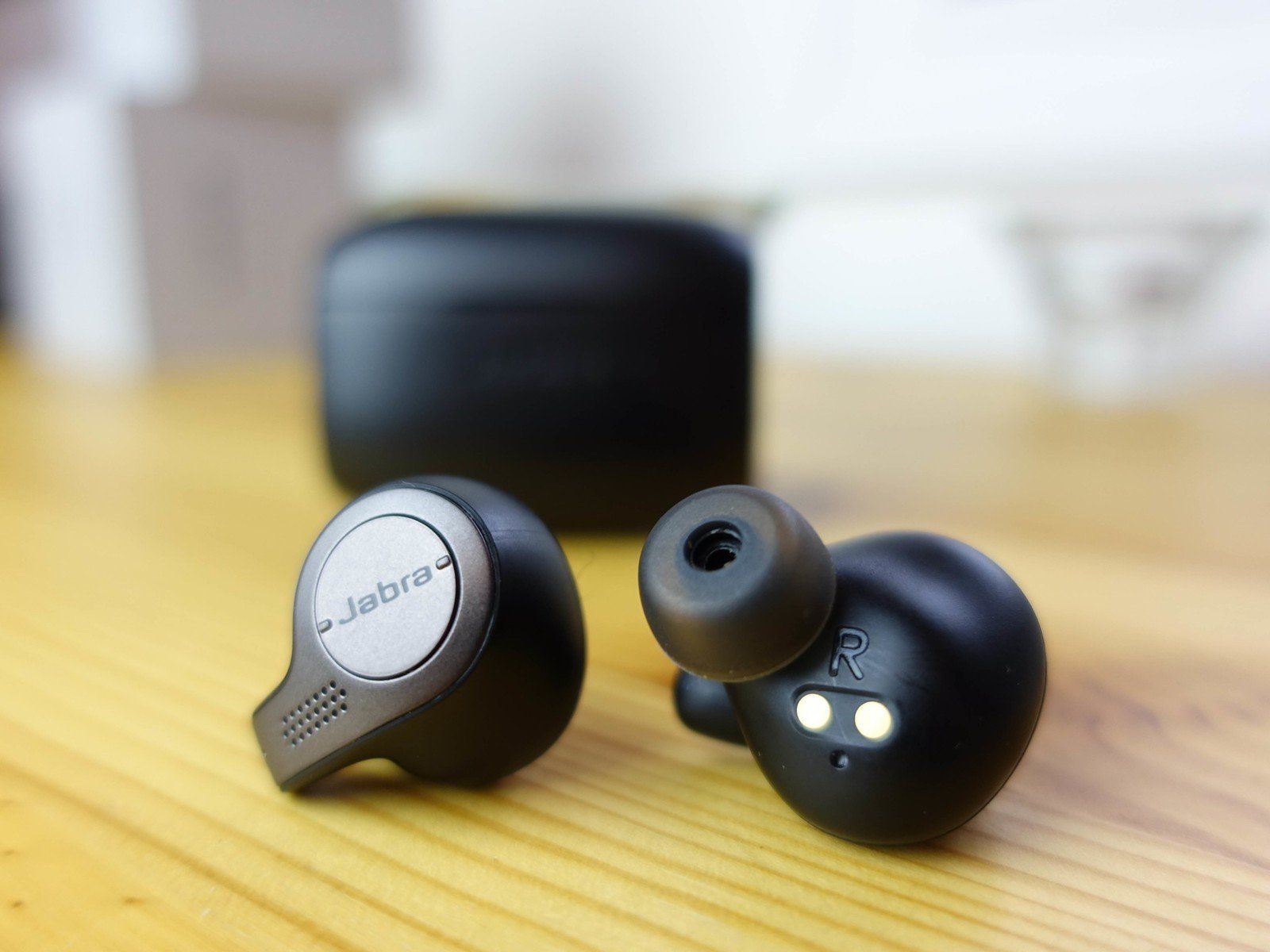
Before you reset Jabra earbuds
Take a few simple steps before starting. This helps prevent a failed reset and makes reconnecting easier.
- Charge the earbuds and case
Place both earbuds in the charging case and charge them for at least 15 to 30 minutes. A low battery can stop the reset process from starting.
- Forget the old Bluetooth connection
On your phone, open Bluetooth settings and remove the Jabra device.
On an iPhone:
• Open Settings
• Tap Bluetooth
• Tap the info icon beside your Jabra earbuds
• Select Forget This Device
On Android:
• Open Settings
• Select Connected devices or Bluetooth
• Tap the gear icon beside your Jabra earbuds
• Choose Forget or Unpair
- Close the Jabra app
Close the Jabra Sound+ app before you reset Jabra earbuds. You can open it again after the reset is complete.
- Check the model
Look at the inside of the charging case, the original box, or the device name in the Jabra Sound+ app. Elite 3, Elite 4, Elite 5, Elite 7, Elite 8, Elite 10, and older Elite models can have slightly different controls.

How to reset Jabra earbuds with buttons
This is the most common way to reset Jabra earbuds. It works on many Jabra Elite models with physical or touch buttons.
Remove both earbuds from the charging case.
Make sure both earbuds are turned on. If they are off, press and hold each earbud button for about 1 second.
Press and hold the Left and Right earbud buttons at the same time.
Keep holding for about 10 seconds.
Release the buttons when the earbud LEDs flash purple.
Place both earbuds back in the charging case.
Close the lid for a few seconds, then open it.
Remove the earbuds and pair them with your phone again.
The purple LED is the usual sign that the reset worked on many Jabra models. Some models may use a different light pattern, so check the model guide if you do not see purple LEDs.
When you reset Jabra earbuds, the two earbuds should reset together. Resetting only one earbud may leave the pair out of sync.

How to reset Jabra earbuds using the charging case
Some Jabra models rely on the case during the reset process. This method is useful when the earbuds do not respond well outside the case.
Put both earbuds into the charging case.
Leave the lid open.
Press and hold both earbud buttons while they remain in the case.
Continue holding the buttons for about 10 seconds.
Watch for the purple LED flash.
Close the lid for at least 5 seconds.
Open the case and remove the earbuds.
Pair them again with your phone.
If the earbuds do not respond, remove them from the case and repeat the reset with both earbuds in your hands. The charging contacts must also touch the metal pins correctly. Dirty contacts can make the case think that one earbud is still inactive.

How to reset different Jabra Elite models
The general reset method is similar across the Jabra Elite range, but the controls and LED behavior may differ.
Jabra Elite 3 and Elite 4
To reset Jabra earbuds in this group, remove both earbuds from the case and hold both buttons for around 10 seconds. Release them when the LEDs flash purple, then place the earbuds back in the case before pairing again.
Jabra Elite 5
The Elite 5 usually follows the same two-button reset process. Make sure both earbuds are powered on and that you hold both buttons at the same time.
Jabra Elite 7 series
For Elite 7 models, hold both earbud buttons for about 10 seconds until the LEDs flash purple. The earbuds may announce that they are ready to pair after the reset.
Jabra Elite 8 Active and Elite 10
These newer models may use touch controls rather than large physical buttons. Press and hold the touch areas on both earbuds for roughly 10 seconds, then look for the reset LED pattern.
Older Jabra Elite models
Older models can use different timing or button commands. If the standard method fails, use the model-specific support guide in the Jabra Sound+ app or on Jabra’s support site.
Because product generations change, the safest approach is to confirm the exact model before you reset Jabra earbuds. Do not force a button or press a charging contact with a sharp object.
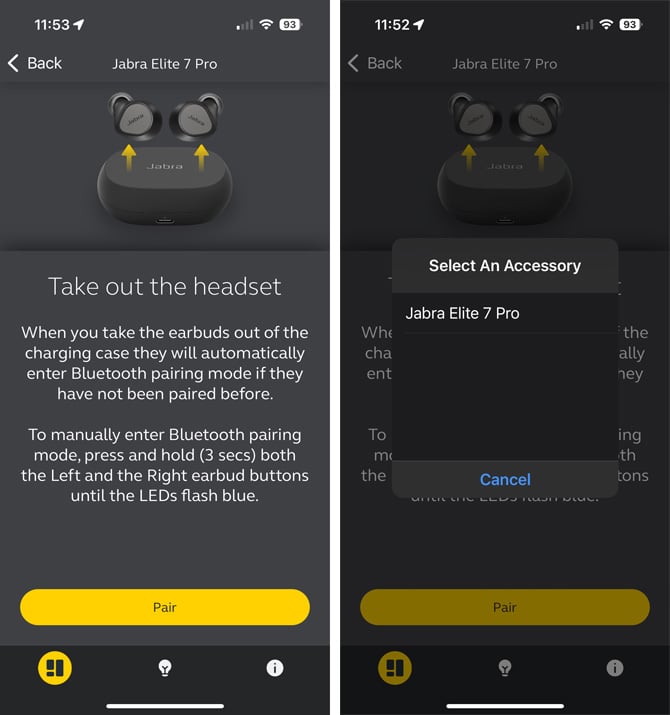
How to pair Jabra earbuds after a reset
A reset does not automatically reconnect your earbuds. You must pair them again as if they were new.
Open your phone’s Bluetooth settings.
Turn Bluetooth off, wait five seconds, and turn it back on.
Remove both earbuds from the charging case.
Press and hold the buttons on both earbuds for about 3 seconds, or follow the pairing prompt for your model.
Select the Jabra device when it appears on your phone.
Confirm the pairing request.
Open the Jabra Sound+ app and complete setup.
If the Jabra name does not appear, place both earbuds back in the case and repeat the process. Keep the phone within about 3 feet of the earbuds during pairing.
A common mistake is trying to pair only the left or right earbud. Most Jabra pairs must communicate with each other first. Then they connect to your phone as one Bluetooth device.

What to do if the Jabra reset does not work
If you cannot reset Jabra earbuds, work through these checks in order.
Clean the charging contacts
Use a dry cotton swab to clean the metal contacts on the earbuds and inside the case. Do not use water or spray cleaner. Dirt, skin oil, and pocket lint can block charging and prevent the reset command.
Charge the case and earbuds
Connect the case to power and leave it charging for at least 30 minutes. A flashing or weak LED may indicate that the case does not have enough power.
Restart your phone
Turn your phone off and on again. This clears temporary Bluetooth errors that can make a successful reset look unsuccessful.
Remove nearby Bluetooth devices
Turn off Bluetooth on nearby phones, tablets, laptops, and smartwatches. Another device may connect to the Jabra earbuds before your phone does.
Update the firmware
After you reconnect, open Jabra Sound+ and check for firmware updates. Firmware updates can improve stability, but the earbuds should have enough battery before you begin.
Try the reset again
Hold both buttons for the full 10 seconds. Releasing too soon is one of the most common mistakes. If the LEDs do not show the expected pattern, repeat the process with the earbuds fully charged.

Jabra earbuds reset but only one side works
A one-sided connection often happens after a partial reset or failed pairing. Start by placing both earbuds in the case and confirming that both charging lights respond.
Then reset Jabra earbuds again as a pair. Forget the Bluetooth connection on your phone first, because the phone may keep using an old connection profile.
You can also try these steps:
• Place both earbuds in the case
• Close the lid for 10 seconds
• Remove both earbuds together
• Reset both earbuds at the same time
• Forget every old Jabra entry on your phone
• Pair the earbuds again as one device
If only one earbud still works, inspect the silent earbud for blocked speaker mesh or charging problems. If the earbud never lights up after charging and cleaning, the issue may be hardware-related rather than a Bluetooth fault.
Jabra earbuds reset but will not connect
If the reset worked but your phone cannot connect, check the Bluetooth list carefully. You may see an old Jabra entry, a duplicate entry, or a device name that includes a previous phone.
Delete all old Jabra entries before pairing again. Then restart Bluetooth and place the earbuds into pairing mode.
Also check these possible causes:
• The earbuds are connected to another phone
• Your phone’s Bluetooth software needs a restart
• The earbuds are too far away
• The case battery is low
• The Jabra Sound+ app needs an update
• Your phone has too many saved Bluetooth devices
On Android, clearing the Bluetooth cache may help, but the menu name differs by phone brand. On iPhone, forgetting the device and restarting the phone is usually the simplest first step.
When you should not reset Jabra earbuds
A reset is useful, but it should not be your first choice for every problem. Avoid repeated resets if the issue clearly involves physical damage.
A reset may not fix:
• Water damage
• A cracked earbud shell
• A swollen or failing battery
• A damaged charging case
• A speaker blocked by deep debris
• A broken button or touch sensor
• A charging pin that no longer moves
Jabra earbuds have water and dust resistance ratings that vary by model. Water resistance does not mean waterproofing, and liquid damage may not be covered by the warranty.
If the earbuds become hot, smell unusual, or show signs of battery swelling, stop using and charging them. Contact Jabra support or an authorized service provider instead.
Tips to prevent future Jabra earbud problems
Good daily care can reduce the need to reset Jabra earbuds.
• Keep the charging case above 20% battery
• Store the earbuds in the case when not in use
• Clean the charging contacts once a week
• Keep firmware updated through Jabra Sound+
• Avoid leaving earbuds in extreme heat
• Do not charge wet earbuds
• Keep the case free of lint and dust
• Remove old Bluetooth connections from unused devices
In my experience, the most preventable problem is poor contact between the earbud and its case. A tiny piece of lint can stop charging, and a low earbud battery can look like a software failure.
It also helps to reset only when needed. Frequent factory resets do not improve battery life or sound quality, and they erase useful settings such as equalizer preferences and saved connections.
Frequently Asked Questions About How to Reset Jabra Earbuds
How do I reset Jabra earbuds?
Remove both earbuds from the case and hold both earbud buttons for about 10 seconds. Release them when the LEDs flash purple, then place them back in the case and pair them again.
Why are my Jabra earbuds not flashing purple during a reset?
The earbuds may be low on power, turned off, or not making contact with the charging case. Charge them, clean the contacts, and repeat the reset while holding both buttons at the same time.
Will resetting Jabra earbuds delete Bluetooth connections?
Yes. A factory reset removes saved Bluetooth connections and returns the earbuds to their default settings. You must forget the old device on your phone and pair the earbuds again.
Can I reset only one Jabra earbud?
Most Jabra models are designed to reset as a pair. Resetting one earbud alone may leave the earbuds out of sync, so reset both at the same time whenever possible.
Do I need the Jabra Sound+ app to reset my earbuds?
Usually, no. Most Jabra Elite models can be reset with the earbud buttons or touch controls. The app is helpful for firmware updates, setup, battery checks, and model-specific instructions.
Will a reset fix low volume in one Jabra earbud?
A reset may fix a software or pairing fault, but it will not remove dirt from the speaker mesh. Clean the earbud carefully and check the audio balance settings on your phone if the volume remains uneven.
Conclusion
Knowing how to reset Jabra earbuds gives you a quick way to solve many pairing, connection, and control problems. Charge the earbuds, forget the old Bluetooth connection, hold both earbud buttons for about 10 seconds, and pair them again after the purple LED signal.
If the reset fails, check the charging contacts, battery level, firmware, and phone settings. Try these steps carefully, and explore the official model guide or Jabra Sound+ app when your earbuds use a different control pattern.
