How Do Wireless Headphones Work: Explained Simply
Introduction
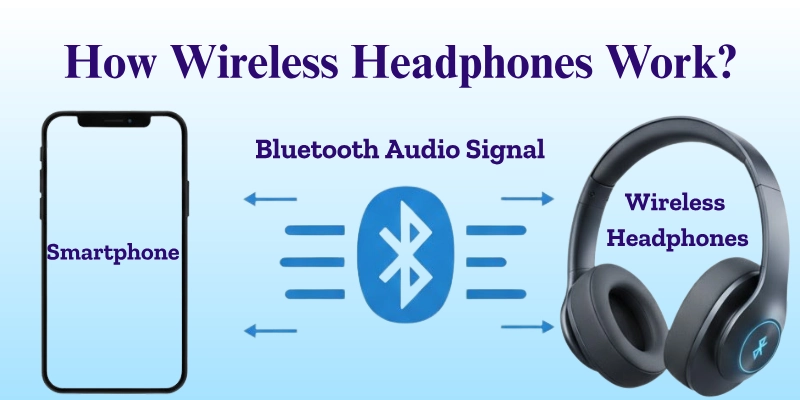
In the United States, wireless headphones connect to phones, tablets, laptops, game consoles, and TVs mainly through Bluetooth radio signals. The source device turns music or speech into digital data, compresses it with an audio codec, and sends it through the air. The headphones decode that data, change it back into sound, and play it through small speaker drivers.
Wireless headphones still need power. A built-in battery runs the Bluetooth radio, audio chip, amplifiers, microphones, and other features such as active noise cancellation. Most models recharge through a USB cable or a charging case.
The short version is simple: wireless headphones replace the cable between your device and the speakers with a short-range digital radio link.

What Are Wireless Headphones?
Wireless headphones are headphones that receive audio without a physical audio cable between the headphones and the source device. Most consumer models sold in the United States use Bluetooth.


Wireless does not mean that the headphones need no power. The battery supplies energy to the radio, digital signal processor, amplifier, and speaker drivers.
The main parts are:
- Bluetooth radio: Sends and receives wireless data.
- Bluetooth chip: Manages the connection and handles some audio processing.
- Audio codec: Compresses and decompresses digital sound.
- Digital-to-analog converter: Changes digital audio into an electrical audio signal.
- Amplifier: Increases the signal strength.
- Speaker driver: Changes the electrical signal into sound waves.
- Battery: Powers the electronic parts.
- Microphones: Support calls, voice assistants, transparency mode, and noise cancellation.
- Firmware: The built-in software that controls the headphones.
Some wireless gaming headsets use a USB transmitter instead of standard Bluetooth. Others use proprietary 2.4 GHz radio systems. These systems can reduce delay, but they may need a special USB dongle.
How Do Bluetooth Headphones Work?
Bluetooth headphones work by creating a short-range wireless connection with a source device, such as an iPhone, Android phone, Windows PC, or Mac.
The process usually follows these steps:
- You turn on the headphones.
- The headphones enter pairing mode.
- Your phone or computer scans for nearby Bluetooth devices.
- You select the headphones from the device list.
- The two devices exchange connection and security information.
- The source device sends compressed audio data.
- The headphones decode the data and play the sound.
Bluetooth operates in the 2.4 GHz radio band. This band is also used by some Wi-Fi networks, wireless keyboards, mice, and other devices. Bluetooth uses methods designed to reduce interference, but heavy wireless traffic can still affect performance in crowded places.
Bluetooth profiles
Bluetooth profiles define how two devices use a Bluetooth connection. For headphones, common profiles include:
- A2DP: Sends stereo music and other high-quality audio.
- AVRCP: Lets the headphones control playback, volume, or track changes.
- HFP: Supports phone calls and two-way voice communication.
- HSP: Provides basic headset functions on some older devices.
A phone may use A2DP for music and switch to HFP during a call. That switch can reduce audio quality because the microphone and call system need two-way communication.


What Happens to Music Before You Hear It?
A phone or computer stores music as digital audio. Bluetooth headphones cannot simply receive every file in its original form. The source device usually converts the audio into a codec format before transmission.
A codec is a set of rules for compressing and restoring audio. Common Bluetooth audio codecs include:
| Codec | General role | Practical point |
|---|---|---|
| SBC | Basic Bluetooth audio codec | Widely supported and required by many Bluetooth audio systems |
| AAC | Common in Apple devices and many headphones | Performance depends on both devices and software |
| aptX | Optional codec used by some devices | Requires compatible hardware on both ends |
| aptX Adaptive | Adjusts performance based on conditions | Support varies by phone and headset |
| LDAC | Supports higher data rates on compatible devices | Higher settings may be more sensitive to connection limits |
| LC3 | Codec linked with Bluetooth LE Audio | Designed for newer Bluetooth LE Audio systems |
Codec names do not tell the whole story. A codec can support a high data rate, but that does not guarantee better sound. The result also depends on the source recording, headphone tuning, signal strength, software, and the speaker drivers.
Both devices must support the same optional codec for it to work. If they do not, they usually fall back to a shared codec, often SBC or AAC.
Lossy and lossless audio
Many Bluetooth systems use lossy compression. This means the codec removes some data to lower the amount of information sent over the radio link.
That does not mean the sound will be poor. Well-designed lossy codecs can sound clear for music, podcasts, and calls. However, Bluetooth audio may not remain bit-for-bit identical to the original file.
Some newer systems support forms of lossless or near-lossless transmission under specific conditions. These features need compatible headphones, a compatible source device, suitable software, and enough wireless capacity. They are not a standard feature of every Bluetooth headset.
How Do Wireless Headphones Turn Data Into Sound?
After receiving the audio data, the headphones reverse the transmission process.
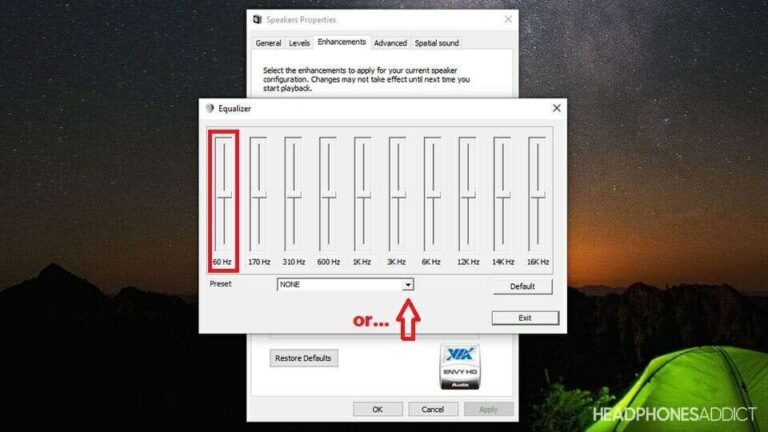
The internal Bluetooth chip decodes the audio stream. A digital signal processor may then adjust equalization, apply noise control, mix microphone signals, or limit volume. A digital-to-analog converter turns the processed digital signal into an electrical waveform.
The amplifier increases that signal. The speaker driver then moves back and forth in response. Those movements create pressure changes in the air. Your ears detect those pressure changes as sound.
This path is often called the audio signal chain:
Source file → codec → Bluetooth radio → decoder → signal processing → amplifier → driver → sound
The driver is the part that produces the final sound, but it is only one part of the system. Wireless performance also depends on the radio, codec, amplifier, battery, firmware, and physical design.
How Does Active Noise Cancellation Work?
Active noise cancellation, or ANC, uses microphones and electronic processing to reduce outside sound. It does not create silence, and it does not work equally well against every type of noise.
Most ANC headphones use one or more of these microphone layouts:


- Feedforward microphones: Sit outside the ear cup or earbud and detect outside sound.
- Feedback microphones: Sit inside the ear cup or earbud and monitor the sound near your ear.
- Hybrid systems: Use both microphone positions.
The headphones analyze outside noise and create a second sound wave with the opposite phase. When the two waves meet, some of the unwanted sound is reduced. This process is called destructive interference.
ANC often works best with steady, low-frequency sounds, such as:
- Airplane engine noise
- Bus and train rumble
- Air-conditioning systems
- Road noise
It is usually less effective against sudden, sharp sounds, such as claps, nearby speech, or a dropped object. The ear seal also matters. Poorly fitting earbuds can let outside sound enter around the tips, which limits both passive isolation and ANC performance.
ANC uses extra battery power because the microphones and signal processor must remain active. Transparency or ambient mode does the opposite: it uses microphones to bring outside sound into the headphones so you can hear your surroundings.
How Do Wireless Headphones Handle Phone Calls?
During a call, wireless headphones use their microphones to capture your voice and send it back to the phone. The phone sends the other person's voice to the headphones.
This creates a two-way audio connection. Music playback mainly sends data in one direction, while a call sends audio in both directions.
Call quality depends on several factors:
- Microphone position
- Wind protection
- Bluetooth profile support
- Phone and headset software
- Background noise
- Network quality for the call itself
- The headset's voice-processing system
Many headphones reduce music quality during a call. This is often normal. The headset may switch from a high-quality music profile to a call profile with more limited bandwidth.
A model with several microphones may use beamforming. Beamforming combines microphone signals to focus on the speaker's voice and reduce some surrounding noise. It can help, but it cannot remove every sound in a busy street or windy outdoor area.
Why Do Wireless Headphones Have Delay?
Wireless headphones can have audio delay because the sound must be encoded, transmitted, decoded, processed, amplified, and played.
For music, a small delay is usually hard to notice. Video apps may compensate by delaying the picture or adjusting playback. Games can make delay more obvious because the sound should match an action on screen.
Latency can increase when:
- The codec needs more processing time
- The headphones use extra sound effects
- The connection is weak
- The device changes Bluetooth modes
- The headset uses a call profile
- The game or app does not compensate for delay


Gaming headsets with a dedicated 2.4 GHz USB transmitter may offer lower or more consistent latency than standard Bluetooth. The trade-off is that the transmitter may occupy a USB port and may not work with every phone or console.
Bluetooth LE Audio and the LC3 codec are designed to support newer use cases, including improved efficiency and audio sharing. Actual latency still depends on the product, software, and connection settings.
How Does the Battery Power Wireless Headphones?
A rechargeable lithium-ion battery supplies power to the headphones. The battery feeds several circuits at once, including the Bluetooth radio, amplifier, processor, microphones, and ANC system.
Battery life varies by model and use. It can change with:
- Volume level
- ANC or transparency mode
- Call time
- Codec and connection mode
- Temperature
- Battery age
- Wireless signal strength
- Use of a charging case
True wireless earbuds usually include a charging case. The case contains its own battery and transfers power through metal contacts when the earbuds are inserted.
Battery capacity slowly declines over time. Heat, long periods at full charge, and repeated charge cycles can increase wear. Use the charger and cable recommended by the manufacturer, and stop using a battery that swells, becomes unusually hot, leaks, or smells abnormal.
Do not use damaged headphones or charging cases. A damaged lithium-ion battery can create a fire risk.
Bluetooth vs. 2.4 GHz Wireless Headphones
Bluetooth is not the only wireless technology used for headphones. The best option depends on the device and the task.
| Feature | Bluetooth | 2.4 GHz USB wireless |
|---|---|---|
| Common use | Phones, tablets, laptops, and cars | Gaming PCs, consoles, and computers |
| Extra transmitter | Usually not needed | Usually required |
| Device support | Broad, but depends on profiles | Limited to supported transmitter devices |
| Latency | Can vary | Often designed for low delay |
| Battery use | Varies by model | Varies by model |
| Phone compatibility | Usually strong | May need an adapter or may not work |
| Multipoint | Available on some models | Less common |
Some headphones support both systems. They may use Bluetooth for a phone and a USB transmitter for a computer. Read the exact product manual before assuming that a headset supports every connection method.
What Affects Wireless Headphone Range?
Bluetooth range depends on the radio power, antenna design, obstacles, interference, and the connected devices.
A clear line of sight often provides better range than a connection blocked by a wall, desk, backpack, or human body. A phone in a pocket can also affect the signal, especially with small earbuds.
Common signs of a weak connection include:
- Music cutting out
- Crackling sounds
- Audio dropping from one earbud
- Delayed controls
- A failed pairing attempt
- Sudden switching to a lower-quality connection


To improve the connection, keep the source device nearby, remove large obstacles, and reduce unnecessary wireless connections. If problems occur only in one location, nearby radio interference may be involved.
Bluetooth range figures on product packaging are measured under stated test conditions. Real indoor range is often lower.
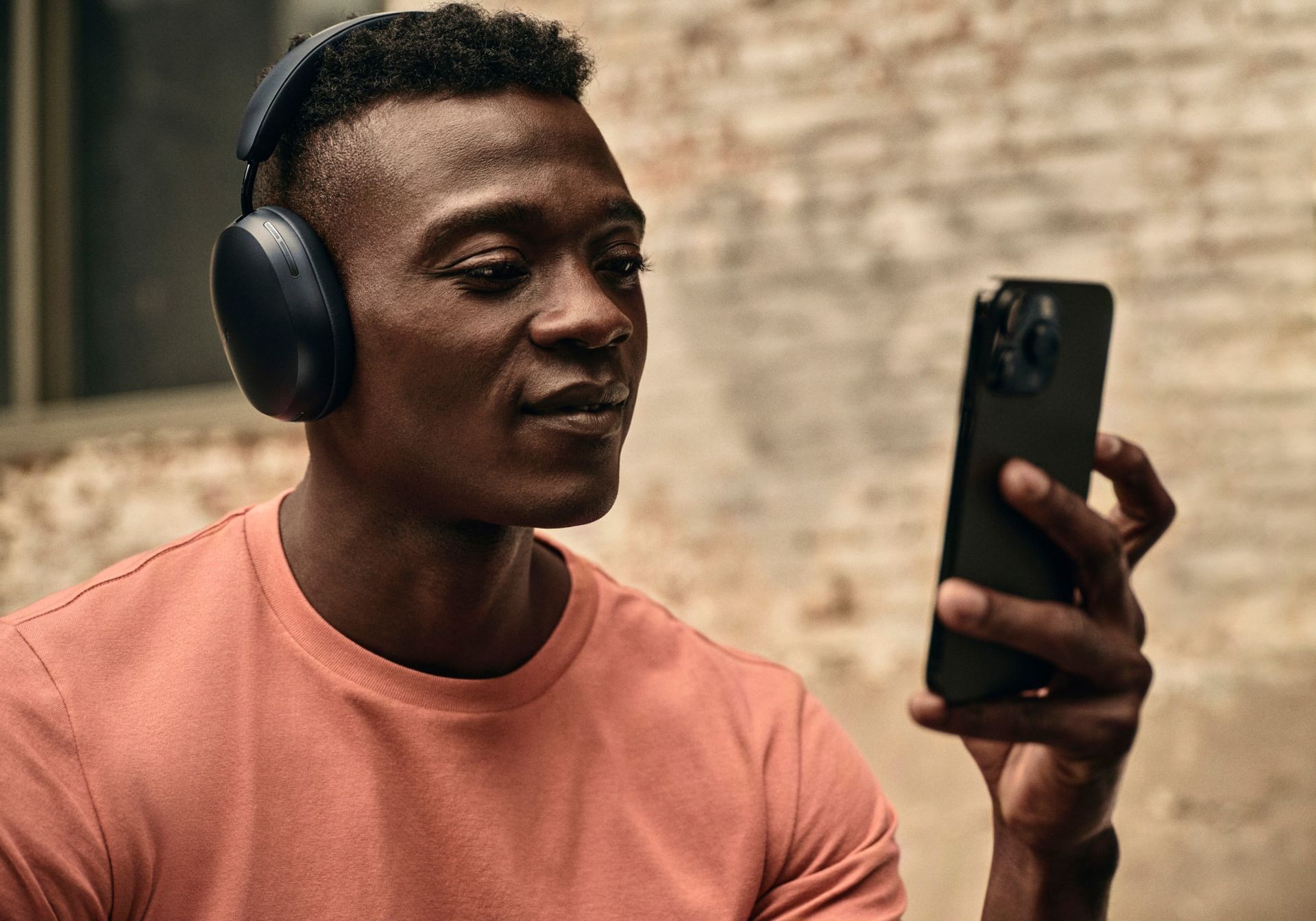
How to Pair Wireless Headphones
Pairing is the process of linking headphones to a source device.
Basic pairing steps
- Charge the headphones.
- Turn them on.
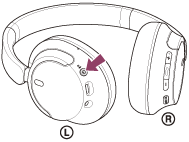
- Hold the pairing button if they do not enter pairing mode automatically.
- Open Bluetooth settings on the phone, tablet, or computer.
- Select the headphone name.
- Confirm the pairing request if one appears.
- Play audio to check the connection.
If the headphones have been paired with another nearby device, they may connect to that device first. Turn Bluetooth off on the old device or remove the old connection temporarily.
If pairing fails
Try these checks in order:
- Move the headphones close to the source device.
- Confirm that the headphones have enough battery.
- Turn Bluetooth off and back on.
- Remove or “forget” the headphones in Bluetooth settings.
- Restart both devices.
- Reset the headphones using the maker's instructions.
- Install available firmware updates.
- Test the headphones with another device.
A reset normally erases saved pairing information. You may need to pair the headphones again afterward.
Common Wireless Headphone Problems
The headphones connect but play no sound
Check the selected audio output. A phone or computer may remain set to its built-in speakers. Also check the volume on both devices and confirm that the app is not muted.
One earbud does not work
Place both earbuds in the case, confirm that they are charging, and clean the charging contacts with a dry, soft cloth. If one earbud remains disconnected, reset and pair the set again.
The sound cuts out
Keep the source device closer. Remove physical barriers and test the headphones away from crowded wireless areas. If only one app has the problem, update or restart that app.
Calls sound clear, but music sounds poor
The headset may be using a call profile. End the call and check whether music quality returns. On a computer, select the headphones' stereo output for music and use a separate microphone when possible.
Battery life is much shorter than expected
Check whether ANC, transparency mode, high volume, or long calls are active. Compare the result with the maker's stated test conditions. Battery life usually falls as the battery ages.
The headphones are uncomfortable
Try different ear tips, adjust the headband, or change the fit. Comfort affects the seal, sound, passive isolation, and ANC. Do not force earbuds deep into the ear canal.

Are Wireless Headphones Safe to Use?
Wireless headphones use low-power radio signals. In the United States, wireless devices must comply with applicable Federal Communications Commission requirements. Bluetooth headphones are designed for short-range communication and low power use.


The main everyday risk is usually excessive sound level, not the Bluetooth signal. Loud audio can damage hearing over time. The National Institute on Deafness and Other Communication Disorders recommends reducing exposure to loud sound and using hearing protection when needed.
Practical steps include:
- Keep the volume as low as needed.
- Take listening breaks.
- Avoid raising the volume to overcome traffic or machinery.
- Use well-fitting headphones to reduce the need for high volume.
- Stop and seek medical advice if you notice ringing, muffled hearing, pain, or sudden hearing changes.
Do not wear noise-canceling headphones when you need to hear alarms, traffic, bicycles, or other hazards. Transparency mode can help, but it is not a substitute for awareness.
What Should You Look For in Wireless Headphones?
Choose based on how you will use the headphones, not only on codec names or battery claims.
| Your priority | Features to consider |
|---|---|
| Phone calls | Microphone quality, wind reduction, call-profile support |
| Air travel | Strong passive seal, ANC, comfortable fit |
| Gaming | Low-latency mode, 2.4 GHz transmitter, platform support |
| Work and study | Multipoint, transparency mode, stable microphone |
| Exercise | Secure fit, sweat resistance, easy controls |
| Long listening | Comfort, replaceable ear pads or tips, reliable battery |
| High-quality music | Good tuning, codec compatibility, source quality |
| Travel | Compact case, USB charging, long combined battery life |
Check compatibility before buying. An iPhone, Android phone, Windows computer, PlayStation console, Xbox console, and smart TV may support different Bluetooth profiles or connection methods.
A product specification can document supported codecs, battery claims, and connection types. It does not prove that every listener will prefer the sound or that the battery will last for the same time in real use.

Frequently Asked Questions
Do wireless headphones work without Wi-Fi?
Yes. Bluetooth headphones do not need Wi-Fi to play audio from a connected phone, computer, or other source. The source device may need internet access to stream music, but the headphones themselves connect directly through Bluetooth.
Can wireless headphones work with a TV?
Often, yes. The TV must support Bluetooth audio or have a compatible transmitter. Some TVs support only certain Bluetooth profiles. A separate Bluetooth transmitter may be needed for an older TV.
Can I use wireless headphones with a wired cable?
Some over-ear wireless headphones include a 3.5-millimeter audio input. In wired mode, Bluetooth may not be needed, but features such as ANC can depend on the model and battery level.
Why do my wireless headphones sound different from wired headphones?
The wireless system may use a different codec, equalizer setting, amplifier, or digital signal process. The headphones may also have different tuning. A wired connection does not automatically mean better sound.
Can two devices use the same wireless headphones?
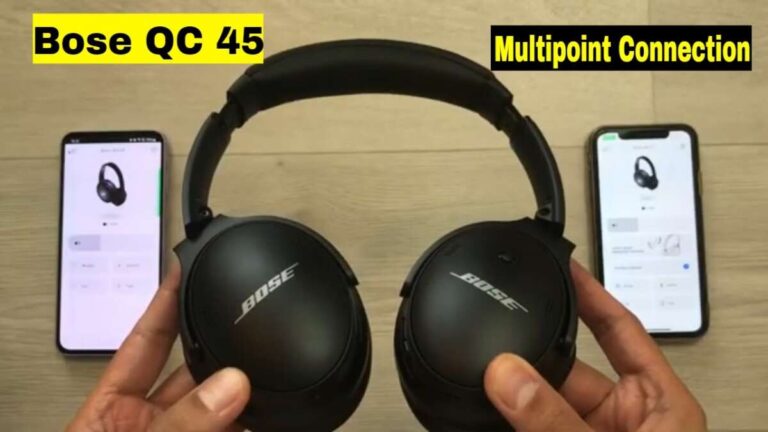
Some headphones support multipoint Bluetooth. This lets them stay connected to two devices, such as a phone and laptop. The headphones may still switch audio between devices rather than play both sources at once.
Key Takeaways
- Wireless headphones usually send audio through Bluetooth.
- The source device encodes audio, and the headphones decode it.
- A digital signal becomes sound through a converter, amplifier, and speaker driver.
- ANC uses microphones and an opposite sound wave to reduce some outside noise.
- Battery life depends on volume, ANC, calls, codec, temperature, and battery age.
- Bluetooth is convenient, while 2.4 GHz USB systems may suit low-latency gaming.
- Pairing problems often improve after charging, restarting, forgetting the device, and resetting the headphones.
- Safe listening habits matter more than maximum volume or advertised loudness.
Conclusion
Wireless headphones are small radio systems with speakers. They combine a Bluetooth or 2.4 GHz connection, audio processing, amplification, microphones, and a rechargeable battery.
For everyday use, focus on fit, comfort, device compatibility, call quality, battery behavior, and safe volume. Codec support can matter, but it is only one part of the complete listening experience.
Further Reading
- Bluetooth SIG: Bluetooth technology and specifications
- Federal Communications Commission: Radio frequency safety
- National Institute on Deafness and Other Communication Disorders: Noise-induced hearing loss
- Bluetooth SIG: LE Audio