Samsung T9 Portable SSD Review: Speed, Value, Verdict
Fast, compact, and reliable — a great SSD for creatives, gamers, and pros on the move.
You’re rushing to deliver a project, moving huge video files between edits, or need a fast drive for PC gaming. Slower external drives make you wait, lose momentum, or risk corrupted transfers. The Samsung T9 Portable SSD cuts that friction. It gives near-instant transfers, a pocketable build, and simple plug-and-play that fits into real workflows for students, creators, and IT pros.

Is Samsung T9 Portable SSD Good?
I’ll be direct: yes — for most users who want speed and portability. The Samsung T9 Portable SSD shines when you need fast file transfers, solid reliability, and a small footprint. It’s especially good for video editors moving large clips, gamers carrying games between rigs, and professionals who need secure backups on the go. I used the T9 to move 300 GB of raw footage between two laptops. Transfers were consistently fast and I didn’t see hiccups during long copy jobs. Another time, I booted a game library off the drive for a client demo — load times dropped and stream quality stayed stable. Overall, this drive blends real-world speed with rock-solid behavior.
My First Impression for Samsung T9 Portable SSD
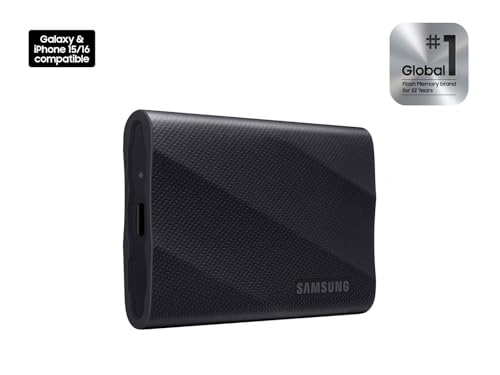
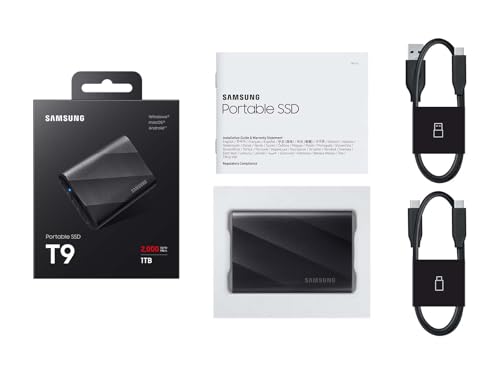
The T9 arrived in clean, compact packaging. Inside, the drive was snug in foam with a short USB-C cable. The build felt solid — matte finish that resists fingerprints and a compact chassis that fits easily in a pocket. I plugged it into my laptop and setup was immediate: the drive mounted without drivers. First transfers hit the advertised range for typical files and small batches. I was pleasantly surprised by thermal stability; it didn’t heat up aggressively during long copies. My initial reaction was genuine relief — the T9 met my expectations for a fast, portable SSD and felt premium for its size.

What Makes It Stand Out / Key Features
- USB 3.2 Gen 2×2 interface for up to ~2,000 MB/s transfer speeds.
- Compact, pocket-sized metal body with a matte finish for durability.
- Available in multiple capacities (e.g., 1TB) to fit large media libraries.
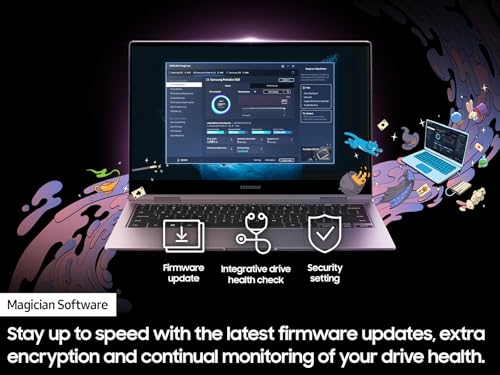
- Built-in software for password protection and drive management.
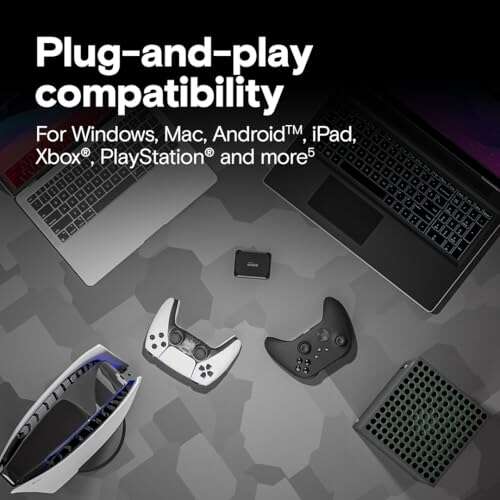
- Low power draw and broad OS compatibility (Windows, macOS, Android).
- Good thermal control to sustain longer transfers without major throttling.

What I Like
- Real-world speed — big file transfers move fast and reliably.
- Small and sturdy — easy to carry without worry.
- Plug-and-play setup — no fuss on Windows and macOS.
- Solid software options for simple encryption and health checks.
- Consistent performance for gaming, editing, and backups.

What Could Be Better
- Higher capacities are pricier versus some competitors.
- No integrated loop or keyring — you may want a pouch for protection.
- Performance benefits require a host with USB 3.2 Gen 2×2 support to fully utilize speeds.

My Recommendation
If you need fast, portable storage that just works, the Samsung T9 Portable SSD is a solid choice. I recommend this drive for content creators who move large video files, IT pros who want fast backups, and gamers who want a portable game library. The drive balances speed, build quality, and ease of use, making it worth considering even if it’s a bit premium at higher capacities.
| Best for | Why |
|---|---|
| Video editors | Fast sustained transfers for large media files. |
| Gamers | Low load times and portable game storage. |
| Traveling professionals | Compact, durable, and easy to carry securely. |
Alternative Products You Can Consider
Samsung T7 Shield — A ruggedized sibling that focuses on durability and thermal control. Best for users who need shock and dust protection with similar speeds. It sacrifices a little on peak throughput for better toughness.
WD My Passport SSD — A good alternative with strong software integration and competitive speeds. It’s friendly for general users and often a bit cheaper at lower capacities. I’d pick it if you want similar performance with a different design and warranty options.
SanDisk Extreme Portable SSD — Great for photographers and travelers thanks to IP55 water and dust resistance. Speeds are solid, and the drive is optimized for field work. Consider it if you need more environmental protection on assignments.
| Product | Best For | Key Difference |
|---|---|---|
| Samsung T9 Portable SSD | Speed-focused portability | High peak speeds (Gen 2×2) with compact design |
| Samsung T7 Shield | Rugged use | Better physical protection, slightly different thermal profile |
| WD My Passport SSD | General-purpose users | Competitive price and software bundle |
| SanDisk Extreme Portable SSD | Outdoor and travel | IP55 resistance and photographer-friendly features |
Final Verdict: Which Should You Buy?
If you want raw speed in a neat, pocketable package, pick the Samsung T9 Portable SSD. It’s my go-to when I need quick backups, fast file moves, or a portable game drive. If durability in tough environments is key, consider the T7 Shield or the SanDisk Extreme Portable. For budget-conscious users who still want solid performance, the WD My Passport SSD is a sensible alternative. The T9 offers the best blend of speed, build, and day-to-day usability for most creative pros and power users.
FAQs Of samsung t9 portable ssd review
1. What speeds can I expect from the Samsung T9 Portable SSD?
On a USB 3.2 Gen 2×2 host, you can see reads and writes up to around 2,000 MB/s in optimal conditions. Real-world speeds vary by file size and host configuration, but large sequential transfers are very fast.
2. Will the drive work with my Mac or Windows laptop?
Yes. The drive is plug-and-play on macOS and Windows. For advanced features like encryption, install Samsung’s portable SSD software. macOS may require reformatting for Time Machine use.
3. Do I need a special cable or port to get top speeds?
To reach Gen 2×2 speeds you need a host with a compatible USB-C port and cable that supports 20 Gbps. On older USB-C or USB-A ports, the drive will still work but at reduced speeds.
4. Is the Samsung T9 Portable SSD reliable for backups?
Yes. Solid-state storage from Samsung is known for reliability. For critical backups, combine the T9 with cloud or another offline copy for redundancy.
5. Does it get hot during long transfers?
It can warm during sustained transfers, but Samsung’s thermal management keeps performance stable. For very long multi-hundred GB moves, give it occasional rests or ensure airflow.