

No, you cannot reliably degauss an SSD because flash memory does not store data with magnetism.
If you are asking “can you degauss an SSD” before selling, recycling, or disposing of one, the answer matters: a powerful degausser may damage nearby electronics, yet leave SSD data recoverable. This guide explains why degaussing fails, which secure erase methods work, and how to choose the right approach for SATA, NVMe, and external SSDs.
Can you degauss an SSD?
No. You cannot reliably degauss an SSD because an SSD stores data in NAND flash cells, not on magnetic platters.
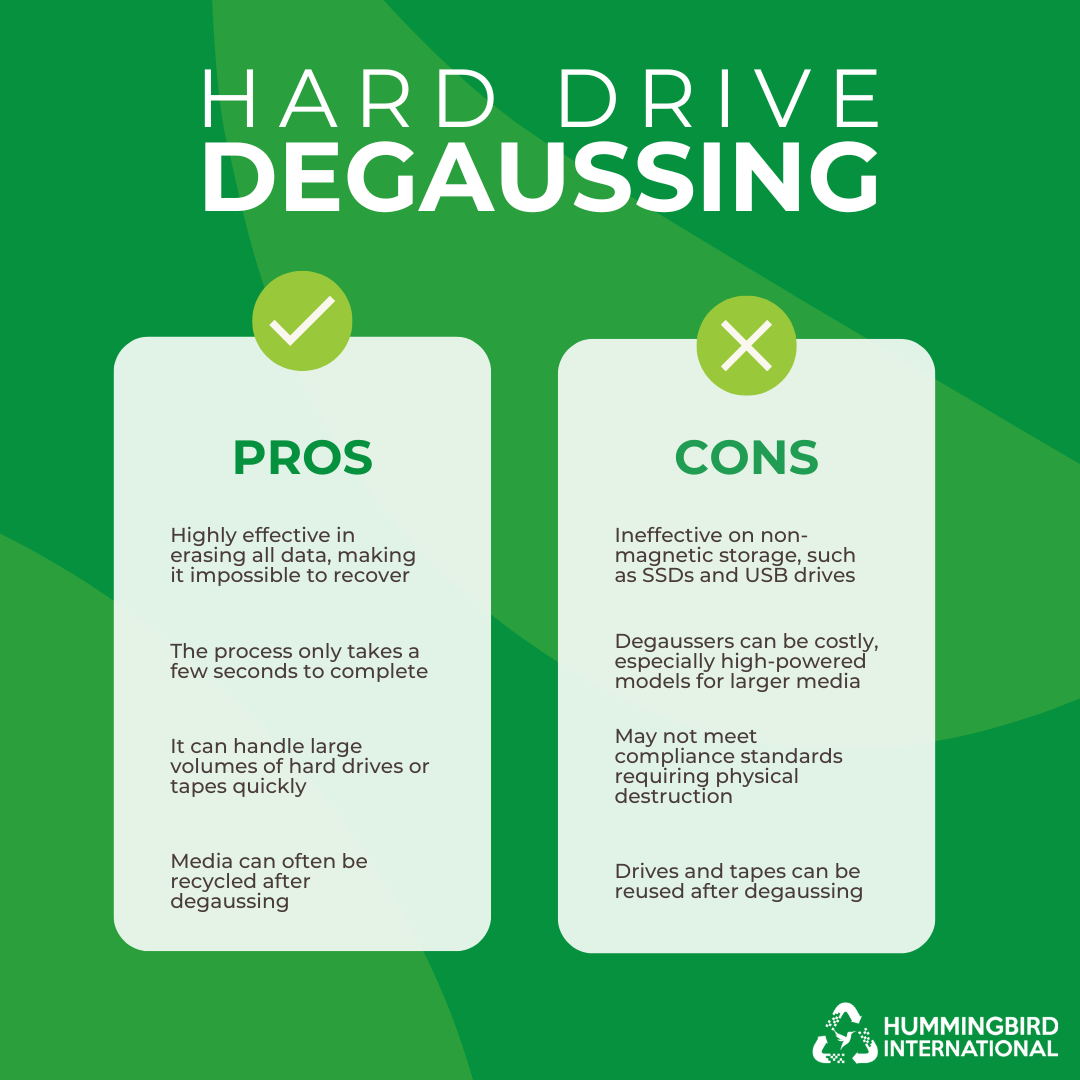
Degaussing works by using a strong changing magnetic field to disrupt magnetic patterns. Traditional hard disk drives, or HDDs, use those patterns to store data. Solid-state drives use electrical charges inside memory cells instead.
This means asking “can you degauss an SSD” is similar to asking whether a magnet can erase a printed book. The tool may be powerful, but it does not target the way the information is stored.
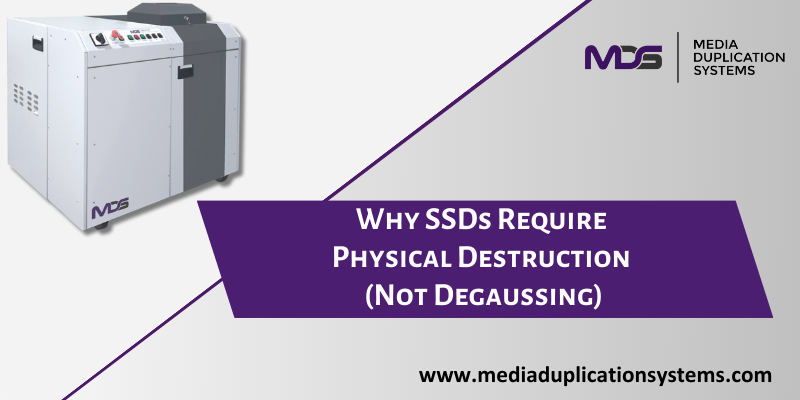
Why degaussing works on hard drives but not SSDs
A hard drive has one or more spinning platters coated with magnetic material. A read/write head changes tiny magnetic regions on those platters. Those regions represent the drive’s data.
A degausser creates a strong magnetic field. That field scrambles the magnetic regions and makes the platter data unreadable. This is why degaussing can be an approved destruction method for some magnetic storage devices.
An SSD works in a different way:
• NAND flash cells hold electrical charges.
• A controller manages data placement and access.
• Wear leveling moves data across different memory blocks.
• Overprovisioned space may not appear to the operating system.
• Garbage collection can copy or remove data in the background.
Because there are no magnetic platters, degaussing does not erase the electrical charges in NAND flash. It also does not reliably clear the SSD controller, firmware, or hidden flash blocks.
So, can you degauss an SSD? You can place one inside a degaussing machine, but the process is not a dependable data erasure method.

What happens if you put an SSD in a degausser?
A degausser may have little or no effect on the stored data. It could also damage other parts of the drive, such as the controller or circuit board, without securely erasing the NAND flash.
That creates a dangerous false sense of security. A drive may stop working in a computer, but a specialist may still recover data by removing the flash chips or analyzing the memory directly.
Some SSDs also contain:
• NAND flash packages
• A controller chip
• DRAM or static cache
• Firmware
• Power management circuits
• Encryption or security components
A magnetic field is not designed to sanitize these parts. Even if the SSD appears dead afterward, “not working” does not always mean “data is unrecoverable.”
This is an important lesson in storage disposal: physical failure and secure erasure are not the same thing.
The best ways to erase an SSD
The right method depends on whether the SSD still works, whether it contains sensitive data, and whether your policy requires a documented process.
Use the SSD’s built-in sanitize command
Many modern SSDs support a firmware-level sanitize feature. It may be called Secure Erase, Sanitize, Block Erase, or Cryptographic Erase, depending on the manufacturer and interface.
These commands are designed to work with the SSD controller. They can clear user data across flash blocks more effectively than a normal file deletion or format.
For SATA SSDs, tools may use ATA Secure Erase or ATA Sanitize commands. For NVMe SSDs, tools may use NVMe Format or NVMe Sanitize commands.
Always check the drive maker’s instructions first. A failed command, power loss, locked drive, or unsupported feature can affect the result.
Use cryptographic erase when encryption is active
Cryptographic erase destroys the encryption key that protects the stored data. Without that key, the encrypted flash contents should be unreadable.
This method can be very fast, even for a large SSD. It is often used in enterprise storage systems and self-encrypting drives.
However, cryptographic erase depends on proper encryption. If the drive was not encrypted, if keys were copied elsewhere, or if the implementation has a flaw, key deletion alone may not meet your security needs.
Use full-device overwriting only when appropriate
Overwriting an SSD with zeros was common for hard drives. On an SSD, it is less reliable because of wear leveling and spare blocks.
The operating system may write new data to a different physical flash location instead of replacing the original cell. Some old data can remain in areas that normal software cannot address.
A full overwrite may still be useful in certain low-risk cases, but it should not be your first choice for highly sensitive SSD data.
Physically destroy the SSD
For confidential, regulated, or highly sensitive information, physical destruction may be the safest option after an approved sanitization step.
Destruction methods can include:
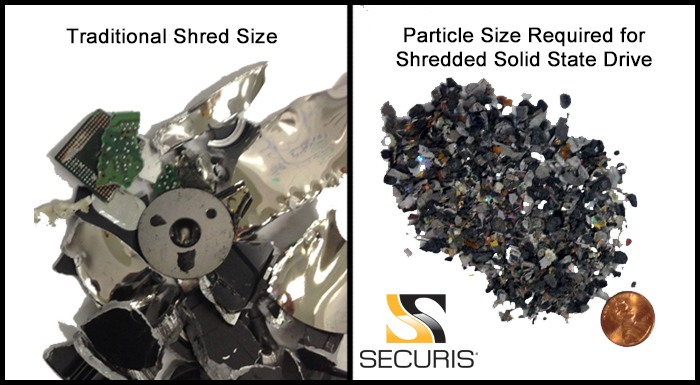
• Shredding the entire SSD with equipment rated for electronic media
• Crushing the circuit board and NAND packages
• Drilling through all flash memory chips
• Pulverizing the device through a certified media destruction service
Breaking the metal case is not enough. The NAND chips are the key storage components, and they must be damaged beyond practical recovery.
Follow workplace safety rules. SSD fragments can be sharp, and drilling or shredding electronics may create dust and debris.
A practical SSD sanitization process
If you need to dispose of an SSD safely, use a controlled process rather than a quick format.
- Identify the drive
Record the brand, model, serial number, interface, capacity, and asset tag. This helps prevent the wrong drive from being erased.
- Back up needed files
Once sanitization begins, recovery may not be possible. Confirm that important files have been moved to an approved location.
- Check the drive’s health
A failing SSD may not complete a software erase. If the drive is unstable, disconnects, or reports serious errors, plan for physical destruction.
- Enable or confirm encryption
For business devices, verify whether full-disk encryption or hardware-based encryption was active. Do not assume that an SSD was encrypted just because the computer had a login password.
- Run the manufacturer’s sanitize tool
Use the official utility when possible. For managed systems, use a trusted enterprise tool that supports the drive’s interface and records the result.
- Review the result
Look for a clear success message, completion log, or verification report. A computer that simply disappears from the operating system does not prove that erasure succeeded.
- Destroy failed drives
If the command fails or the drive cannot be accessed, use a certified destruction provider or a method that damages every NAND package.
- Document the process
Record the date, device details, method, operator, result, and final disposition. This matters for audits, privacy obligations, and internal accountability.
Standards such as NIST SP 800-88 Rev. 1 describe media sanitization concepts and help organizations choose between clear, purge, and destroy methods. Your industry rules may require additional controls.
Secure erase tools for SATA and NVMe SSDs
The tool you need depends on the drive type.
SATA SSDs
SATA SSDs may support commands such as:
• ATA Secure Erase
• ATA Enhanced Secure Erase
• ATA Sanitize
• Manufacturer-specific secure erase tools
A bootable environment may be required because the operating system cannot erase the active system drive while it is running. Some drives may also enter a frozen state that blocks secure erase commands until the system is placed into sleep mode or restarted correctly.
NVMe SSDs
NVMe drives use different commands and tools. Common options include:
• NVMe Format
• NVMe Sanitize
• Crypto Erase
• Vendor management software
Do not assume that a SATA tool works on an NVMe drive. The interface, command set, and security features differ.
External SSDs
An external SSD may connect through USB, Thunderbolt, or another bridge. The bridge chip can hide secure erase features from the operating system.
If an external drive does not expose its sanitize command, remove the SSD from its enclosure only if the manufacturer allows it and you understand the warranty and safety risks. When in doubt, use a professional service.

Why formatting and deleting files are not enough
Deleting a file usually removes its directory entry, not every copy of its data. The operating system marks the space as available, but remnants may remain until the SSD controller processes them.
A quick format has a similar limitation. It rebuilds the file system but does not necessarily sanitize all flash blocks, spare areas, or overprovisioned space.
The TRIM command helps an SSD identify blocks that no longer contain active files. It improves performance and supports internal cleanup, but TRIM is not the same as certified data sanitization.
For example, if you delete a tax document and format the drive, a recovery specialist may still find fragments. If the SSD was encrypted and the encryption key is securely destroyed, the risk is much lower.
This is why can you degauss an SSD is the wrong question for most disposal projects. The better question is: which SSD sanitization method matches the sensitivity of the data and the condition of the drive?
Common SSD erasure mistakes to avoid
Even experienced users make errors when handling storage devices. These mistakes are easy to prevent.
• Do not rely on a magnet. A strong magnetic field does not target NAND flash data.
• Do not treat a quick format as secure erasure.
• Do not overwrite only the visible files.
• Do not assume a dead SSD has no recoverable data.
• Do not use a random third-party utility without checking its commands and reputation.
• Do not erase a drive before confirming that backups work.
• Do not skip serial-number tracking in a business setting.
• Do not break only the enclosure when physical destruction is required.
• Do not ignore encryption key management.
One common error is choosing a method because it sounds familiar. Degaussing is well known, but the correct method must match the technology. A process that works for an HDD may fail completely on an SSD.
Can data be recovered from a degaussed SSD?
In many cases, the SSD data may remain intact because degaussing does not erase NAND flash cells. If the magnetic field does not affect the flash, the original data may still be present even if the controller or other electronics stop working.
Recovery becomes more difficult when the controller is damaged, but difficulty is not the same as impossibility. Specialized laboratories may use chip-off recovery, controller repair, or other forensic methods.
The exact result depends on the SSD design, encryption, damage, and condition of the flash memory. For that reason, organizations should not use degaussing as proof that SSD data has been destroyed.
When should you use a professional destruction service?
A professional service can be useful when the SSD contains health records, financial data, customer information, trade secrets, or government-related information.
Look for a provider that offers:
• A documented chain of custody
• Serial-number tracking
• A certificate of destruction
• Equipment designed for solid-state media
• Clear descriptions of the destruction method
• Secure transport and storage
• References to recognized sanitization standards
Ask whether the provider destroys the NAND chips, not just the outer case. Request sample certificates before sending devices.
For a single personal SSD, an official sanitize command may be enough. For a large business retirement project, professional handling reduces mistakes and creates an audit trail.
Frequently Asked Questions About Can You Degauss an SSD
Can you degauss an SSD to erase all data?
No. Degaussing does not reliably erase data stored in NAND flash memory. Use a supported sanitize command, cryptographic erase, or physical destruction instead.
Can a magnet damage an SSD?
An ordinary magnet is unlikely to erase or seriously damage an SSD because the drive does not use magnetic storage. A powerful industrial degausser may damage electronic components, but it still does not provide dependable SSD sanitization.
Is formatting an SSD secure?
A normal format is not a guaranteed secure erase method. It can remove file-system references while leaving data in flash cells, spare areas, or blocks managed by the SSD controller.
Is SSD Secure Erase better than degaussing?
Yes. A supported Secure Erase or Sanitize command communicates with the SSD controller and is designed for flash storage. It is usually a much better option than degaussing, provided the command completes successfully.
Does drilling an SSD erase the data?
Drilling the case alone may not erase the data. To make recovery impractical, the NAND flash chips and their storage areas must be damaged thoroughly.
Does encryption make SSD disposal safer?
Yes. Strong full-disk or hardware-based encryption reduces the risk if the encryption keys are securely destroyed. Still, organizations should follow their formal policy and applicable standards.
Can you degauss an external SSD?
Degaussing is still not a reliable method for an external SSD. The USB enclosure may be damaged, while the NAND flash inside remains readable.
How do I know if SSD erasure worked?
Use the tool’s completion report, log, or verification result. Keep records of the drive identity and the sanitization outcome, especially when handling business or regulated data.
Conclusion
You cannot reliably degauss an SSD because SSDs store data as electrical charges in NAND flash, not as magnetic patterns. Degaussing may work for some HDDs, but it is the wrong tool for solid-state storage.
For a working SSD, use the manufacturer’s Secure Erase, Sanitize, or Cryptographic Erase feature. For a failed or highly sensitive SSD, use certified physical destruction that damages every NAND package, and document the result.
Before you dispose of your next drive, identify the storage technology, confirm your backups, choose a method that fits the data risk, and verify the outcome. Share this guide with anyone responsible for device recycling, or consult a qualified media sanitization provider for sensitive equipment.
