

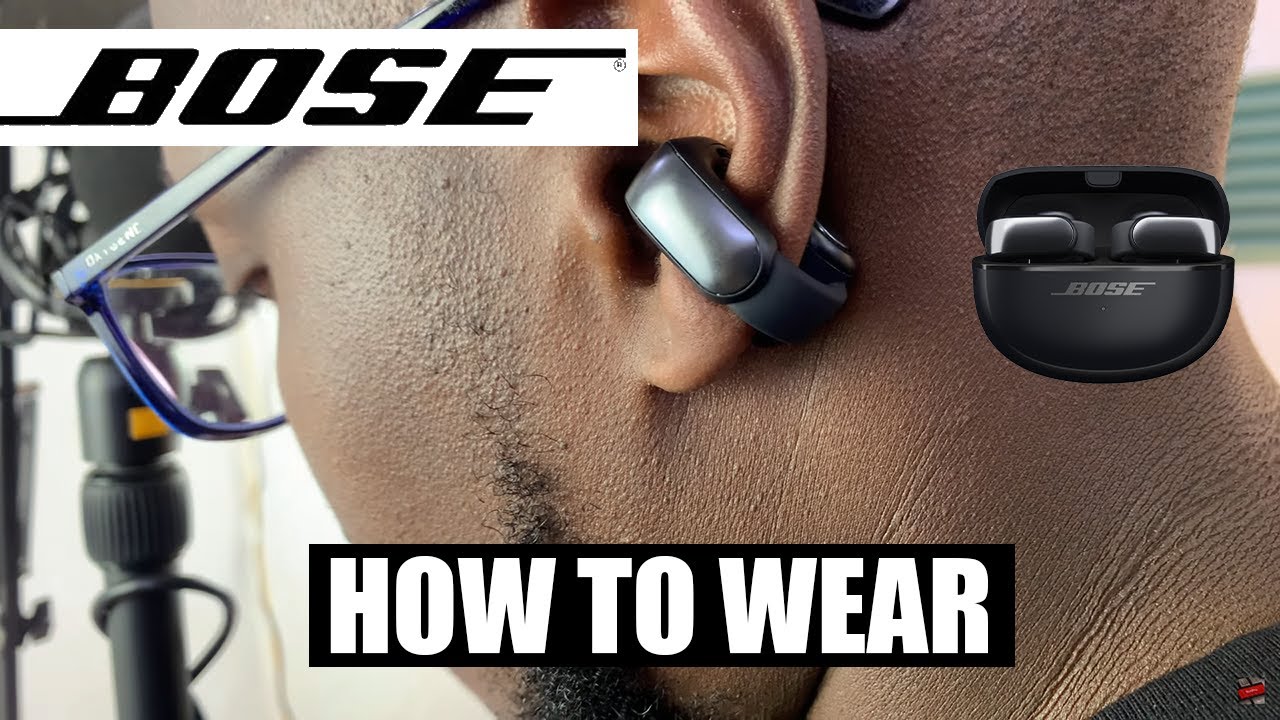
Place the Bose Ultra Open Earbuds over your ears, with each speaker resting just in front of the ear canal.
Learning how to wear Bose Ultra Open Earbuds is simple, but small fit changes can improve comfort, sound, and stability. Unlike normal in-ear buds, these open-ear headphones do not seal your ear canal. This guide explains the correct position, common mistakes, comfort tips, safety advice, and ways to get a more reliable fit during daily use.
How Bose Ultra Open Earbuds should sit
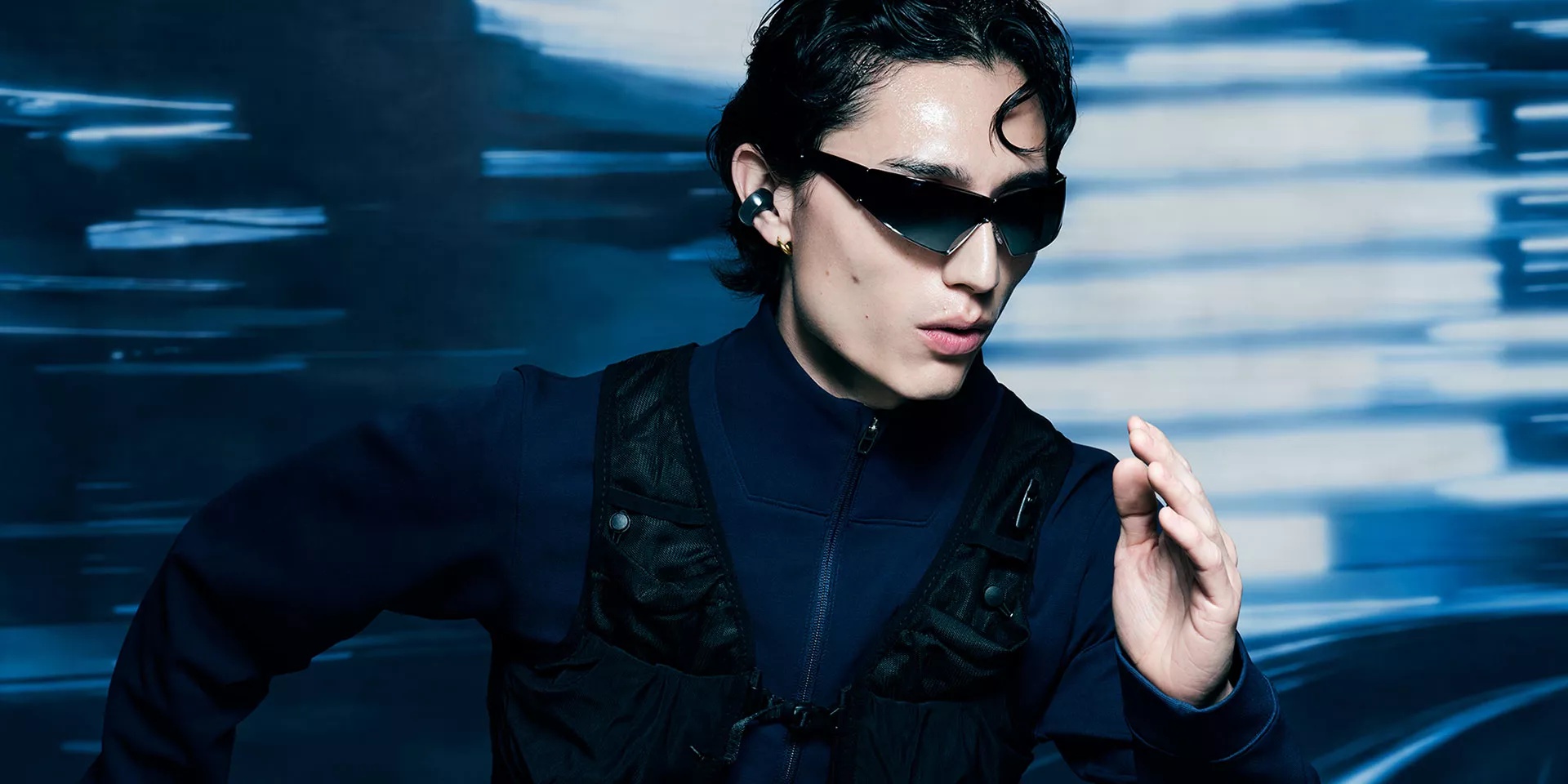
Bose Ultra Open Earbuds use an open-ear design. Each earbud has a speaker that rests near your ear, while a flexible grip wraps around the back of your ear. The speaker should sit in front of the ear canal, not inside it.
When worn correctly, the earbuds should feel light. You should still hear nearby sounds, such as traffic, coworkers, or someone speaking to you. This is one of the main benefits of learning how to wear Bose Ultra Open Earbuds correctly.
The earbuds should not press hard against your skin. They should also not hang far away from your ear. Think of the speaker as a small desk lamp aimed toward your ear rather than a plug placed inside it.

Step-by-step guide for wearing Bose Ultra Open Earbuds
Follow these steps each time you put them on:
- Hold the earbud with the speaker facing toward the front of your ear.
- Place the speaker near the opening of your ear, without pushing it into the canal.
- Guide the flexible band over the top or back of your ear.
- Let the rear section rest behind your ear.
- Turn your head from side to side to check the fit.
- Adjust the angle until voices and music sound clear.
- Open the Bose app if you need to check settings or update the earbuds.
The left and right earbuds are shaped for their matching ears. Check the markings before putting them on. Reversing the sides can make the earbuds feel loose and may place the speakers at the wrong angle.
A good fit should stay secure when you walk, bend down, or move your jaw. If the earbud shifts when you smile or talk, gently reposition the speaker and the rear grip. Do not force the band into place.

Where to place the speaker
Correct speaker placement is the most important part of learning how to wear Bose Ultra Open Earbuds. The speaker should sit just outside the ear canal, usually near the front edge of the ear.
Do not place the speaker deep inside the ear. These earbuds are not designed to work like Bose QuietComfort Earbuds or other sealed in-ear models. Their sound depends on the speaker pointing toward the ear canal from the outside.
Try these small adjustments:
• Move the speaker slightly forward if music sounds distant.
• Move it slightly upward if voices sound weak.
• Rotate the earbud a little if the sound feels unbalanced between your ears.
• Keep the speaker clear of thick hair, hats, or eyeglass frames.
The best position can vary from person to person. Ear shape, glasses, hair, and movement all affect the angle. Take a few seconds to adjust each side instead of assuming the first position is correct.
How to get a secure and comfortable fit
Comfort should be your first test. Bose Ultra Open Earbuds should not cause sharp pressure, pinching, or pain behind the ear. A light, stable feel is normal. A tight or sore feeling usually means the speaker or rear band needs adjustment.
When learning how to wear Bose Ultra Open Earbuds, test them in stages:
• Wear them while sitting for five minutes.
• Walk around your home.
• Move your head up and down.
• Speak, smile, and chew.
• Wear them outside for a short walk.
If the earbuds remain stable through these movements, the fit is likely suitable. If they slip, check whether the speaker is too far forward or the rear section is resting on a thin part of your ear.
In practical testing, one common mistake is trying to make open-ear earbuds feel tight like in-ear headphones. That usually creates pressure without improving stability. The correct fit is more like a gentle clip than a firm clamp.
How to wear Bose Ultra Open Earbuds with glasses
Glasses can affect the fit because the earbud and eyeglass arm may compete for the same space behind your ear. Put on your glasses first, then place the Bose Ultra Open Earbuds around them.
If the rear section presses against the glasses arm, try moving the earbud slightly higher or lower. You may also need to adjust the speaker angle so it points toward your ear without touching the glasses.
A few useful tips include:
• Keep the glasses arms flat against your head.
• Place the earbud behind the glasses arm if that feels more stable.
• Try the earbud in front of the glasses arm if the frame is thick.
• Avoid forcing both items into the same narrow spot.
Different frames create different results. Thin metal frames often cause fewer problems than wide plastic frames. Always choose the position that feels stable without creating pressure.

How to wear Bose Ultra Open Earbuds during exercise
Bose Ultra Open Earbuds can work well for walking, light workouts, and outdoor activities because they do not block the ear canal. You can remain more aware of your surroundings while listening to music or podcasts.
Before exercising, make sure each earbud is fully charged and firmly positioned. Move your head, stretch, and simulate the activity before starting. For running or fast movement, a small adjustment may help keep the speaker aimed at your ear.
Use extra care with sweat and water. Check the product’s current water-resistance rating in the official manual before using the earbuds in heavy rain, near a pool, or during water sports. Water resistance does not mean the earbuds are waterproof.
Do not wear them during activities where a loose earbud could create a hazard. You should also keep the volume low enough to hear important sounds around you.

How to improve sound quality
Open-ear earbuds naturally sound different from sealed earbuds. They do not create the same deep seal or strong passive noise reduction. However, the right position can make the sound much clearer.
If music sounds quiet, first move the speaker closer to the front of your ear. Then adjust the angle before raising the volume. Increasing volume too much can make the sound harsh and may reduce your awareness of the environment.
For better sound:
• Keep both speakers at a similar distance from your ears.
• Remove hair from between the speaker and your ear.
• Check that the correct earbud is on each side.
• Use the Bose app to adjust available sound settings.
• Keep your phone within a reasonable Bluetooth range.
The Bose Music app may also provide software updates and controls. Features can change with firmware updates, so check the app when troubleshooting connection or sound issues.
Common mistakes to avoid
Many fit problems come from treating these earbuds like traditional in-ear headphones. Avoid pushing the speaker into the ear canal. It will not create a better seal because the product is designed to remain outside the canal.
Other mistakes include:
• Wearing the left earbud on the right ear.
• Placing the speaker behind the ear instead of in front.
• Letting hair cover the speaker.
• Setting the volume high to overcome poor positioning.
• Ignoring pain or numbness.
• Wearing the earbuds over wet skin without checking stability.
• Storing them loose in a bag where dust can collect.
If one side sounds louder, do not assume the earbud is defective right away. First compare the position, angle, and distance from each ear. Human ears are not perfectly identical, so one side may need a slightly different adjustment.
Cleaning and care tips
Clean Bose Ultra Open Earbuds often, especially after exercise. Skin oil, sweat, dust, and hair products can affect comfort and sound.
Use a soft, dry cloth to wipe the exterior. Keep moisture away from charging contacts. Do not insert sharp tools into the speaker openings, and avoid household cleaners unless the product instructions specifically allow them.
Good care habits include:
• Wipe the earbuds after sweaty use.
• Let them dry before placing them in the charging case.
• Keep the case clean and closed when not in use.
• Avoid extreme heat, such as a parked car.
• Charge them with the recommended cable or charging accessory.
If the earbuds become uncomfortable after cleaning, check for leftover moisture or debris near the contact points. Never use the earbuds if the outer surface is cracked or damaged.
Hearing safety and situational awareness
The open-ear design helps you hear outside sounds, but it does not make every situation safe. Loud music can still reduce awareness, even when your ear canals are open.
Use a moderate volume, especially near roads, train stations, construction areas, and busy sidewalks. The World Health Organization advises limiting exposure to loud sound and using safe listening habits to reduce the risk of hearing damage.
Avoid using Bose Ultra Open Earbuds when you need complete attention, such as while driving. Local laws may also restrict headphone use while cycling or operating a vehicle.
If you notice ringing, muffled hearing, pain, or unusual sensitivity after listening, remove the earbuds and give your ears a break. Persistent symptoms deserve advice from a qualified health professional.
Troubleshooting fit and connection problems
If the earbuds keep falling off, check the physical fit before changing software settings. Make sure the rear band is fully around the ear and that the speaker is not resting on hair or a hat.
If sound is weak, adjust the speaker angle. If only one earbud works, confirm that both are charged, connected, and assigned to the correct ears. Restarting Bluetooth and checking the Bose app can also help.
Try this basic troubleshooting order:
- Place both earbuds in the charging case.
- Confirm that the case and earbuds have power.
- Remove the earbuds from your phone’s Bluetooth list if needed.
- Pair them again through the Bose app or Bluetooth settings.
- Install any available firmware update.
- Test the earbuds with another audio source.
If the problem continues after these steps, consult Bose support or the product manual. A hardware fault is possible, especially if one earbud has suffered a drop, liquid exposure, or charging damage.
Can you wear Bose Ultra Open Earbuds all day?
You can wear them for long periods if they remain comfortable and the volume stays moderate. Take short breaks if your ears, jaw, or skin begin to feel tired.
Open-ear earbuds may feel less irritating than sealed earbuds for some users, but comfort is personal. Stop using them if you feel pain, pressure, or skin irritation.
Do Bose Ultra Open Earbuds go inside your ears?
No. The speaker rests outside the ear canal, near the front of the ear. The flexible section sits around the back of the ear to hold the earbud in place.
Why do my Bose Ultra Open Earbuds sound quiet?
The speaker may be too far from the ear canal or aimed at the wrong angle. Move it slightly forward or upward, clear away hair, and check the volume on both the earbuds and your phone.
Can you wear Bose Ultra Open Earbuds with glasses?
Yes. Put on your glasses first, then adjust the earbuds around the frame. If the two items press together, try placing the earbud behind or in front of the glasses arm.
Are Bose Ultra Open Earbuds good for running?
They can suit walking and many light workouts, but fit and safety depend on your movement and surroundings. Test them first, keep the volume moderate, and follow the product’s water-resistance guidance.
Why does one Bose Ultra Open Earbud keep slipping?
The speaker may not be aimed correctly, or the rear section may not be resting securely around your ear. Reposition that side and check whether hair, glasses, or a hat is pushing it out of place.
Conclusion
The best way to wear Bose Ultra Open Earbuds is to place the speaker just in front of the ear canal and let the flexible grip rest around the back of your ear. Keep the fit light, stable, and comfortable. Small changes in angle can improve sound, while moderate volume protects hearing and preserves awareness.
Practice the fit while sitting, walking, and moving your head before using the earbuds during exercise or travel. Once you find the right position, save these tips and explore the Bose app for settings, updates, and support.
