

To reset Beats earbuds, place them in the case, hold the system button for 15 seconds, then pair them again.
Beats earbuds can freeze, refuse to connect, or show the wrong battery level after many Bluetooth connections. I have found that a proper reset often clears these issues faster than repeatedly turning Bluetooth off and on. This guide explains how to reset Beats earbuds by model, what the flashing lights mean, and what to do if the reset does not work.
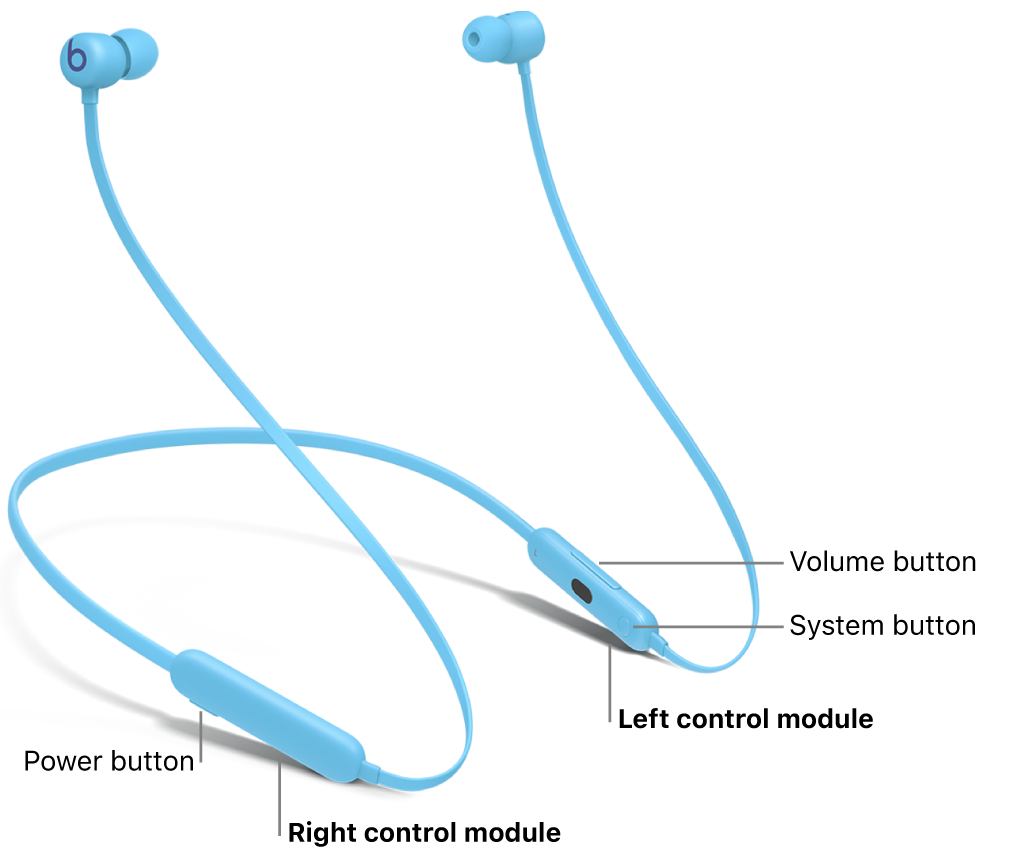
When should you reset Beats earbuds?
A reset returns the earbuds to a clean pairing state. It removes saved connection data from the earbuds, but it does not delete files from your phone or change your Apple ID.
You may need to reset Beats earbuds when:
• One earbud has no sound.
• The earbuds connect to the wrong device.
• Bluetooth pairing fails again and again.
• The charging case shows an incorrect light pattern.
• Audio cuts out even when your phone is nearby.
• The Beats app cannot find the earbuds.
• One earbud charges but will not turn on.
A reset is not always the first step. If the earbuds are dirty, out of power, wet, or using old firmware, a reset may not solve the real problem. Still, it is a safe and useful fix when normal reconnecting fails.

Before you reset Beats earbuds
Take a few simple steps before you begin. These steps help prevent a failed reset and make pairing easier afterward.
- Charge the earbuds and case for at least 10 minutes.
- Place both earbuds inside the charging case.
- Keep the case lid open unless your model says otherwise.
- Turn off Bluetooth on nearby phones, tablets, and computers.
- Keep your phone within a few feet of the case.
- Remove the old Beats device from your phone’s Bluetooth list if pairing problems continue.
On an iPhone, go to Settings > Bluetooth, tap the information button beside your Beats, and choose Forget This Device. On Android, open Bluetooth settings, select the Beats earbuds, and choose Unpair or Forget.
Do not press the button while the case is connected to a weak charger. A low battery can make the light appear inactive and can interrupt the reset process.
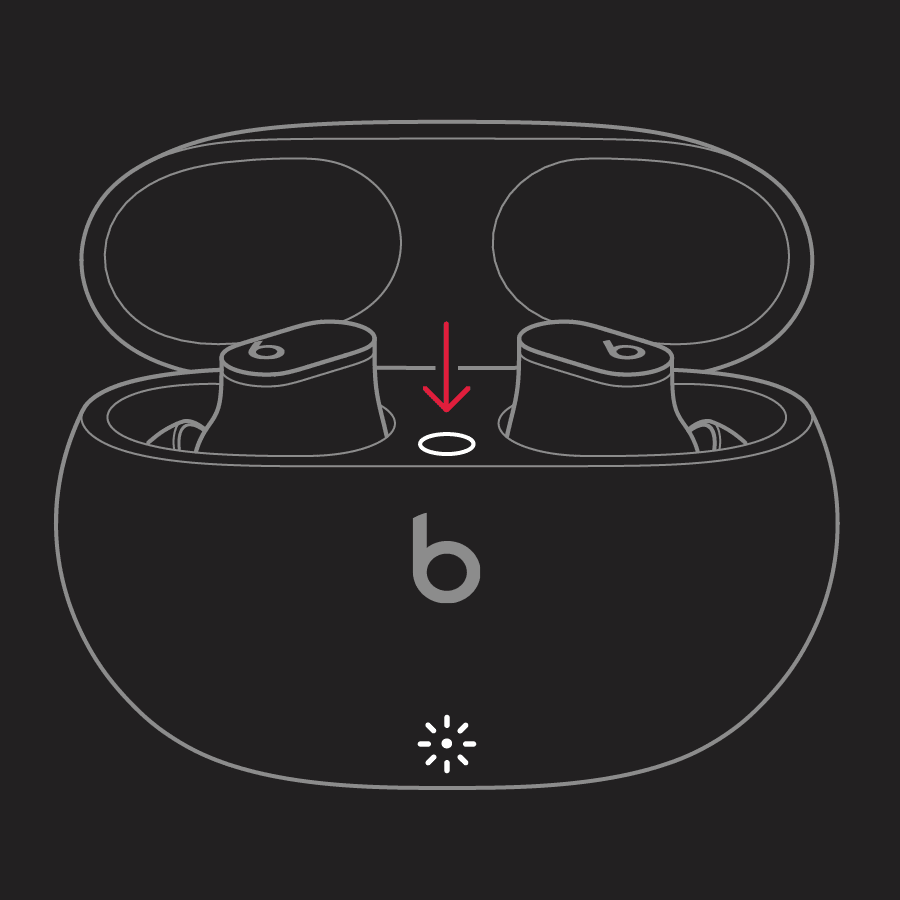
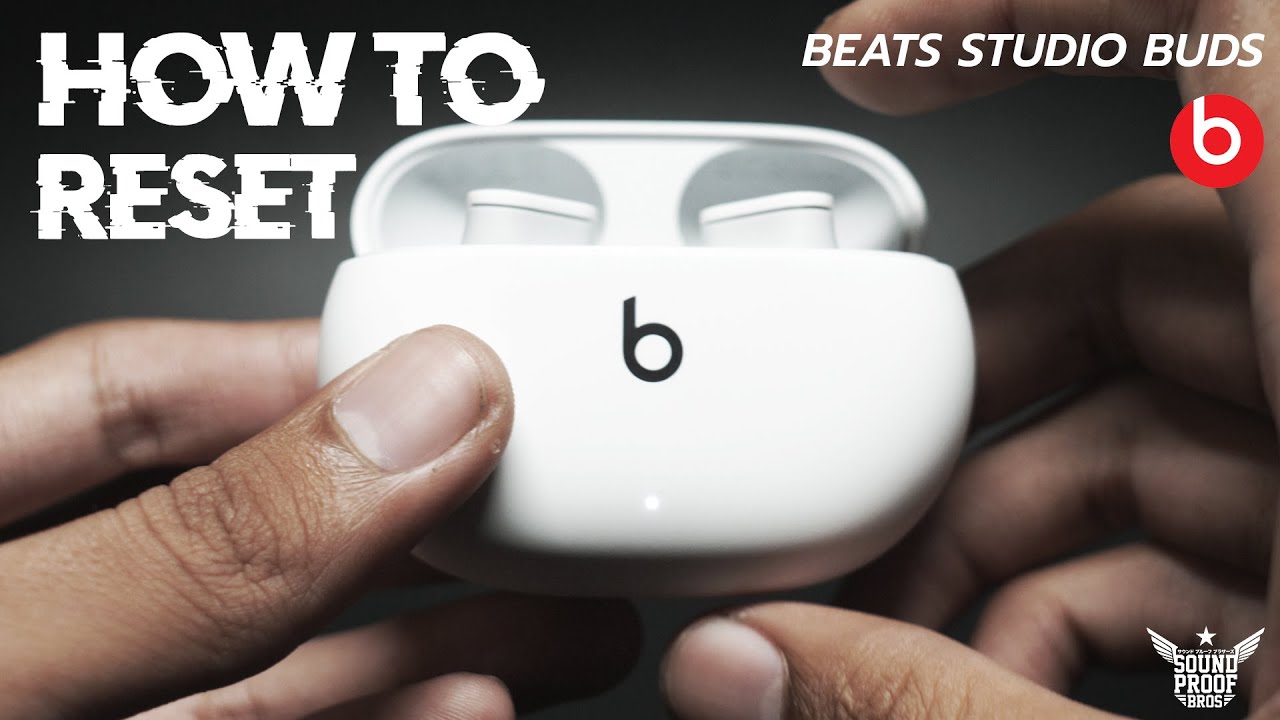
How to reset Beats earbuds with a system button
Most Beats true wireless earbuds use the same basic reset method. This includes Beats Fit Pro, Beats Studio Buds, Beats Studio Buds+, and Powerbeats Pro.
Follow these steps to reset Beats earbuds:
- Put both earbuds inside the charging case.
- Leave the case lid open.
- Find the system button on the case.
- Press and hold the system button for about 15 seconds.
- Release the button when the indicator light flashes red and white.
- Close the case for a few seconds.
- Open the case near your phone and pair the earbuds again.
The red and white flash confirms that the reset has started. If the light only flashes white, keep holding the button a little longer. If there is no light, charge the case and try again.
On Powerbeats Pro, the button is inside the charging case between the earbuds. On Beats Fit Pro and Studio Buds models, the system button is also located inside the case.

How to reset Beats Solo Buds
Beats Solo Buds use a different reset method because the case does not use the same system button found on some other Beats models.
To reset Beats Solo Buds:
- Place both earbuds in the charging case.
- Leave the case open.
- Press and hold the button above the b logo on either earbud.
- Continue holding the button for at least 10 seconds.
- Release it when the status light flashes red and white.
- Forget the old Bluetooth connection on your phone.
- Pair the earbuds as a new device.
Keep the earbud steady while holding the button. It is easy to tap the button instead of holding it, especially when the earbud is small.
If the light does not flash, make sure the earbud is sitting correctly in the case. Clean the charging contacts with a dry, soft cloth, then charge the case before trying again.
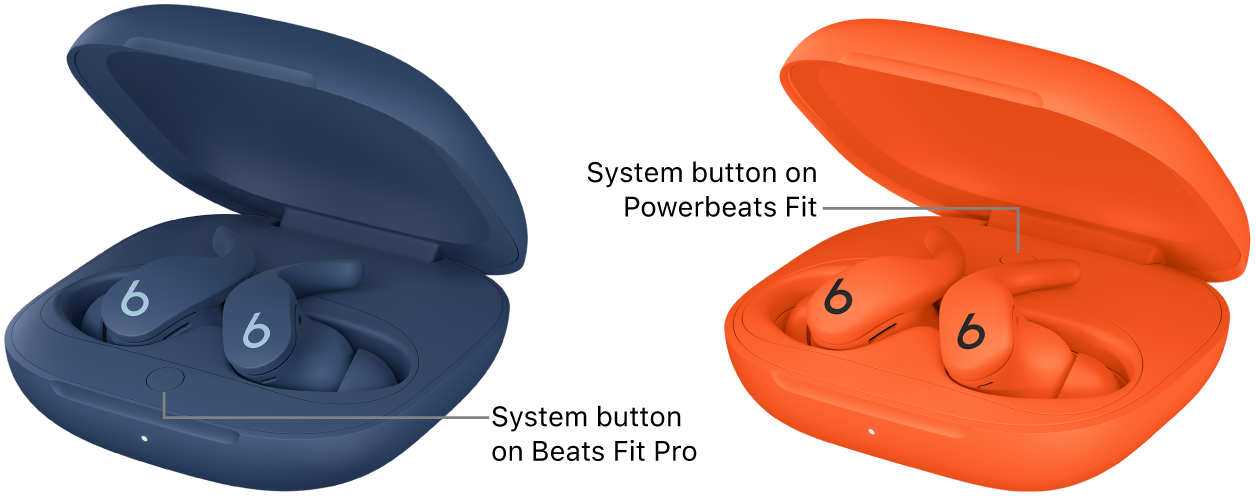
How to reset Beats Flex
Beats Flex is a neckband-style wireless earphone, not a fully wireless earbud model. Its reset method is different.
To reset Beats Flex:
- Turn on the Beats Flex.
- Press and hold the power button and the volume down button at the same time.
- Keep holding both buttons for about 15 seconds.
- Release the buttons when the indicator light flashes.
- Forget Beats Flex from your phone’s Bluetooth menu.
- Pair the earphones again.
This process can clear connection errors and pairing loops. If the earphones do not respond, charge them first and repeat the steps.

How to pair Beats earbuds after a reset
After you reset Beats earbuds, they should appear as a new Bluetooth device. Pairing is usually quick.
Pair with an iPhone or iPad
- Open the charging case with the earbuds inside.
- Hold the case near your unlocked iPhone or iPad.
- Wait for the setup card to appear.
- Follow the on-screen instructions.
If the setup card does not appear, open Settings > Bluetooth. Tap the name of your Beats earbuds under Other Devices.
Pair with an Android phone
- Open Settings.
- Tap Connected devices or Bluetooth.
- Turn Bluetooth on.
- Open the Beats case.
- Select the Beats earbuds from the list.
- Confirm the pairing request.
The Beats app for Android may also help with setup, firmware updates, and battery checks. App features can vary by model and phone.
Pair with a Mac or Windows PC
On a Mac, open System Settings > Bluetooth and select your Beats earbuds. On Windows, open Settings > Bluetooth & devices, choose Add device, and select Bluetooth.
Keep other devices away during the first pairing attempt. This prevents your earbuds from reconnecting to an older phone before your main device has a chance to connect.
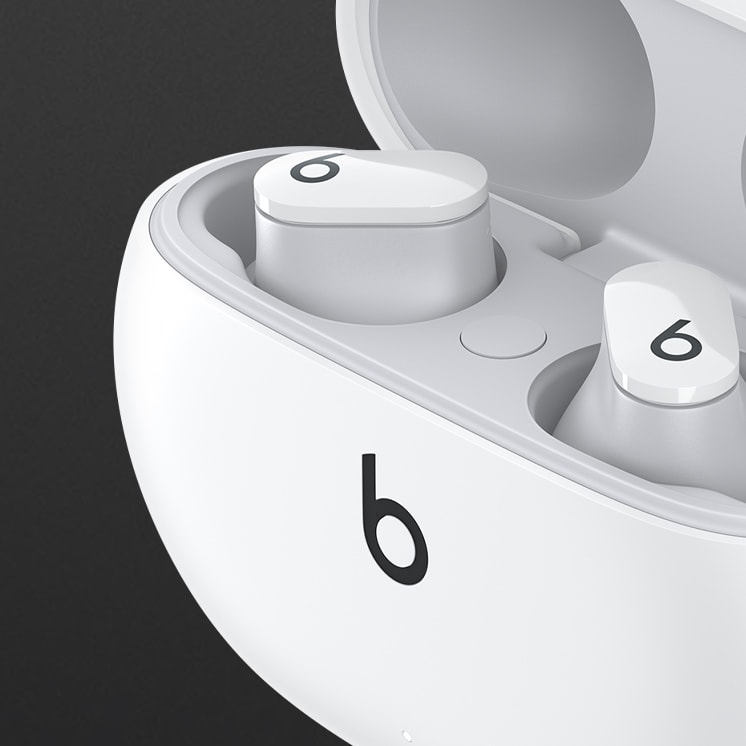
What happens when you reset Beats earbuds?
A reset clears the earbuds’ stored connection information. In simple terms, it gives the earbuds a fresh start, much like restarting a computer that has become confused.
Resetting Beats earbuds can fix:
• Failed Bluetooth discovery.
• Audio playing through only one side.
• Repeated connection drops.
• Incorrect automatic ear detection.
• Pairing with the wrong phone.
• Problems caused by an old saved connection.
A reset does not repair physical damage. It also does not improve a weak battery, broken speaker, water damage, or a damaged charging port.
You will need to pair the earbuds again after the reset. This is normal. You may also need to choose the earbuds again as your audio output device.
What the reset light colors mean
The status light provides useful clues during a reset. Exact light behavior can vary slightly by model and firmware.
• Red and white flashing usually means the reset is complete or in progress.
• White flashing often means the earbuds are ready to pair.
• Red light may indicate low battery or a charging issue.
• No light often means the case or earbuds need charging.
If the light stays solid, close the case, wait 30 seconds, and try again. Make sure both earbuds are making contact with the charging pins.
In my experience, dirty charging contacts cause many failed resets. A small amount of skin oil or pocket dust can stop one earbud from charging, which then prevents the case from completing the reset.
Fixes when you cannot reset Beats earbuds
If you cannot reset Beats earbuds, work through these checks in order.
Charge everything
Connect the case to power and charge it for at least 30 minutes. Then place both earbuds inside and try the reset again.
Clean the charging contacts
Use a dry cotton swab or a soft, dry cloth. Do not pour liquid into the case, and do not use metal tools on the charging pins.
Check earbud placement
Each earbud must sit in the correct side of the case. If one earbud sits slightly above the charging contacts, the reset may not begin.
Forget the old Bluetooth profile
Remove the Beats device from every nearby phone, tablet, and computer. An old profile can make the earbuds appear to reset when they are actually reconnecting to a saved device.
Restart your phone
Restarting the phone clears temporary Bluetooth errors. After it turns back on, open Bluetooth and try pairing again.
Update your device
Install the latest iOS, iPadOS, macOS, Android updates, or Windows updates available for your device. Beats firmware updates are normally delivered while the earbuds are connected and charging.
Test with another phone
Pair the earbuds with a different phone. If they work there, the original phone may have a Bluetooth setting or software issue.
Do not keep pressing the reset button for several minutes. If the status light never changes after charging and cleaning, the problem may involve the case, battery, or internal hardware.
Common mistakes to avoid
Many reset attempts fail because of small setup errors. Avoid these common mistakes:
• Holding the case button for only two or three seconds.
• Removing the earbuds from the case before the reset finishes.
• Forgetting to charge the case.
• Trying to reset one earbud without the other.
• Keeping the lid closed on a model that needs an open lid.
• Pairing before the reset light flashes red and white.
• Using a wet cloth on the charging contacts.
• Resetting the earbuds without forgetting the old Bluetooth profile.
One mistake I often see is pairing the earbuds immediately after a failed reset. If the light never shows the reset pattern, the process may not have finished. Wait for the correct light, then pair the earbuds as a new device.
Resetting Beats earbuds versus restarting them
A restart and a reset are not the same.
A restart simply powers the earbuds off and on. It is useful for a short audio glitch or a frozen connection. A reset removes stored pairing information and is more helpful when Bluetooth refuses to connect.
Use a restart when:
• Audio stops for a few seconds.
• The earbuds briefly disappear from Bluetooth.
• The battery reading looks delayed.
Use a reset when:
• Pairing fails several times.
• One earbud will not sync with the other.
• The earbuds connect to an old device.
• A normal restart does not solve the issue.
Think of a restart as closing an app. Think of a reset as clearing the app’s saved state and starting fresh.
Tips to keep Beats earbuds working well
Good care can reduce the need to reset Beats earbuds.
• Keep the charging case above 20% battery.
• Store the earbuds in the case when you are not using them.
• Clean the speaker mesh and charging contacts often.
• Avoid extreme heat, freezing temperatures, and heavy moisture.
• Keep your phone’s software current.
• Do not leave the earbuds connected to many devices at once.
• Use the correct ear tips so the earbuds stay secure.
• Avoid charging with damaged cables or loose adapters.
Beats earbuds have water and sweat resistance on some models, but that does not mean they are waterproof. Resistance can weaken with age and use. Dry the earbuds before placing them in the case if they become wet.
How to reset Beats earbuds: model guide
Use this quick guide to find the right method.
• Beats Fit Pro: Place both earbuds in the open case and hold the case system button for 15 seconds.
• Beats Studio Buds: Place both earbuds in the open case and hold the system button for 15 seconds.
• Beats Studio Buds+: Place both earbuds in the open case and hold the system button for 15 seconds.
• Powerbeats Pro: Place both earbuds in the open case and hold the system button for 15 seconds.
• Beats Solo Buds: Place both earbuds in the open case and hold the button above the b logo on either earbud for at least 10 seconds.
• Beats Flex: Hold the power button and volume down button together for about 15 seconds.
For most models, the red and white flashing light confirms the reset. Always use the instructions for your exact model because button locations and timing can differ.
Frequently asked questions about how to reset Beats earbuds
How do I reset Beats earbuds that will not connect?
Place both earbuds in the case, open the lid, and hold the system button for about 15 seconds. When the light flashes red and white, forget the old Bluetooth profile and pair the earbuds again.
Will resetting Beats earbuds delete my music or phone data?
No. Resetting Beats earbuds only clears their saved connection settings. It does not delete music, photos, apps, contacts, or other data from your phone.
Why are my Beats earbuds not flashing during a reset?
The case or earbuds may have a low battery, or one earbud may not be touching the charging pins. Charge the case, clean the contacts with a dry cloth, and try again.
Do I need to forget my Beats earbuds before resetting them?
You can reset Beats earbuds first, but forgetting the old Bluetooth profile afterward often prevents connection problems. Remove the old device from every nearby phone or computer before pairing again.
Can I reset Beats earbuds without the charging case?
Most Beats true wireless models require the charging case for a full reset. Beats Flex uses its power and volume buttons, while Beats Solo Buds use a button on the earbud.
How long does it take to reset Beats earbuds?
The reset itself usually takes about 15 seconds. Pairing the earbuds with your phone may take another minute or two.
What should I do if one Beats earbud still has no sound after a reset?
Check that both earbuds are charged and clean. Then test balance settings, update the phone, and pair the earbuds with another device; persistent one-sided sound may point to hardware damage.
Conclusion
Resetting Beats earbuds is usually simple: charge them, place them in the case, hold the correct button until the red and white light appears, and pair them again. Beats Solo Buds and Beats Flex use different button combinations, so choosing the right model steps matters.
Start with the reset method above, then clean the charging contacts and remove the old Bluetooth profile if the problem continues. If the earbuds still fail on more than one device, contact Beats or Apple support for service. Try the steps today, and share your model and results in the comments.
