

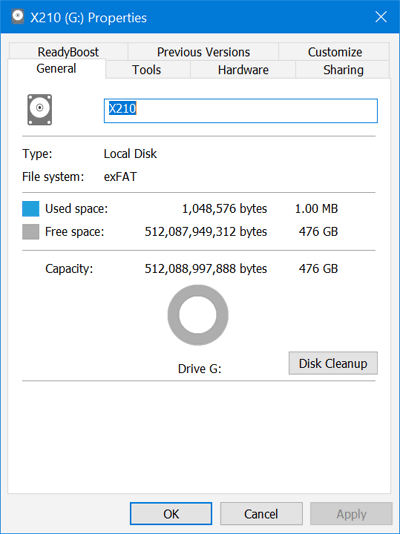
A 512GB SSD usually provides about 476GB of usable space before formatting and system files.
Understanding how much usable space on a 512GB SSD you really get can prevent surprises after installation. The difference comes from decimal and binary storage units, formatting, hidden recovery partitions, and space reserved by the SSD controller. This guide explains the math, shows realistic examples, and shares practical tips for choosing the right drive.

How Much Usable Space Is on a 512GB SSD?
A 512GB SSD normally offers about 476GB of usable capacity before you install an operating system, applications, or personal files. Some computers may show slightly less because of formatting, recovery tools, firmware, and system partitions.
The advertised 512GB uses decimal measurement:
• 1GB equals 1,000,000,000 bytes
• 512GB equals 512,000,000,000 bytes
Computers often calculate storage using binary units:
• 1GiB equals 1,073,741,824 bytes
• 512,000,000,000 bytes equals about 476.8GiB
Many operating systems display GiB but label it as GB. That is why a new 512GB SSD may appear as roughly 476GB in File Explorer or Disk Management.
In simple terms, how much usable space on a 512GB SSD depends on how the operating system reports units and how the drive is prepared. The drive has not lost 36GB. The difference comes from two different measurement systems.

Why Does a 512GB SSD Show Less Space?
The main reason is the difference between decimal and binary measurement. SSD manufacturers use decimal units because they follow storage industry standards and make product capacities easier to compare.
A manufacturer labels a drive as 512GB when it contains 512 billion bytes. Windows, macOS, and Linux may calculate that same storage using groups of 1,024 rather than 1,000.
This creates the following approximate results:
| Advertised SSD capacity | Approximate capacity shown by a computer |
|---|---|
| 128GB | 119GB |
| 256GB | 238GB |
| 512GB | 476GB |
| 1TB | 931GB |
The displayed number can vary by a small amount. Different operating systems may use different labels, and the drive may include a partition table or recovery area.
When people ask how much usable space on a 512GB SSD exists, they often expect to see exactly 512GB. In practice, seeing around 476GB on a new, empty drive is normal and does not indicate a defective SSD.

How to Calculate 512GB SSD Usable Space
You can calculate the basic capacity with a simple formula:
512,000,000,000 ÷ 1,073,741,824 = 476.84GiB
This gives approximately 476.8GiB. Your operating system may display this as 476GB, even though the technically correct binary unit is GiB.
After formatting, the available amount may drop slightly. A freshly formatted internal SSD may show somewhere between 476GB and 477GB, depending on the file system and partition layout.
For example:
• A new drive may show about 476.8GB
• A formatted drive may show about 476GB
• A drive with a recovery partition may show 460GB to 475GB available
• A system drive with Windows and updates may have 400GB to 450GB free
The exact result depends on the computer maker, operating system, file system, and included recovery tools. Therefore, how much usable space on a 512GB SSD provides is best described as an estimate rather than one fixed number.
How Formatting Affects SSD Capacity
Formatting creates a file system that lets your computer organize and find files. Common file systems include NTFS for Windows, APFS for macOS, and ext4 for Linux.
Formatting itself usually uses only a small amount of space. The larger reductions often come from partitions created during the setup process.
A computer may create several areas, such as:
• A system partition used to start the computer
• A recovery partition used to repair or reset the operating system
• A reserved partition used by the operating system
• The main partition where your files and programs are stored
A Windows installation may use tens of gigabytes after updates, temporary files, hibernation data, and system restore points. A macOS installation also reserves space for system data, caches, updates, and recovery functions.
In my experience helping with SSD upgrades, people often mistake the recovery partition for wasted space. It is usually small, but it can save hours if the system fails and you need to reset or repair it.

How Much Space Does Windows Use on a 512GB SSD?
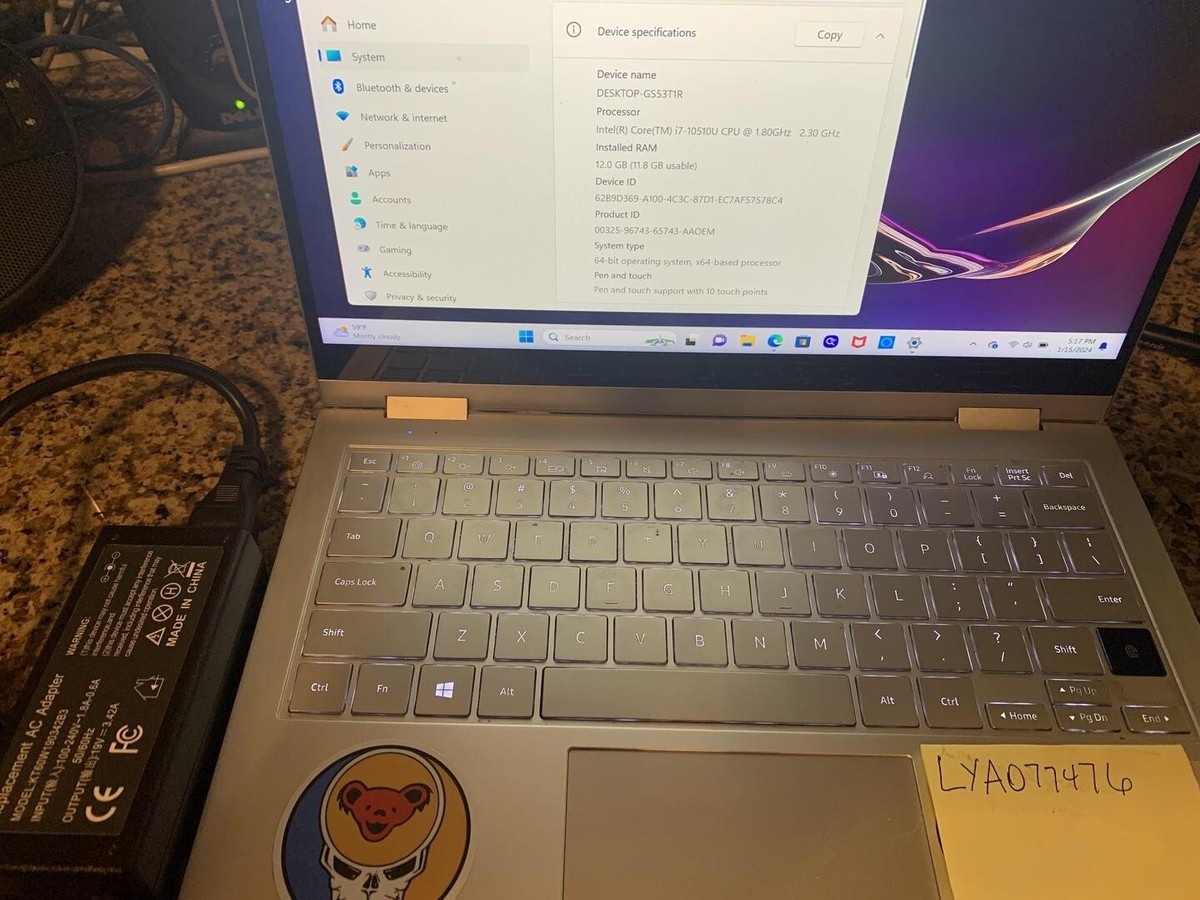
A clean Windows installation can use roughly 20GB to 35GB at first. The total may grow after updates, drivers, restore points, temporary files, page files, and optional features are added.
A typical 512GB system SSD may look like this:
• Approximately 476GB recognized by the computer
• About 25GB to 35GB used by Windows and setup partitions
• Around 440GB to 450GB available after installation
• Less available space after applications, games, and updates are installed
Windows can also reserve space for a page file and hibernation file. These files support memory management and fast startup. Their size depends on your RAM and system settings.
A computer with 16GB of RAM may reserve several gigabytes for these functions. A computer with 32GB or 64GB of RAM may reserve more, especially if hibernation is enabled.
How Much Space Do Games and Apps Leave?
Applications vary widely in size. Basic tools may use less than 1GB, while modern games can require 50GB to more than 150GB each.
A 512GB SSD can comfortably hold:
• Windows or another operating system
• Web browsers and office software
• Several small applications
• A few large games
• Personal documents and photos
It may feel crowded if you store large video files, high-resolution photo libraries, virtual machines, or many modern games.
For example, if your SSD provides 476GB after conversion and the operating system uses 35GB, you may have about 441GB left. Five games using 80GB each would consume about 400GB, leaving little room for updates and personal files.
Games and applications also need free working space. A drive that is nearly full may have trouble downloading updates, creating temporary files, or managing system tasks. I generally recommend keeping at least 10% to 20% free when possible.
SSD Overprovisioning and Hidden Reserved Space
SSDs may reserve part of their NAND flash memory for maintenance. This area is often called overprovisioning.
The reserved space helps the SSD:
• Replace worn memory cells
• Move data during garbage collection
• Maintain consistent write performance
• Manage bad blocks
• Extend long-term endurance
This space may not appear in File Explorer or Finder. It does not mean the manufacturer is hiding usable files from you. It is part of how modern SSDs maintain reliability.
Some SSDs also use a small portion of their memory for firmware and internal management. The exact amount varies by model, controller, NAND type, and manufacturer.
When considering how much usable space on a 512GB SSD offers, remember that the visible capacity is not the same as the total physical memory inside the drive. The SSD needs some internal room to work properly.

Is 512GB Enough for Most People?
A 512GB SSD is enough for many users, especially when it is used for an operating system, applications, schoolwork, and everyday files.
It is a good fit for:
• Web browsing and office work
• School and college projects
• Programming and development tools
• Light photo editing
• Music and document storage
• A moderate number of games
A larger 1TB SSD may be better for:
• Large game libraries
• Video editing
• RAW photo collections
• Virtual machines
• Local backups
• Creative work with large project files
The answer depends on your habits. Someone who streams movies and stores files in cloud services may find 512GB very comfortable. Someone who edits 4K video or installs many large games may fill it quickly.
As a practical rule, how much usable space on a 512GB SSD provides enough room for everyday use, but it may not offer much long-term flexibility for large media collections.
512GB SSD Compared With a 1TB SSD
A 1TB SSD does not provide exactly 1,000GB in the operating system. It usually appears as about 931GiB, often labeled as 931GB.
Here is a basic comparison:
| Advertised capacity | Approximate computer-reported capacity |
|---|---|
| 512GB SSD | About 476GB |
| 1TB SSD | About 931GB |
| 2TB SSD | About 1,862GB |
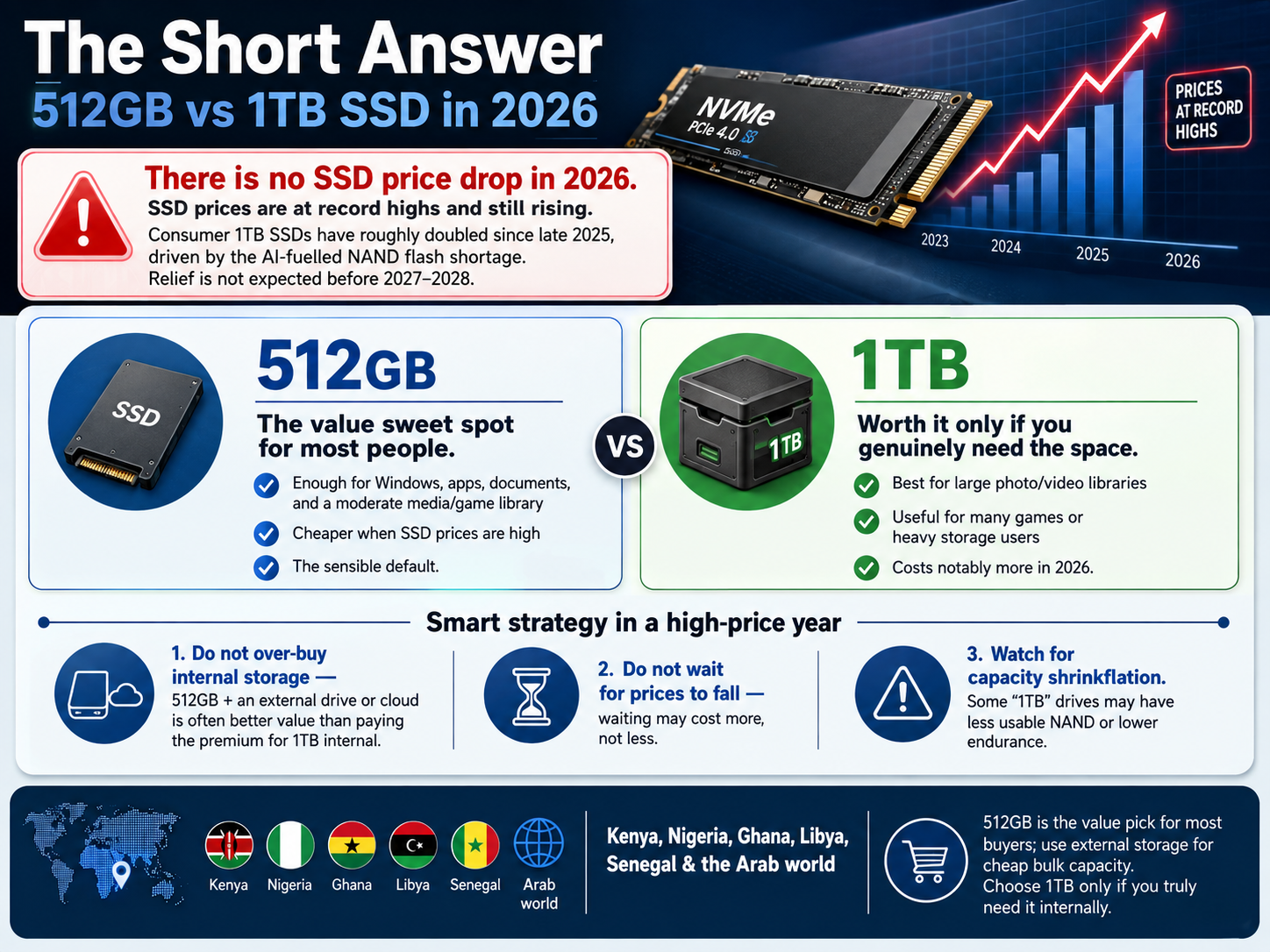
A 1TB SSD gives you nearly twice the working space of a 512GB model. It may also provide better value if you plan to keep the drive for many years.
Prices change often, so compare cost per usable gigabyte rather than only the advertised number. A slightly more expensive 1TB SSD may be a better choice if it prevents an early upgrade.
How to Check Your SSD’s Actual Usable Space
You can check the exact amount of usable space in your operating system.
On Windows
- Open File Explorer.
- Select This PC.
- Right-click the SSD.
- Choose Properties.
- Review the used and free space.
For a deeper view, right-click the Start button and open Disk Management. This shows partitions, unallocated space, and recovery areas.
On macOS
- Open the Apple menu.
- Select System Settings.
- Choose General.
- Select Storage.
You can also open Disk Utility to view the physical drive, volumes, and partitions.
On Linux
Open the Disks application or run a storage command such as lsblk in Terminal. These tools show the physical drive, partitions, and mounted file systems.
The number shown in these tools is more useful than the product label when planning storage. It tells you how much room your current setup really provides.
Ways to Get More Free Space
You cannot recover the decimal-to-binary difference, but you can manage the space you do have.
Try these steps:
• Remove applications you no longer use
• Delete large downloads and temporary files
• Empty the recycle bin or trash
• Move photos and videos to external storage
• Use cloud storage for files you rarely open
• Review game installation folders
• Remove old system restore points when appropriate
• Disable hibernation only if you do not use it
• Keep large media projects on a separate drive
Do not delete unknown system folders just to gain a few gigabytes. A small amount of extra space is not worth damaging the operating system.
Also avoid filling an SSD to its absolute limit. Leaving free space helps updates, file transfers, and internal maintenance work more smoothly.
Common Mistakes When Buying a 512GB SSD
One common mistake is assuming that advertised capacity equals available file space. Always plan for about 476GB before operating system files and recovery partitions.
Another mistake is choosing capacity without considering future use. A drive that works well today may feel small after a growing game library, phone photo collection, or software installation.
Buyers should also check more than capacity. Consider:
• Sequential and random read and write speeds
• SSD endurance rating
• Warranty length
• NAND type
• Drive temperature
• Compatibility with SATA or NVMe interfaces
• Brand support and firmware tools
A fast NVMe SSD cannot be installed in every computer. Check the connector, physical size, and motherboard support before ordering.
Frequently Asked Questions
How much usable space on a 512GB SSD is available after formatting?
A formatted 512GB SSD usually shows about 476GB before operating system files and recovery partitions. The final free space may be closer to 440GB to 460GB after installation.
Why does my 512GB SSD show only 476GB?
Manufacturers measure capacity in decimal gigabytes, while many operating systems use binary calculations. The same 512 billion bytes equals about 476.8GiB, which the system may label as 476GB.
Is a 512GB SSD enough for Windows 11?
Yes, a 512GB SSD is enough for Windows 11 and normal applications. After installation, updates, and personal files, keep a healthy amount of free space for smooth operation.
How many games can a 512GB SSD hold?
The number depends on game size. It may hold several small games or around three to six large games, but modern titles can use 100GB or more each.
Does formatting reduce SSD lifespan?
Normal formatting does not significantly reduce SSD lifespan. A full format may write more data than a quick format, but occasional formatting is not usually a concern for a modern SSD.
Should I buy a 1TB SSD instead of a 512GB SSD?
Choose a 1TB SSD if you store large games, videos, photos, or virtual machines. A 512GB model is usually suitable for everyday work, school, browsing, and moderate application use.
Conclusion
A 512GB SSD provides about 476GB of computer-reported capacity before formatting, system files, recovery partitions, and personal data. After installing an operating system, realistic free space often falls to roughly 440GB to 460GB.
The difference is normal. It comes mainly from decimal versus binary measurement, not from missing storage. Use the actual capacity shown by your computer when planning applications, games, and files.
If your storage needs are growing, compare the long-term value of a 1TB SSD before buying. Check your current disk usage today, plan for future files, and choose a drive that gives you room to work comfortably.
