

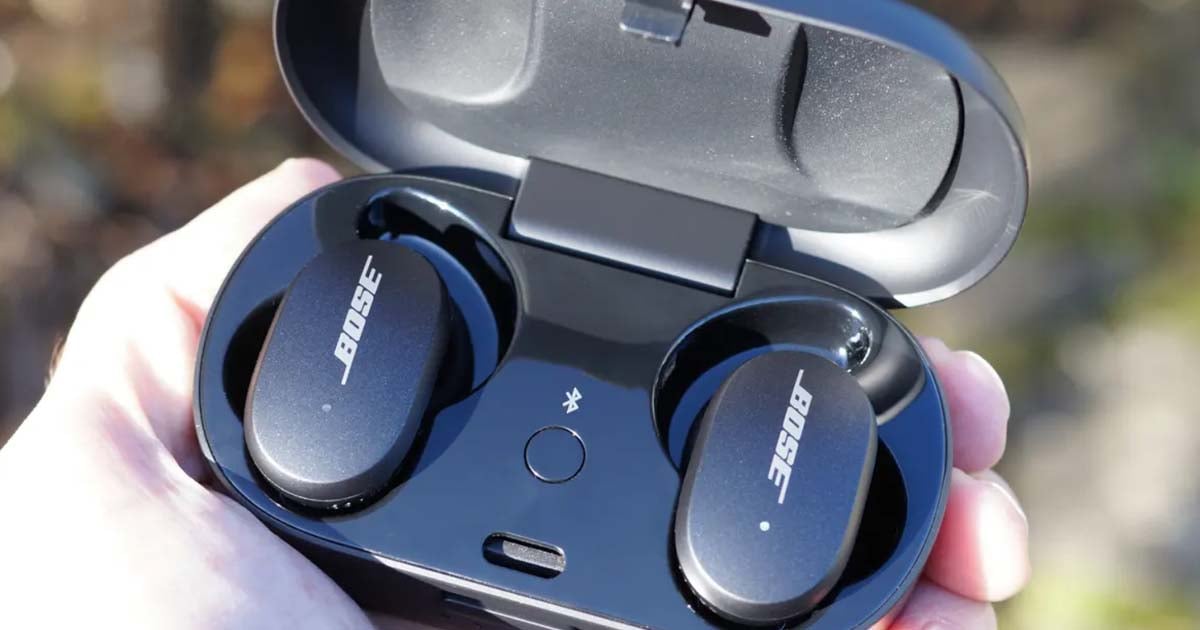
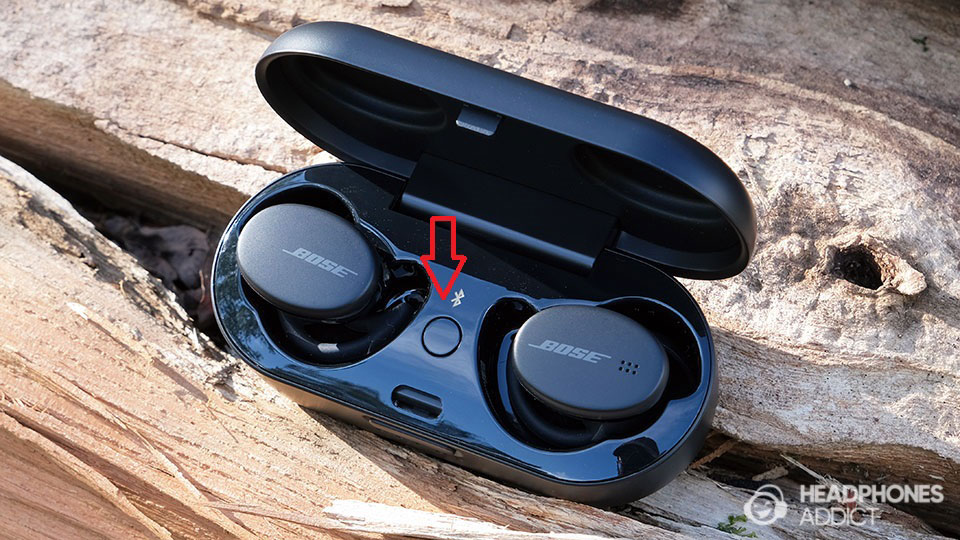
Most Bose earbuds reset by placing them in the case and holding the case Bluetooth button for about 30 seconds.
Learning how to reset Bose earbuds can solve pairing failures, frozen controls, missing sound, and charging problems without replacing the earbuds. The exact steps vary by model, so this guide explains safe reset methods for QuietComfort, Sport, and SoundSport earbuds, plus what to do when a reset does not work.
What resetting Bose earbuds actually does
A reset returns the earbuds or charging case to a fresh operating state. It can clear temporary software errors and remove stored Bluetooth connections.
Resetting Bose earbuds is not the same as simply turning them off. A power cycle stops and restarts the earbuds, while a factory reset may erase saved device data and restore default settings.
You may need to reset Bose earbuds when:
• Your phone sees the earbuds but will not connect
• Only one earbud produces sound
• The Bose Music app cannot detect the earbuds
• Touch controls stop responding
• The earbuds connect, then disconnect
• The charging case shows unusual light patterns
• Audio cuts out even when the battery is charged
A reset will not repair physical damage, blocked microphones, worn batteries, or a faulty charging port. Think of it as restarting the earbuds’ software, not repairing their hardware.
Before you reset Bose earbuds
Take a few simple steps before you reset Bose earbuds. These checks prevent many false starts and help you avoid losing settings unnecessarily.
- Charge the earbuds and case
Place both earbuds in the charging case. Make sure they sit correctly on the charging pins. Charge the case for at least 15 to 30 minutes before starting.
A low battery can interrupt the reset process. If the case light does not turn on, try a different USB-C or micro-USB cable, depending on your model.
- Remove nearby Bluetooth devices
Turn off Bluetooth on devices that may connect automatically. This includes phones, tablets, laptops, smart TVs, and watches.
Automatic connections can make a successful reset look like a failure. One device may reconnect before you finish setup.
- Update the Bose app
For newer models, open the Bose Music app and check for firmware updates. Software updates can fix pairing and stability problems without a factory reset.
Do not remove the earbuds from the charging case during a firmware update. Keep the case near your phone until the update finishes.
- Know your Bose model
Look at the name in your Bluetooth settings or inside the Bose app. Common models include:
• Bose QuietComfort Earbuds
• Bose QuietComfort Earbuds II
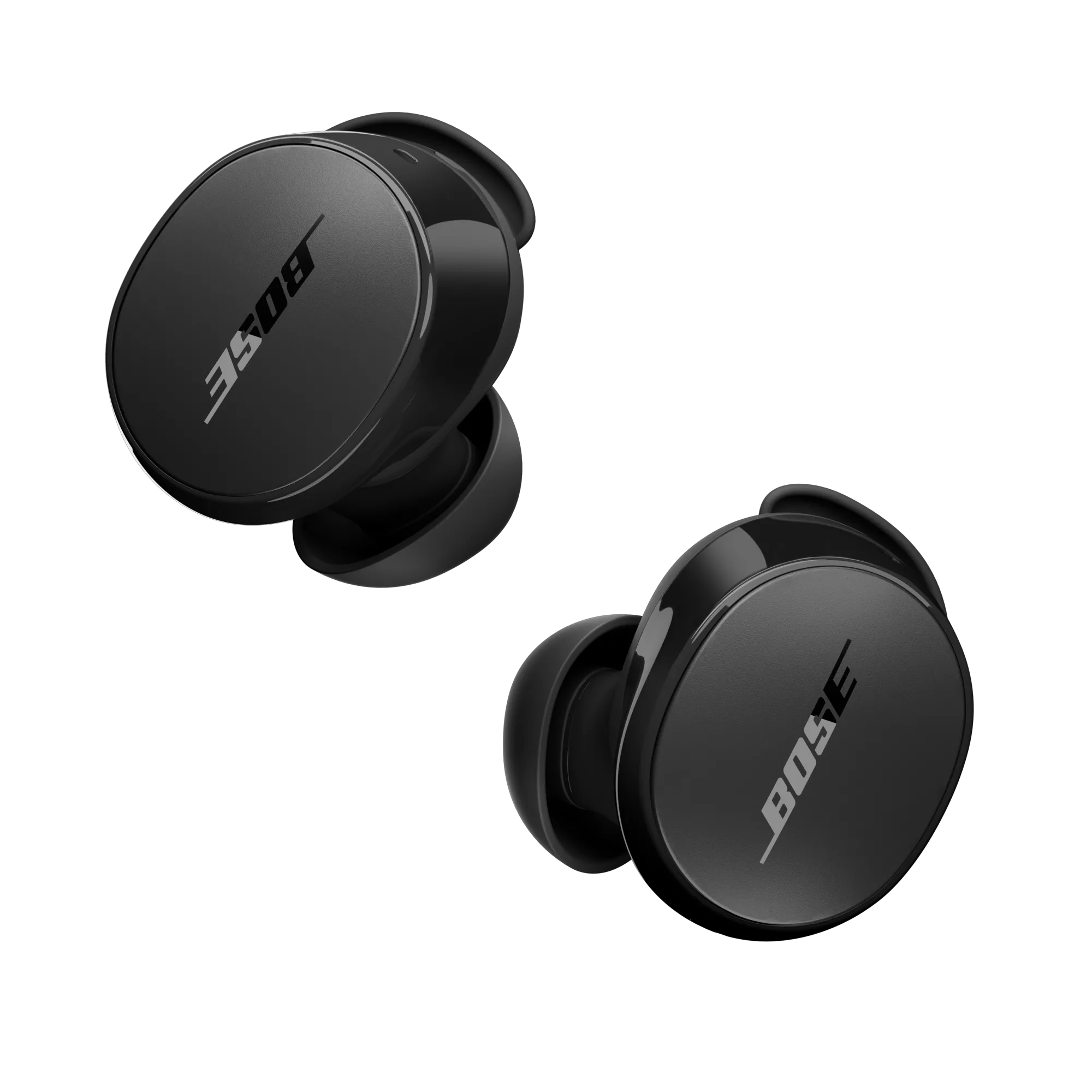
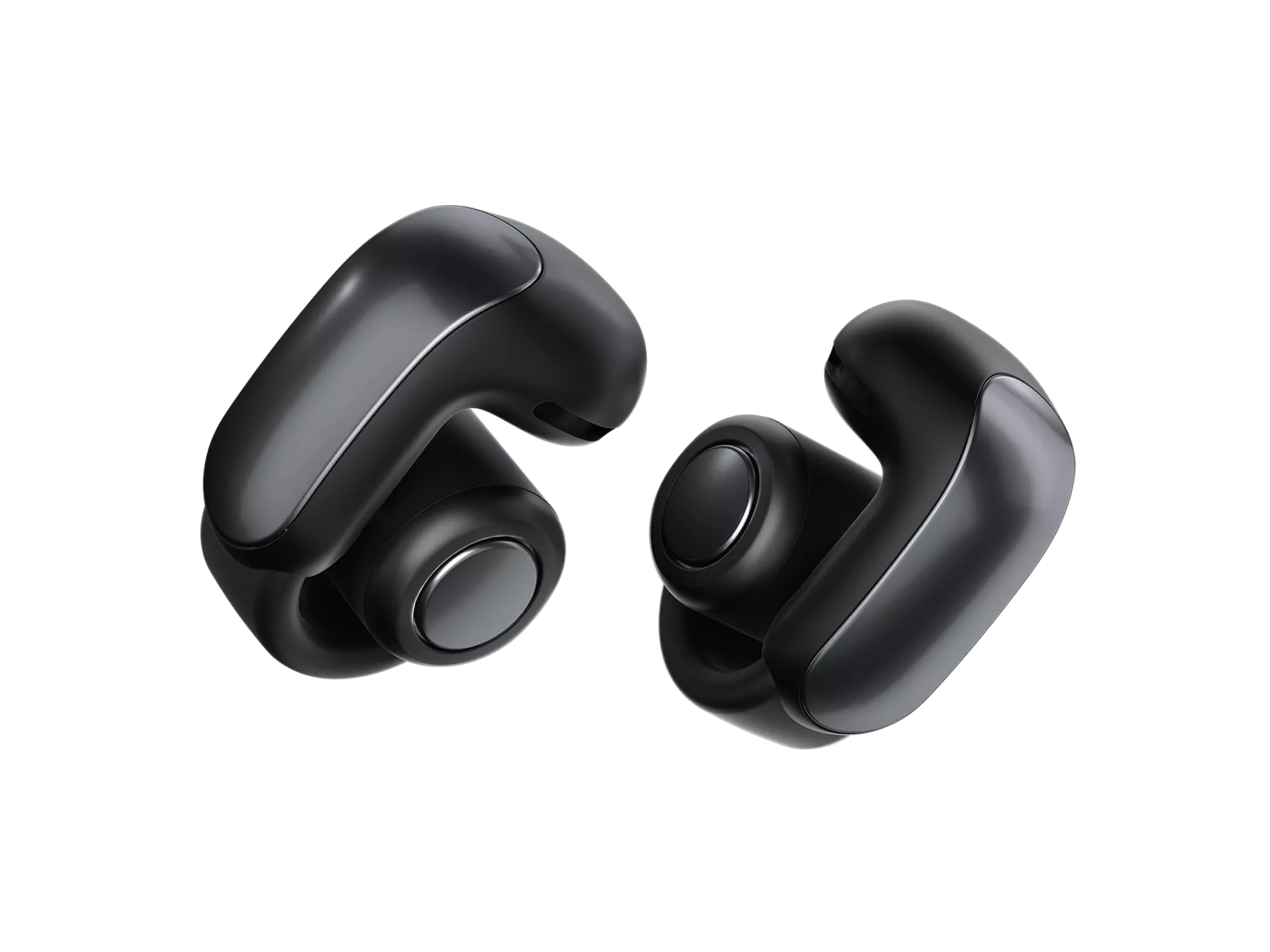
• Bose QuietComfort Ultra Earbuds
• Bose Sport Earbuds
• Bose Sport Open Earbuds
• Bose SoundSport Free wireless headphones
The reset process differs between these models. Using the wrong steps may do nothing, but it is better to identify the model first.
How to reset Bose QuietComfort Earbuds II and Ultra
The Bose QuietComfort Earbuds II and Bose QuietComfort Ultra Earbuds use a charging case with a Bluetooth button on the back. The following method is the standard factory reset process for these models.
Put both earbuds in the charging case.
Leave the case lid open.
Find the Bluetooth button on the back of the case.
Press and hold the Bluetooth button for about 30 seconds.
Watch the case light while holding the button.
Release the button after the light completes its reset sequence.
Close the case lid for a few seconds.
Open the lid and pair the earbuds again.
The light may blink white and blue during the process. Light behavior can vary with firmware, so do not rely on one exact color pattern alone.
After you reset Bose earbuds, remove the old entry from your phone. On an iPhone, open Settings, Bluetooth, tap the information icon beside the earbuds, and choose Forget This Device. On Android, open Bluetooth settings, select the gear icon beside the earbuds, and choose Forget or Unpair.
Then press the case Bluetooth button briefly to place the earbuds in pairing mode. Select the earbuds from your phone’s Bluetooth list and complete setup in the Bose Music app.
A common mistake is releasing the button too soon. Holding it for only five or ten seconds may start pairing mode rather than a factory reset.

How to reset Bose QuietComfort Earbuds and Sport Earbuds
The original Bose QuietComfort Earbuds and Bose Sport Earbuds may not use the same full factory reset sequence as the newer QuietComfort models. A safe reset method is to power cycle the earbuds, refresh the case connection, and remove the old Bluetooth profile.
Follow these steps:
Put both earbuds in the charging case.
Close the lid and wait about five seconds.
Open the lid and leave the earbuds inside.
Connect the charging case to power with the correct cable.
Wait about five seconds.
Disconnect the cable.
Close the lid and wait about one minute.
Open the lid and remove the earbuds.
Forget the earbuds from every phone or computer that used them.
Pair them again through the Bose Music app or your device’s Bluetooth menu.
This process refreshes the charging case and wireless connection. It is often useful when one earbud does not wake up or when the earbuds appear connected but produce no sound.
If your model has a case Bluetooth button, use the model-specific instructions shown in the Bose Music app or the official user guide. Bose has released several earbuds with similar names, and the button layout is not identical on every version.
When I troubleshoot Bose earbuds, I check the case contacts before repeating the reset. A small film of dust or skin oil can stop one earbud from charging. Wipe the metal charging contacts gently with a dry cotton swab, then try again.
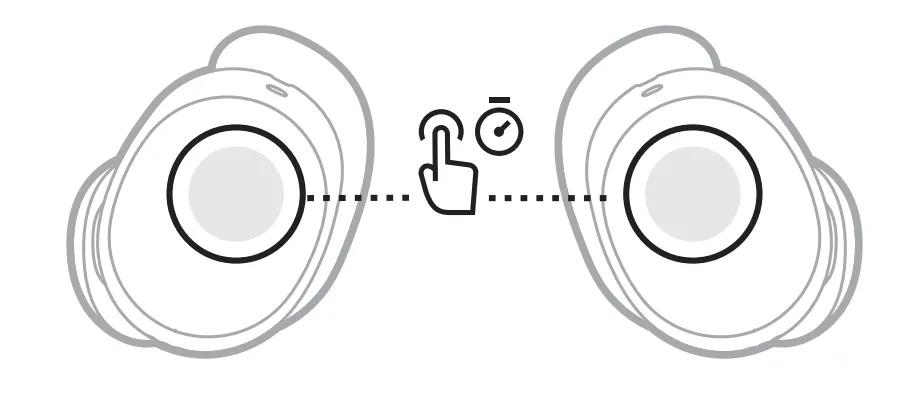
How to reset Bose SoundSport Free earbuds
Bose SoundSport Free wireless headphones use a different design from newer QuietComfort earbuds. The right earbud controls power and Bluetooth functions, so the reset process centers on that earbud.
Try this sequence:
Remove both earbuds from the charging case.
Press and hold the Power button on the right earbud for about 10 seconds.
Wait for the earbud to turn off.
Place both earbuds back in the charging case.
Close the lid for several seconds.
Remove the earbuds and turn them on again.
Delete the old SoundSport Free entry from your phone’s Bluetooth settings.
Pair the earbuds again.
If the right earbud will not respond, place it in the case and confirm that the charging light works. A drained battery can look like a software failure.
SoundSport Free earbuds are older than the QuietComfort line. Their battery may have lost capacity over time. If the earbuds shut off soon after charging or the case cannot hold power, resetting Bose earbuds may not solve the problem.

How to reset Bose earbuds through the Bose Music app
Some Bose models let you manage reset and product settings through the Bose Music app. The menu name may change slightly between app versions.
Try these steps:
Open the Bose Music app.
Select your earbuds.
Open Settings.
Look for Product Settings, Reset, or Remove Product.
Follow the instructions shown on screen.
Forget the earbuds from your phone’s Bluetooth menu.
Add the earbuds to the app again.
The app may offer a product removal option rather than a complete factory reset. Removing a product clears it from the app account, but it may not erase every stored Bluetooth connection.
If the app cannot find the earbuds, use the physical reset method for your model first. Keep the phone close to the case and disable Bluetooth on other nearby devices.
Do not uninstall the app as your first step. Reinstalling the app can help with corrupted app data, but it will not fix an earbud that has no power or cannot charge.
What to do after you reset Bose earbuds
After you reset Bose earbuds, set them up as if they were new. This gives the phone and earbuds a clean Bluetooth connection.
Use this setup order:
Forget the old Bose earbuds entry on your phone.
Restart the phone.
Open the charging case.
Press the case Bluetooth button if your model has one.
Select the earbuds from the Bluetooth menu.
Open the Bose Music app.
Add the earbuds to the app.
Install any available firmware update.
Test both earbuds with a short audio clip.
Check these functions before leaving home:
• Left and right audio
• Touch or physical controls
• Microphone quality
• Noise cancellation or aware mode
• Charging for both earbuds
• Automatic pause and resume
• Bluetooth range
Resetting Bose earbuds can remove custom equalizer settings, device names, and saved connections. Reapply your preferred settings only after the basic connection works.
It is also wise to test the earbuds with a second phone. If they work on one phone but not another, the problem may be the original phone’s Bluetooth settings rather than the earbuds.

Fixes when resetting Bose earbuds does not work
If resetting Bose earbuds does not solve the problem, work through the basics in order. Changing several things at once makes it harder to identify the cause.
Clean the charging contacts
Use a dry, soft cotton swab to clean the contact points on each earbud and inside the case. Do not pour liquid into the case or use a metal tool.
The earbuds must sit firmly in the case. If one earbud sits higher than the other, its battery may not charge.
Restart your phone
Turn the phone completely off, wait a few seconds, and turn it on again. Bluetooth services can become stuck after many connections.
After the restart, pair the Bose earbuds before opening other audio apps.
Reset phone network settings
If several Bluetooth devices fail to connect, reset the phone’s network settings. This removes saved Wi-Fi passwords and Bluetooth connections, so use it only when needed.
On most phones, this option is found under System or General Management, then Reset Options. The exact path depends on the phone brand and operating system.
Test another device
Pair the earbuds with another phone or tablet. This simple test separates an earbud problem from a phone problem.
If the earbuds fail on multiple devices after a full reset, the issue is likely with the earbuds, case, battery, or firmware.
Check for physical damage
Look for cracks, bent charging pins, water exposure, or loose parts. Bose earbuds have water resistance on some models, but water resistance is not the same as waterproofing.
If the earbuds were exposed to water, let them dry fully before charging. Never use heat from a hair dryer.
Contact Bose support
Contact Bose support when:
• The case will not light up
• One earbud stays dead after charging
• The reset light sequence never begins
• The earbuds repeatedly restart
• The case becomes unusually hot
• The earbuds are still under warranty
Have the model name, serial number, purchase date, and steps already tried ready. This helps support avoid repeating basic instructions.
Common mistakes to avoid when you reset Bose earbuds
Resetting Bose earbuds is simple, but a few mistakes can make the process fail.
• Do not hold the wrong button. On newer QuietComfort models, the case Bluetooth button is usually on the back.
• Do not reset with an empty case. Charge the case first.
• Do not keep the lid closed if your model requires the lid to stay open.
• Do not pair before deleting the old Bluetooth profile.
• Do not press buttons for random lengths of time. Follow the timing for your exact model.
• Do not clean contacts with water, alcohol, pins, or sharp tools.
• Do not assume a reset will fix a weak battery.
• Do not interrupt a firmware update.
The most useful lesson is to treat the reset as one step in a diagnosis. If the earbuds still fail after a clean reset and fresh pairing, look at charging, firmware, phone settings, and hardware condition.

Frequently Asked Questions About How to Reset Bose Earbuds
How do I reset Bose earbuds that will not connect?
Place the earbuds in their charging case and use the reset method for your model. Then forget the old Bluetooth connection on your phone, restart the phone, and pair the earbuds again.
How do I reset Bose QuietComfort Earbuds II?
Put both earbuds in the case and leave the lid open. Press and hold the Bluetooth button on the back of the case for about 30 seconds, then release it after the reset light sequence finishes.
Does resetting Bose earbuds erase Bluetooth connections?
A factory reset can erase saved Bluetooth connections and return the earbuds to their original setup state. You will usually need to forget the old entry on your phone and pair the earbuds again.
Why is only one Bose earbud working after a reset?
The inactive earbud may not be charging or may not be seated correctly in the case. Clean the charging contacts, charge both earbuds, and repeat the reset and pairing process.
Can I reset Bose earbuds without the Bose Music app?
Yes. Many Bose models support a physical reset through the charging case or earbud buttons. The exact steps depend on the model, so check the instructions for your specific earbuds.
Will resetting Bose earbuds improve sound quality?
A reset may fix software-related audio problems, such as missing sound in one earbud or incorrect connection settings. It will not repair a damaged speaker, blocked grille, or worn battery.
How long does it take to reset Bose earbuds?
Most resets take less than two minutes, not counting charging and setup. Pairing the earbuds again and installing a firmware update may add more time.
Conclusion
Knowing how to reset Bose earbuds can quickly fix pairing errors, frozen controls, and several common connection problems. Start by charging the case, identify your exact model, follow the correct reset sequence, and remove the old Bluetooth profile before pairing again.
If the earbuds still fail on more than one device, inspect the charging contacts and consider a battery or hardware issue. Use the steps above, check the Bose Music app for updates, and contact Bose support when the problem continues. If this guide helped, explore more troubleshooting tips or share your experience with resetting Bose earbuds in the comments.
