What Does 2280 Means For SSD: SSD Form Factor Explained
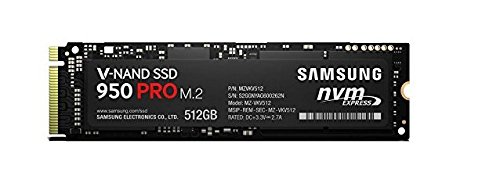
2280 means the SSD is 22 millimeters wide and 80 millimeters long, describing its physical M.2 size.
If you have searched for “what does 2280 means for ssd,” you are likely choosing an upgrade and want to avoid buying the wrong drive. The number identifies the SSD’s dimensions, not its speed, storage capacity, or connection type. This guide explains how M.2 2280 drives work, how to check compatibility, and which details matter before you buy.
What does 2280 means for SSD?
The term “2280” describes the physical size of an M.2 SSD. The first two digits show the drive’s width in millimeters, while the last two digits show its length.
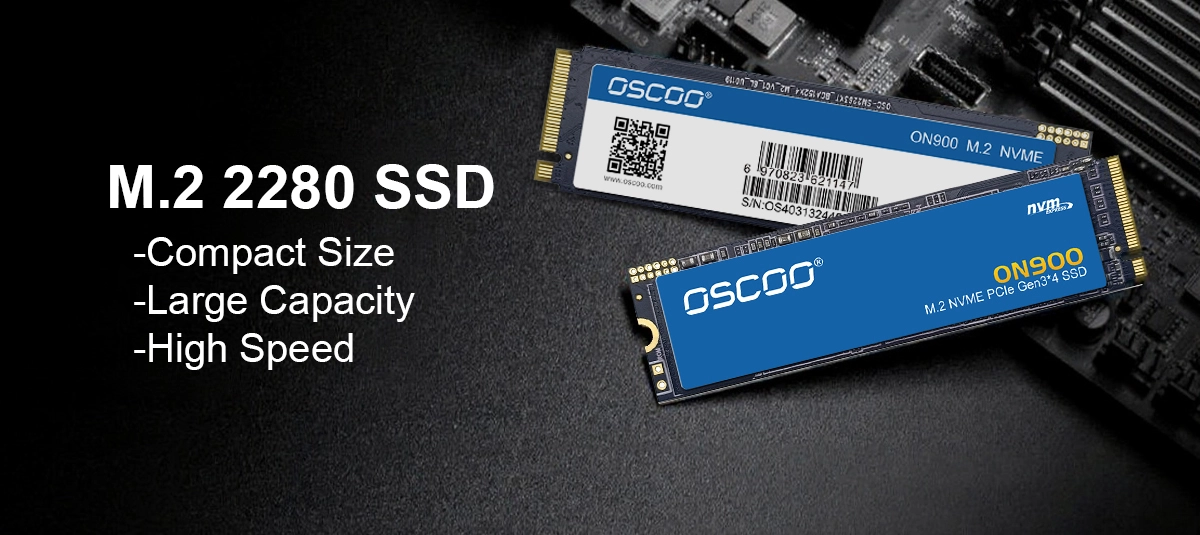
An M.2 2280 SSD is:
- 22 millimeters wide
- 80 millimeters long
- Designed for a standard M.2 slot
- Common in desktop computers, laptops, and game consoles


So, when someone asks, “what does 2280 means for SSD,” the simple answer is that 2280 identifies the drive’s form factor. Think of it like a shoe size for computer parts. It tells you whether the drive can physically fit, but it does not tell you how fast it will run.
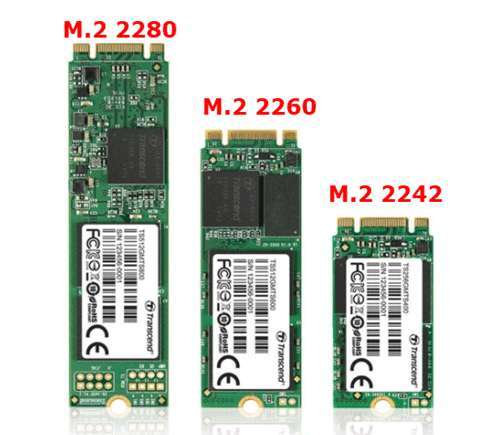
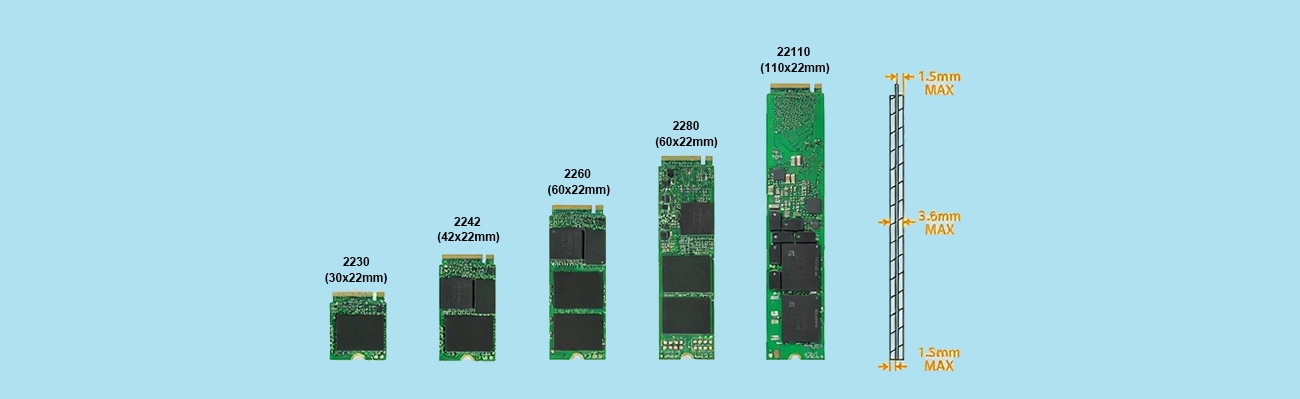
The 2280 size is the most common M.2 SSD format for modern computers. Shorter versions include 2230, 2242, and 2260. The numbers follow the same rule:
- 2230 means 22 millimeters wide and 30 millimeters long
- 2242 means 22 millimeters wide and 42 millimeters long
- 2260 means 22 millimeters wide and 60 millimeters long
- 2280 means 22 millimeters wide and 80 millimeters long

Does 2280 describe SSD speed?
No. The 2280 label does not describe speed. It only describes the physical dimensions of the SSD.
A 2280 drive may use different technologies, such as:
- SATA III
- PCIe 3.0 NVMe
- PCIe 4.0 NVMe
- PCIe 5.0 NVMe
These interfaces can provide very different performance. For example, a 2280 SATA M.2 SSD may reach about 550 MB/s in sequential transfers, while a PCIe 4.0 NVMe model can exceed 7,000 MB/s under ideal conditions.
This is one of the most important lessons when understanding what does 2280 means for SSD. A drive can fit your computer perfectly but still use the wrong interface. Physical compatibility and electrical compatibility are separate issues.
Before buying, check these details:
- M.2 slot type
- SATA or NVMe support
- PCIe generation
- Supported storage capacity
- Single-sided or double-sided design
- Operating system and firmware support
In hands-on SSD upgrades, this is a common mistake. Someone sees “M.2 2280” in a product listing, assumes it will work, and later discovers that the computer accepts only SATA M.2 drives or only NVMe drives.


M.2 2280, SATA, and NVMe: What is the difference?
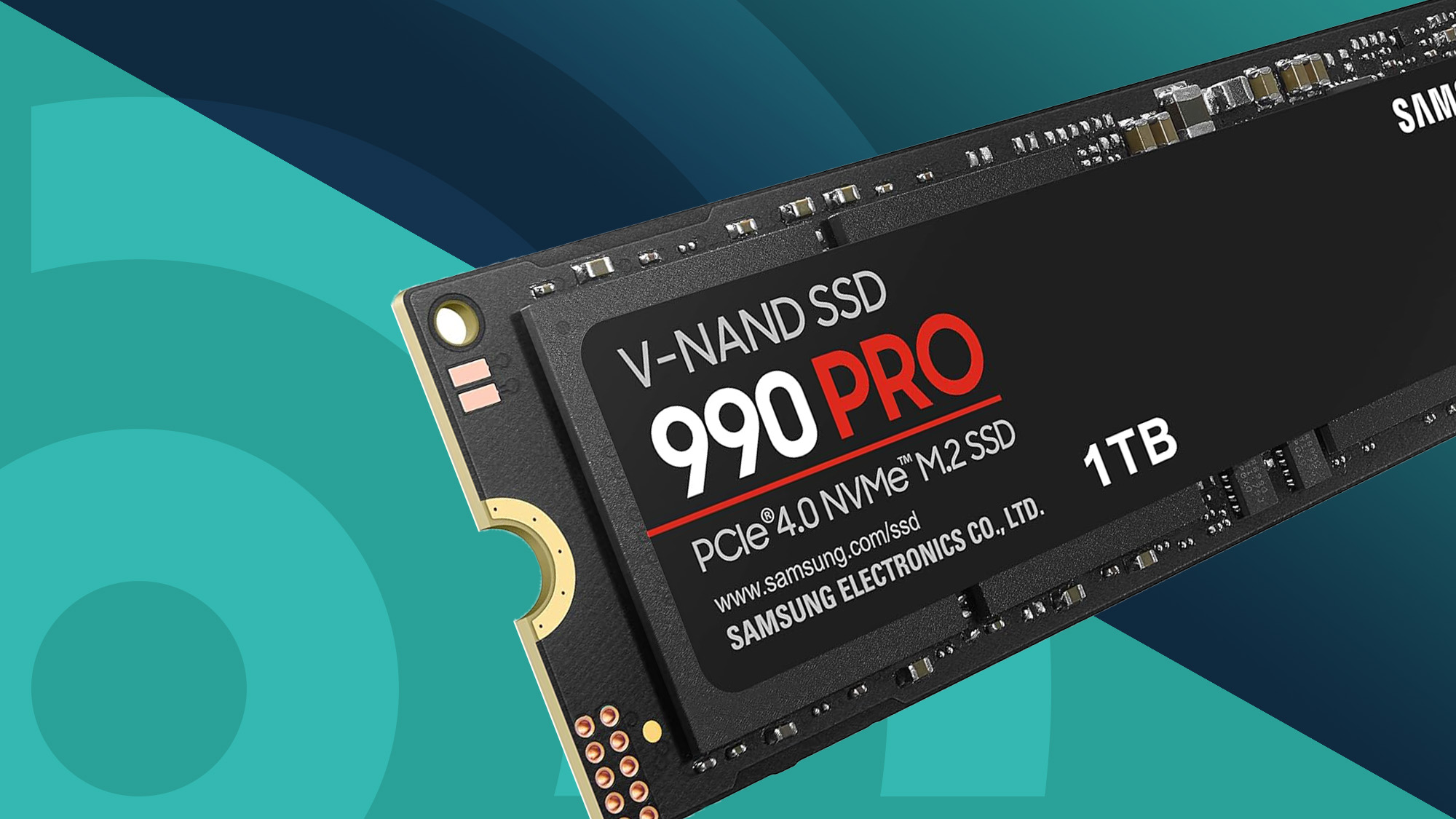
M.2 describes the shape and connector style. SATA and NVMe describe how the SSD communicates with the computer.
A SATA M.2 SSD uses the older SATA storage protocol. It often has a B or B+M key notch and offers performance close to a 2.5-inch SATA SSD.
An NVMe M.2 SSD uses the PCI Express bus. NVMe is designed for flash storage and usually provides lower latency and much higher performance than SATA.
Here is a simple comparison:
| Feature | M.2 SATA | M.2 NVMe |
|---|---|---|
| Physical form | Often 2280 | Often 2280 |
| Connection | SATA | PCIe |
| Typical speed | Up to about 550 MB/s | From roughly 1,500 MB/s to more than 12,000 MB/s |
| Keying | Often B-key or B+M-key | Usually M-key |
| Best use | Basic upgrades | Fast storage and demanding workloads |
Both drives may be labeled M.2 2280, but they are not automatically interchangeable. This explains why knowing what does 2280 means for SSD is useful but not enough by itself.
Your computer’s manual or manufacturer support page should state whether the slot supports SATA, NVMe, or both. If the information is unclear, check the motherboard model and the exact specifications for its M.2 socket.

Why is 2280 the most common M.2 SSD size?
The 2280 format offers a useful balance between size, capacity, cooling, and manufacturing cost. Its 80-millimeter length gives manufacturers enough space for NAND flash memory chips and a controller.
Shorter drives are helpful in thin laptops, tablets, and compact devices. However, they have less surface area for memory packages. A 2280 drive can often hold more NAND chips on one circuit board, which makes higher capacities easier to produce.
Manufacturers also favor 2280 because:
- It fits many desktop and laptop designs
- It supports large storage capacities
- It works well with common heatsinks
- It has broad support across modern motherboards
- It provides room for advanced controllers and cache memory
The 2280 design is not automatically better than a shorter SSD. It is simply the most widely supported size. A 2230 SSD may be the correct choice for a handheld gaming device, while a 2280 model may be ideal for a desktop computer.
How do you check if your computer supports an M.2 2280 SSD?
Check compatibility before purchasing. The physical length is only one part of the answer to what does 2280 means for SSD.
Use this process:
- Find your computer or motherboard model.
- Open the official specifications or service manual.
- Look for the M.2 slot type and supported sizes.
- Confirm whether the slot accepts SATA, NVMe, or both.
- Check the supported PCIe generation.
- Look for the mounting screw position marked 2280.
- Review the maximum supported storage capacity.
- Check whether the slot shares bandwidth with other ports.
A motherboard may have more than one M.2 slot. One slot may support PCIe 4.0 NVMe drives, while another may support SATA or PCIe 3.0 only.
You should also inspect the mounting point. An M.2 2280 SSD needs a screw or standoff at the 80-millimeter position. If the board has only a 2230 or 2242 mounting point, a standard 2280 drive may not fit securely.
For laptops, physical clearance matters too. Some laptops have very little space above the M.2 slot. A double-sided 2280 SSD may touch the bottom cover, battery, or nearby components even when the length is correct.


What does the M.2 key notch mean?
The notch on an M.2 SSD helps identify its electrical design. Common key types include B-key, M-key, and B+M-key.
Most modern NVMe 2280 SSDs use an M-key connector. SATA M.2 SSDs often use a B+M-key connector, although connector shape alone should not be treated as complete proof of compatibility.
Keying can prevent some incorrect installations, but it does not explain every compatibility issue. Some slots accept multiple key types, while others support only a specific protocol.
When reviewing what does 2280 means for SSD, remember these three separate questions:
- Will the drive physically fit?
- Does the notch match the slot?
- Does the drive use the protocol supported by the slot?
A drive may slide into a slot but still fail to appear in the BIOS if the interface is unsupported. Never force an M.2 SSD into a slot. The notch, label, and manual should all agree.
Are all 2280 SSDs the same thickness?
No. M.2 2280 SSDs can have different thicknesses and component layouts.
Some drives place memory chips on one side of the circuit board. These are called single-sided SSDs. Others place chips on both sides and are called double-sided SSDs.
Single-sided drives are often safer for thin laptops because they need less vertical space. Double-sided drives can offer higher capacity or different internal designs, but they may not fit every device.
Consider these points:
- Laptop clearance above the slot
- Heat spreader or heatsink height
- Battery location
- Bottom-cover pressure
- Single-sided or double-sided construction
Do not add a large aftermarket heatsink inside a thin laptop without checking clearance. It may press against the case and create stress. Desktop computers usually have more room, but a thick heatsink can still interfere with a graphics card or another expansion device.

What does 2280 mean for SSD installation?
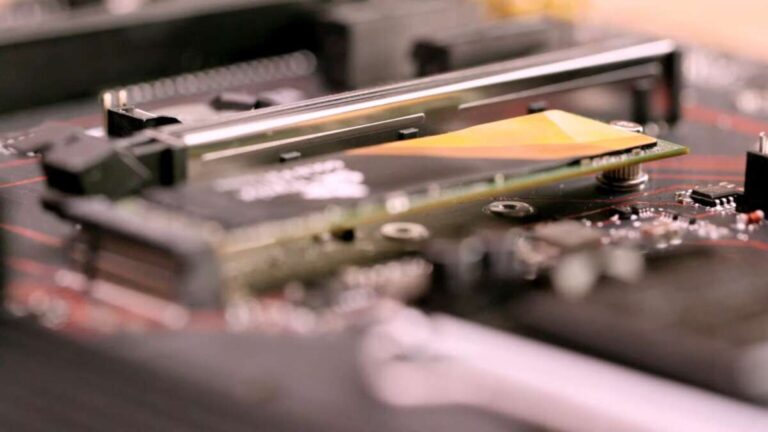
Installing an M.2 2280 SSD is usually simple, but careful handling matters. The drive is inserted at a slight angle and then lowered onto the standoff.
A safe installation process looks like this:
- Shut down the computer completely.
- Disconnect the power cable and battery when possible.
- Touch a grounded metal surface to reduce static electricity.
- Remove the M.2 slot cover or heatsink.
- Insert the SSD at about a 20 to 30-degree angle.
- Push it gently into the connector.
- Lower the drive onto the 2280 standoff.
- Secure it with the correct screw.
- Reinstall the heatsink without overtightening it.
- Enter the BIOS or operating system to confirm detection.
The screw should hold the SSD flat. It should not bend the circuit board. If the drive sits at an angle after installation, stop and check the standoff position.


One practical mistake I have seen during upgrades is leaving the protective film on a thermal pad. That film blocks heat transfer. Remove it before placing the heatsink on the SSD, but do not remove labels from the drive unless the manufacturer says it is safe.

Is an M.2 2280 SSD good for gaming?
Yes, an M.2 2280 SSD is widely used for gaming. It can reduce game loading times compared with a hard disk drive, and NVMe models can provide excellent performance for large game files.
However, the difference between a good PCIe 3.0 NVMe drive and a high-end PCIe 4.0 model may be small in many games. Game loading depends on the game engine, CPU, memory, storage design, and operating system.
For a gaming PC, focus on:
- NVMe support
- Enough capacity for your game library
- Strong random read performance
- Reliable thermal control
- A reputable warranty
- Firmware support
The PlayStation 5 also commonly uses 2280 NVMe SSDs, but the drive must meet its required performance, capacity, and heatsink specifications. A drive being 2280 alone does not guarantee console compatibility.
What are the benefits and limits of an M.2 2280 SSD?
An M.2 2280 SSD has several benefits, but it also has limitations.
Benefits
- Small physical footprint
- Easy installation
- Wide compatibility
- High capacity options
- Excellent performance with NVMe
- No data cable or separate power cable
- Useful for desktops, laptops, and some consoles
Limitations
- Not every M.2 slot supports NVMe
- Not every 2280 drive supports SATA
- High-speed models can run hot
- Double-sided drives may not fit thin devices
- Some motherboard slots share bandwidth
- PCIe 5.0 models may cost more than their practical benefit
- A failed M.2 slot can make replacement more difficult
The best SSD is not always the fastest model. For office work, school, web browsing, and normal gaming, a reliable PCIe 3.0 or PCIe 4.0 NVMe drive may offer better value than an expensive PCIe 5.0 model.
Common mistakes when buying a 2280 SSD
Understanding what does 2280 means for SSD can help you avoid several expensive mistakes.
Mistake 1: Treating 2280 as a speed rating
2280 is a size code. It does not promise a specific read or write speed.
Mistake 2: Ignoring the interface
An M.2 SATA drive and an M.2 NVMe drive may look similar. Always confirm the protocol supported by your computer.
Mistake 3: Forgetting the mounting screw
Some systems include a standoff but no screw. Check the motherboard box or buy the correct M.2 screw rather than using a random screw.
Mistake 4: Buying a drive that is too thick
A double-sided drive or large heatsink may not fit in a slim laptop.
Mistake 5: Ignoring heat
Fast NVMe drives can slow down when they become too hot. A motherboard heatsink, airflow, or suitable thermal pad can help.


Mistake 6: Failing to back up data
An SSD upgrade can involve cloning, reinstalling Windows, or changing boot settings. Back up important files before opening the computer.
Frequently Asked Questions About What Does 2280 Means for SSD
Is 2280 the same as M.2?
No. M.2 describes the general form factor and connector standard, while 2280 describes the drive’s physical dimensions. An M.2 SSD can use several sizes, including 2230, 2242, 2260, and 2280.
Does every M.2 2280 SSD work in every M.2 slot?
No. The slot must support the SSD’s interface, such as SATA or NVMe, and it must provide the correct mounting position. Check the computer or motherboard manual before buying.
Is an M.2 2280 SSD faster than a 2.5-inch SSD?
Usually, an NVMe M.2 2280 SSD is much faster than a 2.5-inch SATA SSD. However, an M.2 2280 SATA SSD can perform at a similar level to a 2.5-inch SATA model because both use the SATA interface.
Can I use a 2280 SSD in a 2230 slot?
Usually, no. A 2280 drive is longer than a 2230 drive and needs an 80-millimeter mounting point. An adapter may exist for some devices, but the enclosure must still provide enough physical space.
What does 2280 mean on an NVMe SSD?
On an NVMe SSD, 2280 still refers only to the size: 22 millimeters wide and 80 millimeters long. NVMe identifies the communication protocol, while 2280 identifies the physical form factor.
Does an M.2 2280 SSD need a heatsink?
Not always. Basic drives may work without one, but high-performance NVMe SSDs can benefit from a suitable heatsink and good airflow, especially during large file transfers or demanding workloads.
Can I install Windows on an M.2 2280 SSD?
Yes, if the computer supports the drive and its interface. You may perform a fresh installation or clone your existing system, but confirm that the BIOS detects the SSD first.
Conclusion
The answer to what does 2280 means for SSD is simple: 2280 identifies an M.2 drive that measures 22 millimeters wide and 80 millimeters long. It does not tell you the SSD’s speed, capacity, interface, or quality.
Before buying one, confirm the M.2 slot size, SATA or NVMe support, PCIe generation, mounting position, thickness, and cooling needs. Once these details match, an M.2 2280 SSD can be a fast, compact, and practical upgrade for a laptop, desktop, or compatible game console.
Use your device manual as the final authority, compare the full specifications, and back up your data before installation. If this guide helped, explore more storage guides or share your SSD upgrade experience in the comments.