

To turn on Beats earbuds, charge them, open their case, and remove the earbuds.
Knowing how to turn on Beats earbuds is simple, but the exact steps can vary by model. Most Beats wireless earbuds wake up when you take them out of the charging case, while some models use a button. This guide covers Beats Studio Buds, Beats Studio Buds+, Beats Fit Pro, Powerbeats Pro, Beats Flex, and common connection problems.
How to turn on Beats earbuds
For most true wireless Beats earbuds, the charging case controls power. The earbuds usually turn on and enter pairing mode when you remove them from the case.
Follow these steps:
- Place both earbuds inside the charging case.
- Charge the case if its battery is low.
- Open the case lid.
- Remove both earbuds.
- Put the earbuds in your ears.
- Wait for the startup tone or connection sound.
If the earbuds were already paired with your phone, they should connect within a few seconds. You may also see a battery pop-up on an iPhone or a Bluetooth connection message on an Android phone.
This is the easiest way to turn on Beats earbuds because there is no separate power switch on most current models. The case works like a small charging station and wake-up button.

How to turn on Beats Studio Buds and Studio Buds+
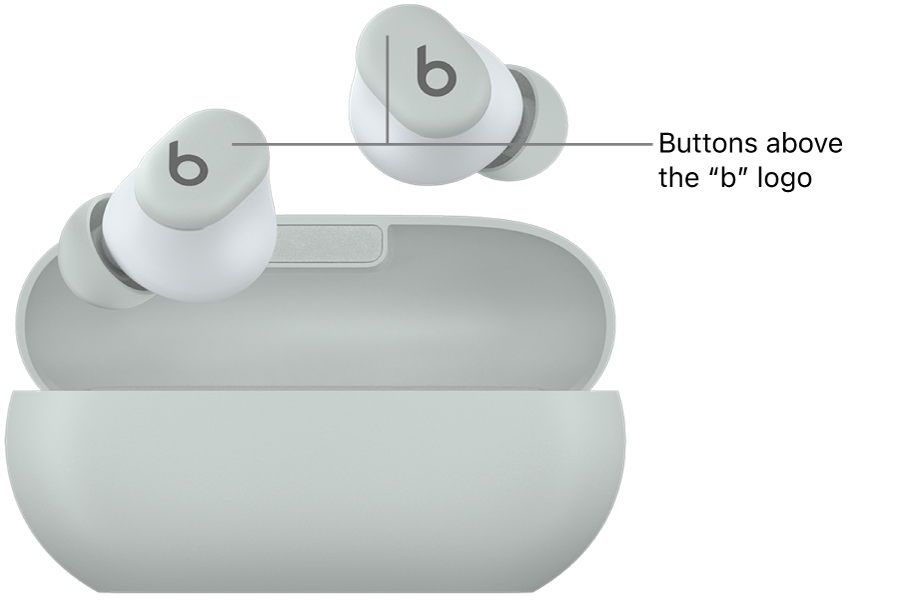
Beats Studio Buds and Beats Studio Buds+ turn on when you remove them from the charging case. You do not need to press the logo button to power them on during normal use.
Use this process:
- Put the earbuds in the case.
- Open the lid.
- Remove the earbuds.
- Hold the logo button on each earbud if they do not wake up.
- Listen for the connection tone.
If the earbuds do not respond, place them back in the case. Close the lid for about 10 seconds, then open it and remove them again. This often clears a temporary sleep or connection issue.
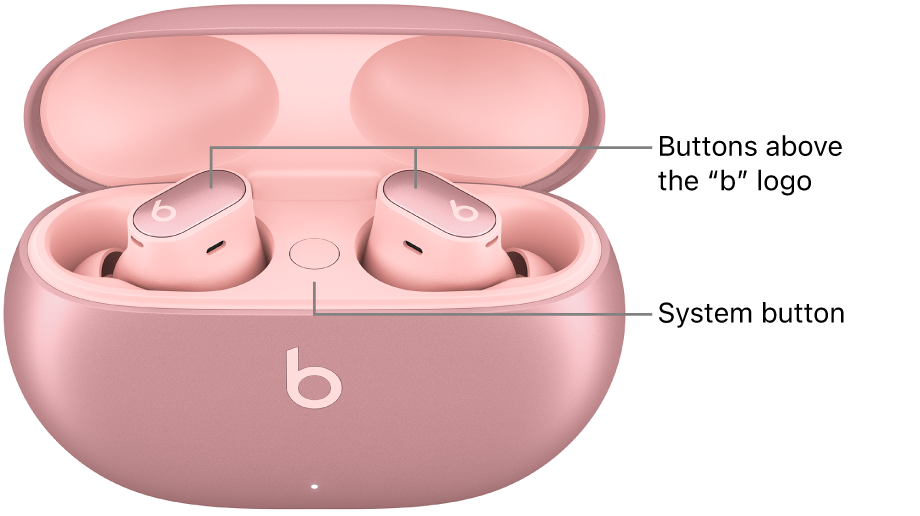
The small button on each Studio Bud is mainly used for playback controls, calls, noise control, and pairing. It is not usually needed to turn on Beats earbuds.
How to turn on Beats Fit Pro
Beats Fit Pro earbuds power on when you remove them from their case. Their ear hooks can make them feel more secure, but the power process is almost the same as Studio Buds.
To turn on Beats Fit Pro:
- Charge the case and earbuds.
- Open the case.
- Remove both earbuds.
- Place them in your ears.
- Wait for the connection sound.
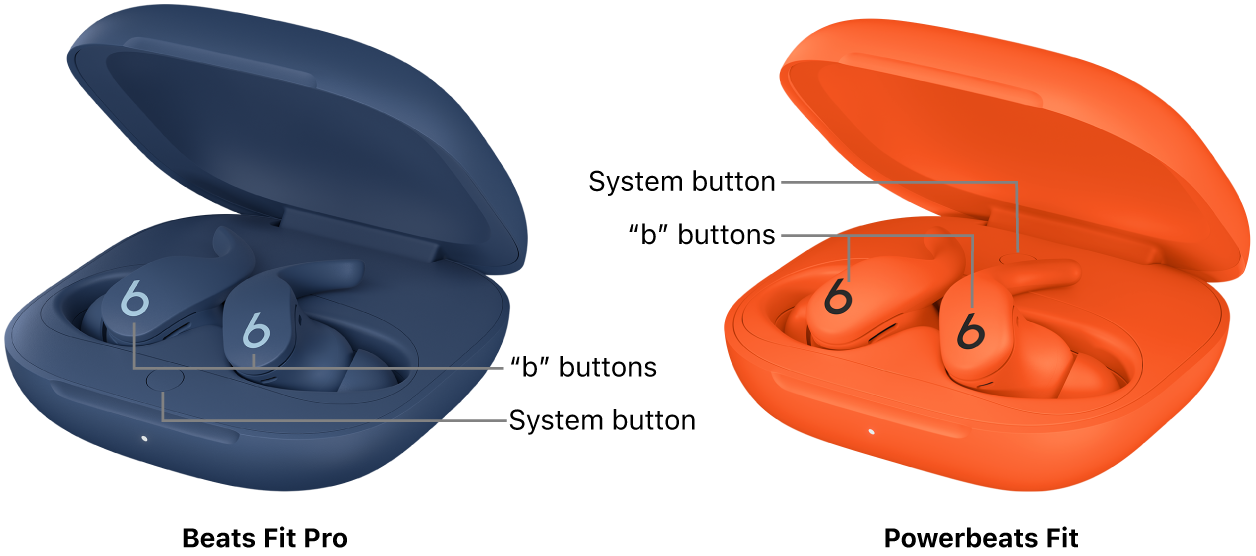
If they do not turn on, press and hold the system button inside the charging case. Keep the earbuds in the open case while doing this. The button can also place the earbuds into Bluetooth pairing mode.
When you turn on Beats earbuds for the first time, keep the case close to your phone. This helps the phone find the earbuds quickly. On an iPhone, an on-screen setup card may appear.
How to turn on Powerbeats Pro
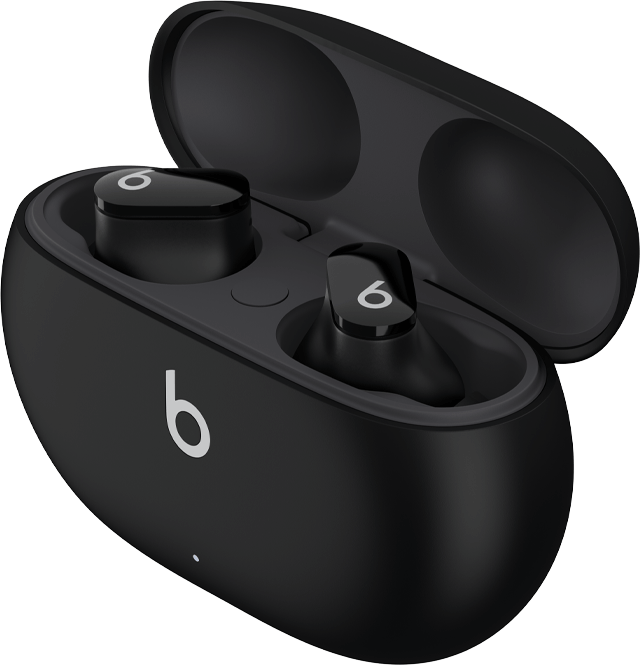
Powerbeats Pro earbuds turn on when you remove them from the charging case. Each earbud has its own battery, so both earbuds should sit correctly in the case while charging.
To turn on Powerbeats Pro:
- Put the earbuds into the charging case.
- Check that the charging contacts touch the metal points.
- Open the lid.
- Remove one or both earbuds.
- Wait for the pairing or connection sound.
You can use either earbud by itself. If only one side works, return both earbuds to the case, close the lid, and try again after a few seconds.
A common mistake is placing an earbud in the case without checking its position. If the earbud does not sit on the charging contacts, it may remain off. Clean the contacts with a dry, soft cloth. Do not use water or sharp tools.
How to turn on Beats Flex
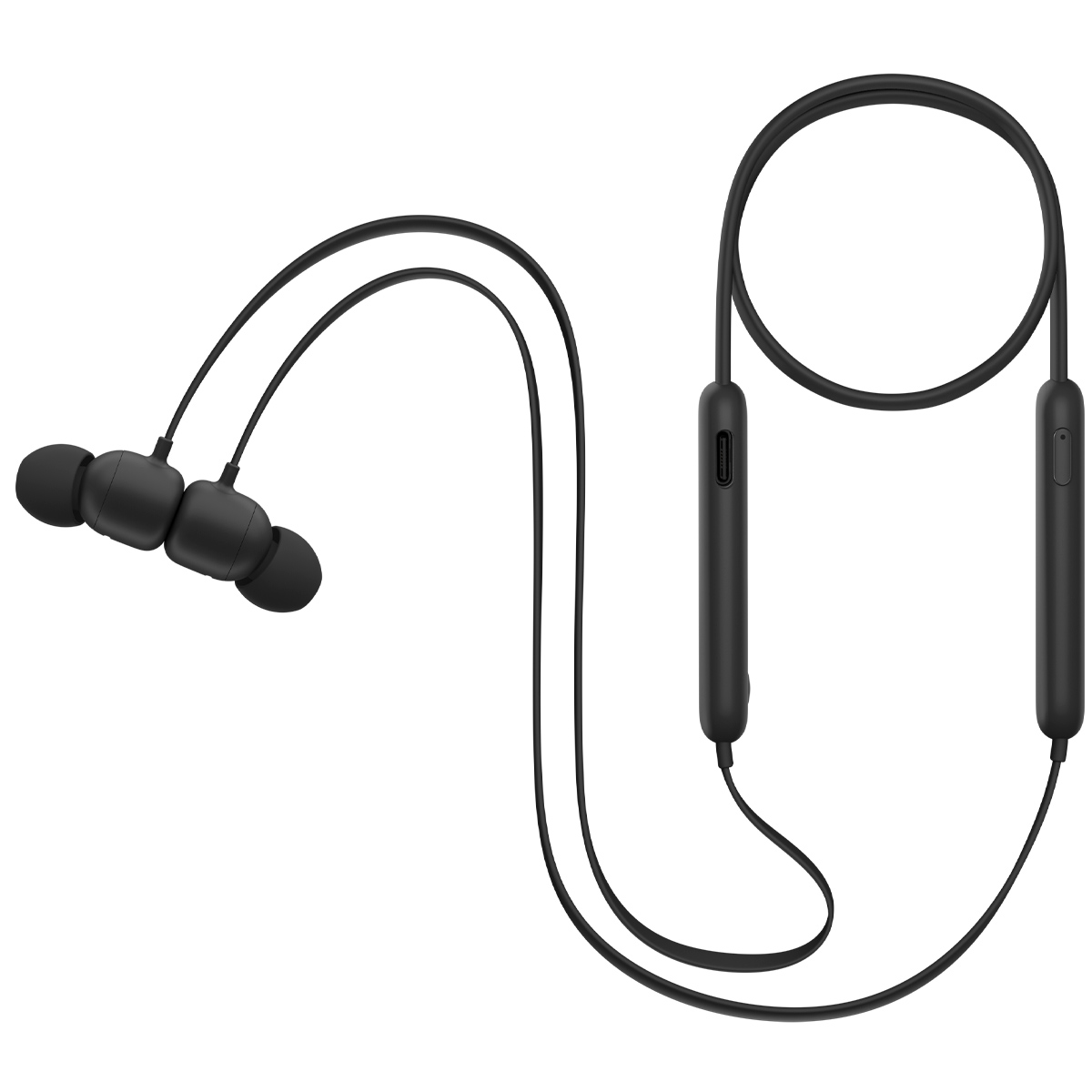
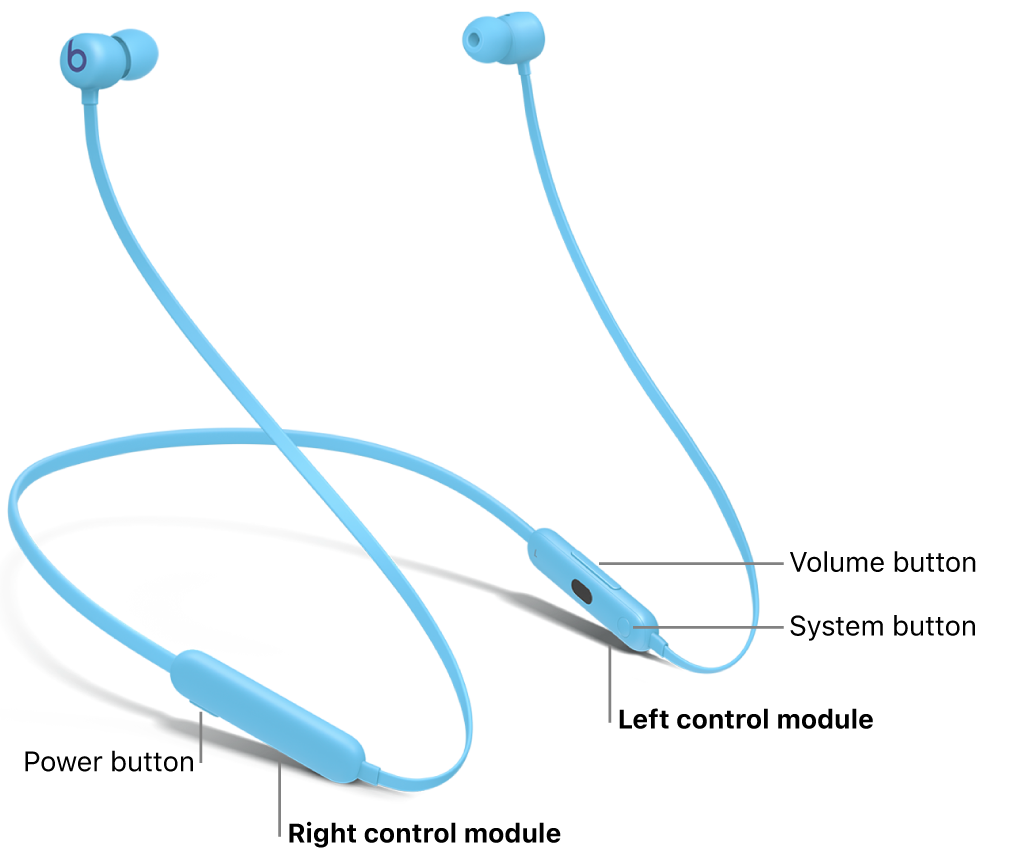
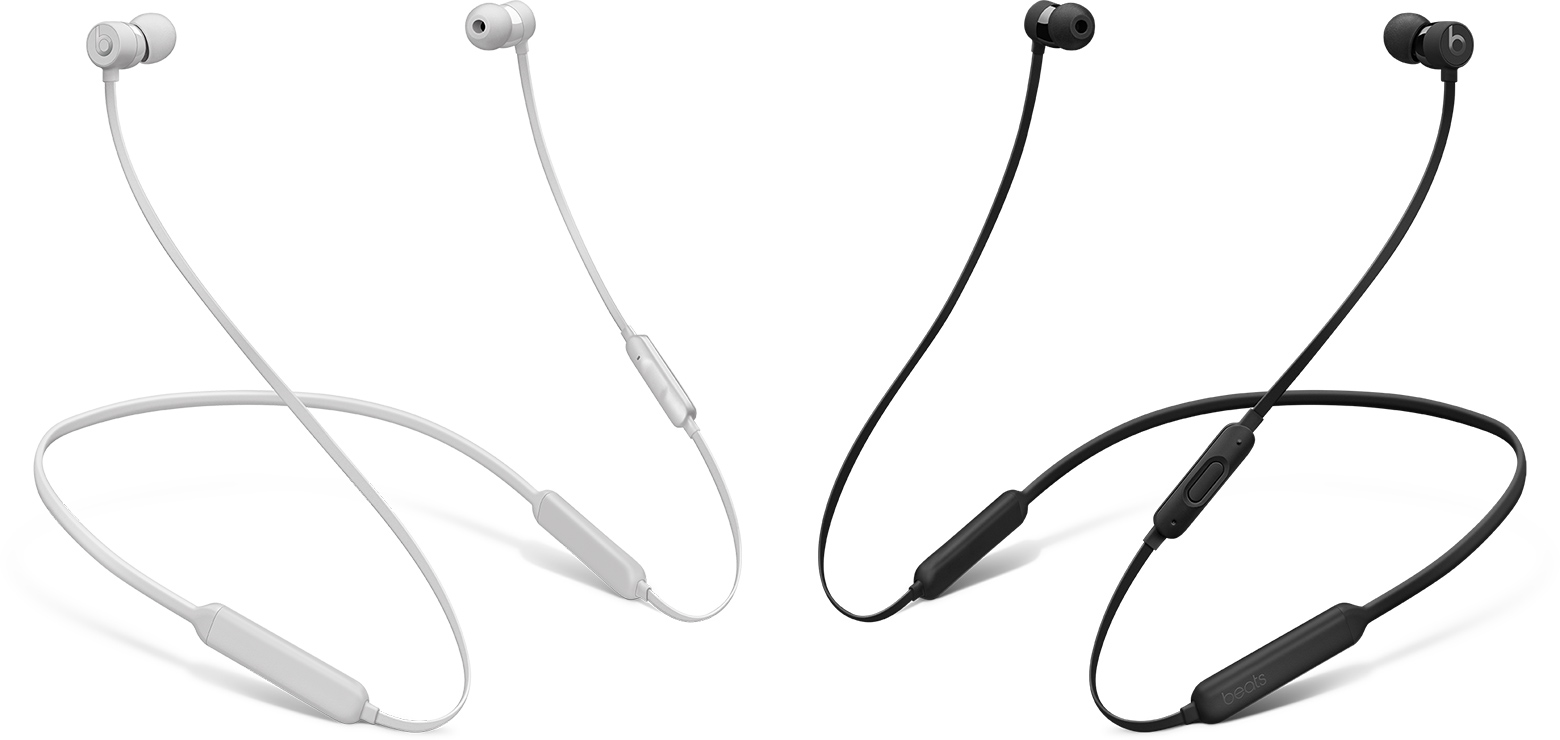
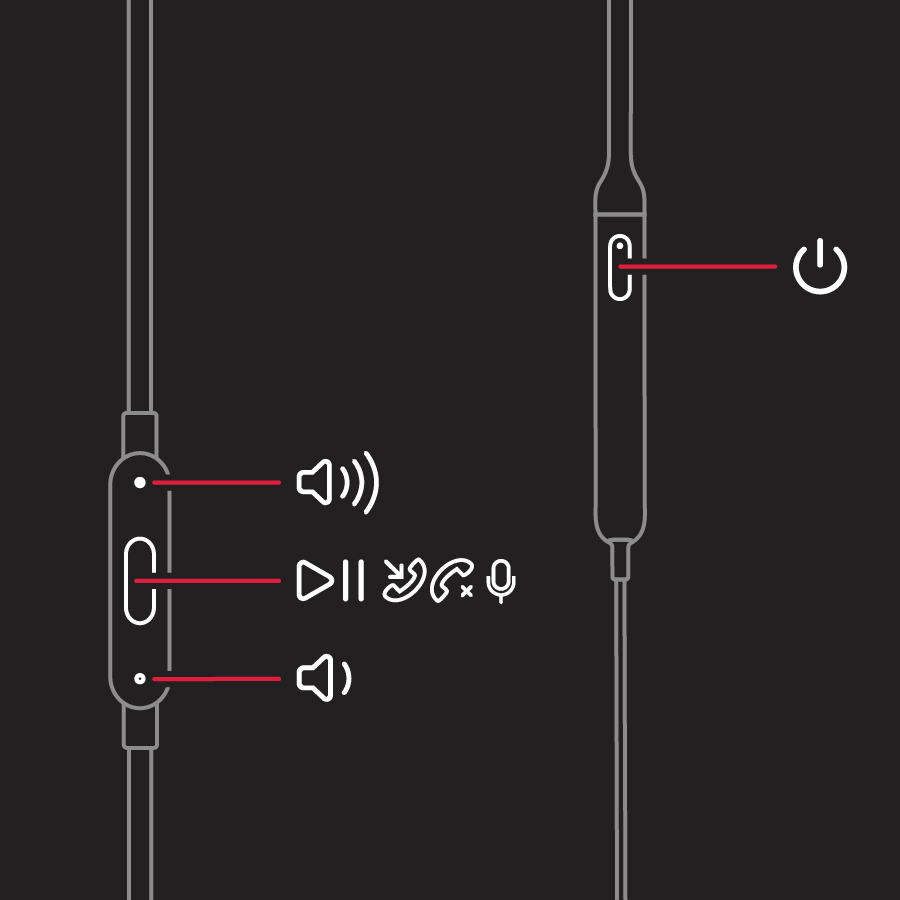
Beats Flex works differently from true wireless Beats earbuds. The earbuds have a built-in power button on the right control module.
To turn on Beats Flex:
- Find the power button on the right-side control module.
- Press and hold the button for about one second.
- Release it when the indicator light turns on.
- Put the earbuds around your neck or in your ears.
- Connect them through Bluetooth if needed.
To turn off Beats Flex, press and hold the same button for about one second. The magnetic earbuds may also pause audio when they connect, but separating them does not replace the power button.
If you cannot turn on Beats Flex, charge them with the included cable or a compatible USB power source. A completely drained battery may need several minutes before the indicator light appears.
How to connect Beats earbuds to an iPhone
After you turn on Beats earbuds, connecting them to an iPhone is usually quick. Keep Bluetooth enabled and place the open charging case near the phone.
Follow these steps:
- Open Settings on your iPhone.
- Tap Bluetooth.
- Turn Bluetooth on.
- Open the Beats charging case.
- Remove the earbuds.
- Tap the Beats name when it appears.
For newer Beats models, you can often open the case near an unlocked iPhone and follow the setup card. The earbuds may also connect automatically to other Apple devices signed in to the same Apple Account.
If the earbuds are not listed, press and hold the case system button until the light flashes. A flashing light usually means the earbuds are ready to pair.
When helping someone turn on Beats earbuds, I often find that the real issue is not power. It is Bluetooth pairing. Checking the Bluetooth menu first can save time.
How to connect Beats earbuds to an Android phone
Beats earbuds also work with Android phones through standard Bluetooth. Some features may vary by phone and model, but basic audio and calls should work.
Use these steps:
- Open your Android phone’s Settings app.
- Tap Connected devices or Bluetooth.
- Turn Bluetooth on.
- Open the Beats case.
- Press and hold the case system button if the earbuds do not appear.
- Select your Beats earbuds from the device list.
You can also install the official Beats companion app on supported Android devices. The app may show battery levels, firmware details, and control options.
Keep the earbuds close to the phone during setup. Walls, crowded wireless areas, and other connected devices can sometimes delay pairing.
What to do when Beats earbuds will not turn on
If your Beats earbuds do not turn on, start with the battery. A low case battery can prevent the earbuds from charging or waking up.
Try these fixes in order:
- Connect the charging case to power.
- Leave it charging for at least 15 minutes.
- Place both earbuds inside the case.
- Clean the charging contacts with a dry cloth.
- Close the lid for 30 seconds.
- Open the lid and remove the earbuds.
- Try pairing again.
Check the status light on the case. No light may indicate a drained case, a damaged cable, or a charging problem. A white flashing light often indicates pairing mode, while a red light can point to low battery or a system issue, depending on the model.
Do not use a pin, wet cotton swab, or cleaning spray near the charging contacts. These can damage the small metal parts inside the case.
How to reset Beats earbuds
Resetting can help when Beats earbuds appear charged but will not connect, respond, or turn on correctly. A reset removes saved pairing information, so you will need to connect the earbuds again.
For many case-based Beats models:
- Put both earbuds in the case.
- Leave the lid open.
- Press and hold the system button on the case.
- Keep holding until the light flashes red and white.
- Release the button.
- Pair the earbuds with your phone again.
The exact reset process can differ by model. Check the instructions for your specific Beats earbuds before resetting. Resetting should be a later step, not the first thing you try.
In hands-on troubleshooting, the most common avoidable mistake is resetting earbuds before charging them. A reset cannot fix a case that has no usable power.
How to keep Beats earbuds powered and ready
Good charging habits make it easier to turn on Beats earbuds every time. Store the earbuds in their case when you are not using them. This protects them and helps maintain their battery.
Use these practical habits:
• Charge the case before long trips or workdays.
• Keep the charging contacts clean and dry.
• Avoid leaving the case in a hot car.
• Use a reliable charging cable and power adapter.
• Update the earbuds when the companion app or phone offers an update.
• Keep both earbuds in the case when you are not using them.
Lithium-ion batteries naturally lose capacity over time. You may notice shorter listening time after many months or years. That does not always mean the earbuds are broken, but it can mean the battery needs service or replacement.
Common mistakes when turning on Beats earbuds
Several small mistakes can make working earbuds seem dead. Learning these patterns can help you solve the issue faster.
• The case is empty: The earbuds cannot charge or wake if the case battery is fully drained.
• The earbuds are not seated correctly: Earbuds must touch the charging pins.
• Bluetooth is off: The earbuds may be on but unable to connect.
• Another device is connected: Your Beats may connect to a nearby tablet, laptop, or phone.
• The case lid is closed: Pairing mode may require the lid to remain open.
• The earbuds are dirty: Dust or skin oil can block the charging contacts.
• The earbuds are too far away: Keep them close to the phone during setup.
When you turn on Beats earbuds, look for signs of activity. A status light, tone, battery display, or Bluetooth listing can confirm that the earbuds are working.
Frequently Asked Questions
How do I turn on Beats earbuds without the case?
Most true wireless Beats earbuds need the charging case to wake up and charge. If they are already charged, taking them out of the case usually turns them on, but you may need the case again if they have fully powered down.
Why will my Beats earbuds not turn on?
The most common causes are a drained case, dirty charging contacts, or earbuds that are not seated correctly. Charge the case, clean the contacts with a dry cloth, and place both earbuds inside for several minutes.
How do I turn on Beats earbuds for pairing?
Open the charging case and remove the earbuds. If they do not appear in your phone’s Bluetooth menu, press and hold the system button on the case until the status light flashes.
Can I use only one Beats earbud?
Yes, many Beats true wireless models support single-earbud use. Remove the earbud you want to use and leave the other one in the case.
How do I turn on Beats Flex?
Press and hold the power button on the right control module for about one second. Release the button when the indicator light turns on.
How do I know if my Beats earbuds are charging?
Place the earbuds in the case and check the status light or battery level on your connected phone. A phone may show separate battery levels for the left earbud, right earbud, and case.
Conclusion
To turn on Beats earbuds, charge the case, open it, and remove the earbuds. Beats Flex uses a power button, while most true wireless models wake up through the charging case. If your earbuds do not respond, check the battery, charging contacts, Bluetooth settings, and pairing mode before attempting a reset.
Keep the case charged and store the earbuds inside it after use. These simple habits prevent most startup problems. Try the steps above with your model, then explore the companion app or official device guide for advanced settings and support.
