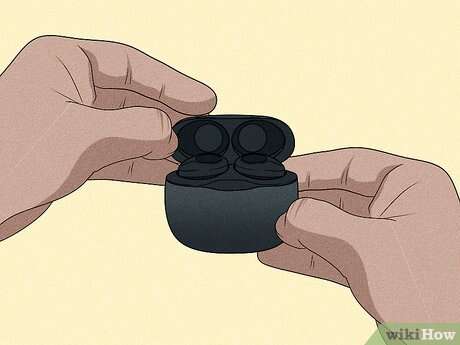
How To Clean Wireless Earbuds: Easy Safe Cleaning Guide
Clean wireless earbuds with a dry brush, soft cloth, and little moisture to protect delicate electronics.
Wireless earbuds collect earwax, skin oil, dust, and bacteria every time you wear them. Learning how to clean wireless earbuds the right way can improve sound, comfort, and hygiene without damaging the speakers, microphones, or charging contacts. This guide shares safe methods, common mistakes, and simple habits that help your earbuds last longer.
Why Cleaning Wireless Earbuds Matters
Earbuds sit inside or against your ear, so they quickly pick up wax and sweat. That buildup can block the speaker mesh and make your music sound quiet, dull, or uneven. It may also affect call quality by covering the microphones.
Cleaning wireless earbuds also helps protect the charging case. Dirt on the metal contacts can stop the earbuds from charging. In some cases, oil and moisture may lead to corrosion over time.


Most wireless earbuds are water resistant, not waterproof. A rating such as IPX4 means a product can resist splashes or sweat under tested conditions. It does not mean you can rinse the earbuds under a tap or soak them in water.

What You Need Before You Start
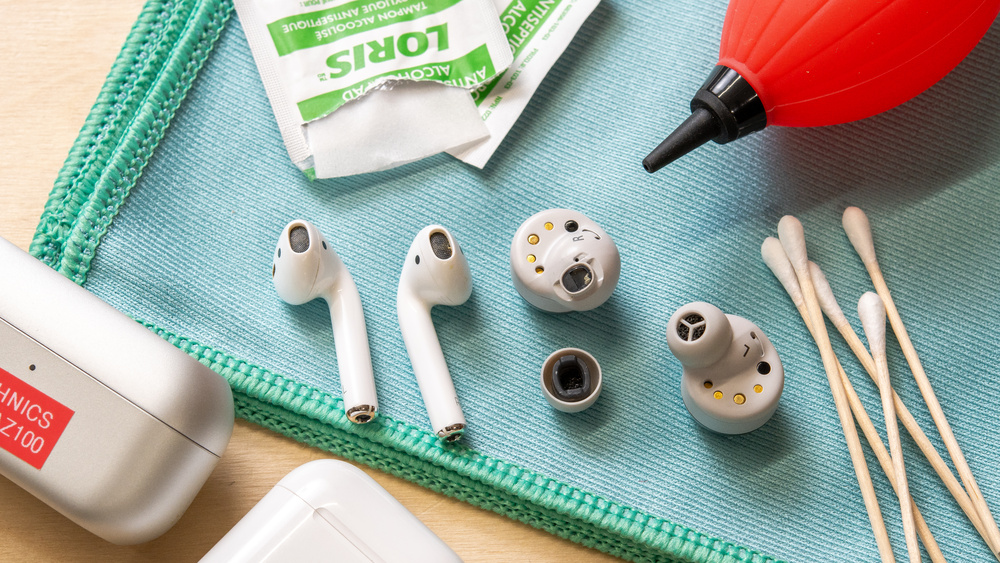
Gather your supplies before cleaning wireless earbuds. A small kit makes the job faster and lowers the chance of using too much liquid.
You will need:
• A clean, dry microfiber cloth
• A soft, dry toothbrush or small electronics brush
• Cotton swabs
• A wooden toothpick or plastic cleaning pick
• 70% isopropyl alcohol for the outer surface only
• A dry, well-lit work area
• A small bowl or tray for removable ear tips
Avoid sharp metal tools. They can tear the speaker mesh, scratch plastic, or damage charging pins.
Do not use bleach, window cleaner, acetone, hydrogen peroxide, or strong household sprays. These products can harm coatings, rubber parts, and printed markings.
Before you clean wireless earbuds, wash and dry your hands. Then remove the earbuds from your ears, turn them off if possible, and disconnect them from your phone.

How to Clean Wireless Earbuds Step by Step
The safest method uses a dry-first approach. Remove loose dirt before using any damp material. This keeps moisture from mixing with dust and pushing grime deeper into the earbud.
1. Remove the Ear Tips
If your earbuds have silicone ear tips, pull them off gently. Hold the tip near its base rather than pulling from the thin edge.
Wash silicone tips with warm water and a small amount of mild soap. Rinse them well, then let them air-dry completely on a clean towel. Never put wet tips back on the earbuds.


Foam tips need more care. Many foam tips should not be soaked because water can change their shape. Check the product instructions and replace foam tips when they become dirty, loose, or damaged.
2. Brush Away Loose Debris
Hold the earbud with the speaker opening facing down. Use a soft, dry brush to sweep away wax and dust.
Use light strokes. Think of the brush as a broom, not a scrub brush. Pressing hard may push debris into the speaker grille.
If your earbuds have a metal mesh screen, brush across the surface instead of poking through it. This is one of the most important parts of cleaning wireless earbuds.
3. Wipe the Outer Housing
Dampen a microfiber cloth very lightly with 70% isopropyl alcohol. The cloth should feel slightly moist, never wet.
Wipe the plastic housing, stem, and touch controls. Keep the cloth away from speaker openings, microphone holes, seams, and charging ports.
Do not pour alcohol onto the earbud. Do not spray any cleaner directly on it. The liquid should always go on the cloth.
4. Clean the Speaker Mesh
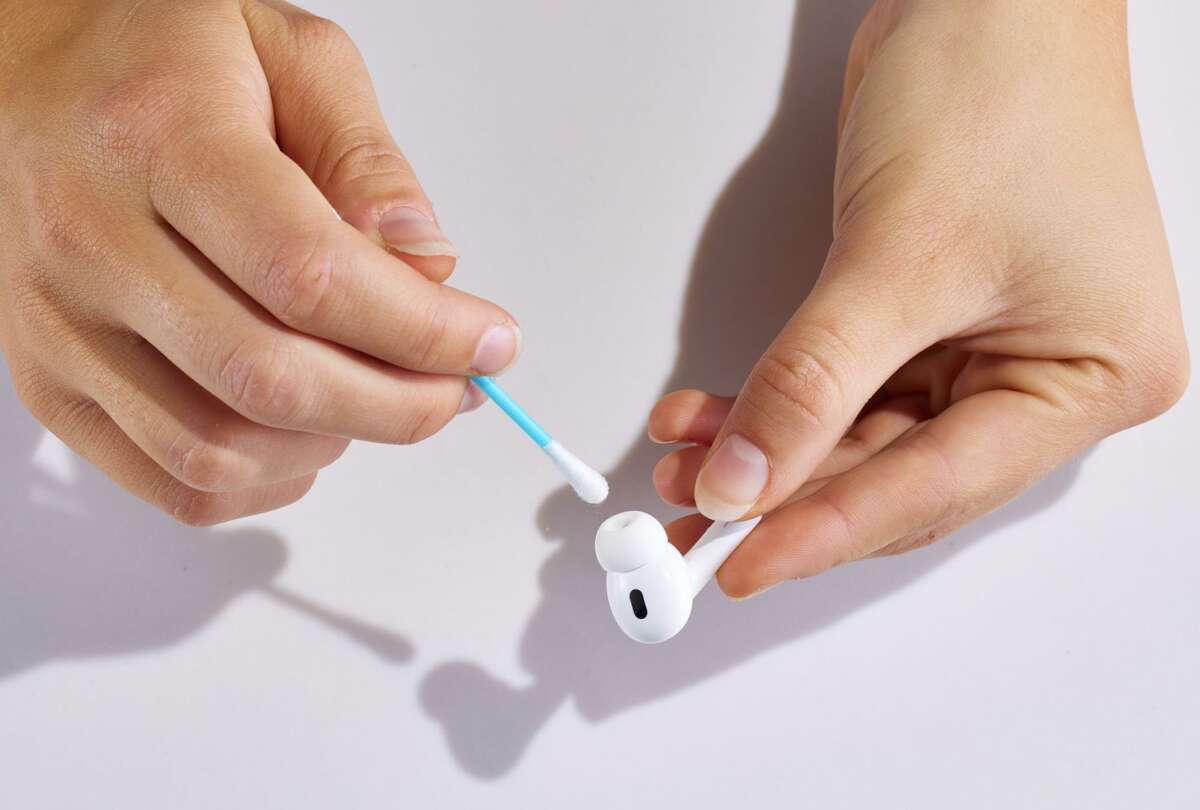
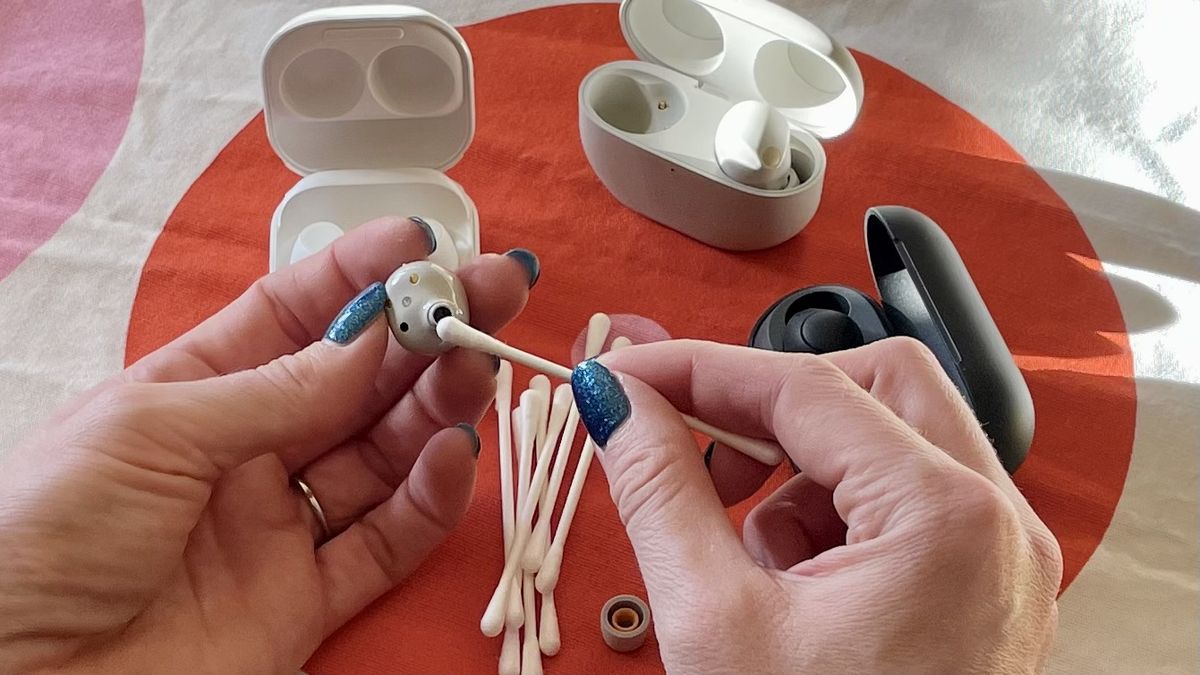
For light buildup, use a dry cotton swab or soft brush. Rotate the swab gently over the mesh without pressing down.
For stubborn wax, use a barely damp swab with a small amount of isopropyl alcohol. Keep the earbud facing down and use only a tiny amount. Let the earbud dry fully before using it.
Some cleaning kits include a soft putty tool. If you use one, press it lightly onto the mesh and lift it away. Do not smear it across the opening, as residue may remain behind.
5. Clean the Microphone Openings
Wireless earbuds use small microphones for calls and noise control. These openings can collect dust and skin oil.
Use a dry brush or clean, dry cotton swab. Avoid inserting anything into the microphone hole. A blocked microphone can make your voice sound distant or unclear.
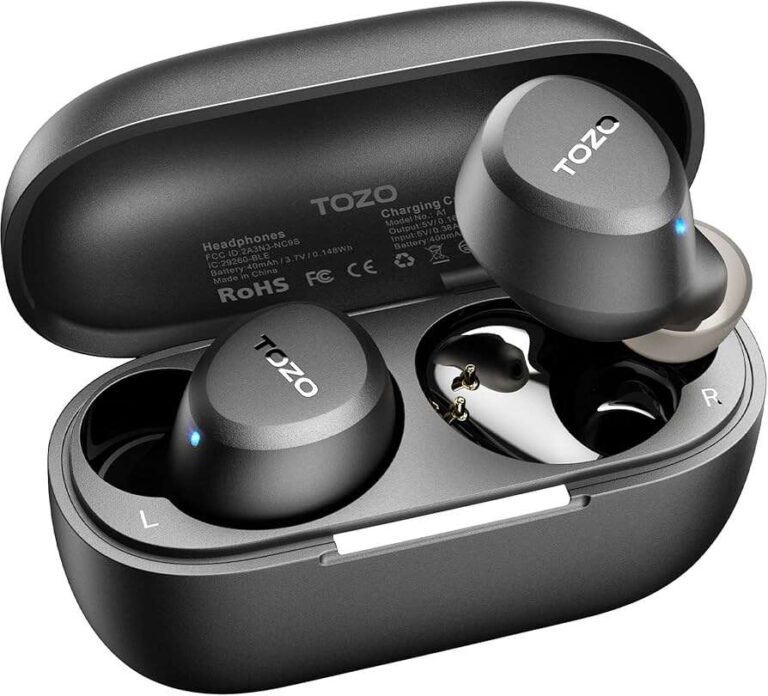
6. Clean the Charging Contacts
The charging contacts are usually small metal points on the bottom or side of each earbud. Clean them with a dry cotton swab.
If grime remains, use a swab barely dampened with isopropyl alcohol. Wait until the contacts are fully dry before placing the earbuds in the case.
Cleaning wireless earbuds is not complete until you clean these contacts. Dirty contacts can cause one earbud to charge while the other remains nearly empty.


7. Let Everything Dry
Place the earbuds and ear tips on a clean, dry cloth. Leave them alone for at least 30 minutes after using any liquid.
Do not use a hair dryer, heater, or direct sunlight. Heat can affect batteries, adhesives, and plastic parts. Once every part is dry, reattach the ear tips and test the earbuds.

How to Clean the Wireless Earbud Charging Case
The charging case deserves the same care as the earbuds. It touches them every day and can transfer dirt back onto clean surfaces.
Start by removing the earbuds and disconnecting the case from its charger. Use a dry microfiber cloth to wipe the outside.
Clean the inside with a dry cotton swab or soft brush. Pay close attention to the charging wells, hinge area, and contact points.
For stubborn marks, use a cloth or cotton swab with a tiny amount of 70% isopropyl alcohol. Never pour liquid into the case or flood the charging wells.
Follow these steps:
- Remove loose dust with a dry brush.
- Wipe the outside with a microfiber cloth.
- Clean the charging contacts with a dry cotton swab.
- Use minimal alcohol only on hard outer surfaces.
- Leave the case open until fully dry.
- Inspect the case before putting the earbuds back inside.
In my own routine, I clean the case whenever I clean wireless earbuds. I once focused only on the earbuds and noticed the sound became dirty again within days. The case had a layer of pocket lint that was transferring back onto the speaker tips.
How to Remove Earwax From Wireless Earbuds Safely
Earwax is often the main reason people search for how to clean wireless earbuds. It can form a thin film over the speaker mesh or collect around the silicone tip.
Start with dry cleaning. Hold the earbud opening down and brush the surface gently. This often removes fresh or loose wax without any liquid.
For hardened wax, soften the outer surface with a tiny amount of isopropyl alcohol on a cotton swab. Do not soak the mesh. Wait several minutes, then brush gently.
Do not use compressed air. Strong air pressure can push wax farther inside the earbud. It can also damage tiny components or force moisture into internal areas.
Do not use a needle, paper clip, or pin. These tools can puncture mesh and leave a permanent hole. If wax is deep inside the earbud and sound remains poor, professional service may be safer than aggressive home cleaning.
How Often Should You Clean Wireless Earbuds?
The right schedule depends on how often you wear them and how much you sweat. People who exercise daily may need to clean wireless earbuds more often than occasional users.
A practical schedule looks like this:


• Wipe the earbuds after heavy workouts or long use.
• Brush the speaker mesh once a week.
• Wash silicone ear tips every one to two weeks.
• Wipe the charging case every one to two weeks.
• Perform a deeper inspection once a month.
If you notice muffled audio, uneven volume, a weak microphone, or charging trouble, clean the earbuds sooner. Visible wax is also a clear signal.
Clean your ears as well, but avoid inserting cotton swabs deep into the ear canal. Deep swabbing can push wax farther inside and may injure the ear. If you have pain, drainage, hearing loss, or a blocked feeling, speak with a health professional.

Common Mistakes to Avoid
Many damaged earbuds result from cleaning mistakes rather than normal use. A gentle method is usually more effective than a powerful one.
Avoid these errors:
• Running earbuds under water, even when they have a water-resistance rating
• Spraying cleaner directly onto the earbuds
• Using too much alcohol or liquid
• Pushing wax deeper with a toothpick
• Scraping speaker mesh with metal tools
• Using a hair dryer to speed up drying
• Charging earbuds while they are damp
• Closing wet earbuds inside the charging case
• Ignoring the case and charging contacts
• Using abrasive tissues that leave lint behind
Water resistance can weaken with age, drops, cracks, and worn seals. Manufacturer testing also does not cover every real-life situation. Sweat, salt, soap, and pool water can be more harmful than plain fresh-water splashes.

What to Do if One Earbud Sounds Quiet
A quiet earbud often has blocked speaker mesh, but dirt is not the only possible cause. First, clean wireless earbuds using the dry-brush method and check that the ear tip is not covering the opening.
Then check your phone’s left and right audio balance. Also test the earbuds with another device. If one side is still quiet, reset the earbuds according to the manufacturer’s instructions.
Battery problems, software errors, damaged speakers, and poor Bluetooth connections can also cause uneven sound. Cleaning cannot fix internal damage.
If the quiet earbud becomes hot, smells unusual, will not charge, or shows swelling, stop using it. Lithium-ion batteries can be hazardous when damaged. Contact the manufacturer or a qualified repair service.

Hygiene Tips for Daily Earbud Use
Clean wireless earbuds more effectively by keeping them dry and storing them well. Small habits reduce buildup before it becomes difficult to remove.


Try these simple habits:
• Wipe sweat from the earbuds after exercise.
• Store them in the charging case instead of a pocket or bag.
• Keep the case away from loose coins, dust, and food crumbs.
• Do not share in-ear earbuds without cleaning them first.
• Let sweaty earbuds dry before closing the case.
• Replace worn or cracked silicone tips.
• Keep your ears clean without pushing cotton swabs deep inside.
Sharing earbuds can transfer skin oils, wax, and germs. If someone else uses them, clean the outer surfaces and wash the removable tips before wearing them again.
A clean case works like a clean toothbrush holder. It supports good hygiene, but only if you clean it too.

Do Cleaning Products Damage Wireless Earbuds?
The right product used in the right amount is usually safe for hard outer surfaces. A small amount of 70% isopropyl alcohol evaporates quickly and is commonly used to clean electronics.
Still, alcohol is not safe for every material. Repeated use may affect some rubber coatings, painted surfaces, adhesives, or soft-touch finishes. Always follow the care instructions for your model.
Use plain water only for removable silicone tips when the manufacturer allows it. Never use water on the electronic earbud body unless the product instructions clearly support that method.
When uncertain, choose the least aggressive method: a dry brush, dry microfiber cloth, and time. Gentle cleaning wireless earbuds is better than trying to make them look new in one pass.
When to Replace Ear Tips or Seek Professional Help
Replace silicone ear tips when they become sticky, cracked, loose, or difficult to clean. Damaged tips can affect comfort, sound, and the seal that supports noise cancellation.
Consider professional help when:
• The speaker remains quiet after careful cleaning.
• The earbud will not charge after the contacts are clean and dry.
• The charging case becomes unusually hot.
• The earbud has cracks or visible liquid damage.
• The battery drains much faster than before.
• The microphone fails on several devices.
Do not open the earbud yourself unless you have proper repair skills. The small battery and delicate wiring are easy to damage. Opening the housing may also remove any remaining warranty protection.
Frequently Asked Questions About How to Clean Wireless Earbuds
Can I wash wireless earbuds with water?
No. Even water-resistant earbuds should not be washed under a tap or soaked. Use a dry brush and a lightly damp microfiber cloth on the outer surface, while keeping liquid away from openings and contacts.


Can I use rubbing alcohol to clean wireless earbuds?
You can use a small amount of 70% isopropyl alcohol on a cloth or cotton swab for hard outer surfaces. Do not pour it on the earbuds, soak the speaker mesh, or use it on materials that the manufacturer says may react to alcohol.
How do I clean earwax from earbud mesh?
Hold the earbud with the mesh facing down and brush it gently with a soft, dry brush. For stubborn wax, use a barely damp cotton swab, then let the earbud dry fully before use.
Can I use a toothbrush to clean wireless earbuds?
A clean, soft-bristled toothbrush can work well for loose dust and wax. Use light strokes and never press the bristles into the speaker grille or microphone openings.
How often should I clean my wireless earbuds?
Wipe them after sweaty use and clean the mesh about once a week. Wash removable silicone tips every one to two weeks, or sooner when you see wax or dirt.
Why is one wireless earbud quieter than the other?
Blocked speaker mesh is a common cause, but battery, software, balance settings, and internal damage can also be responsible. Clean the mesh first, then test the earbuds with another device and check the audio balance.
Is it safe to put wet ear tips back on earbuds?
No. Wet ear tips can trap moisture against the earbud and may cause charging or electrical problems. Let them air-dry completely before putting them back on.
Conclusion
Cleaning wireless earbuds safely takes only a few minutes. Remove the ear tips, brush away dry debris, wipe hard surfaces lightly, clean the charging contacts, and let every part dry before use.
Avoid soaking, sharp tools, strong cleaners, and compressed air. With a simple weekly routine, you can protect sound quality, improve comfort, and help your earbuds and charging case last longer.
Clean wireless earbuds today with a soft brush and dry cloth, then make the habit part of your weekly routine. Share your best cleaning tip or explore more practical device-care guides for smarter everyday maintenance.