How To Use Bluetooth Headphones On A Plane: Easy Guide
Yes, you can usually use Bluetooth headphones on a plane in the United States. Turn on Airplane Mode, switch Bluetooth back on, and connect your headphones before or after takeoff. The airline and flight crew have the final say, so follow crew instructions if they ask you to turn Bluetooth devices off.
Bluetooth headphones work well for music, podcasts, movies on your phone, and some in-flight entertainment systems. They may not connect directly to the seat-back screen unless the aircraft supports Bluetooth or you use a Bluetooth transmitter.
Introduction
Flying with wireless headphones is simple once you know the few rules that matter in the United States. The key is to keep your phone in Airplane Mode, use Bluetooth only when the airline permits it, and stay ready to hear safety announcements from the crew.
This guide explains how to pair Bluetooth headphones on a plane, connect them to in-flight entertainment, fix common connection problems, and pack the right accessories for a U.S. flight.


Are Bluetooth Headphones Allowed on Planes in the United States?
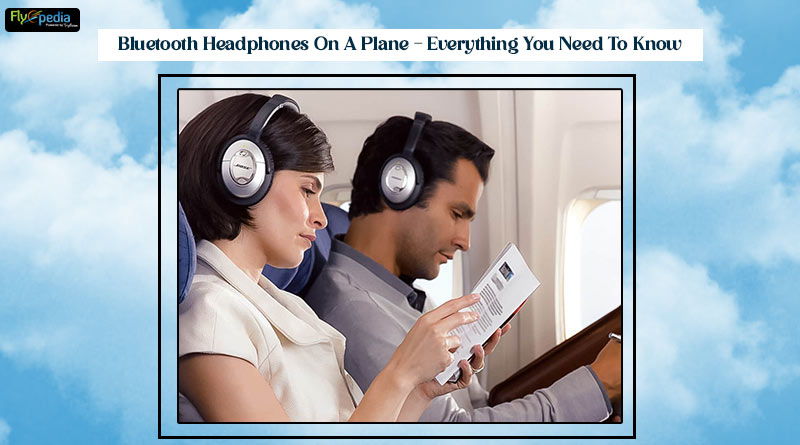
Most U.S. airlines allow Bluetooth headphones during flight, but the exact rule depends on the airline, aircraft, and flight stage. The Federal Aviation Administration (FAA) permits airlines to decide how passengers may use portable electronic devices. Airlines must also confirm that these devices will not interfere with the aircraft’s communication or navigation systems.
In practice, many U.S. airlines allow Bluetooth headphones after the aircraft reaches cruising altitude. Some may allow them from boarding through landing. Others may ask passengers to remove headphones during safety demonstrations, taxi, takeoff, landing, or when crew members need their attention.
Before your trip:
- Check your airline’s current portable-electronics policy.
- Listen to the cabin crew.
- Remove one or both headphones when staff give instructions.
- Keep your phone in Airplane Mode unless the airline gives different instructions.
The FAA says passengers should follow airline and crew instructions for portable electronic devices. The FAA portable electronic devices page provides the official U.S. guidance.
Why Airplane Mode still matters
Airplane Mode turns off your phone’s cellular radio. Bluetooth is a separate short-range connection, so many phones let you turn Bluetooth back on while Airplane Mode remains active.
This is the usual process:
- Turn on Airplane Mode.
- Turn Bluetooth back on.
- Connect your headphones.
- Leave cellular service off unless the crew or airline provides other instructions.
Bluetooth does not give your phone cellular service or internet access. It only creates a short-range link between devices, such as a phone and a pair of headphones.

What You Need Before Boarding
You need charged headphones, a charged source device, and the correct connection plan. A few minutes of preparation at home can prevent most problems in the air.
Pack these items:
- Bluetooth headphones or earbuds
- Your phone, tablet, or laptop
- Charging cable
- Headphone charging case, if applicable
- A wired audio cable if your headphones support one
- A Bluetooth transmitter for compatible seat-back systems
- A small backup battery or power bank
Keep spare lithium batteries and power banks in your carry-on bag, not checked luggage. The FAA and the Transportation Security Administration (TSA) provide current rules for batteries and portable chargers. Check the FAA PackSafe guidance before travel because battery limits can depend on the battery type and rating.


Charge before you leave
Bluetooth headphones may last for many hours, but battery life varies by model and features. Active noise cancellation can affect battery use. A charging case helps with earbuds, but the case itself also needs power.
Charge:
- The headphones
- The charging case
- Your phone or tablet
- Your Bluetooth transmitter, if you use one
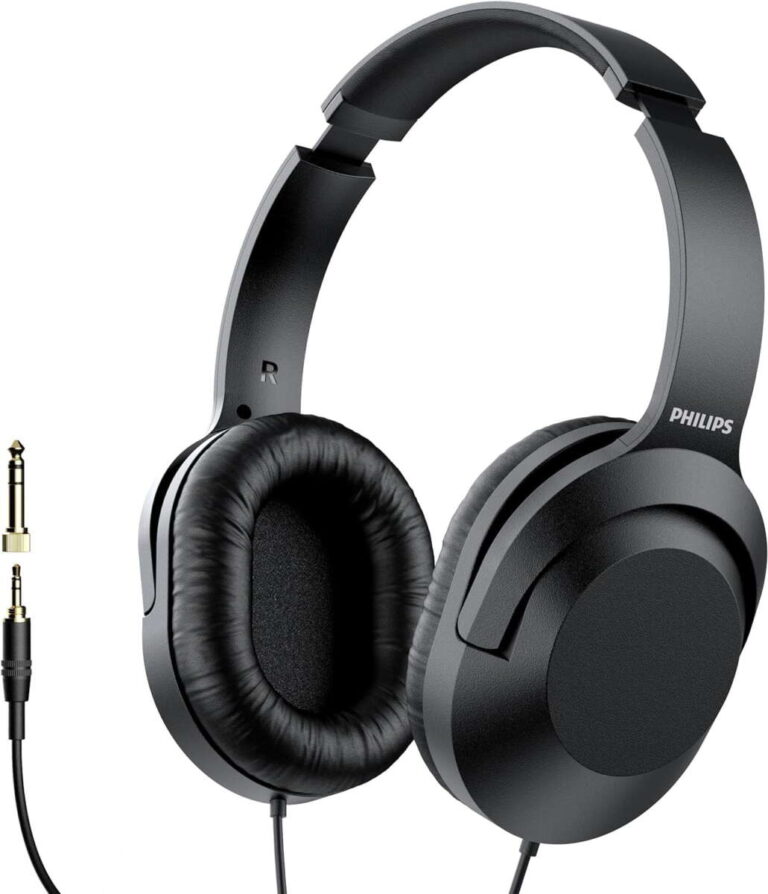
If your headphones have a wired mode, pack the cable. Wired audio can be a useful backup when Bluetooth pairing fails or when the aircraft entertainment system does not support wireless audio.

How to Connect Bluetooth Headphones to Your Phone on a Plane
The easiest method is to pair your headphones before boarding. If you forget, you can usually pair them at your seat after the crew permits device use.
Pair the headphones before the flight
- Charge the headphones. Check the battery level on the headphones or in the companion app.
- Turn on pairing mode. This often means holding the power or Bluetooth button for several seconds. Check the headphone manual if you are unsure.
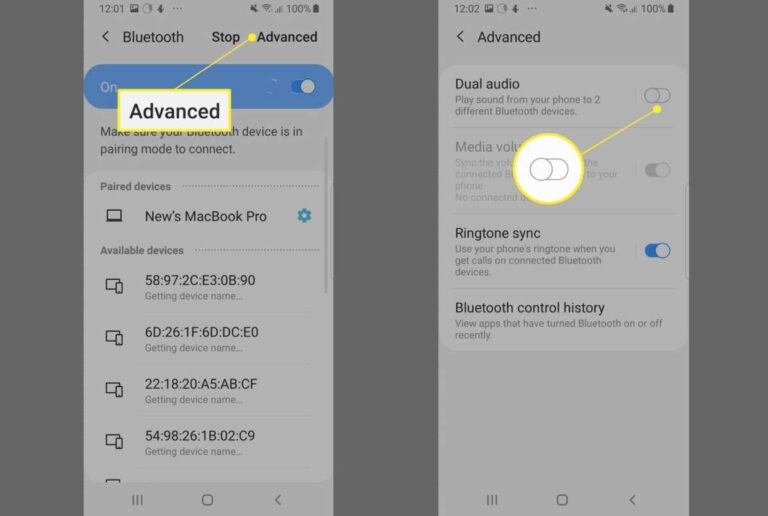
- Open Bluetooth settings on your phone.
- On an iPhone, open Settings > Bluetooth.
- On Android, open Settings > Connected devices > Pair new device. The exact wording may differ by phone brand.
- Select your headphones from the device list.
- Confirm the connection. Play a short audio clip before leaving home.
- Turn the headphones off until you are ready to use them.
Pairing before boarding is better because airport gates and cabins can be busy. It also gives you time to solve problems while you still have internet access, charging outlets, and support.
Connect after boarding
If your headphones are already paired:
- Put your phone in Airplane Mode when instructed or before takeoff.
- Open the phone’s Bluetooth settings.
- Turn Bluetooth on if Airplane Mode disabled it.
- Turn on your headphones.
- Wait for the “connected” message.
- Start your downloaded music, podcast, or video.
If the headphones do not connect, place them back into pairing mode. Then select them from the Bluetooth list.
iPhone and Android tip
Do not rely only on the quick settings panel. On some phones, tapping the Bluetooth icon may disconnect Bluetooth without fully changing the phone’s other wireless settings. Use the full Settings menu when you need to confirm the connection.
How to Use Bluetooth Headphones With the In-Flight Entertainment System
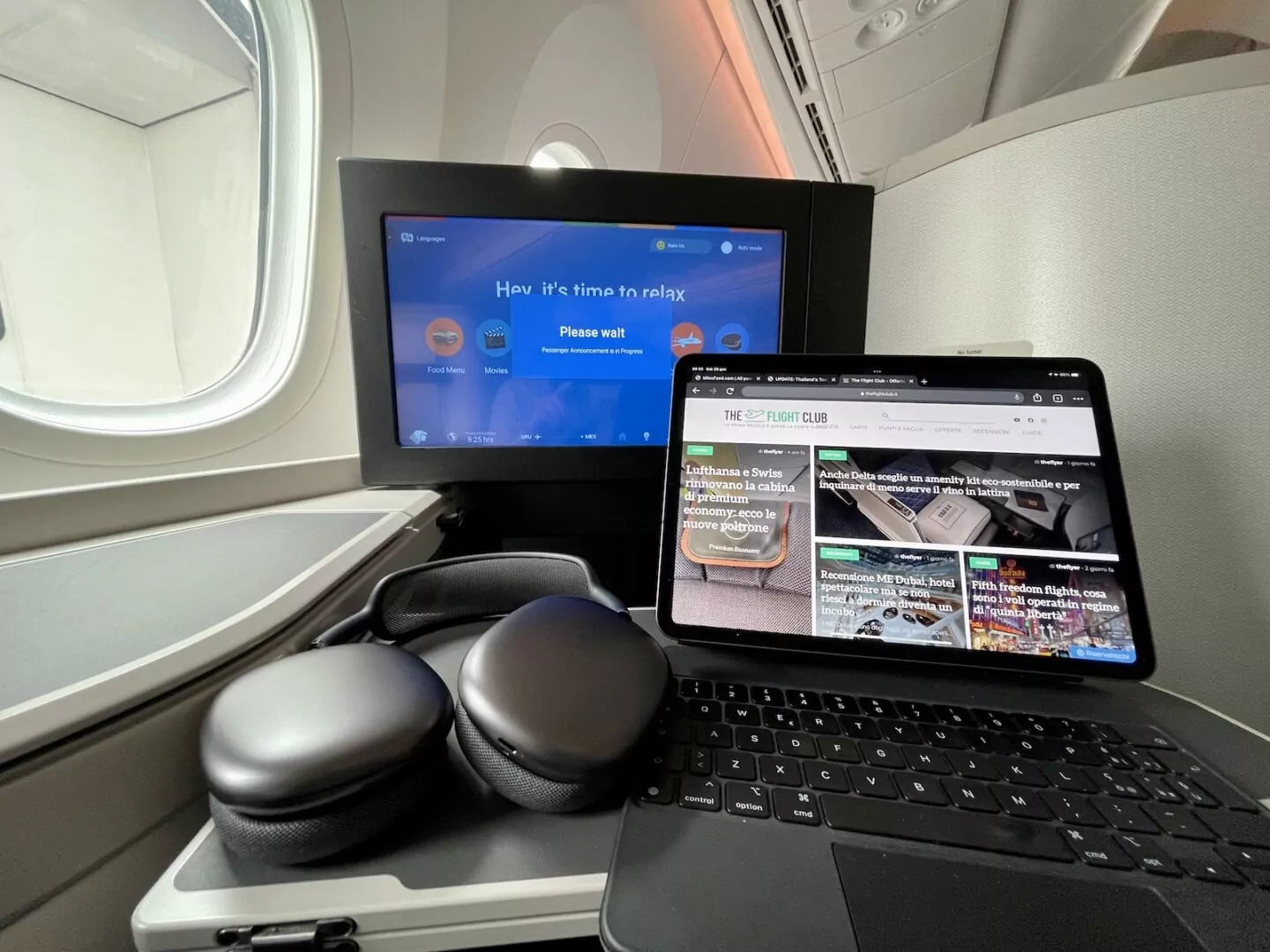
A phone and a seat-back screen are different Bluetooth sources. Headphones paired with your phone will not automatically connect to the aircraft’s entertainment system.
There are three common setups.
1. The seat-back screen supports Bluetooth
Some newer aircraft and upgraded entertainment systems include built-in Bluetooth audio. If available:
- Open the entertainment system’s audio or Bluetooth menu.
- Put your headphones in pairing mode.
- Select the headphones on the screen.
- Confirm the connection.
- Test the volume before the movie begins.
The menu name and pairing process vary by airline and aircraft. The same airline may use different systems across its fleet.
2. The seat-back screen has a standard headphone jack
Many aircraft use a wired headphone socket. Bluetooth headphones cannot plug into this socket by themselves.


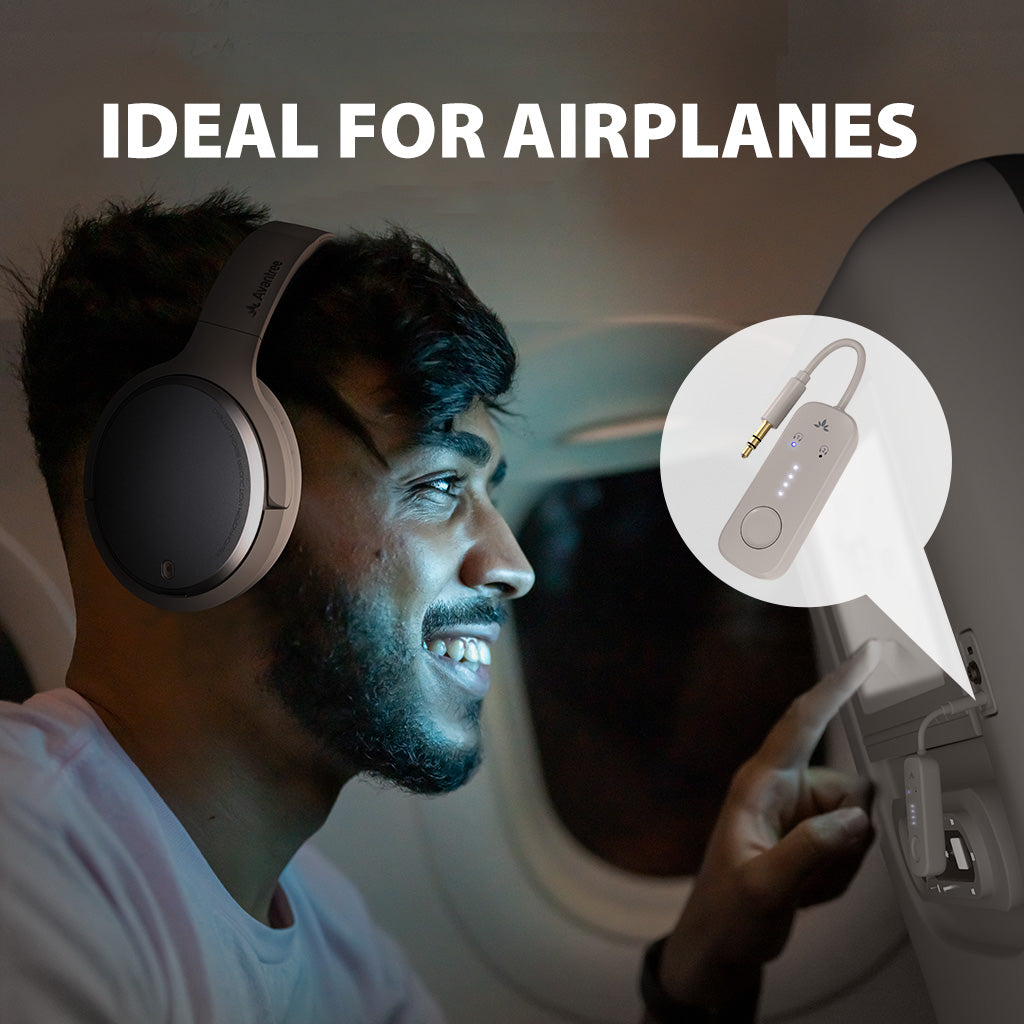
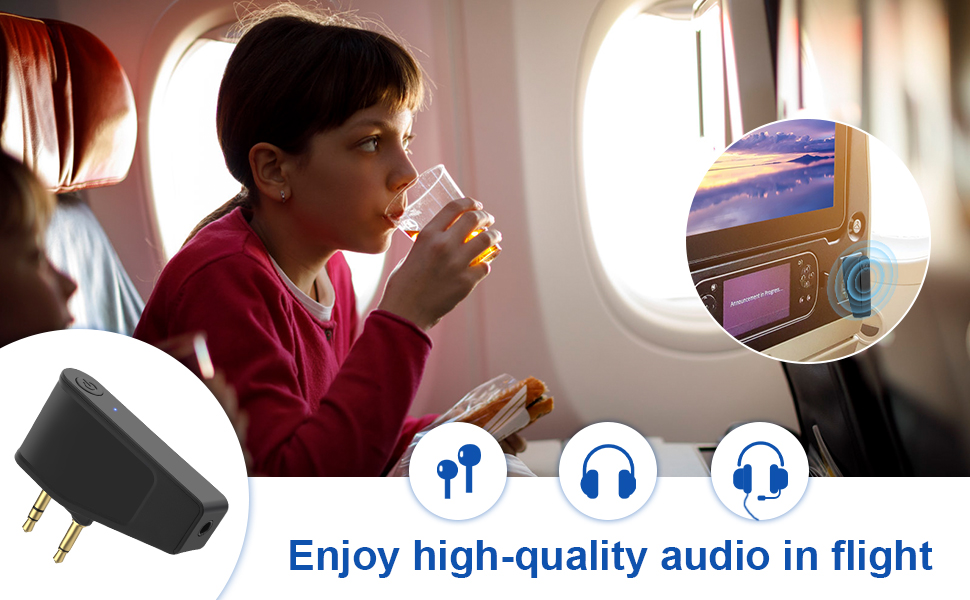
You may need a Bluetooth audio transmitter. This small device connects to the seat’s headphone jack and sends the sound wirelessly to your headphones.
Typical setup:
- Charge the transmitter.
- Plug it into the aircraft’s headphone socket.
- Turn on the transmitter.
- Put your headphones in pairing mode.
- Pair the transmitter with the headphones.
- Start the entertainment system and adjust the volume.
Some aircraft use a two-prong airline headphone jack. A compatible adapter may be needed. Check the transmitter instructions before your trip.
3. The system does not support Bluetooth
Use wired headphones if the system has a headphone jack. You can also watch content on your own phone or tablet, as long as the content is downloaded before the flight.
A transmitter may not work with every seat-back system. Possible issues include poor fit, low battery, audio delay, or a system that disables its audio jack during certain parts of the flight.
Bluetooth transmitter trade-offs
| Setup | What you need | Main benefit | Common limit |
|---|---|---|---|
| Phone to headphones | Bluetooth headphones | Simple and easy | Only works with your phone or tablet |
| Seat screen with built-in Bluetooth | Compatible headphones | No extra accessory | Not available on every aircraft |
| Seat screen with transmitter | Bluetooth transmitter and possible adapter | Wireless sound from a wired screen | More pairing and battery steps |
| Seat screen with wired headphones | Wired headphones | Reliable and simple | Less freedom to move |
The best choice depends on the aircraft, not just the airline. If seat-back Bluetooth is important, check your specific flight or bring a wired backup.
How to Use Airplane Mode and Bluetooth Together
Use Airplane Mode first, then turn Bluetooth back on. This keeps cellular service off while allowing your headphones to connect.
General steps
- Unlock your phone.
- Turn on Airplane Mode.
- Wait a few seconds.
- Open Bluetooth settings.
- Turn Bluetooth on.
- Select your headphones.
- Confirm that audio plays through the headphones.
On many phones, Bluetooth can stay active in Airplane Mode. Wi-Fi may also be available during a flight, but only use it when the airline permits it and provides a connection.
What you can do without internet
You can use Bluetooth headphones for:
- Downloaded music
- Downloaded podcasts
- Downloaded movies and shows
- Audiobooks stored on the device
- Offline games with sound
- Audio files saved on the phone
Streaming may not work unless the aircraft has Wi-Fi and your service works with that connection. Download entertainment before you travel. Airport and aircraft Wi-Fi can be slow, unavailable, or unable to support every streaming service.
How to Fix Bluetooth Headphone Problems on a Plane
Most connection problems come from pairing mode, battery level, or the headphones connecting to another device. Check the simple causes first.
The headphones do not appear in Bluetooth settings
Try these steps:
- Confirm that the headphones are charged.
- Turn the headphones off and on.
- Hold the pairing button until the indicator flashes.
- Move the headphones close to the phone.
- Turn Bluetooth off and on again.
- Remove the headphones from any other nearby device.
- Search for the headphones again.


Headphones may automatically connect to a laptop, tablet, or another passenger’s phone if they were previously paired. Turn Bluetooth off on nearby personal devices to reduce confusion.
The headphones appear but will not connect
Select the headphones and wait several seconds. If that fails, choose Forget This Device or Unpair, then pair them again.
Be careful with this step. Forgetting the headphones removes the saved pairing, so you will need to complete the pairing process again.
The connection keeps dropping
A weak battery can cause repeated disconnections. Other possible causes include:
- The headphones are too far from the phone.
- The phone is inside a bag that blocks or weakens the signal.
- The headphones are connected to two devices.
- The headphone firmware or phone software needs an update.
- The seat-back transmitter is not fully charged.
- The transmitter and headphones are both trying to pair with another device.
Keep the phone close to the headphones. If possible, turn off Bluetooth on devices you are not using.
There is no sound
Check the phone’s audio output. The phone may still be sending sound to its speaker or another Bluetooth device.
Also check:
- The media volume
- The headphone volume
- The app’s volume
- The seat-back system’s volume
- Whether the movie or audio has started
- Whether the headphones are muted
Some headphones have separate controls for call volume and media volume. Adjust the media volume while audio is playing.
The sound is delayed
Bluetooth audio can have a small delay. This is more noticeable with videos than with music.
If the delay occurs with your own phone, try:
- Closing and reopening the video app
- Disconnecting and reconnecting the headphones
- Using downloaded content in another app
- Connecting with a cable, if available
If the delay occurs through an aircraft transmitter, the transmitter may be the cause. A wired connection is usually the most reliable fix.
You cannot hear announcements
Pause your content when the crew speaks. Use transparency or ambient mode if your headphones have it, but do not depend on that feature alone. Noise reduction can lower the sound of nearby voices.
The crew’s instructions come first. Remove your headphones when asked and keep the volume low enough that you can respond to staff.


Can You Use Bluetooth Headphones During Takeoff and Landing?
The answer depends on the airline’s policy and crew instructions. Some airlines allow small Bluetooth headphones throughout the flight, while others may ask passengers to remove them during certain stages.
Takeoff and landing are the most safety-sensitive parts of a flight. Even if Bluetooth use is allowed, you may need to:
- Remove large headphones
- Stow headphones during taxi, takeoff, or landing
- Keep earbuds in a case
- Listen to the safety briefing
- Stop using headphones when a crew member speaks to you
Do not argue with or ignore a crew request. Rules can also change because of the aircraft type, route, weather, operational needs, or safety briefing.
Large headphones versus wireless earbuds
Wireless earbuds are small and easy to stow. Over-ear headphones may need to be removed or placed in a seat pocket during specific parts of the flight.
Your airline may use its own definition of acceptable portable electronics. Check the airline’s policy rather than assuming that all Bluetooth devices receive the same treatment.

Is It Safe to Sleep With Bluetooth Headphones on a Plane?
Sleeping with headphones can be uncomfortable and may prevent you from hearing crew announcements. Over-ear headphones can press against the side of your head, while earbuds can irritate your ears during long use.
If you sleep during a flight:
- Keep the volume low.
- Use a sleep timer when possible.
- Do not block both ears if you need to hear announcements.
- Remove the headphones when crew members give instructions.
- Avoid placing earbuds loose in the seat or bedding where they can be lost.
Noise-canceling headphones reduce steady engine noise, but they do not guarantee that you will hear every alarm, announcement, or voice. Noise cancellation is a comfort feature, not a substitute for situational awareness.
Common Mistakes to Avoid
Avoid these mistakes before and during your flight:
- Pairing for the first time after takeoff: Test the headphones at home.
- Forgetting Airplane Mode: Turn it on before the aircraft leaves the gate.
- Assuming the seat screen supports Bluetooth: Check the aircraft or bring a transmitter.
- Packing a dead charging case: Charge every device before leaving.
- Leaving headphones paired to another device: Disconnect laptops and tablets.
- Relying only on streaming: Download content before the flight.
- Using a transmitter without checking the plug: Some systems need a two-prong adapter.
- Wearing headphones during safety instructions: Stay alert and follow crew directions.
- Packing a power bank in checked luggage: Keep it in your carry-on.
- Forgetting a backup: A wired cable or basic wired headphones can save the trip.
A simple preflight test is useful: put your phone in Airplane Mode, turn Bluetooth back on, connect your headphones, and play downloaded content for a few minutes.

Quick Checklist for Bluetooth Headphones on a Plane
Use this checklist before you board:
- Headphones are charged.
- Charging case is charged.
- Phone, tablet, or laptop is charged.
- Headphones are paired with the source device.
- Music or videos are downloaded.
- Airline policy has been checked.
- Power bank is packed in carry-on luggage.
- Wired cable or headphones are available as backup.
- Bluetooth transmitter is charged if needed.
- Correct aircraft adapter is packed.
- You know how to turn on Airplane Mode.
- You can hear crew announcements.
Frequently Asked Questions
Can I use Bluetooth headphones in Airplane Mode?
Usually, yes. Turn on Airplane Mode first, then turn Bluetooth back on. Follow the airline’s policy and crew instructions because the airline controls when portable devices may be used.


Can I connect Bluetooth headphones to an airplane TV?
Sometimes. A newer seat-back system may have built-in Bluetooth. If it has only a headphone jack, you may need a Bluetooth transmitter and a compatible adapter. Check the aircraft setup before relying on wireless audio.
Do Bluetooth headphones work without Wi-Fi?
Yes. Bluetooth headphones do not need Wi-Fi. They can play audio from downloaded music, movies, podcasts, and other files stored on your phone or tablet.
Can I use wireless earbuds during takeoff?
Only if the airline and crew allow it. Some airlines permit small Bluetooth devices during takeoff and landing, while others require passengers to remove or stow them. Follow the crew’s instructions.
Why will my Bluetooth headphones not connect on the plane?
The most common causes are low battery, pairing mode not being active, connection to another device, or the headphones still being paired with a laptop or tablet. Restart pairing, charge the headphones, and remove old connections if needed.
Should I bring wired headphones too?
A wired backup is useful if your battery runs out, the seat screen lacks Bluetooth, or a wireless transmitter does not work. It is especially helpful on long flights.
Key Takeaways
- Most U.S. airlines allow Bluetooth headphones, but airline and crew rules control.
- Turn on Airplane Mode, then turn Bluetooth back on.
- Pair and test the headphones before boarding.
- Download entertainment before the flight.
- Built-in seat-back Bluetooth is not available on every aircraft.
- A Bluetooth transmitter may connect headphones to a wired seat system.
- Keep power banks in your carry-on bag.
- Pause audio and remove headphones when crew members give instructions.
Conclusion
Using Bluetooth headphones on a plane is usually easy: charge them, pair them before boarding, turn on Airplane Mode, and switch Bluetooth back on. For seat-back entertainment, confirm whether the aircraft supports Bluetooth or pack a compatible transmitter and adapter.
Your best backup is simple. Download your content, bring a charging cable, and carry wired headphones if you need reliable audio. Most of all, keep your headphones low enough to hear the crew and follow the airline’s instructions throughout the flight.