

Most Beats earbuds charge in their case, while the case itself charges through a USB-C cable.
Learning how to charge Beats earbuds is simple once you know which part needs power: the earbuds, the charging case, or both. Most newer Beats models use a USB-C cable, but charging features differ between Beats Studio Buds, Beats Fit Pro, Solo Buds, and Powerbeats Pro. This guide explains the correct steps, charging times, battery lights, common mistakes, and ways to protect battery life.
How to charge Beats earbuds correctly
For most Beats earbuds, you charge the earbuds by placing them inside their charging case. The case transfers power to each earbud through small metal contacts. You then charge the case with a compatible USB-C cable and power adapter.
Follow these steps:
- Put both earbuds into the correct left and right slots in the case.
- Press each earbud down gently so it touches the charging pins.
- Close the lid, or leave it open if you want to check the status light.
- Connect the charging case to power with a USB-C cable.
- Plug the other end into a wall adapter, computer, power bank, or other safe USB power source.
- Wait until the case and earbuds reach the desired charge level.
When learning how to charge Beats earbuds, make sure the charging contacts are clean. Dust, skin oil, or pocket lint can stop an earbud from charging even when the case itself has power.
Most Beats earbuds do not need to stay connected to your phone while charging. Bluetooth can remain enabled, but the earbuds will normally disconnect or enter a low-power state inside the case.
How to charge the Beats charging case
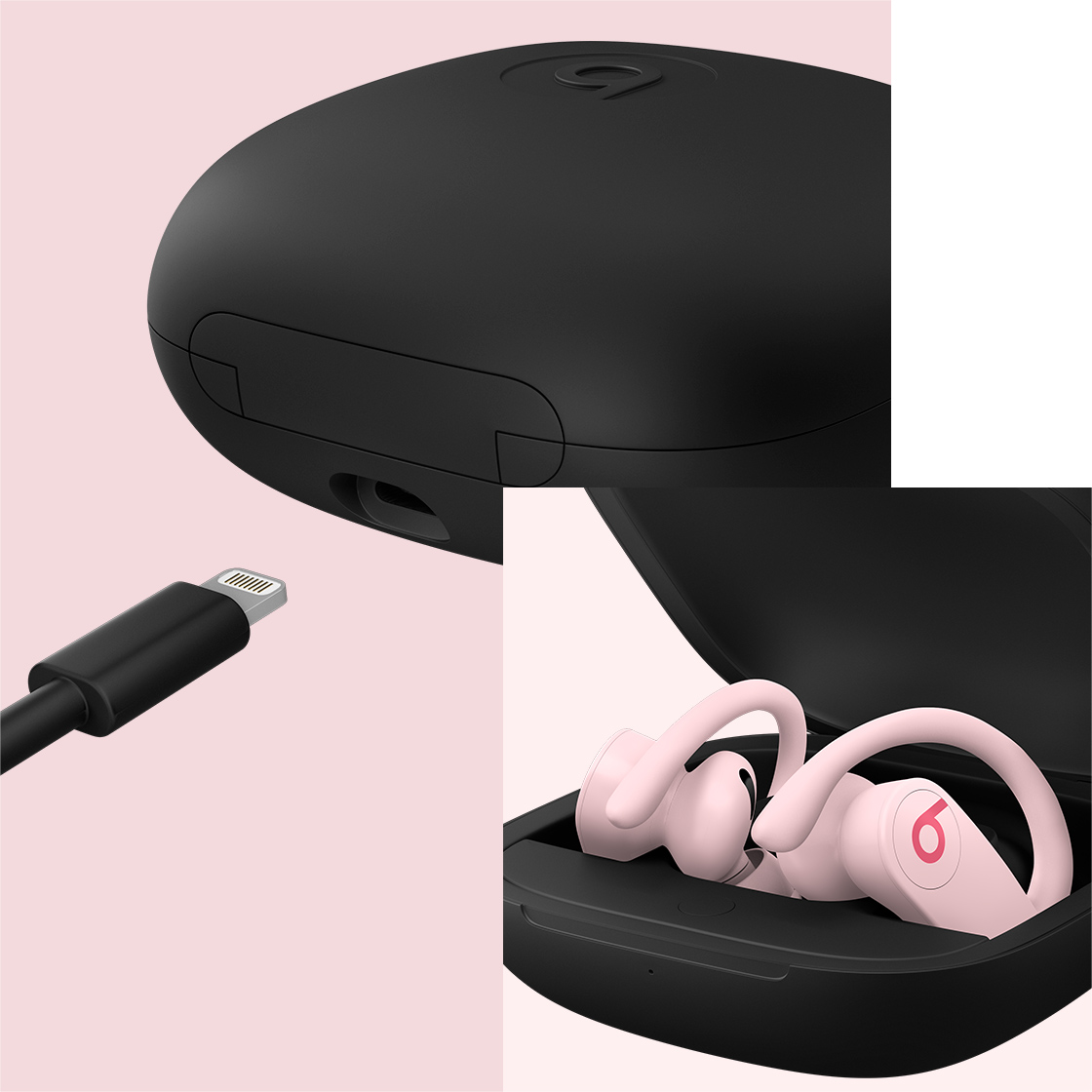
The charging case is the main power source for most Beats wireless earbuds. To charge it, connect a USB-C cable to the port on the case. Use a reliable cable and a standard USB power adapter.
You can also charge many Beats cases with:
• A laptop or desktop USB port
• A certified USB wall charger
• A power bank
• A car USB outlet
• A USB-C charging station
A wall adapter is usually the fastest and most reliable choice. A laptop may charge the case more slowly, especially if the computer is asleep or the USB port has limited power.
The case status light gives you a quick battery clue. Depending on the model, a white light may indicate that the earbuds are ready to pair, while a red light often means the battery is low or charging. The exact light behavior can vary, so check the user guide for your model.
If the case light does not turn on, try another cable and power source. Also inspect the USB-C port for lint. Never push metal objects into the port, as this can damage the contacts.

How to charge different Beats earbud models
Beats uses different charging designs across its product range. Knowing your model helps you avoid using the wrong method.
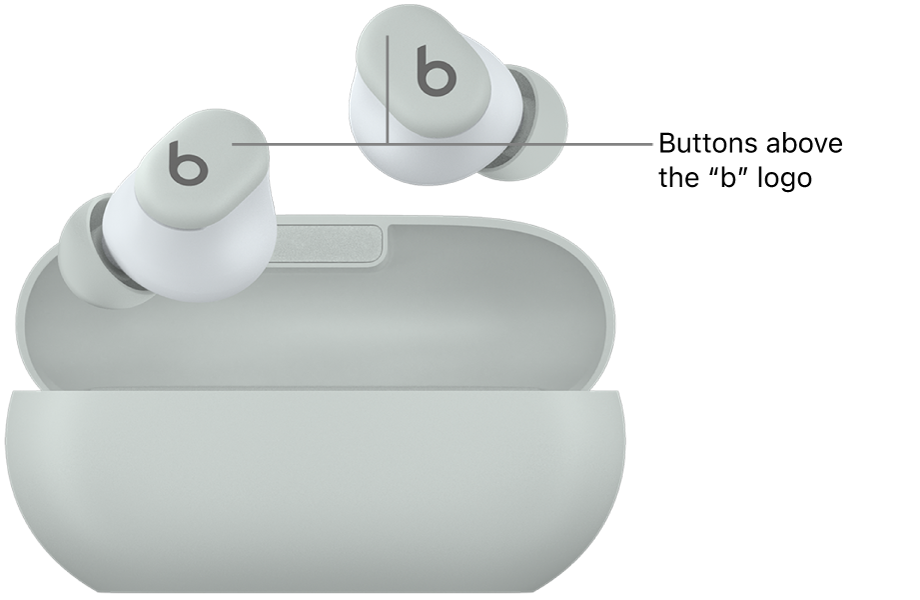
Beats Studio Buds and Studio Buds+
Place the earbuds into their case, then connect the case to a USB-C power source. Both earbuds should begin charging when they are seated correctly.
Studio Buds cases typically charge through USB-C. Do not assume the case supports wireless charging unless your specific model documentation confirms it.
Beats Fit Pro
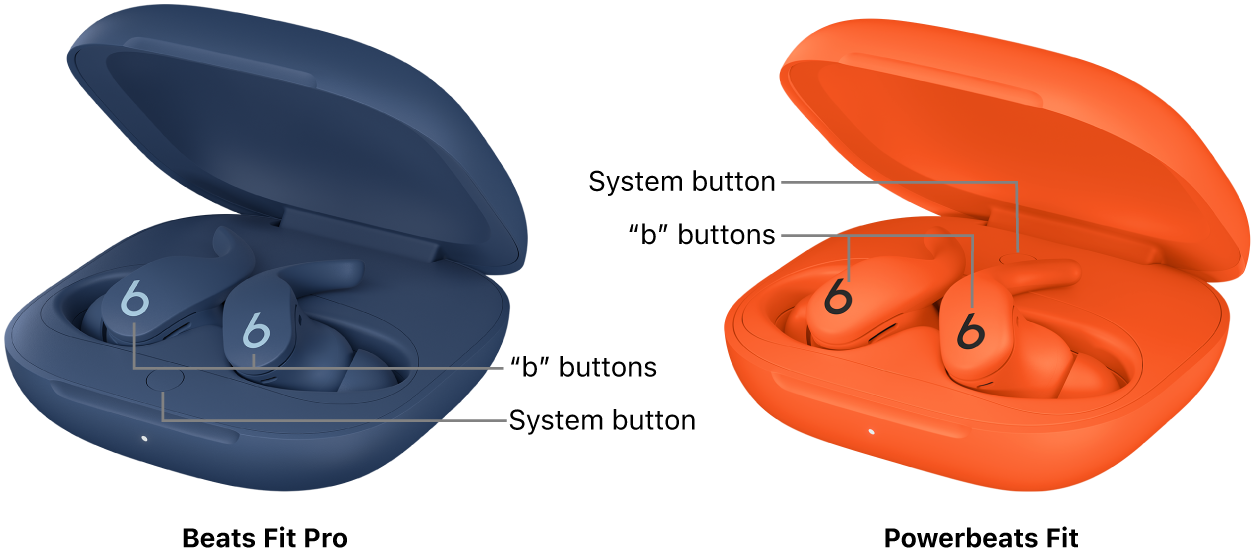
Beats Fit Pro earbuds charge inside their USB-C charging case. Insert both earbuds, close the lid, and connect the case to power.
The Fit Pro case does not generally use wireless charging. A USB-C cable is the normal charging method.
Beats Solo Buds
Solo Buds are different from many other Beats earbuds. Their case is designed mainly for storage and does not provide the same charging function found on larger earbud cases.
To charge Solo Buds, connect a USB-C cable directly to the charging port on the earbud. Check the fit and cable connection before assuming the battery has failed.
Powerbeats Pro and Powerbeats Pro 2
The original Powerbeats Pro charges through its charging case. Place both earbuds in the case and connect the case to power.
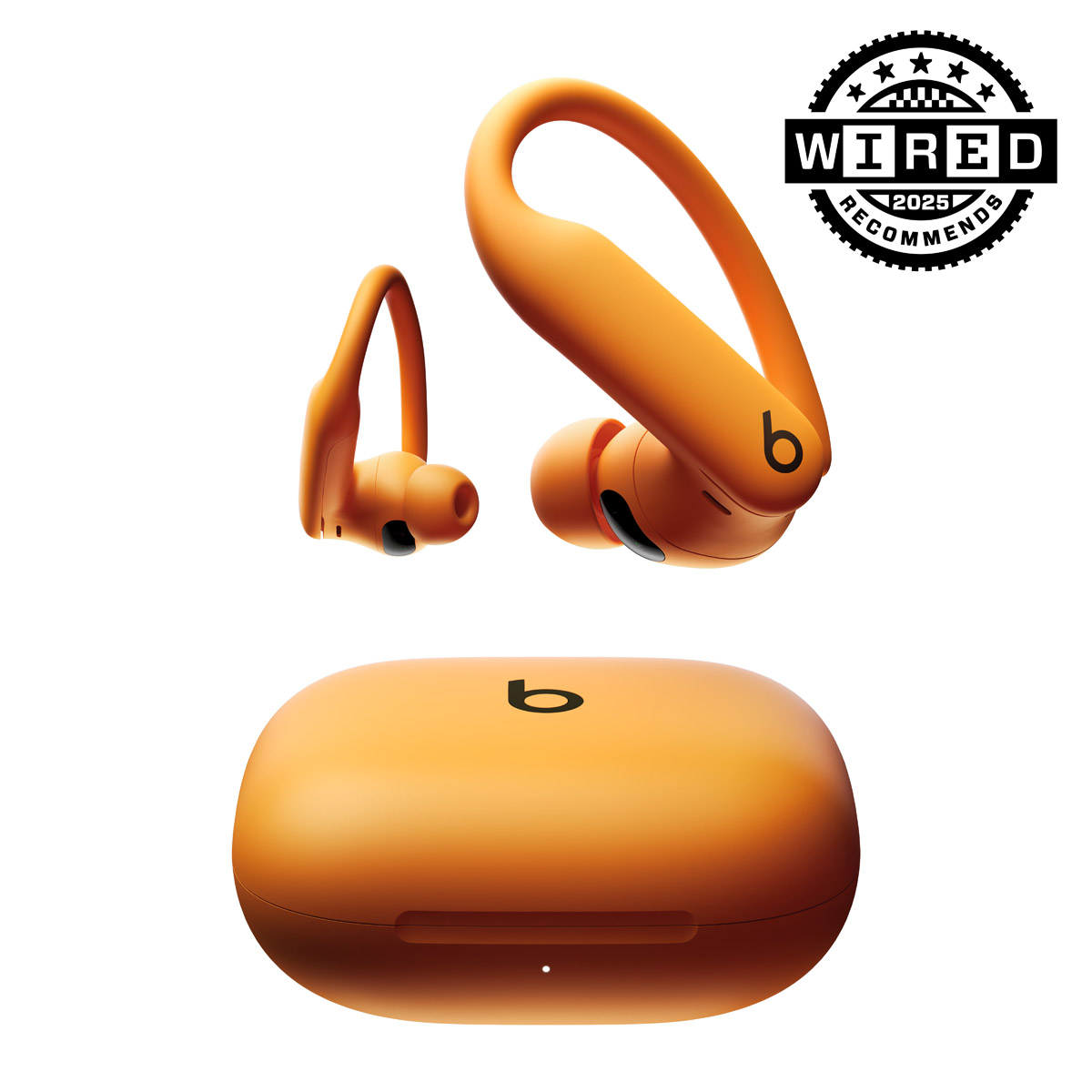
Powerbeats Pro 2 includes a newer case design and may support additional charging options, depending on the version and accessories included. Use the supplied instructions to confirm whether wireless charging is supported by your case.
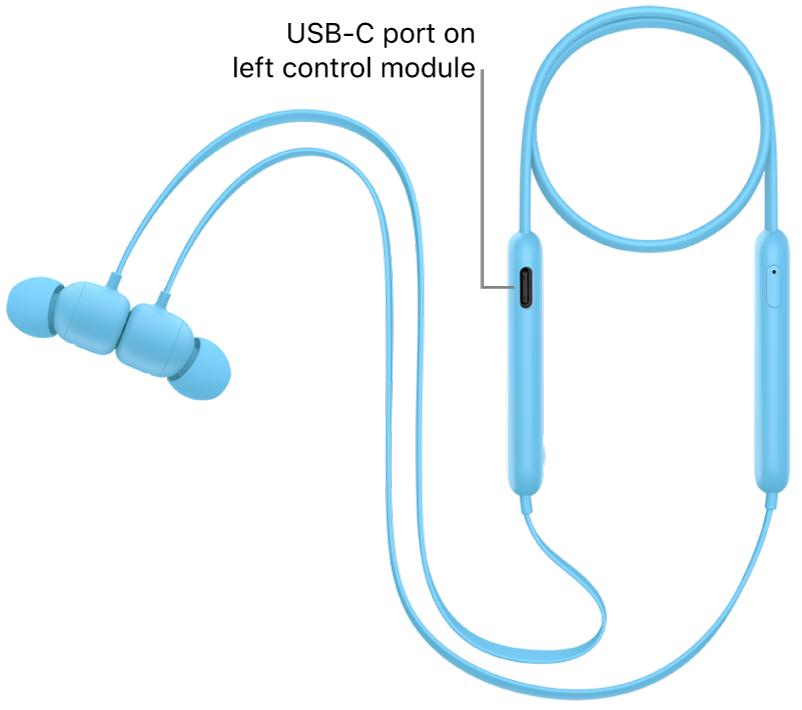
Beats Flex
Beats Flex is a neckband-style product rather than a true case-based earbud system. Connect its USB-C cable directly to the charging port on the earphones.
This difference matters because placing Beats Flex near a charging case will not charge it.
How long does it take to charge Beats earbuds?
Charging time depends on the model, battery level, temperature, and power source. Many Beats earbuds can reach a useful charge in a short time, while a full charge often takes about one to two hours.
The case may take longer when it is charging the earbuds at the same time. For the most accurate result, charge the case with the earbuds inside and use a stable wall adapter.
Some Beats models offer Fast Fuel. This feature can provide several hours of playback after a short charging period. The exact result depends on volume, Bluetooth use, noise cancellation, battery health, and the model itself.
A simple charging pattern looks like this:
• A low battery may show a red status light.
• A partial charge may provide enough power for a short trip.
• A full charge gives the longest listening time.
• A completely drained case may need several minutes before the light responds.
If you need to leave soon, charge the case first. A charged case can often give the earbuds more power during travel.

How to tell if Beats earbuds are charging
There are several ways to confirm that your Beats earbuds are charging.
First, place the earbuds in the case and look for the status light. Then open the Bluetooth settings on your iPhone, iPad, or Android phone. The battery level may appear on the device screen or in the Beats app, depending on your phone and model.
You can also check each earbud separately. If one earbud shows a different battery level, it may not be touching the charging pins correctly.
Try these checks:
- Remove both earbuds from the case.
- Wipe the metal contacts with a dry, soft cloth.
- Check for dirt inside the charging slots.
- Put each earbud back into the correct side.
- Press down gently and watch for the charging indicator.
- Close and reopen the lid.
- Check the battery level on your phone.
Do not use water, alcohol, or household cleaners inside the case. Moisture can damage the electronics and may leave residue on the contacts.

What to do when one Beats earbud is not charging
One earbud may stop charging because of poor contact, debris, a drained battery, or a software issue. This problem is common and does not always mean the earbud is broken.
Start by checking whether the earbud sits firmly in its slot. If it moves around, remove it and place it back carefully. The charging pins should touch the metal area on the earbud.
Next, clean the contacts with a dry microfiber cloth or a clean cotton swab. Avoid pressing hard on the small pins inside the case.
If the problem continues, try these steps:
• Charge the case for at least 30 minutes.
• Restart or reset the earbuds according to the model instructions.
• Forget the Beats device in your phone’s Bluetooth settings, then pair it again.
• Test the case with another compatible earbud if available.
• Check for visible damage, swelling, heat, or corrosion.
If an earbud becomes unusually hot, smells strange, or shows signs of swelling, stop charging it. Lithium-ion batteries can be unsafe when damaged. Contact authorized support instead of attempting a repair at home.
In everyday troubleshooting, the most common mistake is assuming that a red or missing light always means a dead battery. A dirty charging contact is often the real cause.
Can you charge Beats earbuds without the case?
For most case-based Beats earbuds, you cannot charge the earbuds directly without their correct charging case. The case contains the charging pins and battery connection needed to transfer power safely.
Beats Solo Buds and Beats Flex are exceptions because they use a direct USB-C connection. Always identify the model before buying a replacement accessory.
Avoid third-party charging docks that are not made for your exact model. The connector may fit, but the electrical design may not match. A poor-quality accessory can lead to slow charging, overheating, or battery damage.
If your case is lost, replace it through an authorized retailer or support channel. A replacement case may need to be paired or updated before it works normally.
Can you use a wireless charger for Beats earbuds?
Wireless charging is not available on every Beats model. Some newer Powerbeats Pro cases may support wireless charging, while many Beats Studio Buds and Beats Fit Pro cases rely on USB-C.
Before using a wireless charging pad, confirm that your exact case supports it. Do not place a USB-C-only case on a wireless pad and expect it to charge.
If wireless charging is supported:
- Center the case on the charging pad.
- Remove thick or magnetic cases that may block the signal.
- Look for the charging indicator.
- Move the case if it becomes hot or does not respond.
- Use a certified charging pad with the correct power rating.
Wireless charging is convenient, but wired charging is often faster and easier to verify. Heat is also worth watching because high temperatures can shorten the useful life of lithium-ion batteries.

Best practices for charging Beats earbuds
Good charging habits help keep your earbuds reliable. Modern lithium-ion batteries do not need to be completely empty before charging. In fact, frequent deep discharges can add unnecessary stress over time.
Use these habits:
• Charge the case before it reaches zero.
• Keep the earbuds and case away from extreme heat.
• Do not leave the case in a hot car or direct sunlight.
• Use a quality USB-C cable.
• Keep the charging contacts dry and clean.
• Store the earbuds in the case when you are not using them.
• Avoid charging under blankets or in tightly enclosed spaces.
• Install official firmware updates when offered.
You do not need to unplug the case the instant it reaches full charge. However, avoiding constant exposure to heat is sensible. Battery capacity naturally declines with age, and no charging routine can stop that process completely.
A practical tip is to charge your Beats case while you get ready for work or bed. This creates a simple routine and reduces the chance of leaving home with empty earbuds.
Common mistakes when charging Beats earbuds
Many charging problems come from small oversights. Knowing what to avoid can save time and prevent damage.
Using the wrong cable
A damaged or low-quality cable may provide an unstable connection. Try the original cable or a certified replacement if charging stops and starts.
Leaving the earbuds loose in the case
The earbuds must touch the charging pins. If one is tilted or placed in the wrong slot, it may remain at the same battery level.
Charging with a wet case
Sweat and moisture can collect around sport earbuds. Dry the earbuds before placing them in the case, especially after exercise.
Ignoring temperature
Extreme heat can reduce charging speed and affect battery health. Move the case to a cool, dry surface if it feels hot.
Cleaning with sharp tools
Pins and ports are small and delicate. A toothpick, pin, or paper clip can scratch contacts or damage the port.
Assuming all Beats cases work the same way
The charging method for Beats Solo Buds is not the same as the method for Beats Fit Pro. Always check the model name printed on the product, case, box, or Bluetooth settings.
How to charge Beats earbuds while traveling
Travel charging is easy if you prepare the case before leaving. Fully charge the case and earbuds, then pack a short USB-C cable in your bag.
A small power bank can help during flights, road trips, or long workdays. Keep the power bank and earbuds in a dry place, and avoid charging them inside a hot vehicle.
For air travel, wireless earbuds and their charging cases generally use small lithium-ion batteries. Keep them in your carry-on bag and follow the airline’s current battery rules. Rules can change, so check your airline before flying.
A useful travel checklist includes:
• Charged earbuds
• Charged case
• USB-C cable
• Wall adapter or power bank
• Clean, dry storage pouch
If you use noise cancellation, high volume, or frequent calls, expect shorter playback time. Carrying a charged case is like carrying a spare fuel tank for your earbuds.
Frequently Asked Questions About How to Charge Beats Earbuds
How do I charge Beats earbuds for the first time?
Place the earbuds in their charging case and connect the case to a USB-C power source. If your model charges directly, such as Beats Solo Buds, connect the USB-C cable to the earbud itself.
Can I charge Beats earbuds with an iPhone charger?
Yes, you can usually use a compatible iPhone USB power adapter and the correct cable. The connector and cable must match your Beats model, and the charger should be in good condition.
Why are my Beats earbuds not charging in the case?
The earbuds may not be touching the charging pins, or the contacts may be dirty. Clean them with a dry, soft cloth, charge the case, and reseat each earbud.
How do I know when my Beats earbuds are fully charged?
Check the case light or the battery level shown on your connected phone. The exact indicator differs by model, so the product guide provides the most accurate explanation.
Can I leave my Beats earbuds charging overnight?
You can usually leave them in the case overnight because charging systems manage the power flow. Still, keep the case on a cool, uncovered surface and use a safe, undamaged cable.
Do Beats earbuds charge without the case?
Most case-based Beats earbuds need their matching case to charge. Beats Solo Buds and Beats Flex can charge directly through USB-C, so the correct method depends on the model.
Why does only one Beats earbud charge?
One earbud may be misaligned, dirty, or affected by a software problem. Clean the contacts, reseat the earbud, charge the case, and reset the earbuds if needed.
Conclusion
Charging Beats earbuds is usually a matter of placing them in the correct case and connecting that case to USB-C power. Beats Solo Buds and Beats Flex charge differently, while wireless charging depends on the exact case model.
Keep the contacts clean, avoid heat and moisture, use a reliable cable, and check the battery level before leaving home. With these simple habits, your Beats earbuds should stay ready for music, calls, workouts, and travel. If this guide helped, explore more device-care tips or share your charging experience in the comments.
