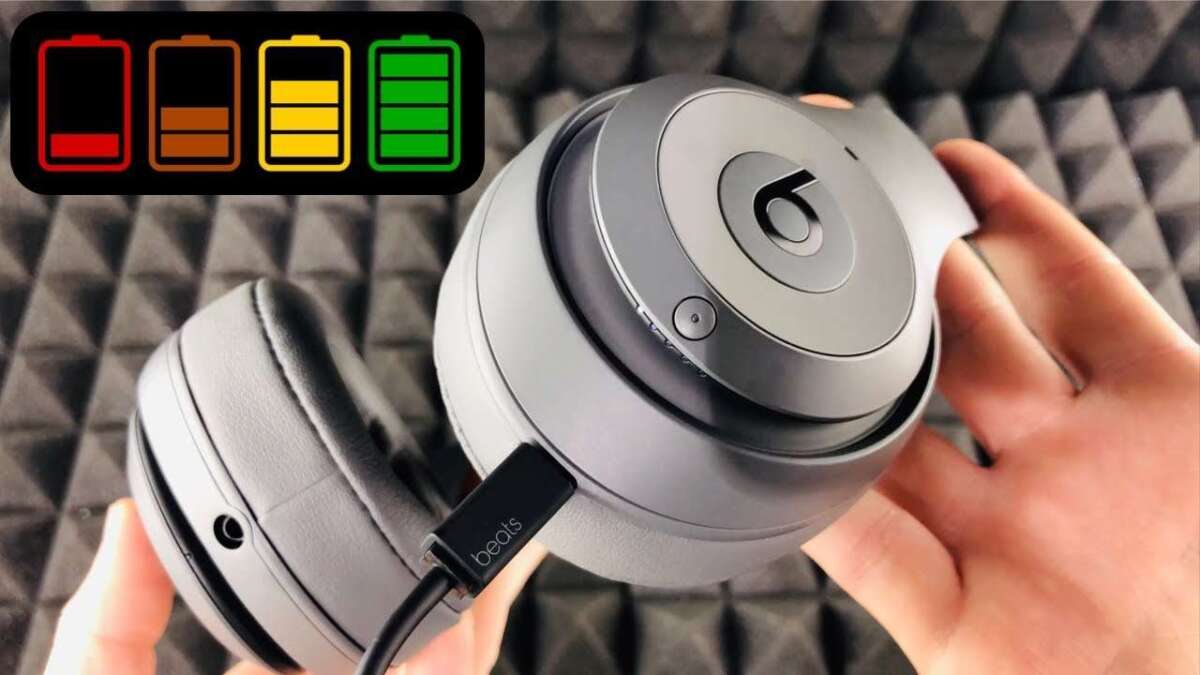
How To Charge Beats Headphones: Easy Guide
Charging Beats headphones in the United States is usually simple: connect the correct charging cable to the headphone or charging case, plug the other end into a USB power source, and wait for the battery indicator to show a full charge. The exact cable depends on your Beats model. Newer models often use USB-C, while older headphones may use Micro-USB or Lightning.
What You Need Before Charging Beats Headphones
You need three things:
- Your Beats headphones or charging case
- The cable that fits the charging port
- A USB power source, such as a wall adapter, computer, car charger, or power bank
Use the cable supplied with your Beats headphones when possible. If you need a replacement, choose a good-quality cable that matches the port on your device.


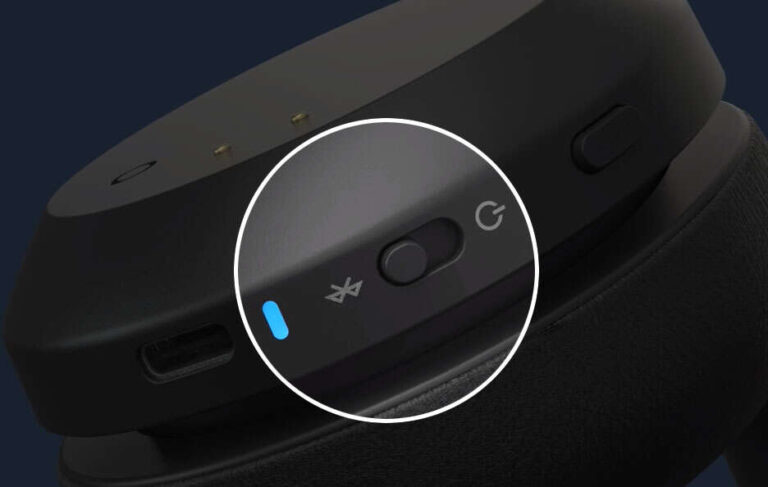
Find the charging port
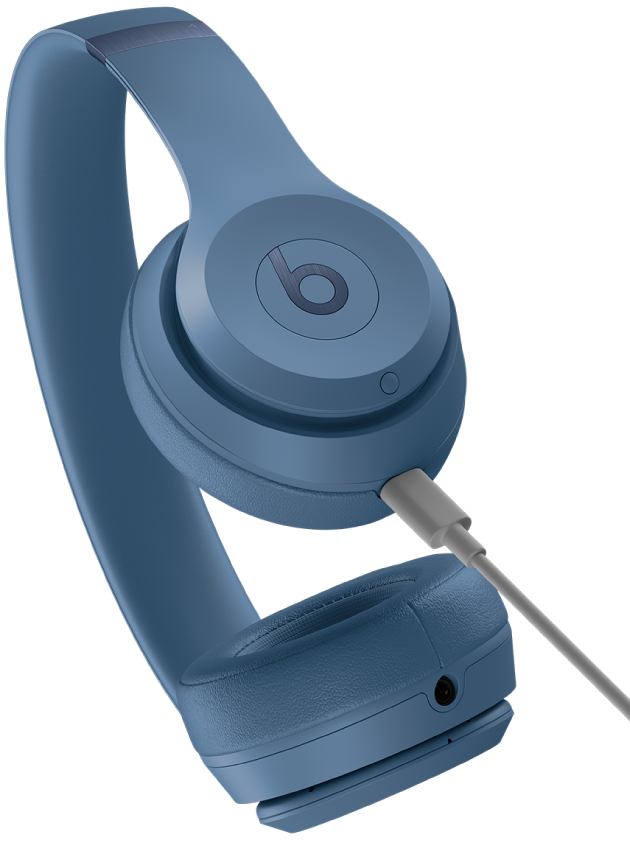
Look around the ear cups, headband, or charging case for a small port. The port may be:
- USB-C: A small, oval-shaped port found on many newer Beats models
- Micro-USB: A smaller port with a tapered shape, used on some older Beats headphones
- Lightning: Apple’s narrow connector, used on some older Beats products and charging cases
Do not force the plug. If the cable does not slide in easily, check that you have the correct connector and that the port is free of lint or dirt.
Choose a safe power source
A standard USB wall adapter is the most reliable choice. You can also use:
- A laptop or desktop USB port
- A USB power bank
- A vehicle USB port
- A USB charging hub from a trusted brand
Avoid damaged cables, loose adapters, and unknown chargers that become unusually hot. Beats headphones contain a rechargeable lithium-ion battery, so basic battery safety matters.
How to Charge Beats Headphones
Follow these steps to charge most over-ear and on-ear Beats headphones.
-
Turn the headphones off, if possible.
Most Beats headphones can charge while powered on, but turning them off may reduce charging time and heat. -
Connect the cable to the headphones.
Insert the USB-C, Micro-USB, or Lightning connector into the charging port. -
Connect the other end to a power source.
Plug it into a wall adapter, computer, power bank, or another suitable USB source. -
Check the status light.
The light may blink, change color, or remain on while the battery charges. The exact light pattern depends on the model. -
Wait for the battery to fill.
A full charge may take more than an hour, depending on the model, battery level, cable, and power source. -
Disconnect the cable when charging is complete.
You can then turn the headphones on and reconnect them to your phone or computer.
A successful charge usually shows as a steady or changed status light, a full battery level in the Beats app, or a full battery icon on a connected Apple device.

How to Charge a Beats Charging Case
Some Beats products use a case that stores and charges the earbuds. This includes products such as Beats Fit Pro and powerbeats Pro models.
To charge the case:
- Place the earbuds in the case if you want to charge both the earbuds and the case.
- Close the lid.
- Connect the correct cable to the charging port on the case.
- Plug the cable into a USB power source.
- Check the case light or the battery level shown on your phone.


The case normally charges its own battery first or charges the earbuds while connected to power. Keep the earbuds seated correctly in the case. If the contact points are dirty or the earbuds are not aligned, they may not charge.
Can you charge Beats earbuds without the case?
Most Beats true wireless earbuds need their charging case. The case contains the charging contacts and battery connection needed to charge the earbuds.
You generally cannot connect a cable directly to each earbud. Put both earbuds into the case and charge the case instead.
Can you use wireless charging?
Wireless charging depends on the specific Beats case. Some cases may support wireless charging, while others require a cable. Do not assume that a case supports Qi or MagSafe charging just because it has a USB-C port.
Check the model’s user guide or product support page before placing it on a wireless charging pad.
Which Charger and Cable Do Beats Headphones Use?
The correct cable depends on the Beats model. This table gives a practical guide, but the charging port on your device is the final authority.
| Beats product or group | Common charging port | What to use |
|---|---|---|
| Beats Studio Pro | USB-C | USB-C charging cable and USB power source |
| Beats Solo 4 | USB-C | USB-C charging cable and USB power source |
| Beats Studio3 Wireless | Micro-USB | Micro-USB cable and USB power source |
| Beats Solo3 Wireless | Micro-USB | Micro-USB cable and USB power source |
| Beats Fit Pro case | USB-C | USB-C cable and USB power source |
| Original Powerbeats Pro case | Lightning | Lightning cable and USB power source |
| Newer Beats products | Often USB-C | Confirm the port on the device or case |
Product versions can differ, especially when a brand releases a replacement or updated model. If you are unsure, check the label on the box, the model name in your phone’s Bluetooth settings, or the official Beats user guide.
Does a fast phone charger work with Beats?
A modern USB power adapter can usually charge Beats headphones if it has the correct port or cable. The headphones control how much power they draw. A higher-wattage adapter does not automatically force excess power into the battery.
Use a certified or reputable charger. Stop using the setup if the headphones, cable, or adapter becomes very hot, smells unusual, swells, or shows physical damage.
Can you charge Beats from a laptop?
Yes. Connect the headphones to a working USB port on the laptop with the correct cable. Charging may be slower than with a wall adapter, especially if the laptop is running on battery or has a low-power USB port.

How to Know When Beats Headphones Are Fully Charged
The best way to check the charge level is to look at the connected device.
On an iPhone or iPad
Open the Beats battery view through the battery widget, Bluetooth settings, or the relevant device controls. The exact display can vary by Beats model and iOS version.
On a Mac
Connect the Beats headphones, then check the Bluetooth menu or sound controls. The battery percentage may appear beside the connected Beats device.
In the Beats app
On supported Android phones, the Beats app can show battery information and device settings. Some features differ by product and operating system.
On the headphones or case
Many models use a status light. A blinking light often means charging, while a different color or no blinking may indicate a full battery. Because light patterns vary, use the model’s guide for an exact interpretation.


Do not judge the battery only by how long it has been plugged in. Battery condition, room temperature, cable quality, and power source can affect charging time.
What to Do If Beats Headphones Will Not Charge
If your Beats headphones do not charge, check the simple and safe causes first.
1. Check the cable and connector
Try a different compatible cable. Look for:
- Frayed wires
- Bent connector ends
- A loose fit
- Dirt or lint in the charging port
- A cable that charges another device but not the Beats headphones
Do not push a connector into the port or scrape inside the port with a metal object.
2. Try another power source
Move from a computer to a wall adapter, or try another USB port. A damaged or low-power USB port may not provide a stable charge.
3. Leave the headphones connected
A deeply drained battery may need several minutes before the light responds. Leave the headphones connected for at least 15 to 30 minutes, then check again.
4. Restart or reset the headphones
A reset can help when the headphones show a battery level but do not respond correctly. The button combination differs by model, so use the instructions for your exact Beats product. A reset may remove saved connections or settings.
5. Clean the charging contacts on an earbud case
If one earbud does not charge, remove it and gently wipe the metal contacts with a clean, dry, soft cloth. Keep liquid away from the case and earbuds.
6. Check temperature and physical damage
Lithium-ion batteries may charge poorly in very hot or very cold conditions. Let the device return to room temperature before trying again.
Stop charging and seek qualified service if you notice swelling, smoke, a strong chemical smell, liquid damage, or intense heat. Do not open the battery or attempt a battery repair yourself.

Common Charging Mistakes to Avoid
These mistakes can prevent charging or shorten the useful life of the equipment:
- Using the wrong cable: USB-C, Micro-USB, and Lightning connectors are not interchangeable.
- Forcing the plug: A connector should fit smoothly.
- Charging through a damaged cable: Replace cables with exposed wires or bent ends.
- Blocking the charging port with lint: Pocket lint can stop the connector from reaching the contacts.
- Leaving damaged equipment plugged in: Heat, swelling, or a burning smell requires immediate disconnection.
- Assuming every case supports wireless charging: Verify the model first.
- Using the wrong earbud placement: Earbuds must sit correctly in the case to touch the charging contacts.
- Cleaning with liquid: Moisture can damage ports, contacts, and internal parts.
A full battery does not require special treatment. You can disconnect the headphones when the battery reaches full charge. Avoid storing them for long periods at either complete charge or complete depletion when possible.

How to Keep Beats Batteries Healthy
Beats headphones use rechargeable lithium-ion batteries. These batteries naturally lose capacity over time, but careful use can reduce avoidable stress.


Keep the headphones away from extreme heat. Do not leave them on a car dashboard, near a heater, or in direct sun for long periods.
Charge them before the battery reaches zero if you can. Occasional full discharges are not required for normal battery use. If you will not use the headphones for several weeks, store them in a dry place with some charge rather than leaving the battery completely empty.
Use the correct charging accessories and keep the software on your paired device up to date. Software updates may improve device behavior, but they cannot restore battery capacity that has been lost through normal aging.

Quick Troubleshooting Table
| Problem | Likely cause | Best first step |
|---|---|---|
| No light appears | Empty battery, bad cable, or power issue | Try another cable and wall adapter |
| Headphones charge slowly | Low-power USB port or damaged cable | Use a reliable wall adapter and cable |
| One earbud will not charge | Poor contact or incorrect placement | Clean and reseat the earbud |
| Battery level does not change | Software display issue or charging failure | Restart, reconnect, and try another power source |
| Headphones get very hot | Faulty accessory, battery problem, or heat exposure | Unplug them and stop use if heat continues |
| Cable will not fit | Wrong connector or blocked port | Confirm the model and inspect the port |
| Case charges but earbuds do not | Earbuds are not seated or contacts are dirty | Reseat and gently clean the contacts |

Frequently Asked Questions
How long does it take to charge Beats headphones?
Charging time varies by model and battery level. A nearly empty pair may take longer than an hour to reach full charge. The model’s user guide gives the most accurate time.
Can I use Beats headphones while they charge?
Some over-ear and on-ear Beats headphones can play while connected to power. This depends on the model and connection method. Earbuds in a charging case cannot be used while they are inside the case.
Why do my Beats headphones lose charge quickly?
A worn battery is one possible cause. High volume, active noise cancellation, frequent use, old firmware, cold temperatures, or a poor charge can also affect battery life. Test the headphones after a full charge and check whether the problem continues across several uses.
Can I charge Beats headphones with an iPhone charger?
You can often use an Apple USB power adapter with the correct Beats cable. The cable must match the charging port on the headphones or case. An iPhone charger does not mean that every iPhone cable will fit every Beats product.
What should I do if my Beats headphones are still under warranty?
Keep your purchase information and contact Apple or Beats support. Do not open the headphones or replace the internal battery yourself, because that may cause injury or affect service eligibility.
Final Answer
To charge Beats headphones, identify the charging port, connect the matching cable, plug it into a reliable USB power source, and check the status light or battery level. Use the correct cable for your model, keep the port and charging contacts clean, and stop charging if the device becomes unusually hot or shows damage.
If the headphones will not charge, try another cable, power source, and compatible outlet before resetting the device or seeking service.