

Most JBL earbuds reset by tapping one earbud three times, then holding the third tap for about five seconds.
Knowing how to reset JBL earbuds can solve pairing errors, one-sided sound, charging glitches, and app problems in a few minutes. The exact steps vary by model, so this guide explains the safest reset methods, what to do before and after a reset, and how to avoid common mistakes.
Why You May Need to Reset JBL Earbuds
A reset returns your JBL earbuds to their factory settings. It clears saved Bluetooth connections and removes temporary software errors, much like restarting a frozen phone.
You may need to reset JBL earbuds when:
• Only one earbud produces sound.
• The earbuds connect to the wrong phone.
• Bluetooth pairing fails again and again.
• The JBL Headphones app cannot find the earbuds.
• The earbuds show as connected but play no sound.
• Touch controls stop responding.
• One earbud will not charge or wake up.
• You plan to give the earbuds to another person.
A reset does not usually repair broken hardware. If an earbud has water damage, a damaged charging contact, or a dead battery, the reset may not solve the issue.
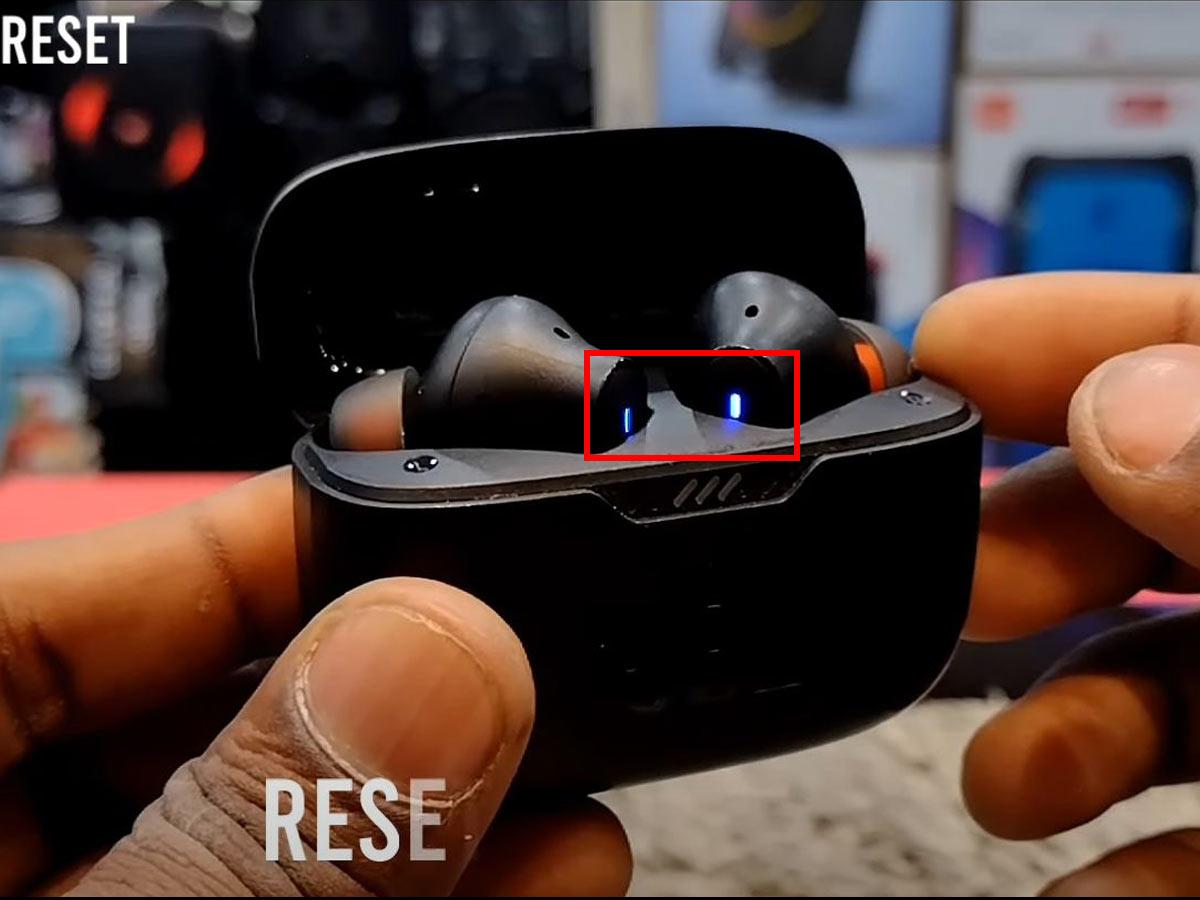
Before You Reset JBL Earbuds
Take a few simple steps before you reset JBL earbuds. These steps can prevent confusion and help you tell the difference between a software issue and a hardware fault.
- Charge the earbuds and case
Place both earbuds in the charging case. Make sure the case has enough power to complete the reset. A very low battery can make the reset fail.
- Clean the charging contacts
Use a dry cotton swab to clean the metal contacts on the earbuds and inside the case. Do not use water or metal tools. Poor contact can make one earbud appear dead.
- Forget the old Bluetooth connection
On your phone, open Bluetooth settings and remove the JBL earbuds from the saved device list. You may see options such as Forget This Device, Unpair, or Remove Device.
- Close the JBL app
Close the JBL Headphones app before starting. If the app is still connected, it may interrupt the reset or reconnect to the earbuds too soon.
- Check the model name
Look inside the case, on the box, or in your Bluetooth settings for the model name. JBL Tune, Live, Wave, Vibe, Club, and Reflect models may use different reset controls.
When I test JBL earbuds, the most common mistake is starting the reset while one earbud is not making contact with the case. Check the charging lights first. This small step saves a lot of time.

How to Reset JBL Earbuds Using the Touch Controls
This is the most common factory reset method for many true wireless JBL models. It often works with JBL Tune, Live, Wave, Vibe, and similar earbuds, but the exact control can differ.
Follow these steps:
Remove both earbuds from the charging case.
Make sure they are switched on and connected to each other.
Tap the right earbud three times.
On the third tap, keep your finger on the earbud for at least five seconds.
Wait for the earbuds to switch off or restart.
Place both earbuds in the charging case.
Close the lid for a few seconds, then open it.
Remove the earbuds and put them into pairing mode.
Find the JBL earbuds in your phone’s Bluetooth menu and connect again.
If the right earbud does not respond, try the same three-tap and hold action on the left earbud. Some JBL models use either earbud for the reset, while others use only the right earbud.
Do not tap too quickly or press the third tap for only one second. The third tap must usually become a press and hold. Think of it as a three-beat command: tap, tap, then hold.
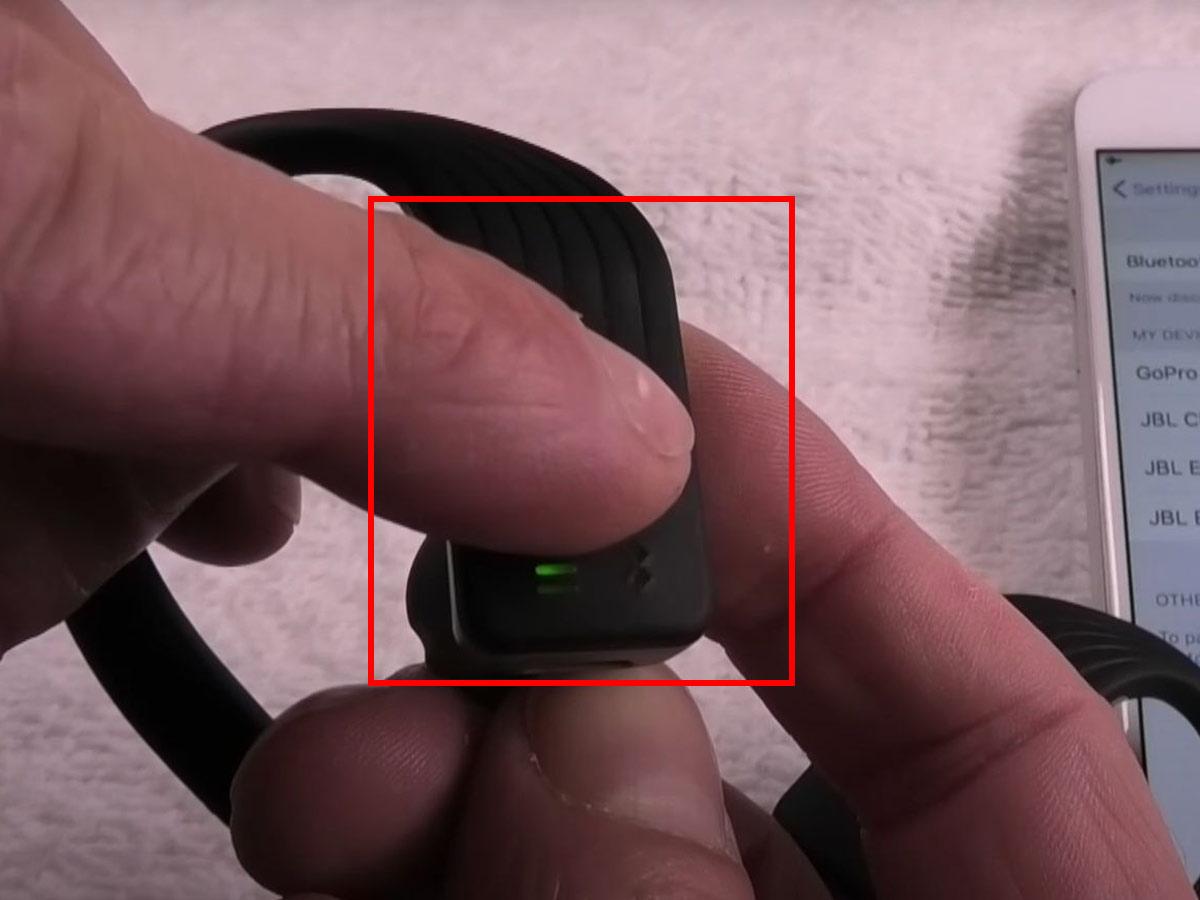
How to Reset JBL Earbuds With the JBL Headphones App
Some supported JBL earbuds can be reset through the JBL Headphones app. This method is useful when the touch controls are difficult to use or the model does not follow the usual three-tap process.
Install or open the JBL Headphones app.
Turn on Bluetooth on your phone.
Connect the JBL earbuds to the phone.
Open the earbuds page in the app.
Open Settings or Support.
Look for Reset, Factory Reset, or Restore Factory Settings.
Confirm the reset.
Wait until the earbuds restart.
Forget the old Bluetooth connection on your phone.
Pair the earbuds again as a new device.
The menu name may change after an app update. If you cannot find a reset option, check the model’s user guide in the app or on JBL’s support page. Not every JBL earbud model supports an app-based reset.
A software reset through the app may be easier, but it still cannot fix a damaged battery or blocked charging port. If the app cannot detect the earbuds, use the manual reset method instead.

Model-Specific JBL Earbud Reset Methods
The correct way to reset JBL earbuds depends on the model. Here are common patterns for popular JBL product families.
JBL Tune earbuds
Many JBL Tune models use a three-tap reset. Tap the right earbud three times, then hold the third tap for about five seconds.
Some Tune models may reset through the JBL Headphones app. If the manual method fails, check the model number and follow its guide.
JBL Live Pro and Live Free earbuds
Many JBL Live models use the right earbud for the reset command. Tap it three times and hold the third tap until the earbuds restart.
Place both earbuds in the case after the reset. This helps them shut down fully before you begin pairing again.
JBL Wave and Vibe earbuds
Several JBL Wave and Vibe models use a similar three-tap and hold method. In some versions, the left or right earbud may control the reset.
If the earbuds do not react, charge them for at least 15 minutes and try again with both earbuds removed from the case.
JBL Club and Reflect earbuds
Club and Reflect models can have different touch layouts. Use the model’s official guide if the standard method does not work.
Avoid trying random button combinations for too long. Repeated incorrect commands can change playback or noise-control settings without resetting the earbuds.
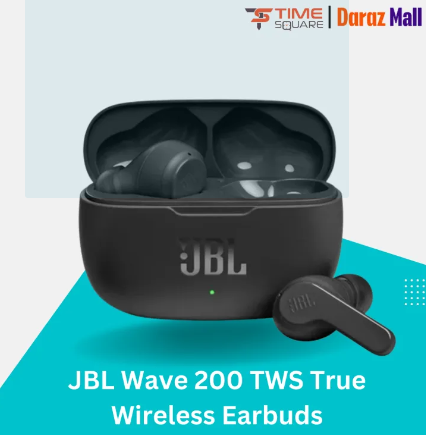
How to Pair JBL Earbuds After a Reset
After you reset JBL earbuds, they usually behave like a new Bluetooth device. You must remove the old connection and pair them again.
Open your phone’s Bluetooth settings.
Find the old JBL entry.
Select Forget, Unpair, or Remove.
Turn Bluetooth off for about 10 seconds.
Open the charging case.
Remove both earbuds.
Wait for the earbuds to enter pairing mode.
Select the JBL model from the Bluetooth list.
Confirm the connection.
Play audio in both earbuds.
If the earbuds do not appear, return them to the case and close the lid. Open it again after a few seconds. You can also restart your phone, then search for the earbuds again.
Keep nearby phones, tablets, and laptops from reconnecting during setup. A device that was paired earlier may take control before your new phone can connect.

What to Do if JBL Earbuds Will Not Reset
If the usual method does not work, use this troubleshooting order. It avoids random tapping and focuses on the causes that matter most.
Check the battery
Charge the case and earbuds for at least 15 to 30 minutes. If the charging lights do not turn on, clean the contacts and try another USB cable or charger.
Check earbud contact
Each earbud must sit correctly in its charging slot. Remove any protective film, dust, or earwax near the metal contacts.
Try one earbud at a time
Some models accept the reset command only from the right earbud. Others may respond when you try the left earbud. Try both, but use the model guide as the final authority.
Restart your phone
A phone can hold a damaged Bluetooth session. Restarting it clears that session and gives the reset process a clean start.
Update the app
If the JBL Headphones app detects the earbuds, install any available firmware update. Firmware controls touch actions, Bluetooth behavior, and many sound features.
Test another device
Pair the earbuds with another phone or tablet. If they work there, the original phone may have a Bluetooth or software problem.
Contact support
If one earbud stays dark after charging and cleaning, the problem may be hardware related. A reset cannot revive a failed battery, broken charging circuit, or damaged touch sensor.
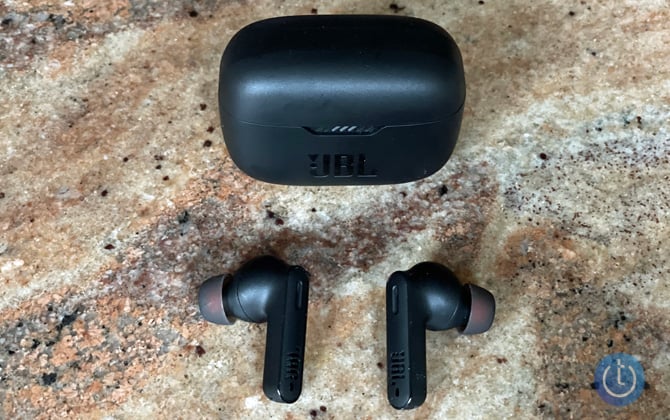
Common Mistakes to Avoid When Resetting JBL Earbuds
Resetting JBL earbuds is simple, but a few mistakes can make the process seem harder than it is.
• Do not reset only one earbud unless the model guide tells you to do so.
• Do not keep the earbuds inside the case during a touch-control reset.
• Do not forget to remove the old Bluetooth profile from your phone.
• Do not use sharp tools to clean the charging contacts.
• Do not assume every JBL model uses the right earbud.
• Do not interrupt the reset by opening another music or Bluetooth app.
• Do not rely on a blinking light pattern from a different JBL model.
• Do not reset repeatedly if the earbuds have no power.
In my experience testing wireless earbuds, the biggest mistake is confusing a pairing problem with a charging problem. If one earbud has no light and no response, clean and charge it before trying to reset JBL earbuds again.

What a JBL Earbud Reset Erases
A factory reset removes information stored in the earbuds. It does not normally erase files or settings from your phone.
A reset may erase:
• Saved Bluetooth pairing records.
• Custom touch-control settings stored on the earbuds.
• Some sound or connection preferences.
• The current connection between the left and right earbuds.
• User data linked to the earbud system.
Afterward, you may need to adjust noise cancellation, Ambient Aware, TalkThru, equalizer settings, and touch controls in the JBL Headphones app.
A reset does not usually change the physical condition of the earbuds. It also does not guarantee longer battery life. Battery performance depends on age, charging habits, temperature, and use.

Benefits and Limits of Resetting JBL Earbuds
Resetting JBL earbuds can be a powerful first step because it removes old connection data and clears many temporary faults.
Main benefits
• It can fix repeated Bluetooth pairing failures.
• It can restore sound to both earbuds after a software glitch.
• It can solve some frozen touch controls.
• It can help the JBL app detect the earbuds again.
• It prepares the earbuds for a new owner.
Important limits
• It cannot repair water or impact damage.
• It cannot replace a worn battery.
• It cannot fix a broken speaker.
• It cannot repair a damaged charging case.
• It may not solve problems caused by phone settings.
Bluetooth devices can also fail because of interference, outdated firmware, or distance. Keep the phone close during pairing, and test the earbuds in a quiet area with fewer wireless devices nearby.
Frequently Asked Questions About How to Reset JBL Earbuds
How do I reset JBL earbuds that are not connecting?
Forget the JBL earbuds in your phone’s Bluetooth settings first. Then remove both earbuds from the case, tap the right earbud three times, and hold the third tap for about five seconds if your model supports this method.
Can I reset JBL earbuds without the app?
Yes, many JBL true wireless models can be reset with their touch controls. The common method is three taps followed by a hold, but the correct earbud and timing depend on the model.
Why is only one JBL earbud working after a reset?
The earbuds may not have synchronized with each other, or one earbud may not be charging. Place both earbuds in the case, charge them, forget the Bluetooth connection, and repeat the reset and pairing process.
Will resetting JBL earbuds delete my phone’s Bluetooth settings?
No. The reset removes pairing data from the earbuds, but your phone may still show the old JBL entry. Forget that entry manually before pairing the earbuds again.
How long does it take to reset JBL earbuds?
The reset itself usually takes less than a minute. Allow a few more minutes to forget the old connection, restart the earbuds, and pair them with your phone.
What should I do if my JBL earbuds still do not reset?
Charge the case and earbuds, clean the contacts, and try the reset command on the other earbud. If there is still no response, use the exact guide for your model or contact JBL support because the issue may be hardware related.
Conclusion
Learning how to reset JBL earbuds can clear pairing errors, sound problems, and control glitches without a repair visit. The most common method is to tap one earbud three times, hold the third tap, then forget the old Bluetooth connection and pair the earbuds again.
Always confirm the model before using a reset command. Charge the earbuds, clean the contacts, and remember that a factory reset cannot repair physical damage. Try these steps today, then check the correct JBL support guide for your model and share your experience if the problem continues.
