

Most wireless earbuds reset by forgetting them, charging them, and holding the case or earbud buttons.
Knowing how to reset wireless earbuds can fix pairing failures, one-sided audio, random disconnects, and charging glitches. The exact steps vary by brand and model, but this guide explains the safe method, common button patterns, and mistakes to avoid.
What a Reset Does to Wireless Earbuds
A reset returns your earbuds to a clean setup state. It usually clears saved Bluetooth connections and removes settings stored inside the earbuds.
A reset is not the same as turning earbuds off and on. A restart may fix a small software hiccup, while a factory reset removes old pairing data and starts fresh.
Resetting wireless earbuds can help when:
• Your phone cannot find the earbuds
• Only one earbud produces sound
• The earbuds connect to the wrong device
• Bluetooth keeps dropping
• The earbuds show as connected but play no audio
• A new phone will not pair with the earbuds
A factory reset normally does not erase files from your phone. It only clears information stored on the earbuds, such as paired devices, custom controls, and some sound settings.
Prepare Before You Reset Wireless Earbuds
A few simple checks can prevent an unnecessary reset. Many pairing problems come from a low battery, dirty charging contacts, or an old Bluetooth connection.
Before you reset wireless earbuds, follow these steps:
Charge the earbuds and charging case for at least 15 to 30 minutes.
Clean the metal contacts with a dry cotton swab. Do not use water or spray.
Place both earbuds in the case and close the lid for about 10 seconds.
Turn Bluetooth off and on again on your phone.
Move away from other phones, tablets, laptops, or smart TVs that may connect first.
Read the model name inside the brand app or on the case. Reset steps can differ even within the same product line.
It also helps to remove the old Bluetooth record. On an iPhone, open Settings, choose Bluetooth, tap the information icon, and select Forget This Device. On Android, open Bluetooth settings, tap the gear beside the earbuds, and choose Forget or Unpair.
Do not reset earbuds while they are wet. Moisture can damage the charging pins and may cause strange behavior that a reset cannot fix.

How to Reset Wireless Earbuds: The General Method
Most wireless earbuds use a similar reset pattern. The button may be on the charging case, on each earbud, or on a touch surface.
Use this general method when your model guide does not provide a different process:
Put both earbuds inside the charging case.
Make sure both earbuds are making contact with the charging pins.
Leave the case open.
Press and hold the case button for 10 to 20 seconds.
Watch for a flashing red, white, blue, or green light.
Close the case, wait 10 seconds, and open it again.
Remove the earbuds and place them near your phone.
Forget the old Bluetooth connection on your phone.
Pair the earbuds as if they were new.
Some models require you to touch and hold both earbuds at the same time. Others need a longer hold, often 15 to 30 seconds. Release the buttons only when the LED changes color or begins flashing in a new pattern.
If the earbuds do not respond, charge the case longer and repeat the process. A low case battery may prevent the reset command from working.

How to Reset Popular Wireless Earbud Brands
Brand instructions can vary. Use the steps below as a starting point, then confirm them in the current guide for your exact model.
Apple AirPods
To reset most AirPods models:
Place both AirPods in the charging case.
Close the lid for about 30 seconds.
Open the lid.
On your iPhone, go to Bluetooth and forget the AirPods.
Press and hold the setup button on the back of the case.
Keep holding until the status light flashes amber and then white.
Bring the open case near your iPhone and pair again.
Some newer AirPods cases use a front touch control instead of a visible rear button. In that case, follow the on-screen pairing instructions and the model-specific Apple guide.
Samsung Galaxy Buds
For Galaxy Buds, place both earbuds in the case and close the lid briefly. Open the Galaxy Wearable app and look for the reset option under the earbuds’ settings.
If the app cannot connect, place the earbuds in your ears and touch and hold both touch surfaces. On some models, this restarts pairing or resets the earbuds. The exact gesture can differ, so avoid guessing if the touch controls do not respond.
Google Pixel Buds
Open the Pixel Buds case with both earbuds inside. Press and hold the case button for about 30 seconds, or until the status light changes and begins flashing.
Forget the old Pixel Buds connection on your phone before pairing again. If the light does not react, charge the case and check that both earbuds sit firmly on the charging contacts.
Sony wireless earbuds
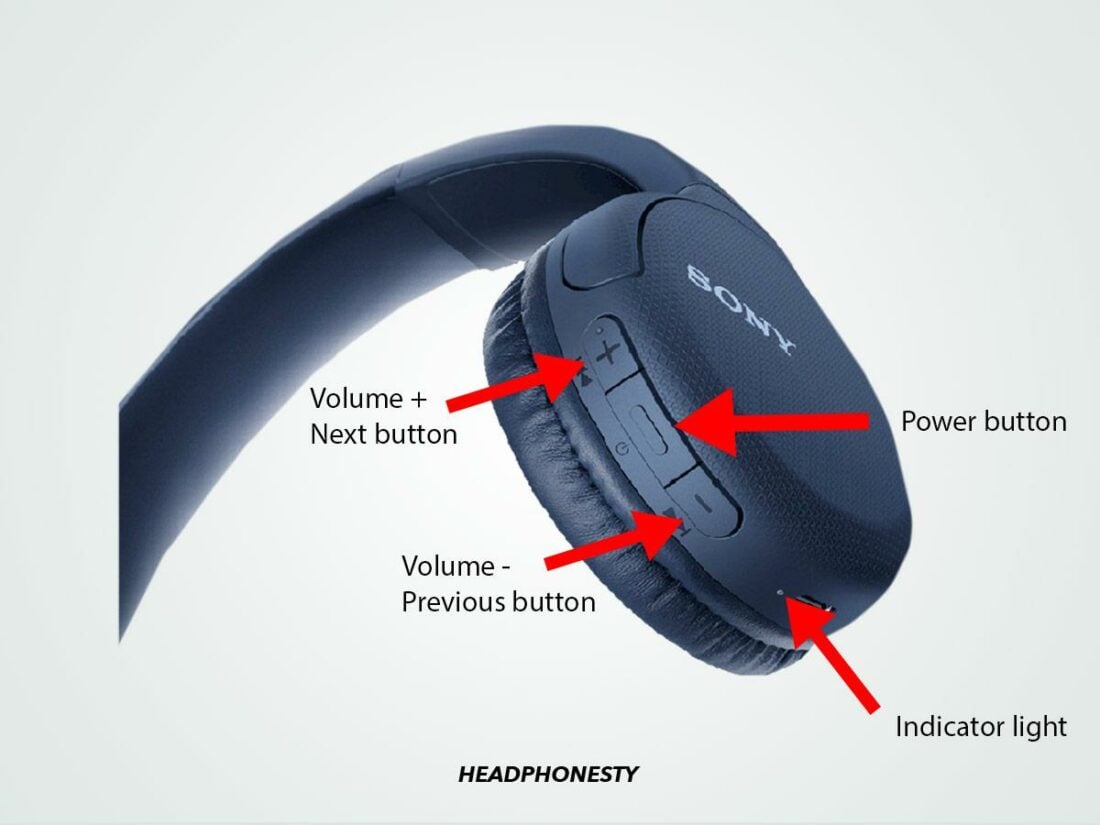
Many Sony models reset through the Sony Sound Connect app. Open the app, select the earbuds, and look for initialization, reset, or factory reset settings.
Some Sony models use a touch-panel sequence instead. Because the process varies widely between models, use the guide for the model number printed on the case or packaging.
Jabra wireless earbuds
Many Jabra models support a manual reset by placing both earbuds in the case and holding the left and right earbud buttons together. The hold may last around 10 seconds, and the LED may flash purple.
Jabra models differ, so check the Jabra app or product guide before starting. After the reset, remove the old Bluetooth profile and pair again.
Other brands
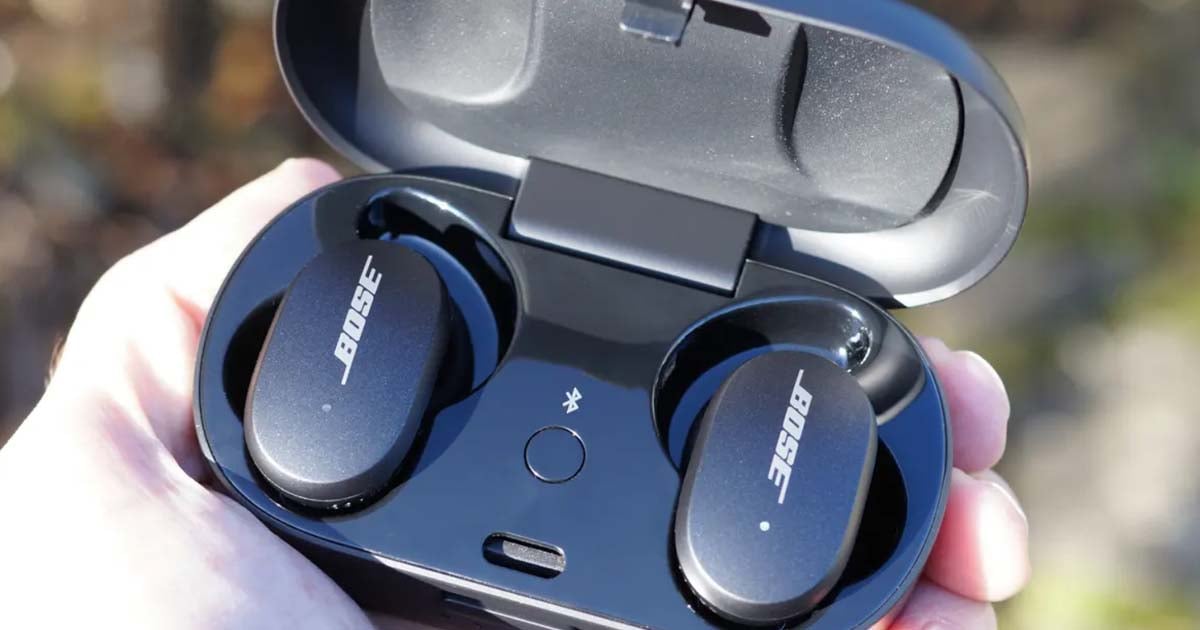
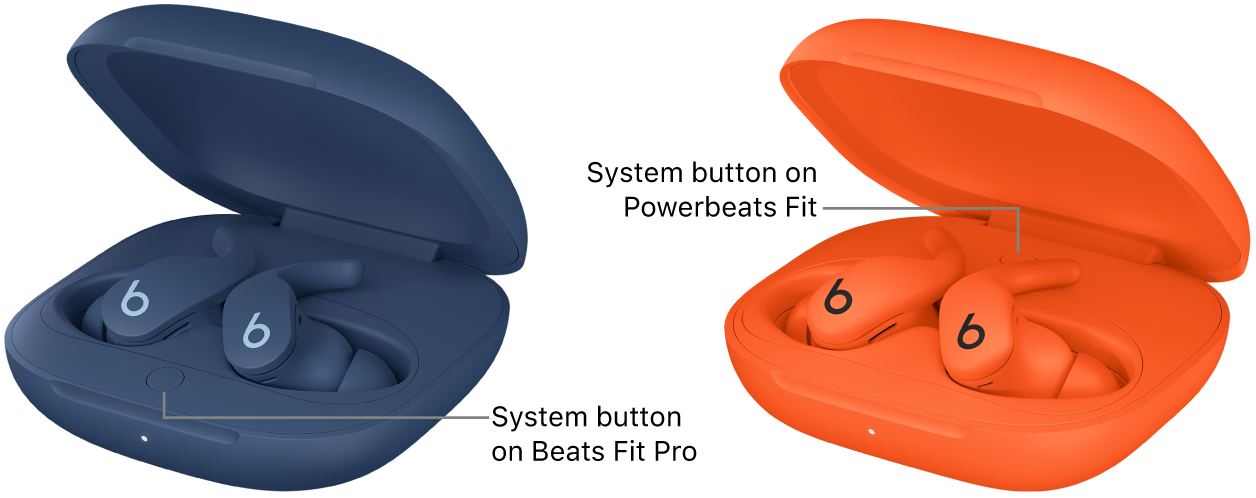
For Anker Soundcore, Beats, JBL, Bose, and similar brands, the reset may use a case button, a charging case touch area, or both earbud controls.
Search the brand’s support page using the full model number, not just the brand name. “JBL earbuds” or “Beats earbuds” is not specific enough because each family can use a different reset method.
How to Reset Wireless Earbuds Without a Case
Most true wireless earbuds need the case for a full factory reset. The case supplies power, controls the reset signal, and helps the earbuds reset as a matched pair.
Still, some models allow a manual reset without the case. Try this general process:
Turn off Bluetooth on nearby devices.
Remove both earbuds from the case.
Touch and hold both earbud controls for 10 to 20 seconds.
Wait for the LEDs to flash or turn off.
Place the earbuds back in the case when possible.
Forget the old Bluetooth profile and pair again.
This method may only restart the earbuds rather than perform a full factory reset. If one earbud remains silent or the pair separates, you will likely need the charging case.
Never force the earbuds into an unsafe position or use metal tools to bridge charging contacts. That can cause damage or a short circuit.

How to Reset Wireless Earbuds When One Side Is Not Working
A one-sided audio problem does not always require a factory reset. First, check that the quiet earbud is charged and that its charging contact is clean.
Try this order:
Put both earbuds in the case.
Confirm that both charging lights respond.
Clean the earbud and case contacts with a dry cotton swab.
Forget the earbuds from your phone.
Reset wireless earbuds using the case button or brand app.
Pair both earbuds at the same time.
Test them with another phone.
One earbud may fail to sync if it was removed from the case before the other. A full reset often makes the two earbuds establish a fresh left and right connection.
In my experience helping people troubleshoot Bluetooth devices, the most common mistake is resetting only the working earbud. Both earbuds must usually be inside the case and charged for the pair to reset correctly.

What to Do After You Reset Wireless Earbuds
After you reset wireless earbuds, treat them like a new Bluetooth device. Do not tap an old saved entry and expect the connection to repair itself.
Follow these steps:
• Turn on Bluetooth.
• Keep other nearby devices disconnected.
• Open the earbud case.
• Select the new pairing name on your phone.
• Install the official brand app if you use one.
• Update the earbuds’ firmware when a trusted app offers an update.
• Test music, calls, the microphone, and both earbuds.
Firmware updates can improve stability, but they should happen with enough battery power. Do not close the app or remove the earbuds during an update unless the instructions tell you to do so.
If your earbuds reconnect to an old laptop, tablet, or TV, disable Bluetooth on that device. Some earbuds connect to the first known device they detect.

Common Reset Mistakes to Avoid
A reset is simple, but small mistakes can make it seem ineffective.
Avoid these errors:
• Holding the button for too little time. Some earbuds need 15, 20, or 30 seconds.
• Resetting with one earbud outside the case. Many models require both earbuds.
• Forgetting the old Bluetooth profile. Your phone may keep using damaged pairing data.
• Ignoring the battery level. A dead case cannot complete a reset.
• Using a wet cloth on charging contacts. Moisture can cause corrosion.
• Following instructions for a similar model. The same brand may use different button patterns.
• Resetting again and again without testing another phone. The problem may be your phone, app, or Bluetooth settings.
I once saw a pairing issue continue for several attempts because the case pins were coated with pocket dust. Cleaning the contacts solved the problem before another reset was needed. A reset is useful, but it is not a cure for physical damage.
When a Reset Does Not Fix the Problem
If resetting wireless earbuds does not help, check whether the issue is hardware or software.
Try the earbuds with a second phone. If they work there, reset your phone’s network settings or update its operating system. Remember that a network reset can remove saved Wi-Fi passwords and Bluetooth devices.
If the earbuds fail on every device, inspect them for:
• Cracks or water damage
• A case that will not charge
• Loose or dirty charging pins
• A missing LED response
• One earbud that never shows a charging signal
• Severe battery drain
Contact the manufacturer if the earbuds are under warranty. Keep the receipt, model number, and serial number ready. Do not open the earbuds yourself because the small lithium-ion batteries can be dangerous if damaged.
Bluetooth range can also affect performance. Most earbuds work best within a short distance, with no thick walls or large metal objects between the earbuds and phone.
Frequently Asked Questions About How to Reset Wireless Earbuds
How often should I reset wireless earbuds?
You should reset wireless earbuds only when normal steps do not fix pairing, audio, or connection problems. A reset is not needed as part of daily use.
Will resetting wireless earbuds delete music or apps from my phone?
No. Resetting wireless earbuds clears data stored on the earbuds, such as paired devices and some custom settings. It does not delete music, apps, photos, or files from your phone.
Why will my wireless earbuds not reset?
The case or earbuds may be too low on power, or the earbuds may not be touching the charging pins. Charge the case, clean the contacts, and hold the reset button for the full time listed for your model.
Do I need to forget my earbuds before resetting them?
For the best result, forget the old Bluetooth connection before pairing again after the reset. This removes outdated pairing data that can block a fresh connection.
Can I reset wireless earbuds without the charging case?
Some models allow a touch-control reset without the case, but most true wireless earbuds need the case for a full factory reset. Check the instructions for your exact model before trying a case-free reset.
Why does only one earbud work after a reset?
The earbuds may not have synced with each other, or one side may not be charging. Place both earbuds in the case, confirm that they charge, reset them together, and pair them again.
Does resetting wireless earbuds improve sound quality?
A reset may fix sound caused by a bad connection or incorrect settings. It will not improve a damaged speaker, blocked mesh, weak battery, or poor audio source.
Conclusion
Learning how to reset wireless earbuds can solve many common problems, including failed pairing, dropped connections, and one-sided audio. Start by charging the earbuds, cleaning the contacts, forgetting the old Bluetooth profile, and using the reset method made for your exact model.
If the reset fails on several devices, look for battery or hardware damage and contact the manufacturer. Try these steps carefully, then share your model and experience in the comments or explore the brand’s support guide for more help.
