

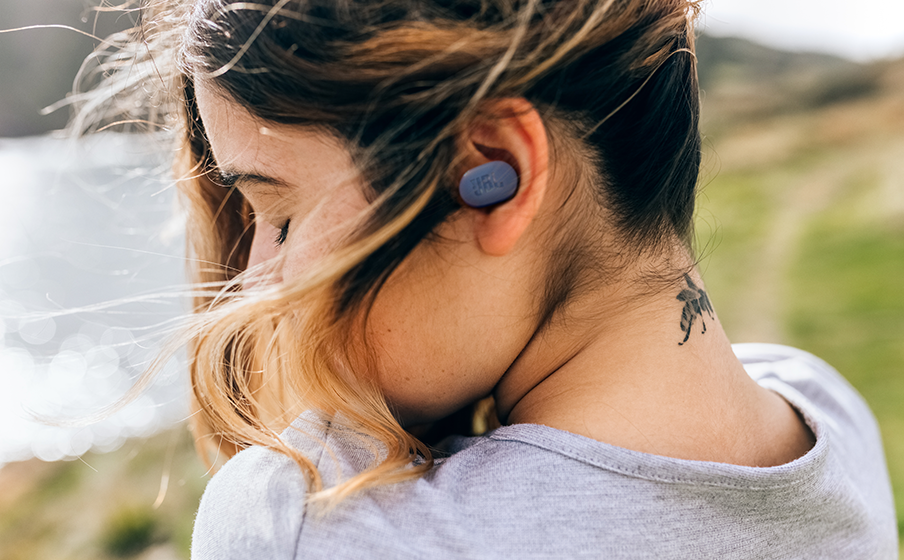
Insert JBL earbuds with the logo facing out, then gently twist them until they feel snug, sealed, and comfortable.
Learning how to wear JBL earbuds correctly can improve sound, bass, comfort, call quality, and listening safety. The right method depends on your JBL model, ear tips, and ear shape, so this guide covers setup, fit, common mistakes, and practical ways to keep your earbuds secure all day.
How to Wear JBL Earbuds Correctly
Most JBL true wireless earbuds follow the same basic process. The ear tip should sit inside the ear canal, while the larger body rests in the outer ear. The earbuds should feel secure without creating sharp pressure or pain.
Follow these steps:
- Wash and dry your hands before handling the earbuds.
- Check the markings. Place the earbud marked “L” in your left ear and “R” in your right ear.
- Hold the earbud with the speaker nozzle pointing slightly forward or down toward the ear canal.
- Insert the ear tip gently. Do not push it deep into your ear.
- Twist the earbud slightly backward or forward until it locks into place.
- Adjust the angle until the JBL logo or outer panel faces outward.
- Test the fit by speaking, walking, or turning your head.
A correct fit should block some outside noise, improve bass, and keep the earbud from moving. If the earbud feels loose, try a larger ear tip. If it feels tight or painful, use a smaller tip or adjust the angle.

Choose the Right JBL Ear Tip Size
The silicone ear tips control much of the comfort and sound quality. Many JBL earbuds include small, medium, and large tips. The best size is not always the same for both ears.
Try each size in a quiet room. Play music at a low volume and compare the bass, outside noise, and comfort. A good ear tip creates a light seal without feeling like a plug.
Use these signs to judge the fit:
• A weak or thin bass sound often means the seal is too loose.
• An earbud that slowly slides out may need a larger tip.
• Pressure, aching, or a blocked feeling may mean the tip is too large.
• Sound that changes when you move often points to a poor seal.
• A comfortable seal should stay stable without constant adjustment.
Your ear canals may have different shapes. It is completely normal to use a medium tip in one ear and a small or large tip in the other. Do not choose a size only because it looks balanced.
In my experience helping people adjust in-ear headphones, the most common mistake is using the default tips without testing the others. A few minutes of trial can make a major difference in comfort and sound.

How to Insert JBL Earbuds for a Secure Fit
Insertion is more than simply pushing the earbuds into your ears. The nozzle needs to point in the right direction, and the outer shell should rest naturally in the bowl of your ear.
Use this simple technique:
- Open your mouth slightly to relax the ear canal.
- Pull the top of your ear gently upward and backward with your free hand.
- Place the ear tip at the entrance of the ear canal.
- Insert it with light pressure.
- Rotate the earbud until the body sits firmly in the outer ear.
- Release your ear and check whether the seal remains stable.
Do not force the earbud deep into the canal. JBL earbuds are designed to sit securely with the correct tip and angle, not with strong pressure.
If your model includes ear wings or stabilizers, fit the wing into the upper fold of your outer ear. These parts help keep the earbuds stable during exercise. They should support the earbud, not press hard against the skin.
For JBL sport models, move your head from side to side after insertion. If the earbud stays in place without pain, the fit is likely correct. If it shifts, try another tip or stabilizer size.

How to Wear JBL Earbuds for Exercise
Exercise creates extra movement, sweat, and vibration. A fit that feels fine while sitting may loosen during a run or workout.
Before exercising, check the following:
• Use the correct sport ear tip or wing, if your model includes one.
• Twist each earbud until it feels locked in place.
• Keep the touch control area easy to reach.
• Wipe away oil or moisture from your ears and earbuds.
• Confirm that the earbuds do not block your awareness in unsafe areas.
JBL models have different water and sweat resistance ratings. Check the rating for your exact model before using it in rain, near a pool, or during heavy sweating. Water resistance does not always mean waterproof protection, and damage from liquid may not be covered by a warranty.
Avoid wearing regular, non-sport earbuds during intense exercise if they become loose or exposed to heavy moisture. Never charge wet earbuds or place them in a wet charging case. Let all parts dry fully first.
For outdoor workouts, keep the volume low enough to hear traffic, cyclists, alarms, and people nearby. Noise cancellation can reduce environmental awareness, even when the earbuds fit perfectly.
How to Know If JBL Earbuds Fit Properly
A good fit is easy to recognize once you know what to check. You should hear clear sound from both sides, and the earbuds should remain stable during normal movement.
Use this quick fit test:
- Play a familiar song at a low volume.
- Compare the bass in both ears.
- Turn your head left and right.
- Open and close your mouth.
- Walk for several minutes.
- Check whether the earbuds cause pain or pressure.
The sound should remain balanced when you move. If the bass disappears when you turn your head, one earbud may not have a proper seal.
A good fit should also help with phone calls. If the earbuds move, the microphones may point away from your mouth, which can make your voice sound distant. Adjusting the angle can improve call clarity, although wind and background noise still affect microphone performance.
Do not confuse a tight fit with a good fit. Earbuds that hurt after a few minutes are not properly fitted. Comfort matters because painful earbuds encourage frequent removal and can irritate the skin.

Common Mistakes When Wearing JBL Earbuds
Small errors can affect comfort, sound, and battery life. These are the mistakes people make most often when learning how to wear JBL earbuds.
Pushing the earbuds too far inside
Deep insertion can cause soreness and may increase pressure in the ear canal. Let the ear tip create the seal near the canal entrance instead.
Using the same ear tip size automatically
The included medium tips may not fit your ears. Test all available sizes and use different sizes if needed.
Ignoring the left and right markings
The shape of each earbud is designed for a particular ear. Swapping sides can reduce stability and make the earbuds feel awkward.
Wearing dirty or damp earbuds
Wax, sweat, and skin oil can collect on the tips and speaker grilles. Clean them regularly with a dry, soft cloth. Do not push liquid into the sound outlet.
Turning up the volume to fix a poor seal
A loose fit often makes music sound weak. Raising the volume only makes the problem worse. Fix the fit first.
Touching controls by accident
If your finger brushes the outer panel while adjusting the earbud, you may pause music or change the volume. Hold the earbud by its edges when possible.
Wearing them through pain
Mild awareness is normal when you first wear in-ear earbuds. Sharp pain, strong pressure, ringing, or lasting discomfort is a reason to stop and adjust the fit. Seek medical advice if symptoms continue.

How to Wear JBL Earbuds With Glasses, Hats, or Masks
JBL earbuds usually work well with glasses, hats, and masks, but extra pressure can affect the fit. Earbuds with large outer housings may press against eyeglass arms or a tight hat.
If you wear glasses, insert the earbuds before putting on your glasses. This helps you find the natural position of the earbud. If the frame pushes an earbud loose, try a smaller tip or adjust the earbud slightly downward.
With a mask, place the mask loops carefully around the ear. Avoid pulling the loops across the outer controls. A tight loop can press the earbuds inward and create discomfort.
With hats or helmets, choose a low-profile JBL model if possible. Do not force a helmet over earbuds that already feel tight. Pressure can cause pain and may push the earbuds out of their seal.
The goal is to create one stable fit, not to press every item tightly against your ears.

How to Wear JBL Earbuds Safely
Correct fit supports safe listening, but it cannot protect your hearing from excessive volume. The risk depends on both loudness and listening time.
A practical approach is to:
• Start at the lowest comfortable volume.
• Take regular breaks during long listening sessions.
• Lower the volume in quiet places.
• Use noise cancellation in suitable settings instead of increasing volume to overpower background noise.
• Keep one ear free when you need to hear traffic or announcements.
• Stop using the earbuds if you notice ringing, muffled hearing, or ear pain.
The commonly shared 60/60 rule suggests listening at no more than 60% volume for about 60 minutes before taking a break. It is a simple caution, not a guarantee of safe listening for everyone. Device volume levels vary, and some recordings are much louder than others.
Noise cancellation can make music easier to hear in a noisy place, but it does not remove all hearing risk. It also does not replace attention in traffic, at a train station, or around machinery.
How to Clean JBL Earbuds for Better Comfort
Clean earbuds are easier to wear and often sound better. Wax or debris on the mesh can reduce volume and make one side seem quieter.
Use this cleaning routine:
- Remove the silicone ear tips.
- Wash the tips with mild soap and water if the model instructions allow it.
- Dry the tips completely before replacing them.
- Wipe the earbud body with a soft, dry cloth.
- Use a dry, soft brush to remove loose debris from the speaker mesh.
- Clean the charging contacts gently.
- Make sure everything is dry before placing the earbuds in the case.
Avoid needles, pins, sharp tools, and excess water. These can damage the mesh or push debris farther inside. Do not use alcohol directly on sensitive openings unless the product instructions specifically allow it.
Clean the earbuds after workouts and before sharing them. Earbuds are personal items, and regular cleaning helps reduce buildup that can affect both hygiene and sound.

How to Wear Different JBL Earbud Types
JBL has several earbud families, and their fit can vary.
JBL true wireless earbuds
Models such as many JBL Tune, Live, Wave, and Reflect earbuds use silicone tips. Insert them with the nozzle aimed toward the ear canal, then twist the housing until it feels stable.
JBL sport earbuds
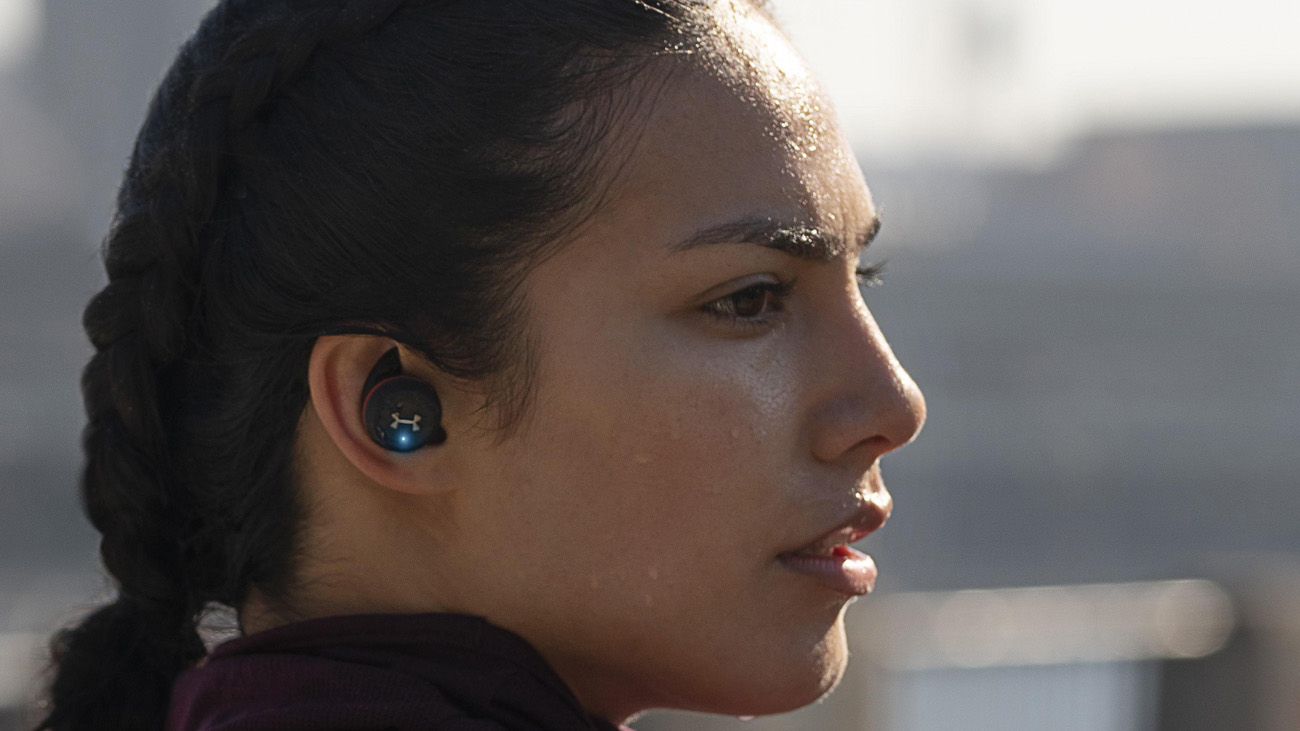
Sport models may include wings, hooks, or special stabilizers. Fit the silicone tip first, then place the wing or hook into the outer ear. The stabilizer should prevent movement without causing pressure.
JBL open-style earbuds
Some JBL products use a less sealed design. These may sit at the ear opening instead of entering the canal deeply. They can feel more comfortable for some users, but they may provide less bass and less noise isolation.
JBL Quantum earbuds
Gaming earbuds may include different tips for comfort and sound isolation. A stable seal can help you hear game details, but keep the volume at a level that remains comfortable during long sessions.
Always check the fit instructions for your exact model. The shape of JBL Tune earbuds may differ from JBL Live or JBL Endurance earbuds, so one technique may not work perfectly for every product.
How to Fix Loose JBL Earbuds
Loose earbuds usually have a fit problem, not a Bluetooth problem. Start with the physical fit before changing settings or resetting the earbuds.
Try these solutions:
• Test a larger ear tip.
• Rotate the earbud backward after insertion.
• Clean sweat and oil from the ear tip.
• Use the included wing or stabilizer.
• Try a smaller ear tip if the earbud is being pushed out by pressure.
• Check whether the left and right earbuds are in the correct ears.
• Replace worn or damaged silicone tips.
If only one earbud feels loose, your ears may simply need different sizes. This is common and does not mean the earbuds are defective.
If the earbuds still fall out during normal walking, the model may not match your ear shape. In that case, a sport design with wings or hooks may provide a better solution than forcing the current earbuds to stay in place.
How to Improve JBL Earbud Sound After Fitting
Fit should come before equalizer adjustments. A poor seal can make the bass weak and cause you to increase the volume unnecessarily.
After finding a comfortable seal, use the JBL app if your model supports it. Depending on the product, the app may offer equalizer controls, noise control settings, firmware updates, and touch-control customization.
For better sound:
- Fit both earbuds carefully.
- Confirm that music is balanced left to right.
- Update the earbuds through the official app when available.
- Choose noise cancellation or ambient sound based on your surroundings.
- Adjust the equalizer in small steps.
- Keep the volume at a comfortable level.
Do not use an extreme bass setting to compensate for a loose fit. It may make the sound muddy and can encourage louder listening. Good ear placement is the foundation; app settings are the finishing touch.
Frequently Asked Questions About How to Wear JBL Earbuds
Should JBL earbuds go deep inside your ears?
No. JBL earbuds should sit securely with the silicone tip forming a gentle seal near the ear canal entrance. Pushing them too deep may cause pain, pressure, or irritation.
Why do my JBL earbuds keep falling out?
The ear tips may be the wrong size, or the earbuds may need a slight twist after insertion. Try different tips, clean away sweat, and use wings or stabilizers if your model includes them.
Which way should JBL earbuds face?
The left and right markings should match your ears, and the outer JBL panel should generally face outward. The speaker nozzle should point gently into the ear canal without being forced.
Can I wear JBL earbuds while working out?
You can use a model rated for suitable sweat or water exposure, but check the rating for your exact earbuds first. Keep the earbuds and charging case dry before charging.
Why does one JBL earbud sound quieter than the other?
A poor seal, blocked speaker mesh, dirty ear tip, or device balance setting may cause uneven sound. Clean the earbud, test another tip, check audio balance, and compare it with another device.
How long can I wear JBL earbuds?
There is no single safe time for everyone because comfort, volume, and listening conditions differ. Keep the volume moderate, take regular breaks, and stop if you notice pain, ringing, or muffled hearing.
Conclusion
Wearing JBL earbuds correctly starts with the right ear tip, gentle insertion, and a small twist for stability. The earbuds should feel secure without pain, deliver balanced sound, and stay in place during normal movement. Cleaning them, choosing the right model for exercise, and keeping the volume moderate will make daily listening more comfortable and safer.
Try each tip size today, test the fit while walking, and adjust the earbuds before turning up the volume. If this guide helped, explore more JBL setup tips or share your own fitting experience in the comments.
