

Yes, TeamGroup SSDs are good for budget builds, daily use, gaming, and many upgrade needs.
If you are asking, “is Team Group SSD good,” the honest answer depends on the model, price, workload, and warranty. TeamGroup makes several SSD families, from basic SATA drives to fast PCIe 4.0 NVMe models. In this guide, you will learn how they perform, where they save money, and which limits to check before buying.
TeamGroup is a Taiwanese memory and storage company known for RAM, flash drives, memory cards, and solid-state drives. Its SSD range often targets buyers who want useful speed without paying premium-brand prices.

Is Team Group SSD good for everyday use?
Yes, a TeamGroup SSD is usually good for everyday tasks. It can make a computer feel much faster than one using a hard disk drive.
You may notice quicker:
• Windows startup
• App loading
• File searches
• Web browser response
• Photo library access
• Office and school work
• Game loading times
A SATA TeamGroup SSD can reach around 500 to 560 MB/s in sequential read speeds. That is close to the practical limit of the SATA interface. A PCIe NVMe model can be much faster, with advertised speeds ranging from about 2,000 MB/s to more than 7,000 MB/s, depending on the generation and model.
Still, speed numbers do not tell the whole story. A fast drive may feel only slightly quicker during web browsing than a slower SSD. The biggest jump is usually from a hard drive to any decent SSD.
So, is Team Group SSD good for a home laptop or office PC? In most cases, yes. A properly installed TeamGroup SSD can provide a strong improvement at a reasonable cost.
TeamGroup SSD product lines explained
TeamGroup sells SSDs for different types of users. Model names and specifications can change over time, so always check the exact product page before purchasing.
SATA SSDs
SATA drives use the older 2.5-inch interface. They are a good choice for:
• Older laptops
• Desktop computers with no M.2 slot
• Basic office systems
• Low-cost upgrades
• Extra game or media storage
The SATA interface limits performance, but that does not make these drives slow in normal use. A SATA SSD is still far faster and quieter than a hard drive.
NVMe SSDs
NVMe drives use an M.2 slot and connect through PCIe lanes. They are smaller and usually much faster than SATA drives.
TeamGroup NVMe models may use PCIe 3.0, PCIe 4.0, or newer standards. Before buying one, confirm that your motherboard supports the required slot and PCIe generation. A PCIe 4.0 drive can work in many PCIe 3.0 systems, but it will operate at the older system’s speed.
DRAM and DRAM-less models
Some TeamGroup SSDs include dedicated DRAM. Others use Host Memory Buffer technology or operate without dedicated DRAM.
DRAM can help with sustained work and complex file tasks. A DRAM-less SSD may still be fine for gaming, browsing, and normal home use. The difference becomes clearer when the drive handles large transfers, heavy multitasking, or a nearly full storage space.

Is Team Group SSD good for gaming?
Yes, TeamGroup SSDs can be good for gaming. A suitable NVMe model can reduce game load times and make large game installations easier to manage.
However, an SSD does not usually increase average frame rates. Your graphics card, processor, memory, and game settings have a much greater effect on FPS. The SSD mainly affects loading, texture streaming, updates, and system responsiveness.
For a gaming PC, look for:
• PCIe NVMe support
• At least 1 TB of capacity if you play large modern games
• Good random read performance
• A clear endurance rating
• A warranty that matches your expected use
• A heatsink or motherboard heat spreader for high-speed models
A budget TeamGroup NVMe SSD may be an excellent game drive. You do not always need the most expensive flagship model. For many players, the difference between a mid-range NVMe SSD and a premium SSD is small during normal play.
One practical lesson is to avoid filling any SSD completely. Leave about 10% to 20% free space when possible. This gives the drive room for background maintenance and can help maintain stable performance.
Is Team Group SSD good for laptops?
TeamGroup SSDs can work well in laptops, but compatibility is critical. Not every laptop supports the same drive size, interface, or thickness.
Check these points before ordering:
- Confirm whether the laptop uses a 2.5-inch SATA bay or an M.2 slot.
- Check whether the M.2 slot supports SATA, NVMe, or both.
- Confirm the required length, such as 2280 or 2230.
- Check whether the laptop has a single-sided drive clearance limit.
- Back up your files before replacing the old drive.
- Check whether a cloning tool or fresh operating system install is needed.
An NVMe SSD may run warmer than a SATA drive. In a thin laptop, heat can cause temporary speed reduction. This is called thermal throttling. It is not always a problem, but it is worth considering when choosing a high-speed PCIe 4.0 model.
Is Team Group SSD good for an older laptop? Often, yes, especially if the laptop currently uses a hard drive. A SATA model may be the safest choice when you are unsure about M.2 support.
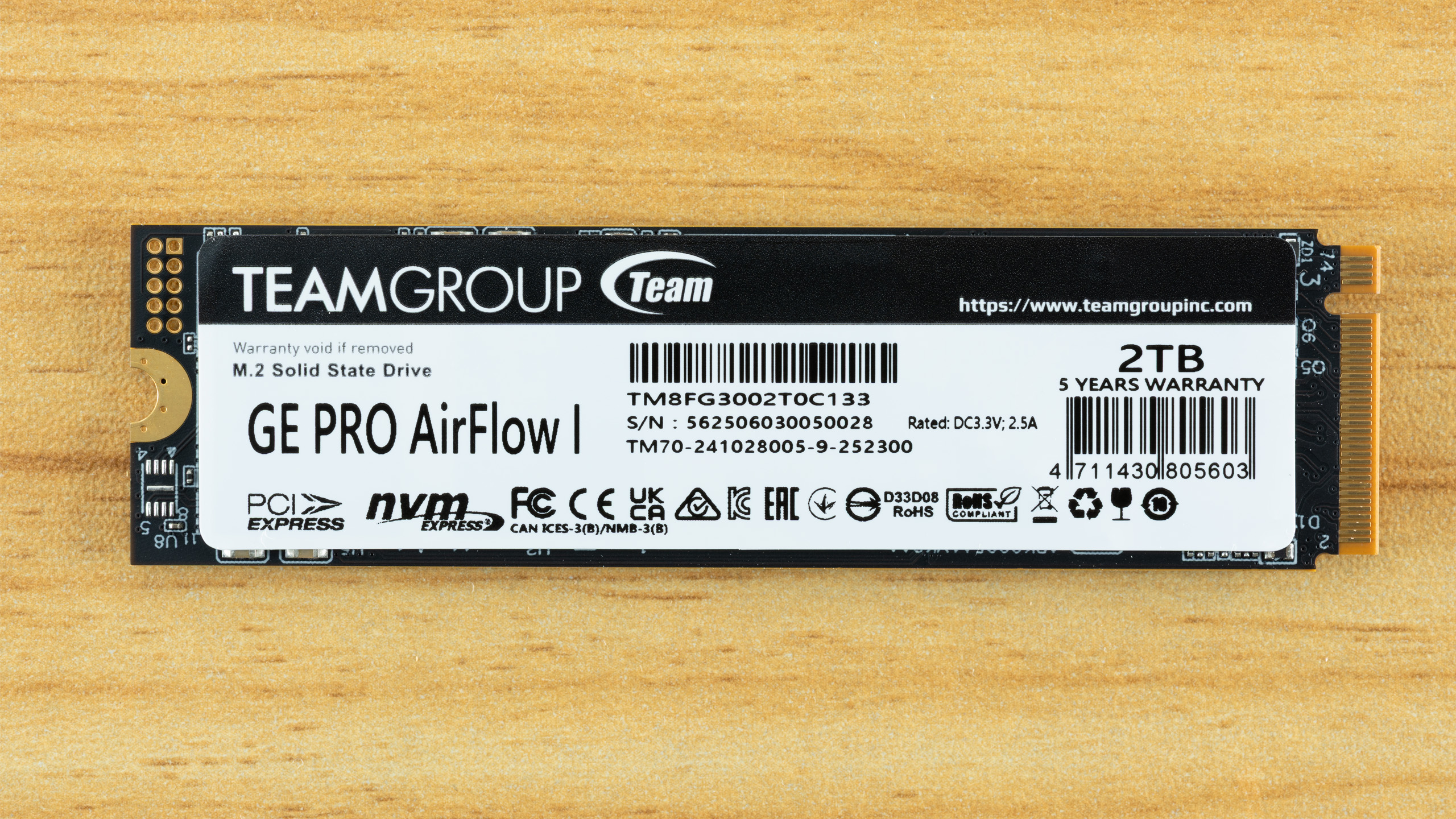
Performance, NAND, and controller quality
SSD performance depends on more than the brand name. The controller, NAND flash type, firmware, cache design, and capacity all matter.
Most consumer SSDs use one of these NAND types:
• TLC NAND stores three bits per cell and usually offers a good balance of speed, cost, and endurance.
• QLC NAND stores four bits per cell and allows higher capacity at a lower price.
• Older MLC NAND stores two bits per cell but is now less common in consumer products.
TLC is often the safer choice for heavy writing. QLC can be perfectly suitable for games, media libraries, and general storage, but its write speed may drop after the fast cache fills.
A drive’s advertised sequential speed shows its best large-file performance. It does not always represent small file work, mixed workloads, or long transfers. Independent tests using tools such as CrystalDiskMark, PCMark, and real file copies can provide a clearer picture.
When reviewing a TeamGroup SSD, pay attention to:
• Sequential read and write speed
• Random 4K performance
• Sustained write behavior
• Temperature under load
• Total bytes written rating
• Warranty length
• NAND type
• Whether the model includes DRAM
The exact model matters more than the TeamGroup name alone. Two drives from the same company can use different controllers and NAND.
Reliability and endurance
Is Team Group SSD good for reliability? TeamGroup SSDs can be reliable when used within their design limits, but no storage brand is immune to failure.
SSD endurance is often listed as TBW, or terabytes written. This number estimates how much data the drive can write during its rated life. It is not a guarantee that the drive will fail immediately after reaching that number.
For example, a 1 TB SSD with a 600 TBW rating is designed for far more writing than most home users create. A person who writes 50 GB each day would write about 18.25 TB per year. That is a simple estimate, and real usage varies.
You should also monitor drive health with SMART data. Useful signs include:
• Remaining life percentage
• Total data written
• Temperature
• Media and data integrity errors
• Available spare blocks
• Unsafe shutdown count
Always keep backups. An SSD can fail without much warning, even if its health software reports a normal condition. Important photos, work files, and financial records should exist in at least two separate places.

Warranty and support considerations
Warranty terms vary by model and region. Many TeamGroup consumer SSDs include a limited warranty based on a set number of years or a TBW limit, whichever comes first.
Before purchasing, check:
• The exact warranty period
• The TBW limit
• Proof-of-purchase rules
• Return policy from the seller
• Regional support terms
• Whether the warranty covers replacement only
Buy from a trusted retailer. Marketplace listings can sometimes contain unclear model information, old stock, or products with limited regional support.
Keep your receipt and record the drive’s serial number. If you need support later, this information can save time.
TeamGroup’s support experience may not feel as broad as that of the largest storage brands in every region. This does not automatically make the drive poor, but it is a fair factor to consider if you need business-level support.
Advantages of TeamGroup SSDs
Is Team Group SSD good value? This is where the brand often performs well. TeamGroup drives are commonly priced below premium competitors while still offering useful everyday performance.
Main advantages include:
• Competitive pricing
• Wide selection of SATA and NVMe drives
• Good performance for home users
• Easy installation in compatible systems
• Useful capacities for budget builds
• Strong value during sales
• Models for gaming and general storage
For a student, casual gamer, or home office user, paying less for a reliable mid-range SSD can make sense. You can use the savings for more RAM, a larger graphics card, or a better power supply.
Limitations and risks to consider
A low price can come with trade-offs. Is Team Group SSD good for every buyer? No. Some users need stronger sustained performance, higher endurance, or more consistent support.
Possible limitations include:
• Performance may fall during long writes
• Some models may use QLC NAND
• DRAM-less drives can be weaker in heavy workloads
• Model specifications may vary between revisions
• Budget drives may have lower endurance ratings
• High-speed NVMe drives can run warm
• Warranty support differs by location
Do not choose a drive based only on a large sequential speed number. If you edit 4K video, move large databases, run virtual machines, or write data all day, consider a higher-end TLC NVMe SSD with strong sustained performance.
For normal gaming and office use, these limitations may never matter. Matching the drive to your workload is the key.

How to choose the right TeamGroup SSD
Use this simple process before buying:
- Check your computer’s interface. Choose SATA for a 2.5-inch bay and NVMe for a compatible M.2 PCIe slot.
- Choose enough storage. A 500 GB drive suits basic use, while 1 TB is more comfortable for gaming and general work.
- Compare the exact model. Read the full specifications, not just the brand name.
- Check NAND and cache design. TLC is often a strong all-purpose choice.
- Review endurance. Compare the TBW rating with your expected writing needs.
- Check temperatures. A motherboard heatsink can help with fast NVMe drives.
- Read recent reviews. Look for long-term tests and sustained-write results.
- Buy from a reliable seller. This helps with returns and warranty claims.
A good example would be a basic laptop upgrade. If the laptop has a SATA bay and uses a hard drive, a 1 TB SATA TeamGroup SSD may offer better value than a premium NVMe drive that the laptop cannot use.
For a modern gaming desktop, a 1 TB or 2 TB PCIe 4.0 NVMe model may be a better fit. For professional video work, focus on sustained writes, endurance, cooling, and support before looking at price.
Installation and maintenance tips
Installing an SSD is usually simple, but preparation prevents mistakes.
Before installation:
• Back up important files
• Confirm the drive appears in the system BIOS or UEFI
• Use the correct screw for an M.2 drive
• Remove protective labels only when instructions allow it
• Initialize and format the drive in the operating system
• Update firmware only through trusted software
• Keep the system firmware and storage drivers current
After installation, check the drive temperature and health. Do not use aggressive “SSD optimization” tools that claim to clean or defragment the drive. Modern operating systems generally manage SSD maintenance through TRIM.
Never defragment an SSD like a traditional hard drive. TRIM and normal operating system maintenance are the correct tools for most users.

Is Team Group SSD good compared with Samsung, Crucial, and WD?
TeamGroup can compete well on price and everyday performance. Samsung, Crucial, and Western Digital may offer broader model ranges, stronger software tools, or more widely recognized support in some markets.
That does not mean one brand always wins. A TeamGroup SSD may be a better buy than a more expensive competitor if it offers:
• Similar NAND quality
• Comparable endurance
• A suitable controller
• A good warranty
• A lower price
• Enough performance for your workload
Brand reputation matters, but the exact model matters more. Compare specifications, independent tests, warranty terms, and current prices on the day you buy.
My practical buying rule is simple: choose the best-reviewed model from a reliable brand that fits your system and workload. Do not pay extra for speed your computer cannot use.
Who should buy a TeamGroup SSD?
A TeamGroup SSD is a sensible choice for:
• Students
• Home office users
• Budget gaming PCs
• Older laptop upgrades
• Secondary game storage
• Everyday desktop computers
• Affordable media storage
You may want another option if you:
• Write hundreds of gigabytes every day
• Run professional workloads for long periods
• Need enterprise support
• Require advanced data protection
• Cannot tolerate downtime
• Need the strongest sustained performance available
For many people, the real answer to “is Team Group SSD good” is yes, as long as the drive is selected for the right job.
Is Team Group SSD good? Frequently asked questions
Is TeamGroup a reliable SSD brand?
TeamGroup is a recognized memory and storage brand with a broad consumer SSD lineup. Reliability depends on the specific model, firmware, workload, and proper system use, so check the exact warranty and endurance rating.
Is TeamGroup SSD good for gaming?
Yes, TeamGroup SSDs can work very well for gaming. An NVMe model can shorten load times, while an SSD of any suitable type can greatly improve the experience compared with a hard drive.
How long does a TeamGroup SSD last?
The lifespan depends on write volume, temperature, NAND type, and the model’s TBW rating. Most home users can expect many years of service, but regular backups are still essential.
Is TeamGroup better than Samsung SSD?
Neither brand is always better. Samsung may offer stronger premium features or software on some models, while TeamGroup often provides competitive performance at a lower price.
Should I buy a TeamGroup SATA or NVMe SSD?
Choose SATA when your computer has a 2.5-inch bay or lacks NVMe support. Choose NVMe when your motherboard or laptop supports an M.2 PCIe drive and you want faster file transfers.
Are TeamGroup SSDs good for PS5 storage?
Only compatible PCIe 4.0 NVMe models that meet the console’s size, speed, and heatsink requirements should be considered. Check the current console requirements and confirm that the drive includes suitable cooling.
Do TeamGroup SSDs need a heatsink?
SATA SSDs usually do not need a heatsink. Fast NVMe drives, especially PCIe 4.0 models, may benefit from a motherboard heatsink or another compatible cooling solution.
Conclusion
TeamGroup SSDs offer good value for everyday computing, gaming, laptop upgrades, and budget PC builds. Their performance can be strong, but the exact model, NAND type, endurance rating, cooling, and warranty matter more than the logo on the drive.
The best approach is to check compatibility first, compare independent test results, keep free storage space available, and maintain reliable backups. If you match the right TeamGroup SSD to your workload, it can be a smart and cost-effective upgrade. Share your computer model and intended use in the comments to help narrow down the best option.
