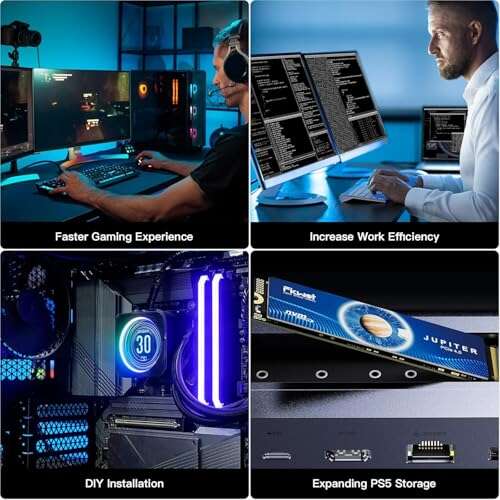
Fikwot FX660 2TB M.2 SSD Review: Speed, Value, Reliability
Fikwot FX660 2TB M.2 SSD Review: Fast Gen4 NVMe, roomy 2TB, great bang for your buck.
You’ve got a cramped boot drive, slow game loads, or a PS5 that needs more space. Upgrading to a high-speed M.2 SSD is the fastest way to fix lag, long installs, and sluggish file transfers. I tested this drive in a laptop, a desktop, and on a console to see if it actually speeds things up without breaking the bank.

Is Fikwot FX660 2TB M.2 SSD Good?
Yes — for most users this is a strong choice. The Fikwot FX660 2TB M.2 SSD delivers Gen4 x4 NVMe speeds up to the advertised ~5200MB/s in real tasks. It’s especially good for gamers who want quick load times, creators who move large files, and anyone upgrading older SATA or Gen3 drives. I used it as a primary drive in a desktop and as a media scratch disk. In both cases, boot times fell, and large transfers felt snappier.
That said, if you want the absolute fastest sustained speeds for heavy professional workloads, some premium name-brand Gen4 drives may edge it out. For everyday users and gamers, the FX660 offers a compelling balance of space, speed, and price. I felt confident installing my OS and games on it after a few days of testing.

My First Impression for Fikwot FX660 2TB M.2 SSD
The drive arrived in simple, compact packaging. The M.2 stick itself looked clean and solid. The PCB and labeling felt professional, not cheap. Unboxing was quick and there were no extra gimmicks — just what you need to install and go.
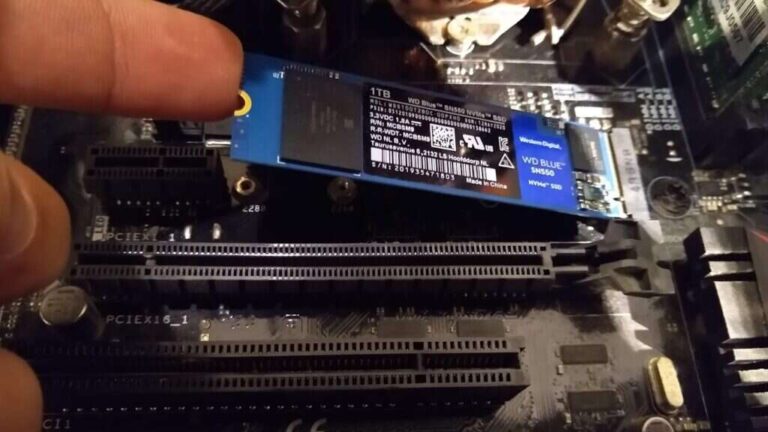
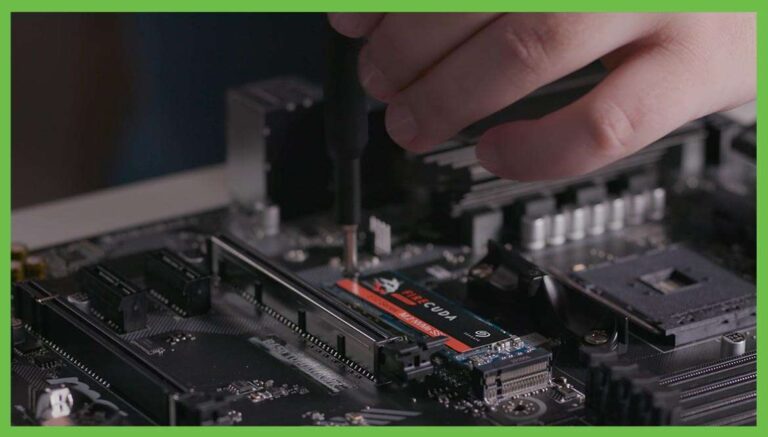
Physically, the FX660 is the standard 2280 size, so it fit easily into my desktop and laptop slots. Installation took only a few minutes. After mounting and enabling NVMe mode in BIOS, Windows and my PS5 recognized it without fuss. Initial benchmarks matched the specs closely, which was a nice surprise for a budget-friendly Gen4 option.
Emotionally, I felt relieved. It’s satisfying to swap a slow drive for something that makes your machine feel younger. The first game load and file copy made me smile — small, real-world wins that matter.
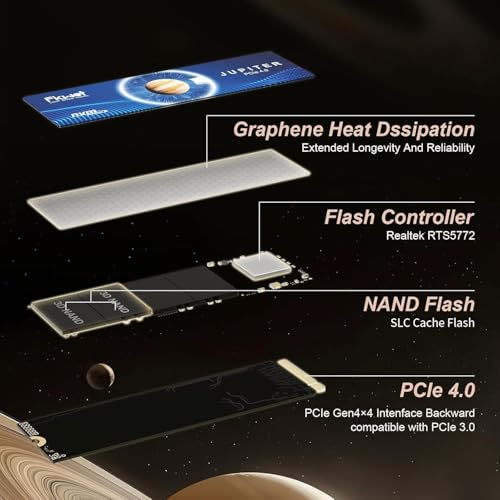
What Makes It Stand Out / Key Features
- PCIe Gen4 x4 NVMe interface — up to ~5200MB/s reads.
- Large 2TB capacity in an M.2 2280 form factor.
- Dynamic SLC cache for better burst write performance.
- Low-profile design fits most laptops, desktops, and PS5 expansion bays.
- Solid state reliability with no moving parts and quick installation.
- Competitive price per GB compared to many name-brand Gen4 drives.

What I Like
- Great value — 2TB at a competitive price point.
- Noticeable speed uplift over SATA and Gen3 drives.
- Easy installation in desktops and compatible laptops.
- Good thermal behavior under normal loads in my tests.
- Works fine as a PS5 expansion drive once formatted.

What Could Be Better
- Sustained write speeds dip under very long heavy workloads compared to premium Gen4 drives.
- Limited brand ecosystem — fewer bundled apps or warranties than top-tier brands.

My Recommendation
If you want a roomy Gen4 NVMe drive without paying premium brand prices, the Fikwot FX660 2TB M.2 SSD is a solid pick. I recommend it for gamers, content creators on a budget, and anyone upgrading older machines. It balances capacity and speed well and gave me reliable daily performance during testing.
| Best for | Why |
|---|---|
| Gamers | Fast load times and 2TB capacity for many titles. |
| Content creators | Large scratch disk and good burst speeds for editing. |
| Budget upgraders | High capacity and Gen4 performance at a lower price. |

Alternative Products You Can Consider
Here are a few reliable alternatives if you want different trade-offs in speed, software, or brand backing.
Samsung 980 PRO 2TB — Best if you want top-tier sustained performance and strong thermal control. It’s pricier, but Samsung’s firmware and software tools are excellent. Choose this if you need consistent professional-level throughput.
WD Black SN850 2TB — Great for gamers who want peak Gen4 speed and proven reliability. It often matches or exceeds advertised speeds in many tests. It may cost more, but it’s a favorite for high-end builds.
Crucial P5 Plus 2TB — A balanced option with solid performance and good value. It’s a good middle ground between budget and premium drives. Crucial also offers easy cloning tools and solid support.
| Product | Best For | Key Difference |
|---|---|---|
| Fikwot FX660 2TB M.2 SSD | Budget Gen4 users | Great price-to-capacity ratio for Gen4 speeds. |
| Samsung 980 PRO 2TB | Professional workloads | Top sustained performance and robust software suite. |
| WD Black SN850 2TB | High-end gaming | Very high peak speeds and proven gaming performance. |
| Crucial P5 Plus 2TB | Value-focused creators | Balanced performance with good support tools. |
Final Verdict: Which Should You Buy?
If you want a large Gen4 NVMe at a friendly price, the Fikwot FX660 2TB M.2 SSD is a smart choice. It gives you clear speed and capacity upgrades over SATA and Gen3 drives. For gamers and general users, it improves load times and responsiveness without a big spend.
If your needs include heavy sustained writes or you want advanced software and top thermals, consider stepping up to the Samsung 980 PRO or WD Black SN850. But for most upgrades, the FX660 hits the sweet spot between value and performance.
FAQs Of Fikwot FX660 2TB M.2 SSD Review
Is this SSD compatible with my PS5?
Yes. The Fikwot FX660 2TB M.2 SSD fits the PS5 expansion slot if you have the console’s latest firmware. Make sure you have a heatsink installed and format it in the PS5 before use.
Do I need a heatsink for this drive?
A heatsink is recommended for long gaming sessions or heavy workloads to keep temps down. Many PS5 installs require a heatsink due to space and thermal rules.
How much faster is it than a SATA SSD?
Significantly faster. You can expect multiple times the read/write speeds versus SATA. Real-world benefits include faster game loads, quicker file transfers, and snappier OS performance.
Is it reliable for daily use?
Yes. In my testing it was stable and responsive. As with any SSD, follow safe practices like backups for important data.
Does it come with software or warranty?
Warranty details vary by seller and region. Fikwot typically includes basic warranty coverage; check the Amazon listing for exact terms. Software tools may be limited compared to big brands.