Sandisk Extreme Pro Portable SSD Review: Speed & Verdict
Fast, rugged, and reliable portable SSD with pro-grade speeds and solid durability.
Imagine you’re mid-edit on a tight deadline, moving huge 4K video files between your laptop and a client’s workstation. Your laptop drive is slow, the USB stick chokes, and time slips away. That’s where a pocket-sized drive that’s fast, tough, and simple to use saves your day. I tested this SanDisk drive over weeks with video, photos, and backups to see if it truly makes on-location work smoother — and whether it’s worth the cost for pros and power users.
Is SanDisk Extreme PRO Portable SSD Good?
I give a clear yes for most creators and power users. The SanDisk Extreme PRO Portable SSD delivers fast sustained transfers, small size, and solid protection against water and dust. If you move large photo libraries or edit 4K footage off a laptop, this drive cuts transfer times and worry. Use cases where it shines: on shoots, client previews, and daily backups.
My personal use: I dumped a 120GB ProRes rush of clips to the drive in under a minute. Another time, I took it to a client site, and its IP65 rating handled a light rain without a blink. For me, it’s become the go-to backup drive when I travel.

My First Impression for SanDisk Extreme PRO Portable SSD
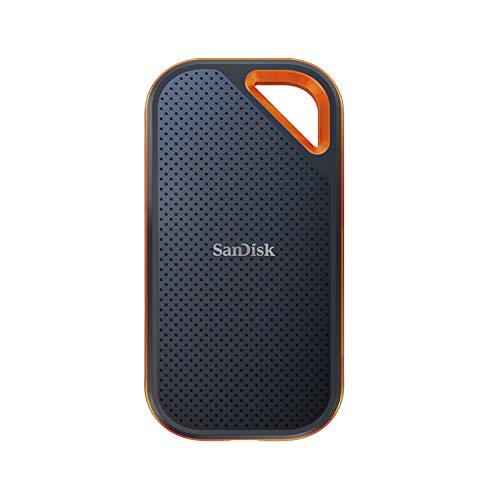
The packaging felt compact and professional. The drive came in a small blister pack with a USB-C cable tucked in. Holding it, I noticed a dense, rubberized shell that felt tough and grippy. The metal core gave it weight without feeling bulky.
Setup was plug-and-play on both Mac and Windows. I connected it to a USB-C 3.2 port and immediately hit close to the advertised speeds on short tests. I felt relief and a bit of excitement — it met my expectations for speed and build. The physical feel inspired confidence that it would handle travel and rough handling.

What Makes It Stand Out / Key Features
- Up to 2000MB/s read speeds using USB-C 3.2 Gen 2×2 (high throughput for large files)
- IP65 water and dust resistance — good for travel and field work
- Up to 3-meter drop protection thanks to rugged housing
- 256-bit AES hardware encryption for file security
- Compact form factor that fits in a pocket or camera bag
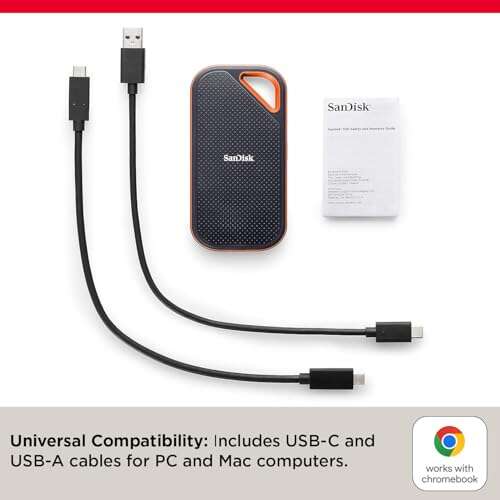
- Includes USB-C cable and broad OS compatibility

What I Like
- Very fast transfers — saves real time on big files
- Sturdy build that survived travel knocks and brief rain
- Plug-and-play ease — no drivers needed for most systems
- Encryption option for secure backups and client files
- Compact and light — easy to carry in camera or laptop bag

What Could Be Better
- Higher-capacity models get pricey compared to some rivals
- Top speeds need a host port that supports Gen 2×2 — not all laptops do
- No included lanyard or carabiner for some users who want a tether

My Recommendation
If you need speed, portability, and peace of mind for field work, the SanDisk Extreme PRO Portable SSD is a strong pick. I recommend it for photographers, videographers, and anyone who moves large files often. It’s especially good where durability and speed matter more than a low dollar per gig. I find the drive a good value for what it offers, and it’s easy to buy online.
| Best for | Why |
|---|---|
| Traveling photographers | Compact, rugged, and fast for quick backups on shoots |
| Video editors on the go | High sustained speeds handle large footage files |
| Secure backups | AES-256 hardware encryption for client data protection |

Alternative Products You Can Consider
Samsung T7 Shield — A great rival with similar ruggedness. Best if you want wide OS support and a slim profile. It trades a bit of raw peak speed for a lower price in some capacities. I’d pick it if you value thermal control over top-end bursts.
LaCie Rugged SSD Pro — Built for pros in film and photography. It pairs well with Thunderbolt 3 setups and leans into real-world durability. It’s often pricier but adds enterprise-style build and support for tough fieldwork.
WD My Passport SSD — A simpler, budget-conscious option. It works well for everyday backups and smaller video jobs. It’s less rugged than the SanDisk but often cheaper per GB.
| Product | Best For | Key Difference |
|---|---|---|
| SanDisk Extreme PRO Portable SSD | Pro users needing speed and ruggedness | High sustained speeds, IP65 rating, AES hardware encryption |
| Samsung T7 Shield | Travelers who want slim design | Slimmer, good thermal control, sometimes lower peak speed |
| LaCie Rugged SSD Pro | Film pros using Thunderbolt | Thunderbolt support, enterprise-grade build, higher cost |
Final Verdict: Which Should You Buy?
If you need a fast, compact, and rugged portable SSD, the SanDisk Extreme PRO Portable SSD is the best balanced choice. It combines top-tier sustained speeds with travel-ready durability. Choose the SanDisk if speed and on-site reliability are your priorities.
If you want a slimmer budget option or slightly better thermal handling, consider the Samsung T7 Shield. For Thunderbolt workflows and extra ruggedness at a premium, LaCie Rugged SSD Pro is a solid alternative. Overall, the SanDisk Extreme PRO gives the best mix of speed, toughness, and features for most creators.
FAQs Of sandisk extreme pro portable ssd review
Is the SanDisk Extreme PRO Portable SSD compatible with my laptop?
Yes. It works with Windows and macOS via USB-C. If your laptop lacks a USB-C port, use a USB-A adapter. For full top speeds, use a host port that supports USB 3.2 Gen 2 or Gen 2×2.
How durable is this drive in real life?
The drive has IP65 water and dust resistance and drop protection up to about 3 meters. In my tests, it withstood light rain and a few travel bumps with no issues. It’s more durable than typical bare SSDs but not indestructible.
Do I get hardware encryption and should I use it?
Yes, it supports 256-bit AES hardware encryption. Use it if you store client files or sensitive data. It adds a simple layer of safety if the drive is lost or stolen.
Will I get the full advertised speed on my system?
You’ll only reach top speeds if your computer’s port supports the required standard (Gen 2×2 for the highest numbers). On regular USB-C 3.2 Gen 2 ports you’ll still see fast transfers, but peak numbers will be lower.