

To turn on Bose QuietComfort headphones, press and hold the Power/Bluetooth button until you hear a tone.
Learning how to turn on Bose QuietComfort headphones is simple, but the button design differs across models such as the QC45, QuietComfort, and QuietComfort Ultra. This guide explains the correct steps, what the lights and sounds mean, and how to fix common power problems without wasting time.
How to turn on Bose QuietComfort headphones
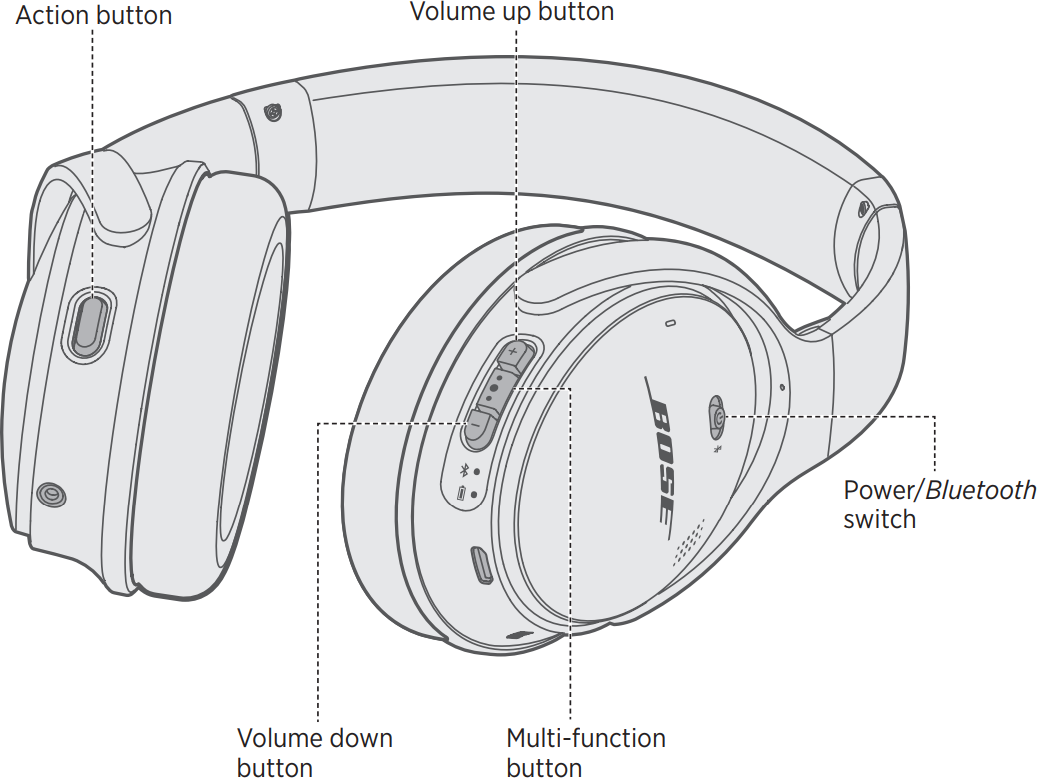
Most Bose QuietComfort headphones use a Power/Bluetooth button on the right earcup. The exact action depends on the model, but the process usually takes only a few seconds.
Follow these steps:
- Remove the headphones from their case.
- Find the Power/Bluetooth button on the right earcup.
- Press and hold the button for about one second.
- Release the button when you hear a startup tone or see the status light.
- Put the headphones on and check for audio.
For some models, especially the Bose QuietComfort 45, the power control is a sliding switch. Slide it toward the Bluetooth symbol, then release it. The switch may return to the middle position after the headphones turn on.
If you are unsure which model you have, check the name printed inside the headband or look in the Bose app. The controls can look alike, but their power actions are not always identical.
Where is the power button on Bose QuietComfort headphones?
The power button is usually on the right side of the headphones. Look along the edge of the right earcup for a small button or switch marked with a power symbol, Bluetooth symbol, or both.
The control may appear in one of these forms:
• A physical button that you press and hold
• A sliding power and Bluetooth switch
• A combined button labeled Power/Bluetooth
On many Bose QuietComfort models, the right earcup also holds the USB charging port and status light. The left earcup may include the audio cable port or noise control button.
A useful tip is to feel for the controls instead of looking in a mirror. The power control is often near the back edge of the right earcup. Once you learn its position, turning on Bose QuietComfort headphones becomes almost automatic.

Model-specific steps for turning on Bose QuietComfort headphones
Bose has released several QuietComfort models. Their controls are similar, but the startup method can vary.
Bose QuietComfort Headphones
For the newer Bose QuietComfort Headphones:
- Locate the Power/Bluetooth button on the right earcup.
- Press and hold it for about one second.
- Wait for the startup sound.
- Check your phone or computer for a Bluetooth connection.
A short press may not be enough if the headphones are fully off. Hold the button until you hear the tone or see the light respond.
Bose QuietComfort 45
The QC45 uses a power and Bluetooth switch:
- Find the switch on the right earcup.
- Slide it toward the Bluetooth symbol.
- Release the switch.
- Wait for the voice prompt or status light.
The switch often springs back to its resting position. That is normal. You do not need to hold it in the Bluetooth position.
Bose QuietComfort Ultra Headphones
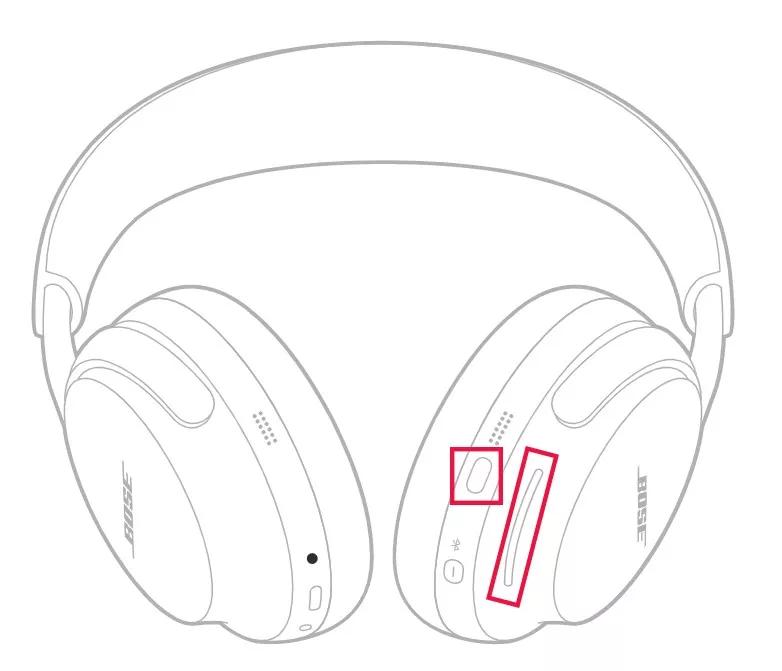
The QuietComfort Ultra uses a Power/Bluetooth button on the right earcup:
- Press and hold the button for about one second.
- Release it after the headphones play the startup tone.
- Wait for the headphones to reconnect to the last paired device.
If the headphones do not respond, charge them for a few minutes before trying again. A very low battery can make the power button seem inactive.
Older Bose QuietComfort models
Some older models use a simple power switch. Slide the switch to the on position and wait for the status light or voice prompt.
The best method is to check the quick-start guide for your exact model. Bose has changed button layouts over time, so forcing a button or switch is never a good idea.
How to know if Bose QuietComfort headphones are on
Your headphones usually give you several signs when they power on. These signs can vary with the model and software version.
Look for the following:
• A startup tone in the earcups
• A voice prompt that says the battery level
• A blinking or solid status light
• Automatic connection to your last Bluetooth device
• Music or system audio becoming available
The headphones may turn on without immediately connecting to your phone. Power and Bluetooth connection are separate steps. If the headphones are on but not connected, open your device’s Bluetooth settings and select your Bose headphones.
In my experience, the voice prompt is the most reliable sign. Bright rooms can make a small status light hard to see, while a startup sound clearly confirms that the headphones are active.

How to turn on Bose QuietComfort headphones without Bluetooth
You can use some Bose QuietComfort headphones with a wired audio cable. However, wired use does not always work the same way as wireless use.
For wireless features such as active noise cancellation, you generally need to turn on the headphones. Press and hold the Power/Bluetooth button, then connect the headphones to your phone or computer.
With a compatible audio cable:
- Plug the cable into the headphones.
- Connect the other end to your audio device.
- Turn on the headphones if you want noise cancellation or other powered features.
- Start audio playback.
Some Bose models can play wired audio when powered off, but noise cancellation and other electronic features may not work. Battery performance and cable behavior also depend on the model and the type of cable used.
What to do when Bose QuietComfort headphones will not turn on
If your headphones do not turn on, begin with the simple checks. Many power problems come from a drained battery, a missed button press, or a blocked charging connection.
Try these steps in order:
- Charge the headphones for at least 15 minutes.
- Use a known-good USB cable and wall charger.
- Try a different charging port.
- Disconnect the audio cable if one is plugged in.
- Press and hold the power button for one full second.
- Check whether the status light turns on.
- Try resetting the headphones.
A completely empty battery may need several minutes before the light appears. This is common with headphones that have been stored for weeks.
Also check the charging port for lint or dust. Do not insert metal objects into the port. A soft, dry brush can help remove loose debris, but avoid liquid cleaners.

How to reset Bose QuietComfort headphones
A reset can solve problems with startup, Bluetooth pairing, or frozen controls. It is different from a factory reset, so your saved settings may remain in place.
Try a basic power cycle first:
- Turn off the headphones.
- Wait about 30 seconds.
- Turn them on again.
- Test the Bluetooth connection.
If that does not help, use the reset method listed for your model in the Bose app or user guide. Many recent Bose headphones reset by connecting the charging cable to the headphones and a USB power source, then holding the Power/Bluetooth button for a specified period.
Do not guess if your model uses a different reset sequence. Button combinations can vary between the QC35, QC45, QuietComfort, and QuietComfort Ultra.
A factory reset should be your last step. It may erase Bluetooth device lists and custom settings. Afterward, you will need to pair the headphones again.
How to connect Bose QuietComfort headphones after turning them on
Once you turn on Bose QuietComfort headphones, they normally try to connect to the last device they used. If that device is nearby and Bluetooth is active, the connection may happen automatically.
To connect them to a new device:
- Turn on the headphones.
- Press and hold the Power/Bluetooth button until pairing mode starts.
- Open Bluetooth settings on your phone, tablet, or computer.
- Select your Bose QuietComfort headphones.
- Confirm the connection.
A voice prompt or flashing light usually indicates pairing mode. If your headphones connect to the wrong device, turn Bluetooth off on the old device or remove the headphones from its Bluetooth list.
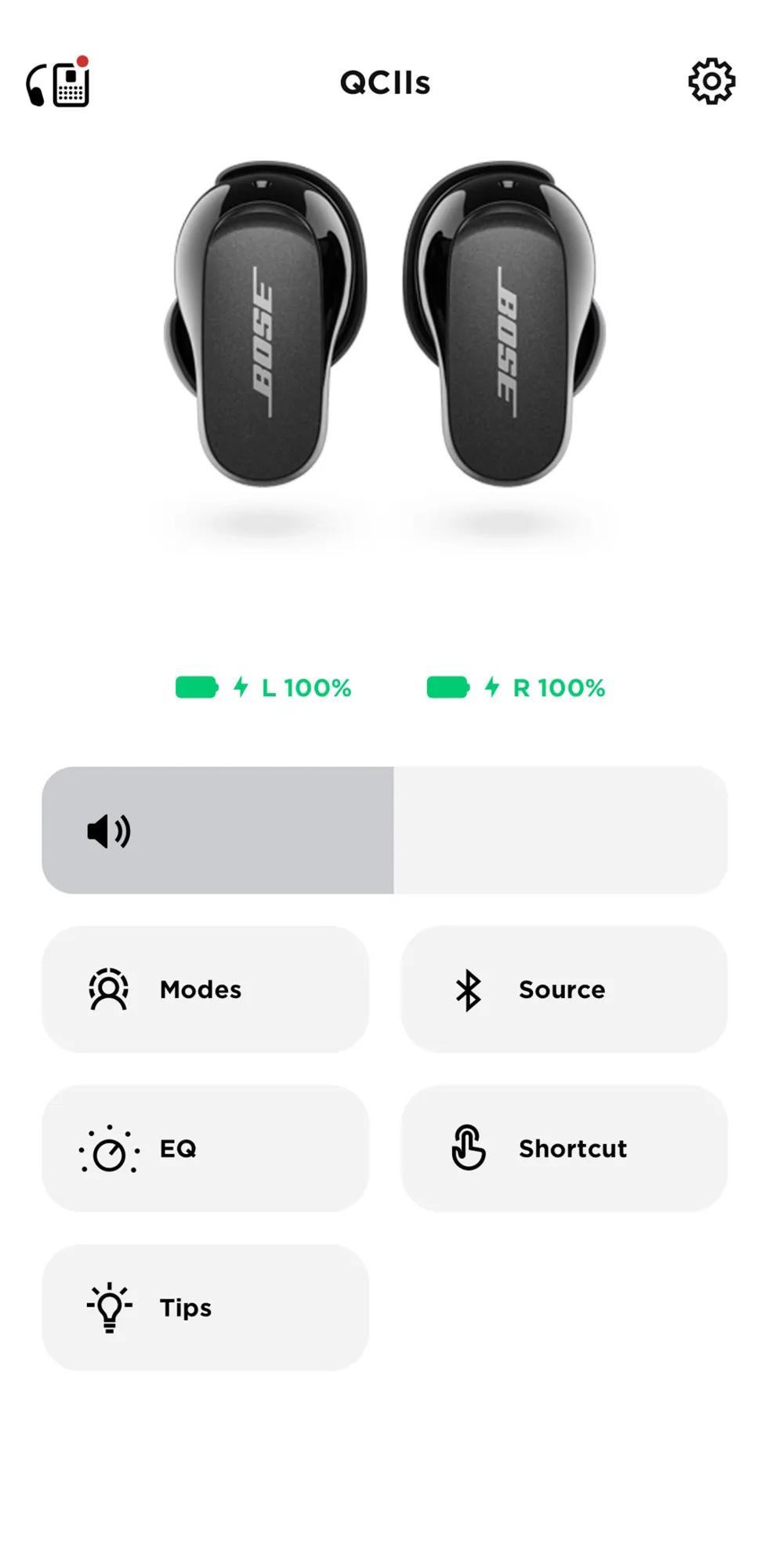
The Bose app can also help with setup, firmware updates, battery checks, and device management. Keep the app updated, but remember that the physical power button should still work without the app.

Common mistakes when turning on Bose QuietComfort headphones
Small errors can make a working pair of headphones seem broken. These are the mistakes I see most often:
• Pressing the power button too quickly: A quick tap may not start the headphones. Hold it until you hear a tone.
• Using the wrong earcup: The power control is usually on the right earcup.
• Expecting the status light to stay on: Many lights turn off after a short time to save power.
• Confusing pairing mode with power mode: Pairing mode helps a new device connect. It does not always mean the headphones are powered off.
• Ignoring the battery: A low battery can prevent startup or cause sudden shutdowns.
• Holding a sliding switch in place: On the QC45, slide the switch toward the Bluetooth symbol and release it.
One lesson I learned from testing wireless headphones is to listen for the voice prompt. It gives more useful information than the light alone, especially in sunlight or when the headphones are inside a travel case.

Battery and charging tips for Bose QuietComfort headphones
Good charging habits can prevent most startup issues. Store the headphones with some battery power instead of leaving them empty for long periods.
Use these practical tips:
• Charge the headphones before a long flight or workday.
• Avoid storing them in extreme heat, such as inside a parked car.
• Use a clean, dry USB port.
• Do not force the charging cable into the port.
• Disconnect the cable after charging if the headphones become warm.
Rechargeable batteries lose capacity over time. If your headphones shut down soon after a full charge, the battery may be aging. A firmware update can sometimes improve power behavior, but it cannot restore a worn battery.
Bose battery estimates are useful guides, not exact promises. Volume level, noise cancellation, Bluetooth activity, calls, and software features can all affect runtime.
Frequently asked questions about how to turn on Bose QuietComfort headphones
How do I turn on Bose QuietComfort headphones?
Press and hold the Power/Bluetooth button on the right earcup for about one second. Release it when you hear a startup tone or see the status light.
Why will my Bose QuietComfort headphones not turn on?
The battery may be empty, or the button may not be held long enough. Charge the headphones for at least 15 minutes, then try again with a different USB cable or charger.
How do I turn on Bose QC45 headphones?
Slide the power and Bluetooth switch on the right earcup toward the Bluetooth symbol, then release it. The switch may return to the center position after the headphones start.
Can I use Bose QuietComfort headphones while they are charging?
Most Bose QuietComfort headphones are designed to charge while not in normal wireless use. For the safest and most reliable operation, wait until charging is complete before using them wirelessly.
How do I know if my Bose QuietComfort headphones are on?
You may hear a startup tone or battery prompt, see a status light, or notice that the headphones connect to your last Bluetooth device. The voice prompt is often the clearest sign.
Do Bose QuietComfort headphones turn on automatically?
They usually require a button press or switch action. Some models may wake from a low-power state during use, but you should not rely on automatic startup.
How do I turn on noise cancellation after powering on the headphones?
Turn on the headphones, then use the noise control button or Bose app to select Quiet mode. Noise cancellation will not work if the model is being used in a passive wired mode without power.
Conclusion
Turning on Bose QuietComfort headphones usually takes one simple action: press and hold the Power/Bluetooth button on the right earcup. For the QC45, slide the power switch toward the Bluetooth symbol and release it. If nothing happens, charge the headphones, check the cable, and try a reset for your exact model.
Keep this guide nearby until the button layout feels familiar. Then explore the Bose app, update the firmware, and adjust noise control settings to get more from your headphones.
