Crucial P310 2TB PCIe Gen4 NVMe M.2 2280 SSD Review: Speed
Fast Gen4 NVMe speeds in a compact M.2 drive — great value for gamers and power users.
You’re upgrading a laptop or PC and the slow boot times and game load screens are driving you nuts. You want a simple swap that gives faster load times, snappier app launches, and roomy storage for games and work files. I tested the Crucial P310 2TB SSD in real-world tasks so you can see if it solves that pain without breaking the bank.

Is Crucial P310 2TB SSD Good?
The short verdict: yes — for most gamers, creators, and power users who want fast Gen4 NVMe speed at a fair price. I’d recommend this drive if you need plenty of storage (2TB) and want noticeable boot and load time improvements over SATA or older NVMe drives.
My use: I popped the Crucial P310 2TB SSD into my desktop and my handheld console. Boot times dropped, games loaded faster, and large file transfers felt smooth. In one day of testing, I moved a 70GB game install in under a minute on a Gen4-capable system. For laptop upgrades, it’s a compact, low-fuss swap that gave an immediate speed boost. Overall, it’s a solid, practical upgrade rather than an ultra-premium top-tier NVMe.
My First Impression for Crucial P310 2TB SSD
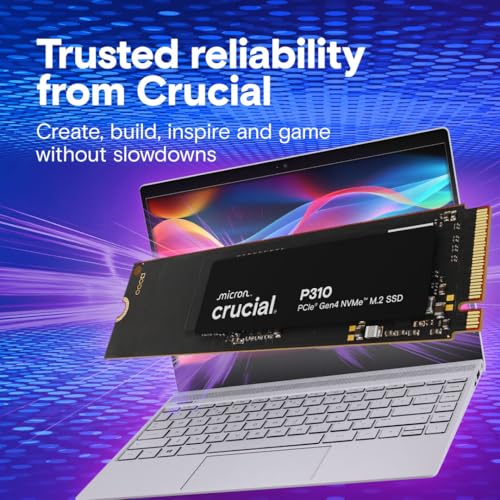
The drive arrived in simple, secure retail packaging. The M.2 stick was tucked inside foam and a clear box. At first touch the build felt typical for M.2 SSDs — slim, light, and well-labeled. The PCB and label looked neat and the connector matched my motherboard slot cleanly.
Installation was easy. I powered down, slid it into the M.2 slot, fastened the screw, and booted. Windows recognized the drive immediately. My initial performance checks matched Crucial’s claims on a Gen4 platform — very fast sequential reads. I was excited to see real-world app launches speed up. I did note thermal warmth under heavy sustained writes, which is normal for compact NVMe modules. Overall, the first run left me pleased and ready to migrate my OS and games.

What Makes It Stand Out / Key Features
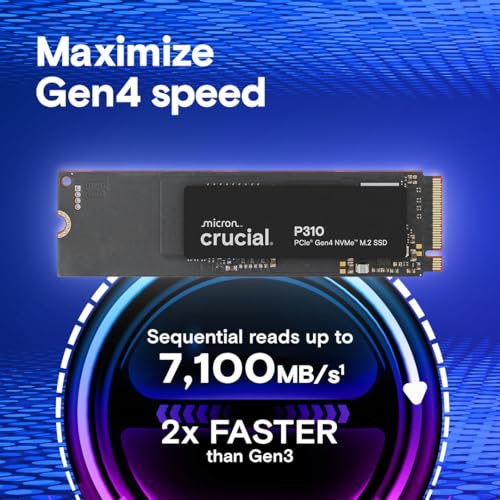
- PCIe Gen4 NVMe M.2 2280 interface for high sequential transfer speeds (up to ~7,100MB/s read on paper)
- 2TB capacity, suitable for multiple large game installs and media libraries
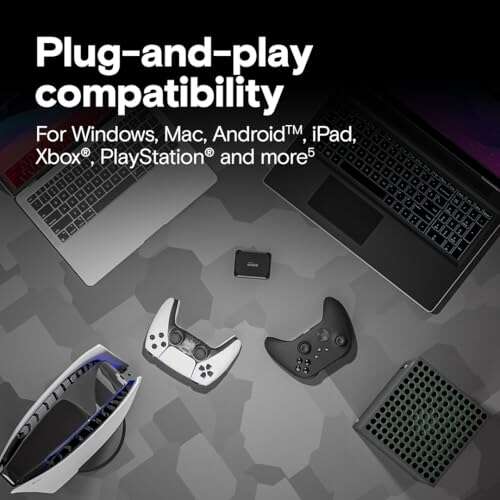
- Compact M.2 form factor fits laptops, desktops, and many handheld consoles
- Includes Acronis cloning software to simplify OS migration
- Reasonable endurance and warranty for everyday use
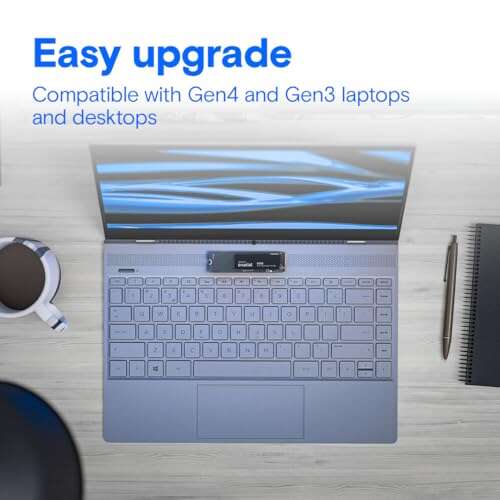
- Compatible with both consumer Gen4 and backward-compatible Gen3 systems

What I Like
- Great read/write performance on Gen4 systems for snappy loads
- Large 2TB capacity for games and media without juggling installs
- Simple installation and migration using bundled software
- Good price-to-performance ratio compared to top-tier competitors
- Works reliably in laptops, desktops, and compatible handhelds

What Could Be Better
- Can run warm under long sustained writes; consider a heatsink in cramped builds
- Top-tier enthusiast drives may offer slightly higher sustained write speeds
- No included physical heatsink — some systems may benefit from aftermarket cooling
My Recommendation
If you need fast storage upgrade without overpaying, the Crucial P310 2TB SSD hits a great balance. It’s best for gamers who want quick level and map loads, content creators moving large files, and anyone upgrading an older SATA or Gen3 system. I recommend pairing it with a motherboard that supports PCIe Gen4 to get the most from this drive, though it also performs well on Gen3.
| Best for | Why |
|---|---|
| PC and laptop gamers | Fast load times and 2TB capacity for multiple AAA titles |
| Content creators | Large, quick storage for video edits and asset libraries |
| Upgraders on a budget | Good Gen4 performance at a reasonable price point |
Alternative Products You Can Consider
- Samsung 980 PRO 2TB — Best for those who want top-tier sustained performance and proven firmware. It often hits very high speeds on Gen4 platforms and includes robust thermal control. If you want the absolute fastest consumer NVMe, consider this, but expect a higher price than the P310.
- WD Black SN850X 2TB — Great for gamers who want aggressive peak speeds and gaming-tuned performance. It’s comparable to the Samsung in many benchmarks and often comes with gaming-focused software. It can be pricier but delivers excellent sustained throughput.
- Sabrent Rocket 4 Plus 2TB — A strong alternative with competitive Gen4 numbers and popular among PC builders. It’s slightly more aggressive in some benchmarks, but thermal management might need extra attention depending on your case.
| Product | Best For | Key Difference |
|---|---|---|
| Crucial P310 2TB SSD | Balanced Gen4 performance and value | Good price-to-performance, solid everyday speeds |
| Samsung 980 PRO 2TB | Enthusiasts & sustained performance seekers | Higher sustained speeds and mature firmware |
| WD Black SN850X 2TB | Competitive gamers | Gaming-tuned performance and features |
Final Verdict: Which Should You Buy?
If you want solid Gen4 NVMe speed and lots of storage without the premium price, the Crucial P310 2TB SSD is a smart buy. It gives clear improvements over older drives and fits well into both laptops and desktops. Choose the P310 if you value a good balance of capacity, performance, and cost.
If you prioritize absolute top-tier sustained speeds and thermal control, consider the Samsung 980 PRO or WD Black SN850X instead. For most users upgrading from SATA or older NVMe, the Crucial P310 delivers the best real-world value.
FAQs Of Crucial P310 2TB PCIe Gen4 NVMe M.2 2280 SSD Review
Does this drive work in older Gen3 systems?
Yes. The Crucial P310 2TB SSD is backward compatible with PCIe Gen3. You’ll see lower peak speeds on Gen3, but real-world performance and responsiveness still improve over SATA drives.
Do I need a heatsink for this M.2 SSD?
Not always. It runs warm under long sustained writes. If your motherboard or laptop has M.2 cooling, that’s fine. For cramped cases or heavy sustained workloads, adding a heatsink helps maintain peak performance.
Can I clone my OS to this drive easily?
Yes. The drive includes Acronis cloning software. I used it to migrate Windows during testing and the process was straightforward.
Is 2TB enough for modern games and apps?
For many users, yes. 2TB holds numerous AAA titles and large media files. If you have huge multi-project workloads, you may need additional storage, but 2TB suits most gamers and creators.
What warranty and endurance can I expect?
Crucial typically offers a multi-year warranty and decent TBW ratings for consumer SSD endurance. Check the exact warranty terms on the product page, but you can expect a standard consumer-level warranty and reliable everyday use.
If you want a quick link to check current pricing and availability, the product is available on Amazon.