

Most Beats headphones take about two hours to reach a full charge, though the exact time varies by model.
Knowing how long it takes for Beats headphones to charge helps you plan commutes, workouts, flights, and work calls without battery stress. Charging speed depends on the model, cable, power source, battery level, and whether you use the headphones while charging. This guide explains the charging times for popular Beats models, how fast charging works, and what to do when charging seems slow.
How long does it take for Beats headphones to charge?
For most over-ear and on-ear Beats headphones, a full charge takes about two hours. Some models charge faster, while older models may need closer to three hours when the battery is fully empty.
Here is a simple guide:
| Beats model | Full charge time | Fast Fuel charging |
|---|---|---|
| Beats Solo4 | About 2 hours | About 5 minutes for up to 5 hours of playback |
| Beats Studio Pro | About 2 hours | About 10 minutes for up to 4 hours of playback |
| Beats Solo3 Wireless | About 2 hours | About 5 minutes for up to 3 hours of playback |
| Beats Studio3 Wireless | About 2 hours | About 10 minutes for up to 3 hours of playback |
| Beats Fit Pro | About 1 to 2 hours for the earbuds and case | About 5 minutes for up to 1 hour of playback |
| Beats Studio Buds | About 1 to 2 hours for the earbuds and case | About 5 minutes for up to 1 hour of playback |
| Powerbeats Pro | About 1 to 2 hours for the earbuds and case | About 5 minutes for up to 1 hour of playback |
These figures are typical estimates, not fixed rules. Battery age, heat, charger output, and cable quality can all change how long it takes for Beats headphones to charge.
A nearly empty battery usually takes longer than a battery that still has 20% or 30% power. You may also see a slower final stretch because lithium-ion batteries reduce charging speed near 100% to protect battery health.

Beats headphones charging times by model
Different Beats products use different battery sizes and charging systems. Checking your exact model is the best way to understand how long it takes for Beats headphones to charge.
Beats Solo4
The Beats Solo4 uses USB-C and can reach a full charge in about two hours. Its Fast Fuel feature can provide several hours of playback after only a few minutes of charging.
Solo4 also supports audio through USB-C in some listening setups. However, using wired audio does not always mean the battery will charge quickly, so connect it to a reliable power source when you need a fast top-up.
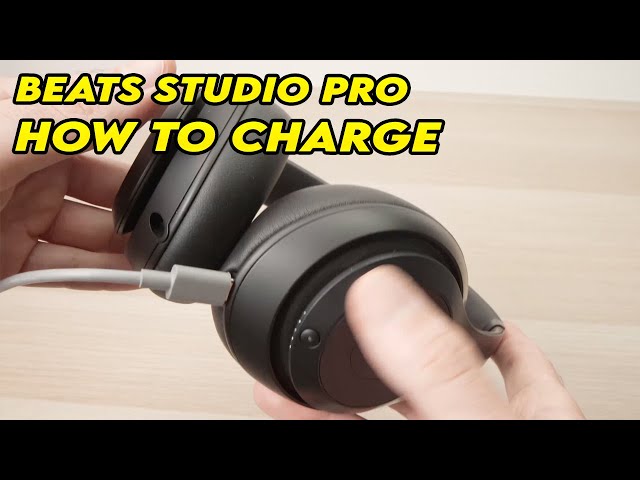
Beats Studio Pro
Beats Studio Pro generally takes around two hours to charge fully. A short charge can provide several hours of listening, which is useful before a flight or a long workday.
The headphones may charge more slowly if you connect them to a weak laptop port. A wall adapter is usually more consistent.
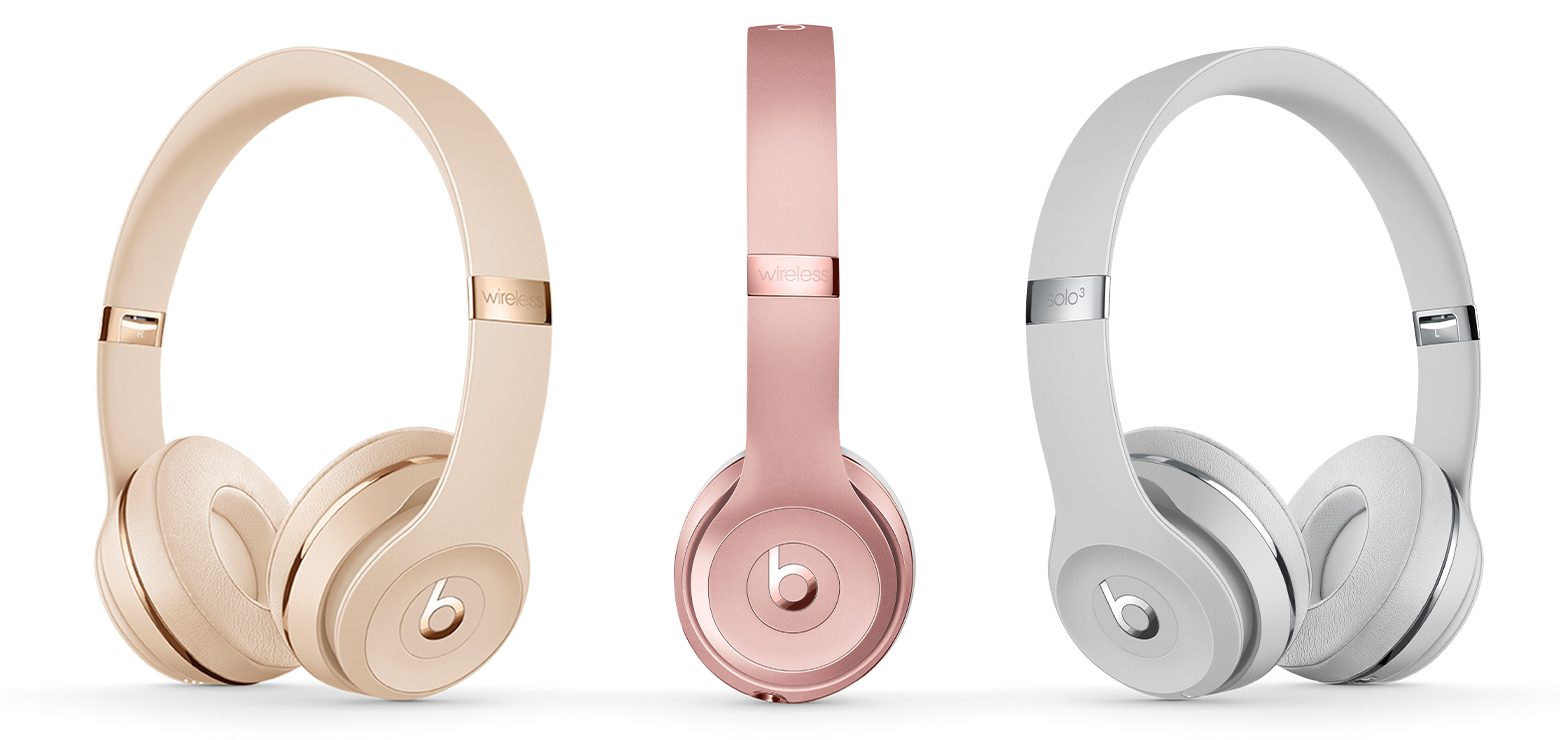
Beats Solo3 wireless
the Solo3 Wireless takes about two hours to reach a full charge. Its Fast Fuel feature is useful when you are in a hurry and need a few more hours of listening.
The older Lightning charging port can make cable choice important. A damaged or low-quality Lightning cable may cause slow charging or repeated connection problems.
Beats Studio3 Wireless
The Studio3 Wireless normally needs about two hours for a full charge. Its Fast Fuel system can add several hours of playtime after a short charging session.
If the headphones have been stored for months, the first charge may take longer. A deeply drained lithium-ion battery sometimes needs several minutes before the charging light responds.
Beats Fit Pro and Beats Studio Buds
Wireless earbuds charge inside their cases. The earbuds may reach full power in about one to two hours, while the case can need a similar amount of time.
The case must have power for the earbuds to charge. This is a common source of confusion. If the case battery is empty, placing the earbuds inside will not restore their battery.
Powerbeats Pro
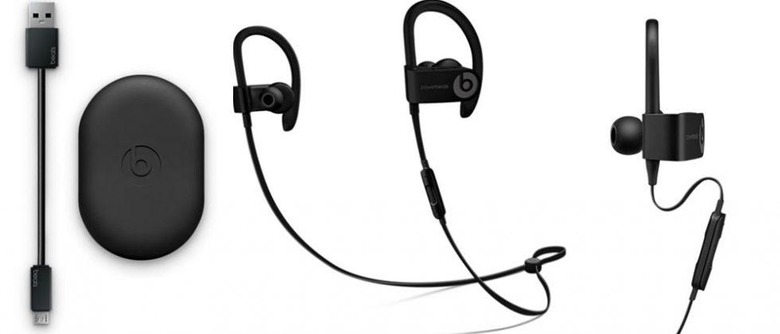
Powerbeats Pro earbuds charge through their case. The case stores extra power, so you can recharge the earbuds several times before connecting the case to a wall charger.
A short charging session can provide about an hour of playback. Full charging time varies based on the earbud battery level, case battery level, and condition of the charging contacts.
What affects how long it takes for Beats headphones to charge?
The advertised charging time assumes normal conditions. Real-world charging can be faster or slower because of several factors.
Battery level
A battery at 50% charges faster than one that is completely empty. The last part of the charge often takes more time because the charging system reduces power as the battery nears full capacity.
This is normal behavior. It helps reduce heat and stress inside the battery.
Charger and power source
A wall adapter usually provides more steady power than an old laptop port, car adapter, or USB hub. That does not mean you need the most powerful charger available.
Use a compatible, certified adapter and the cable recommended for your Beats model. A higher-wattage adapter will not always make headphones charge faster because the headphones control how much power they accept.
Cable condition
A worn cable may still work but charge very slowly. Look for loose connections, bent ends, exposed wires, or a connector that falls out easily.
Try another reliable cable before assuming the headphones have a battery fault. This simple test solves many charging problems.
Temperature
Extreme heat and cold can affect charging speed. Do not charge Beats headphones in direct sunlight, inside a hot car, or in freezing conditions.
If the headphones feel hot, unplug them and let them cool before charging again. Heat is one of the main enemies of rechargeable batteries.
Battery age
Lithium-ion batteries lose capacity over time. An older pair may still charge in about two hours but provide less listening time afterward.
If your headphones show 100% but die soon after, charging time may not be the real problem. The battery may have reached the end of its useful service life.
Using the headphones while charging
Some Beats models support listening while connected to power, but this can extend charging time. Audio playback uses some of the incoming energy, leaving less power for the battery.
For the fastest result, turn the headphones off while they charge. This is especially helpful when the battery is nearly empty.
How to tell when Beats headphones are fully charged
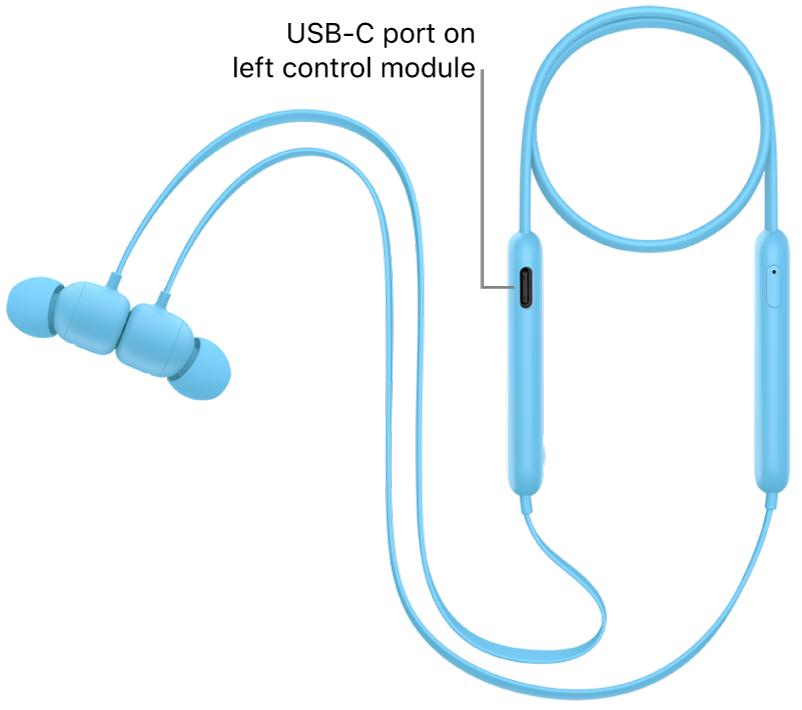
The exact indicator depends on the Beats model. Many headphones show charging status through a small LED, while connected devices display a battery percentage.
Common signs include:
• The charging light changes color or turns off.
• Your iPhone, iPad, Mac, or Android device shows 100% battery.
• The Beats app displays a full battery level.
• The battery indicator stops increasing after several minutes.
Do not rely on the light alone if it seems unusual. Check the battery level on your connected phone as well.
For earbuds, place both buds in the case and open the case near your phone. Make sure the buds sit correctly on the charging contacts. A bud that is slightly out of position may remain nearly empty while the other bud charges normally.

How to charge Beats headphones faster
You cannot safely force Beats headphones to accept more power than they are designed to use. However, you can remove common causes of slow charging.
Use the original or a high-quality compatible cable.
Plug the cable into a wall adapter instead of a weak USB hub.
Turn off the headphones during charging.
Keep the charging port clean and dry.
Charge them at room temperature.
Remove thick cases that interfere with earbud charging cases.
Check that the charging icon or LED appears.
Avoid using damaged cables or loose adapters.
A short Fast Fuel charge is often enough for daily use. If you have only 10 minutes before leaving home, charge the headphones immediately instead of waiting for a full battery.

Why your Beats headphones may charge slowly
If how long it takes for Beats headphones to charge suddenly changes, check the simple causes first. Slow charging does not always mean the battery is damaged.
Dirty charging contacts
Earbuds and cases collect dust, lint, and skin oil. These materials can block contact between the charging pins and the earbud terminals.
Use a soft, dry cloth or a clean cotton swab. Do not pour liquid into the case or scrape the contacts with metal.
Weak power source
A laptop may provide enough power for normal charging, but its USB port can be slower than a wall adapter. Some ports also stop providing power when the computer sleeps.
Try a wall outlet with a certified adapter. If the charging speed returns to normal, the headphones are probably fine.
Software or firmware issue
A temporary software problem can cause inaccurate battery readings. Restart the headphones, reconnect them to your device, and install available firmware updates through the official Beats app or device settings.
Battery percentages may also jump after an update. Give the headphones one complete charge and discharge cycle before judging the battery condition.
Damaged port or cable
If the cable must be held at an angle, stop using it. A loose port can worsen with continued pressure and may create a safety risk.
Test the headphones with a second compatible cable and adapter. If both produce the same problem, professional service may be needed.
Battery wear
A battery that charges quickly but lasts only a short time may have lost capacity. This is different from slow charging.
Rechargeable batteries naturally wear down after repeated use. If the headphones are several years old, a shorter runtime is expected.
How to improve Beats battery life
Charging habits can affect long-term battery performance. You do not need to follow complicated rules, but a few simple habits help.
• Keep the headphones away from high heat.
• Avoid leaving them at 0% for long periods.
• Store them with some charge if you will not use them for weeks.
• Use automatic ear detection when available.
• Turn off noise cancellation when it is not needed.
• Keep firmware updated.
• Do not leave the charging case in a hot car.
Noise cancellation, transparency mode, high volume, and phone calls can all use more energy. If your battery seems to drain fast, check these features before blaming the charger.
In everyday testing, one common mistake is judging battery health after a single short charge. A five-minute charge is designed as an emergency boost, not a replacement for a complete charging cycle. Compare playback time over several days instead.

Is it safe to leave Beats headphones charging overnight?
Modern Beats headphones include charging controls that help manage power when the battery reaches full capacity. Still, it is better to charge them on a hard, open surface instead of under a pillow, blanket, or pile of clothing.
Avoid heat, moisture, damaged cables, and unknown chargers. These risks matter more than the simple fact that the headphones remain connected after reaching 100%.
If you charge overnight often, use a sound adapter, keep the area ventilated, and inspect the cable from time to time. Stop using the setup if you notice unusual heat, swelling, odor, or damage.

What to do when Beats headphones will not charge
When Beats headphones do not charge, follow these steps in order:
Try a different compatible cable.
Try another wall adapter and outlet.
Clean the charging port or earbud contacts carefully.
Leave the headphones connected for at least 15 minutes.
Restart or reset the headphones using the model’s instructions.
Check the battery level on a paired device.
Install available firmware updates.
Contact Apple or Beats support if the issue continues.
A completely drained battery may not show an immediate light. Give it a few minutes before deciding that the headphones are not charging.
If the device becomes very hot, smells unusual, swells, or shows visible damage, unplug it. Do not open the battery or attempt a home repair.
Frequently asked questions about how long does it take for Beats headphones to charge
How long does it take for Beats headphones to charge fully?
Most Beats over-ear and on-ear headphones take about two hours to reach 100%. Wireless earbuds and their cases usually take about one to two hours, depending on the model and battery level.
Can I use Beats headphones while they are charging?
Some Beats headphones support listening while connected to power, but charging may take longer. For the fastest charge, turn them off until the battery is full.
How long do Beats headphones last after a five-minute charge?
Fast Fuel performance depends on the model. Many Beats headphones provide about one to five hours of playback after five to 10 minutes of charging.
Why are my Beats headphones not charging?
Check the cable, adapter, outlet, charging port, and battery contacts first. If the headphones remain unresponsive after trying several compatible accessories, the battery or charging port may need service.
Do Beats headphones stop charging at 100%?
Beats headphones use charging controls that manage power as the battery reaches full capacity. Even so, avoid heat and use safe, undamaged charging equipment.
Does a fast charger damage Beats headphones?
A compatible fast charger should not damage Beats headphones because the device controls the power it receives. Use a reliable adapter and cable, and avoid damaged or poorly made accessories.
Conclusion
Most Beats headphones need about two hours for a full charge, while earbuds and charging cases often take one to two hours. Fast Fuel can provide useful playback after only a few minutes, but charging speed depends on the model, cable, adapter, temperature, battery age, and current battery level.
For the best results, use a quality cable, charge from a steady wall adapter, keep the device cool, and clean the charging contacts. Check your exact Beats model for its official charging estimate, then use these tips to get more reliable battery life. Share your Beats model and charging experience in the comments, or explore more headphone care guides for practical audio tips.
