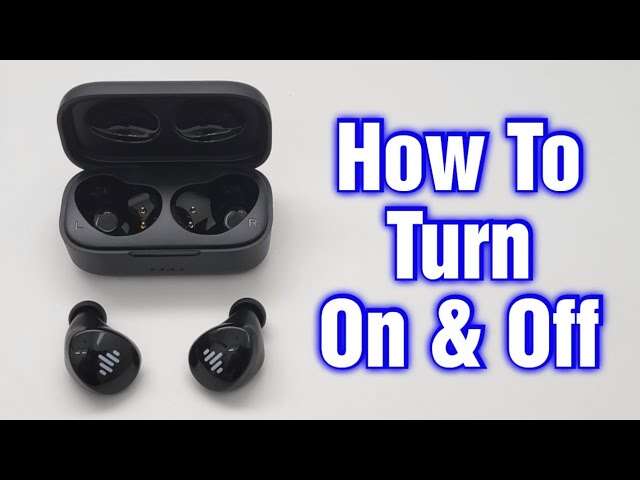
How To Turn On Earbuds: Easy Step-By-Step Guide
Most earbuds turn on when removed from their charged case, or after you press and hold the power button.
Learning how to turn on earbuds is simple once you know which control your model uses. Most wireless earbuds rely on automatic case detection, while some use touch controls or a physical button. This guide explains how to turn on earbuds, connect them to your phone, fix common power problems, and avoid mistakes that drain the battery.
How to Turn On Earbuds Step by Step
The exact method depends on whether you have true wireless earbuds, wireless neckband earbuds, or wired earbuds. Use the steps below to identify the right process for your device.
Turn on true wireless earbuds
True wireless earbuds usually sit inside a charging case. The case often acts like a small power station.


- Charge the case for at least 10 to 15 minutes.
- Open the lid.
- Remove both earbuds.
- Wait for the status lights to turn on.
- Listen for a voice prompt or startup sound.
- Open Bluetooth settings on your phone.
- Select the earbuds from the device list.
For many brands, this is all you need to do. The earbuds turn on as soon as they leave the case.
Turn on earbuds with a power button
Some earbuds have a button on the stem, side, or control module.
- Find the power button.
- Press and hold it for about 3 to five seconds.
- Release it when the LED flashes or you hear a sound.
- Turn on Bluetooth on your phone.
- Choose the earbuds from the available devices list.
Do not tap the button quickly unless the manual says to do so. A short press may pause music, answer a call, or check the battery instead of turning the earbuds on.
Turn on earbuds with touch controls
Some models use a touch panel instead of a button.
- Remove the earbuds from the case.
- Touch and hold the outer panel on each earbud.
- Keep holding for three to five seconds.
- Watch for a flashing light or listen for a tone.
- Pair the earbuds with your phone if needed.
Touch controls can be hard to use when your fingers are wet, cold, or covered. Dry your hands and touch the flat control area, not the speaker opening.

How to Turn On Earbuds for the First Time
New earbuds often need a first charge before they will work. Even if the package says they are ready to use, the battery may be too low for setup.
Follow these steps:
- Remove all protective film from the charging contacts.
- Place the earbuds into the charging case.
- Connect the case to a charger.
- Charge the case and earbuds for at least 30 minutes.
- Open the lid near your phone.
- Remove the earbuds.
- Follow the pairing instructions shown on your phone.
Many new earbuds enter pairing mode automatically. If they do not, press and hold both earbuds or the case button until the light flashes white, blue, or another pairing color.


The first connection may take a minute. Keep the earbuds close to your phone, and do not place them inside the case during setup.
What the indicator lights mean
LED colors differ by brand, but common signals include:
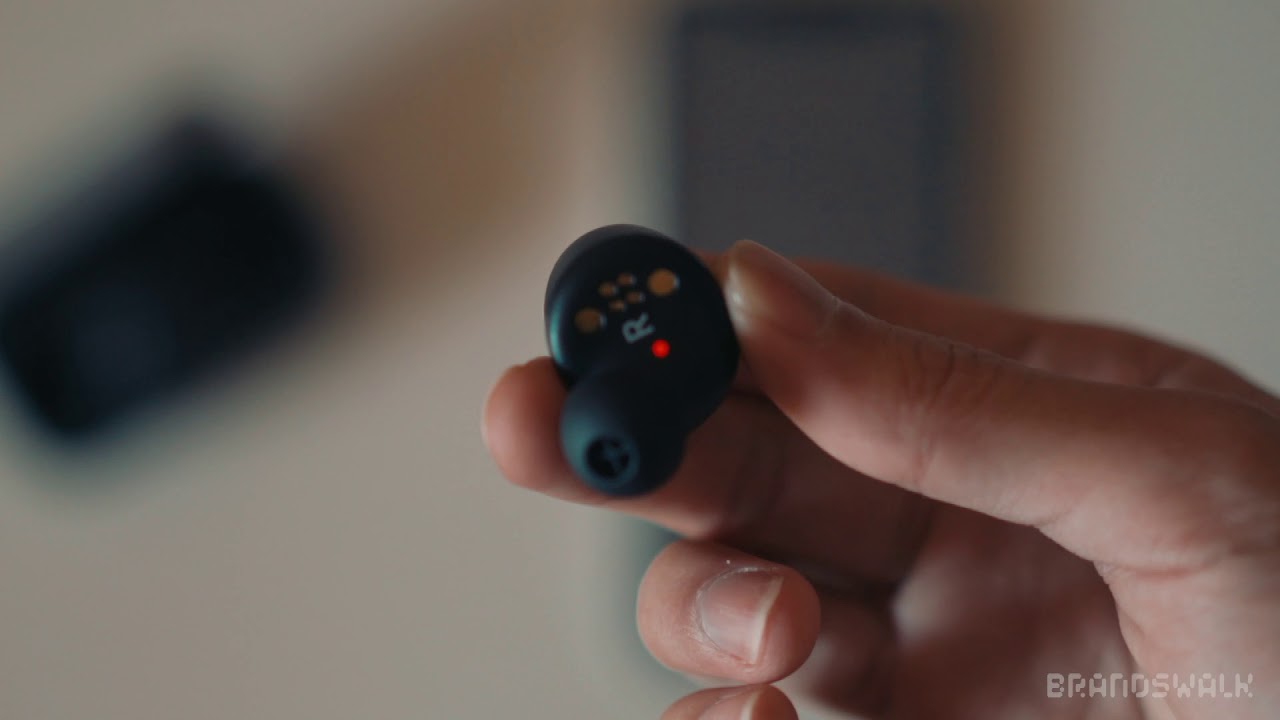
• White or blue flashing light: The earbuds are ready to pair.
• Solid white or blue light: The earbuds are connected or powered on.
• Red or orange light: The battery is low or the earbuds are charging.
• Green light: The battery is full or nearly full.
• No light: The earbuds may be off, out of battery, or not making contact with the case.
Always check your model’s guide if the light pattern seems unusual. LED colors are not universal, so one brand’s red light may mean something different from another brand’s red light.

How to Turn On Earbuds Without a Charging Case
A missing or damaged case can make power control more difficult. Some earbuds can turn on without the case, but others cannot.
Try these methods:
- Press and hold the power button on each earbud.
- Hold the touch panels for several seconds.
- Press and hold the button on the control module of neckband earbuds.
- Connect the earbuds to a charger if they have a charging port.
- Check whether the earbuds enter pairing mode after startup.
AirPods and many similar true wireless models are designed to work with their charging case. Without the case, they may not turn on automatically. If the earbuds still have power, some models can be activated by holding their touch controls.
The case is more than a storage box. It helps charge, reset, and wake the earbuds. Losing it can limit what the earbuds can do, even when the earbuds themselves are fully charged.
How to Turn On Earbuds With an Android Phone
Android phones can connect to most Bluetooth earbuds. The menu names may vary slightly by phone brand.
- Open the charging case.
- Remove the earbuds.
- Press and hold the power or touch control if they do not start.
- Open Settings on your Android phone.
- Select Connected devices or Bluetooth.
- Turn Bluetooth on.
- Tap Pair new device.
- Choose your earbuds from the list.
- Confirm the pairing request.
Some Android phones show a pop-up window when compatible earbuds are nearby. Tap Connect if the pop-up appears.


If your earbuds do not appear, place them back in the case. Then remove them and hold the pairing control again. A flashing blue or white light often means the earbuds are ready to connect.
How to turn on earbuds with Fast Pair
Some Android earbuds support Fast Pair. This feature uses Bluetooth and your Google account to make setup faster.
• Turn on Bluetooth and Location if the earbuds require them.
• Open the earbud case near the phone.
• Tap the setup message on the screen.
• Follow the prompts to finish pairing.
Fast Pair is not available on every phone or earbud model. Both devices may need updated software for the feature to work correctly.
How to Turn On Earbuds With an iPhone
The process is similar on an iPhone, but some earbuds offer extra features when used with the same brand’s phone.
- Open the case near your iPhone.
- Remove the earbuds or hold their power button.
- Open Settings.
- Tap Bluetooth.
- Turn Bluetooth on.
- Find the earbuds under Other Devices.
- Tap the earbud name.
- Accept the pairing request if one appears.
For Apple AirPods, opening the case near the iPhone usually displays an on-screen setup card. Follow the instructions to connect.
Third-party earbuds may not show a setup card. That is normal. Choose them from the Bluetooth list instead.
After pairing, the earbuds should connect automatically when you remove them from the case. If they connect to another nearby device, turn Bluetooth off on that device or place the earbuds into pairing mode again.

How to Turn On Earbuds That Do Not Power On
If your earbuds do not respond, the problem may not be the power button. A dead case, dirty contact, or software error can prevent startup.
Try this checklist:
• Charge the case for at least 30 minutes.
• Confirm that the charging cable and wall adapter work.


• Check whether the case light turns on.
• Clean the metal contacts with a dry cotton swab.
• Place each earbud firmly into the correct side of the case.
• Remove any dust or earwax near the charging pins.
• Hold the power button for 10 seconds.
• Reset the earbuds using the manufacturer’s instructions.
• Try a different charging cable or power source.
Do not use water, sharp tools, or metal objects to clean the contacts. Moisture and scratches can damage the charging system.
In my experience, dirty contacts are one of the easiest problems to overlook. An earbud may look seated in the case but still fail to charge because a thin layer of dust blocks the metal points. Cleaning the contacts gently often solves what appears to be a serious power issue.

How to Turn On Earbuds When Only One Earbud Works
One earbud may remain off when it has a lower battery or does not make contact with the case.
Use these steps:
- Put both earbuds into the case.
- Check that both charging lights respond.
- Clean the contacts on the earbuds and case.
- Charge them for at least 15 minutes.
- Remove both earbuds at the same time.
- Turn Bluetooth off and back on.
- Reconnect the earbuds.
- Reset them if one side still does not work.
Some earbuds also lose synchronization with each other. A factory reset can usually restore the left and right connection, but it may erase saved pairing information.
Before resetting, make sure you know how to pair the earbuds again. This prevents a small problem from becoming a longer setup process.

How to Put Earbuds Into Pairing Mode
Turning on earbuds and pairing them are two different steps. The earbuds can be powered on but still connected to an older phone.
To enter pairing mode:
- Turn off Bluetooth on nearby phones, tablets, and computers.
- Place the earbuds in the case.
- Open the lid.
- Press and hold the case button or earbud controls.
- Wait for the status light to flash.
- Search for the earbuds on your phone.
- Tap the correct device name.


Some models enter pairing mode after you hold the power button for five to seven seconds. Others require you to hold a case button while the lid is open.
If the earbuds connect to the wrong device, disconnect them from that device first. Bluetooth usually reconnects to the last device used, much like a key returning to the lock it knows best.

How to Turn Off Earbuds
Knowing how to turn off earbuds helps save battery life.
Most true wireless earbuds turn off when you:
• Put them back into the charging case.
• Close the case lid.
• Leave them disconnected for a set period.
For button-controlled earbuds, press and hold the power button until the LED turns off or you hear a shutdown tone. Some models power down automatically after several minutes without a Bluetooth connection.
Do not assume that removing earbuds from your ears turns them off. Some models pause audio but stay powered on. If you want to preserve battery life, return them to the case or use the official power control.
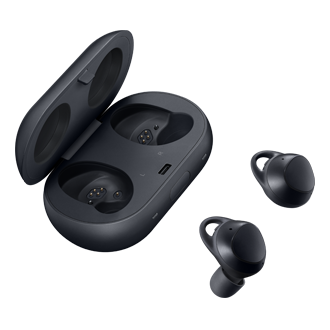
Common Mistakes When Turning On Earbuds
Small setup mistakes can make working earbuds seem broken.
Forgetting to remove the protective film
New earbuds may have a clear film over the charging contacts. The earbuds cannot charge through this film, so they may arrive with an empty battery.
Pressing the wrong area
Touch controls usually work on the outer surface. Pressing the speaker mesh will not turn on the earbuds and may push debris inside.
Charging only the case
A charged case does not always mean the earbuds are charged. Make sure the earbuds are seated correctly and that their own charging lights respond.
Checking the wrong Bluetooth menu
The earbuds may be listed under Bluetooth settings, not the general Wi-Fi menu. Search under Connected devices or Bluetooth.
Holding the control for too long
A long press may reset some earbuds instead of powering them on. Use the timing listed in the manual when possible.
Battery and Charging Tips for Earbuds
Proper charging can extend the useful life of wireless earbuds.


• Use a reliable cable and power adapter.
• Keep the charging contacts clean and dry.
• Avoid storing earbuds in extreme heat.
• Do not leave a damaged battery unattended while charging.
• Use the correct case for the earbuds.
• Charge the case before it reaches zero when practical.
Modern lithium-ion batteries do not need to be fully drained before charging. Frequent short charges are generally fine. However, battery capacity naturally declines over time, so older earbuds may shut down sooner even after a full charge.
If the case becomes unusually hot, swells, smells strange, or shows physical damage, stop charging it. Contact the manufacturer or a qualified electronics service provider.
When to Contact Customer Support
Try basic charging, cleaning, pairing, and reset steps first. Contact the manufacturer when the earbuds still do not power on after these checks.
Support may be needed if:
• The charging case shows no light with several working cables.
• The earbuds become hot during charging.
• One earbud remains dead after a full charge.
• The power button is stuck.
• The earbuds were exposed to water beyond their rated protection.
• The device is still under warranty.
Keep the model name, purchase date, and proof of purchase nearby. Support staff can often identify the correct reset process from the model number.
Frequently Asked Questions About How to Turn On Earbuds
How do I turn on earbuds for the first time?
Charge the case and earbuds first, then open the case and remove the earbuds. If they do not start automatically, press and hold the power or touch control for three to five seconds.
Why will my earbuds not turn on?
The battery may be empty, the charging contacts may be dirty, or the earbuds may not be seated correctly in the case. Charge the case, clean the contacts with a dry cotton swab, and try again.
How do I turn on earbuds without a case?
Press and hold the power button or touch control on each earbud. Some true wireless models cannot fully power on without their original case, so check the device manual.
How do I know if my earbuds are on?
Look for a flashing or solid status light, listen for a startup tone, or check your phone’s Bluetooth list. A connected earbud usually appears as an active device with a battery level.
How do I put earbuds in pairing mode?
Turn off Bluetooth on nearby devices, then press and hold the case button or earbud controls until the indicator light flashes. Select the earbuds from your phone’s Bluetooth menu.
Can I turn on earbuds while they are charging?
Many earbuds cannot play audio while inside the charging case. Some neckband or button-style earbuds can operate while connected to a charger, but this depends on the model.
Why does only one earbud turn on?
One earbud may have a dead battery, dirty contacts, or a lost connection with the other earbud. Charge both earbuds, clean the contacts, and reset them if the problem continues.
Conclusion
Most earbuds turn on when you remove them from a charged case. Models with buttons or touch controls may need a three- to five-second press. If they do not respond, charge the case, clean the contacts, check Bluetooth pairing, and reset the earbuds when necessary.
Once you know your model’s startup method, using earbuds becomes quick and stress-free. Save this guide for your next setup, and share your earbud model or troubleshooting experience in the comments.