

Yes, an SSD heatsink is worth it for fast NVMe drives under sustained heavy workloads.
The answer depends on your SSD, workload, airflow, and system. After testing NVMe drives in gaming PCs, workstations, and compact builds, I’ve found that an SSD heatsink is not a magic speed boost. It is a simple cooling tool that helps an SSD maintain stable performance when heat becomes a problem. This guide explains when an SSD heatsink matters, when it does not, and how to choose one without wasting money.
What Does an SSD Heatsink Do?
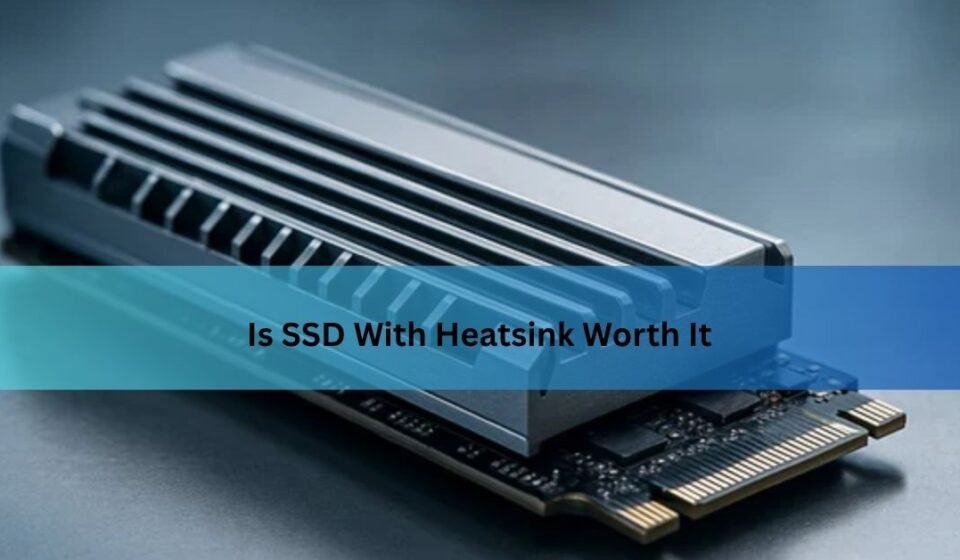
An SSD heatsink is a small metal cover that sits on top of an M.2 solid-state drive. It absorbs heat from the SSD controller and NAND chips, then spreads that heat across a larger surface area. This helps the drive release heat into the surrounding air.
The SSD controller usually creates more heat than the memory chips. It manages data transfers, error correction, encryption, and other tasks. During a short file copy, the drive may stay cool enough without help. During a long transfer or heavy workload, heat can build up quickly.
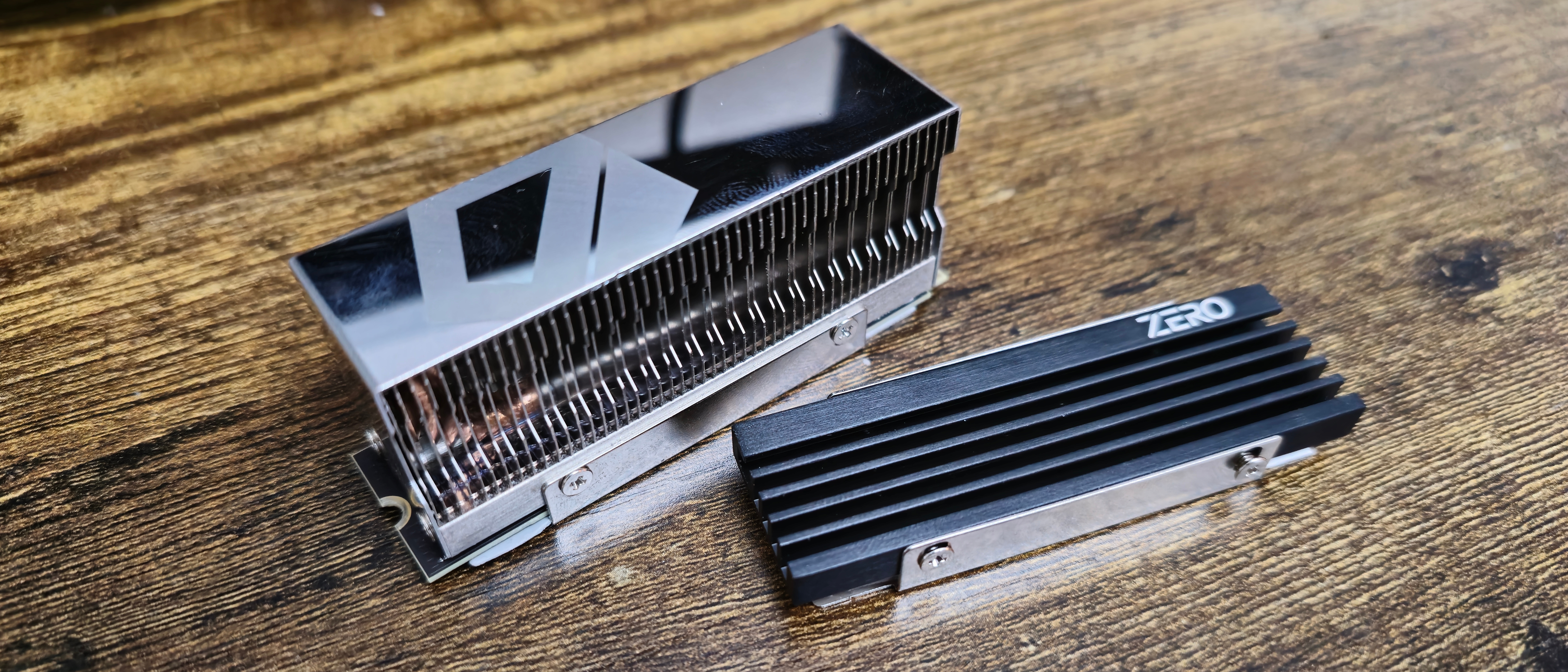
Most SSD heatsinks use aluminum. Some high-end models use copper or a mix of metals. The heatsink often includes a thermal pad, which fills the small gap between the SSD and the metal cover.
A good SSD heatsink may help:
• Reduce peak SSD temperatures
• Delay thermal throttling
• Keep write speeds steady during long transfers
• Improve temperature stability in hot cases
• Protect performance in compact systems with weak airflow
A heatsink does not make the NAND memory faster. It also does not turn a budget SSD into a premium model. Think of it like a radiator on a car. It helps control heat, but it does not add more engine power.
Is an SSD Heatsink Worth It for Gaming?
For most gaming PCs, an SSD heatsink is useful but not essential. Games usually load data in bursts. The SSD works hard for a short time, then has periods of low activity while you play.
This means a modern NVMe SSD may never reach its thermal limit during normal gaming. Game load times are often limited by the game engine, CPU, memory, or software design rather than SSD temperature.
Still, an SSD heatsink can make sense in several cases:
• Your motherboard includes an M.2 heatsink at no extra cost
• Your SSD is a fast PCIe 4.0 or PCIe 5.0 model
• Your PC case has limited airflow
• The M.2 slot sits close to the graphics card
• You frequently install large games
• You copy large files while gaming or streaming
In my experience, the biggest gaming benefit is consistency rather than higher average speed. A hot drive may slow down during a large game installation or update. A heatsink can help prevent that sudden drop.
For a basic PCIe 3.0 gaming SSD, buying a separate heatsink is often unnecessary. For a PCIe 4.0 or PCIe 5.0 drive, using the heatsink included with the motherboard is a smart choice.
Is an SSD Heatsink Worth It for PCIe 4.0 and PCIe 5.0 Drives?
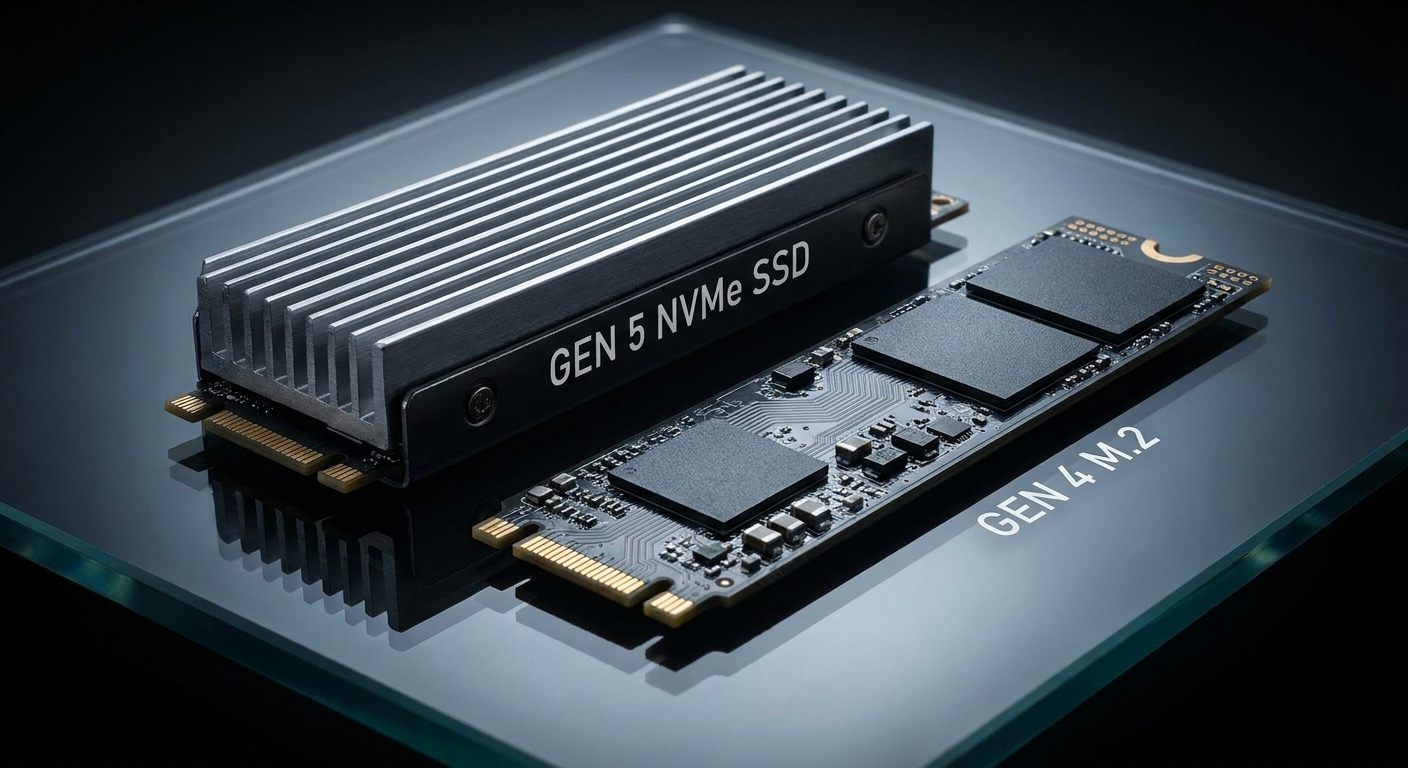
The faster the SSD, the more important cooling becomes. PCIe 4.0 drives can reach very high read and write speeds, especially during long transfers. PCIe 5.0 drives push performance even further, but they also produce more heat.
A PCIe 5.0 NVMe SSD may run hot enough to throttle without proper cooling. Some models include large heatsinks or active fans for this reason. The exact temperature depends on the controller, NAND type, firmware, workload, and case airflow.
An SSD heatsink is usually worth it for a fast drive when you:
• Edit 4K or 8K video
• Work with large game files
• Move hundreds of gigabytes at a time
• Run virtual machines
• Use databases or development tools
• Perform frequent disk benchmarks
• Use the SSD as a scratch disk
A heatsink is less important when the drive mostly handles web browsing, office work, email, or light gaming. Those tasks rarely keep the SSD busy for long periods.
One point is easy to miss: a faster SSD can complete a task sooner. In some cases, it may produce more heat for a shorter time instead of staying warm for a long time. Cooling becomes most important when the workload lasts long enough for heat to accumulate.

How Hot Should an NVMe SSD Get?
Many NVMe SSDs operate normally at temperatures between about 30°C and 70°C, depending on room temperature and workload. Some drives can safely reach higher temperatures, but the exact limits vary by model.
Most SSDs have built-in thermal protection. When the controller becomes too hot, the firmware lowers performance. This process is called thermal throttling. It protects the drive from excessive heat, but it can make long tasks take much longer.
Watch for these signs of excessive SSD heat:
• Write speeds drop sharply during one long transfer
• The SSD temperature stays near its rated limit
• File copies begin fast and then slow down
• The drive disappears or reports errors under heavy load
• Benchmark results change greatly between runs
• The M.2 area feels unusually hot compared with other parts
Do not judge temperatures from one short benchmark. Run a sustained test, such as copying a large folder or writing a large disk image. Monitor the temperature from the SSD’s health software or your motherboard utility.
Room temperature also matters. An SSD that reaches 65°C in a cool room may run much hotter inside a poorly ventilated case during summer. There is no single temperature that proves every SSD needs a heatsink.

What Are the Benefits of an SSD Heatsink?
The main benefit is better thermal control. A heatsink gives heat a larger path to move away from the SSD controller.
Lower peak temperatures
A heatsink can reduce the highest temperature reached during a long workload. The improvement may be small in a well-ventilated case and much larger in a cramped system.
More stable performance
Without cooling, an SSD may start at full speed and then slow down. A heatsink can help the drive stay closer to its advertised speed for longer.
Remember that advertised SSD speeds usually come from controlled tests. Real performance depends on file size, free space, cache behavior, temperature, and the rest of your system.
Better performance during large transfers
A heatsink helps most when the SSD writes a large amount of data. Once the fast SLC cache fills, many SSDs slow down by design. Cooling cannot remove that limitation, but it can prevent heat from making the slowdown worse.
Improved performance in small computers
Mini PCs, laptops, and compact desktops often have less airflow around the M.2 slot. A thin heatsink may provide useful protection in these systems, as long as it fits properly.
Low cost
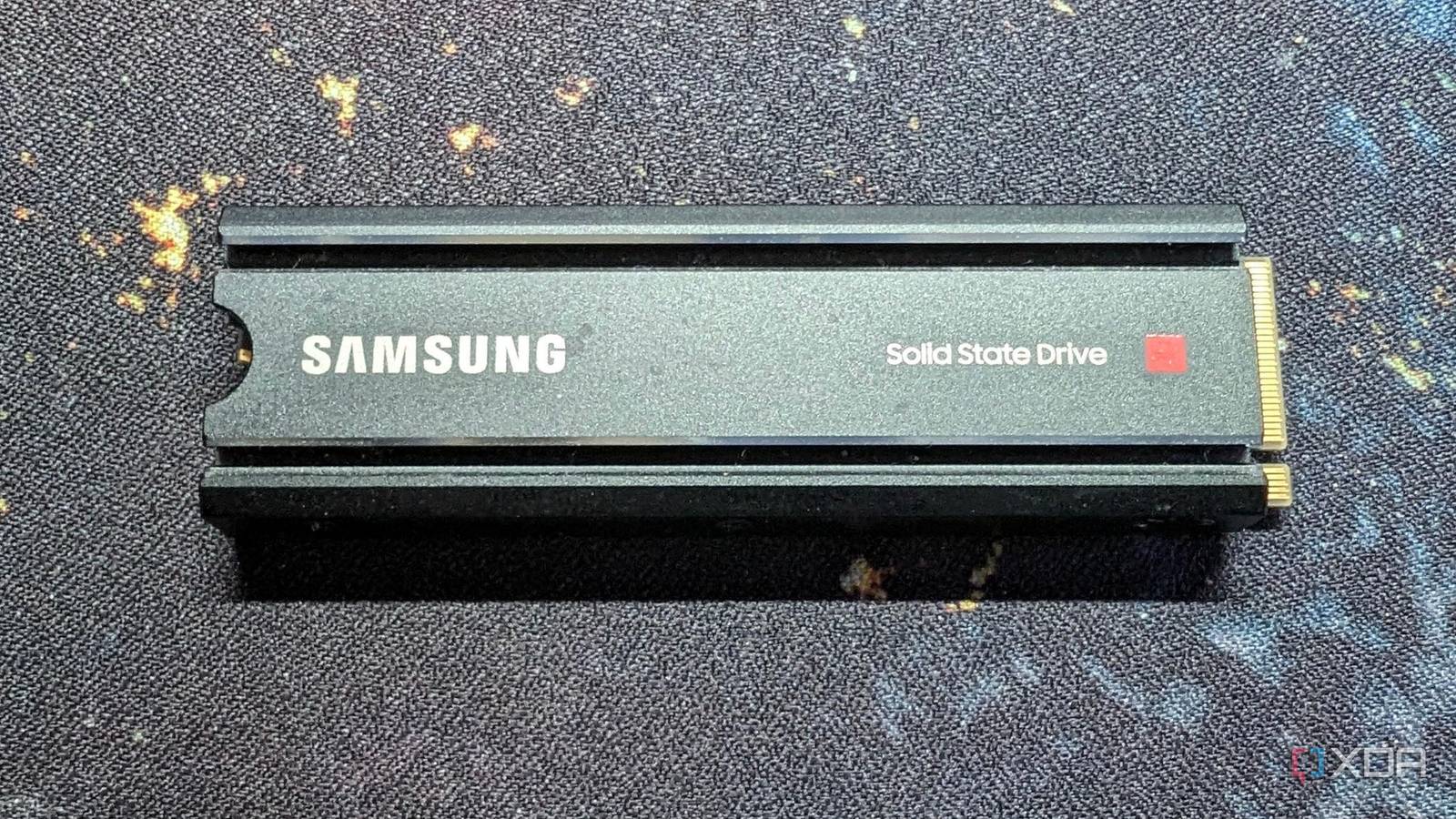
Basic aluminum M.2 heatsinks are inexpensive. If your motherboard does not include one, a compatible passive model may offer good value for a fast SSD.
However, a heatsink cannot fix poor case airflow. If hot air is trapped around the M.2 slot, the heatsink may simply become a warm metal plate.
What Are the Disadvantages of an SSD Heatsink?
An SSD heatsink is not always a free upgrade. It can create fit, installation, and warranty problems if chosen carelessly.
It may not improve everyday performance
If your SSD never reaches a high temperature, the heatsink may show little or no real-world benefit. You may see a lower benchmark temperature without noticing faster game loads or better app performance.
It can cause installation problems
M.2 slots have limited space. A thick heatsink may interfere with:
• The graphics card
• A CPU cooler
• Another M.2 drive
• A motherboard cover
• Laptop bottom panels
Always measure the available height before buying.
It may block the motherboard heatsink
Many motherboards include an M.2 cover. Adding a second heatsink underneath or above it can create too much pressure. Use only the cooling system designed for that slot unless the manual confirms compatibility.
Thermal pads can be installed incorrectly
The protective film must be removed from both sides when required. The pad must also touch the SSD components correctly. Too much pressure can bend the drive or damage the connector.
It can make the SSD too cool in some situations
This is rarely a serious problem. SSDs do not need high heat to work properly. Still, an oversized heatsink may hold heat if the case has no airflow or if its design cannot release heat into the air.
The safest approach is simple: use the motherboard heatsink when available, and choose a low-profile model when space is limited.

Do All M.2 SSDs Need a Heatsink?
No, not all M.2 SSDs need a heatsink. The M.2 label describes the shape and connector style, not the drive’s speed or heat output.
A slower SATA M.2 SSD usually produces little heat. Many PCIe 3.0 NVMe drives also work well without a separate heatsink in a normal desktop.
A heatsink becomes more useful for:
• High-end PCIe 4.0 SSDs
• PCIe 5.0 SSDs
• Drives with powerful controllers
• SSDs used for continuous writes
• M.2 drives installed near a graphics card
• SSDs in laptops or small-form-factor systems
Check the SSD manufacturer’s specifications before making a decision. Look for the operating temperature range, thermal design details, and recommended cooling method.
The motherboard manual also matters. Some boards share bandwidth between M.2 slots and SATA ports. Others include different heatsink sizes for different slots. Installing the SSD in the slot closest to the CPU is often best, but the manual should guide the final choice.
How to Choose the Best SSD Heatsink
The best SSD heatsink is not always the largest one. It is the model that fits your system and makes good contact with the drive.
Consider these points before buying:
Compatibility
Confirm that the heatsink supports a standard 2280 M.2 drive if that is your SSD size. Shorter 2230, 2242, and 2260 drives need different mounting options.
Clearance
Measure the space above the M.2 slot. Check the distance to the graphics card, motherboard cover, CPU cooler, and case panel.
Thermal pad thickness
A thermal pad must touch the SSD without creating harmful pressure. A thick pad can stop the heatsink from sitting flat. A thin pad may not make contact at all.
Passive or active cooling
A passive heatsink has no fan. It is quiet and usually enough for gaming and general use.
An active heatsink uses a small fan. It can cool high-end PCIe 5.0 drives better, but it adds noise and another part that can fail.
Mounting method
A clip, screw, or elastic band can hold the heatsink in place. Screws usually provide a more secure fit, but only if the SSD and motherboard support the design.
Material and design
Aluminum is common because it is light, affordable, and conducts heat well enough for most systems. Fins can improve heat release, but only when air can move around them.
Do not choose a heatsink based only on its size. A smaller model with a good thermal pad and clear airflow may work better than a large model trapped under a graphics card.
How to Install an M.2 SSD Heatsink Safely
Installing an SSD heatsink is simple, but small mistakes can reduce cooling or damage the drive.
Shut down the computer and unplug the power cable.
Press the power button for a few seconds to discharge remaining power.
Touch the metal case to reduce static electricity.
Locate the M.2 SSD and remove the retaining screw if needed.
Check that the heatsink will not touch nearby components.
Remove the protective film from the thermal pad.
Place the SSD flat on the motherboard.
Align the heatsink over the controller and NAND chips.
Secure it gently with the supplied clip or screw.
Confirm that the drive remains flat and fully inserted.
Do not stack a third-party heatsink on top of a motherboard heatsink. Do not force the drive into place. If the heatsink requires strong pressure, stop and check the thermal pad thickness.
One common mistake I have seen is leaving the plastic film on the thermal pad. The SSD may look properly covered, but the pad will not transfer heat through the film. Another mistake is placing the SSD upside down or covering the label without checking which side contains the main controller.

How to Test Whether Your SSD Needs a Heatsink
You can test the need for an SSD heatsink before spending money. The goal is to compare temperature and performance under a repeatable workload.
Use a trusted SSD monitoring tool and record the drive’s idle temperature. Then run a sustained workload, such as:
• Copying a large video folder
• Writing a disk image
• Installing a large game
• Running a long storage benchmark
Record these results:
• Peak temperature
• Average temperature
• Initial write speed
• Sustained write speed
• Time until performance drops
Repeat the test after the SSD cools. Keep the room temperature and case fans the same. A useful comparison includes one test without a heatsink and one test with the heatsink installed.
If temperatures remain reasonable and performance stays steady, the SSD probably does not need extra cooling. If the drive becomes very hot and slows down, an SSD heatsink may be a sensible upgrade.
Synthetic benchmarks can exaggerate differences. Real file transfers are more useful because they reflect your actual work. Also remember that free storage space matters. Many SSDs slow down when nearly full, even when temperatures are normal.
Is an SSD Heatsink Worth It on a Laptop?
For laptops, the answer requires more care. A laptop may have a custom M.2 cover, a thin thermal shield, or no cooling hardware at all. There may be very little space between the SSD and the bottom panel.
A thin heatsink can help during long transfers, video work, or heavy multitasking. But a thick desktop-style heatsink may prevent the laptop from closing or may press against the case.
Before installing one, check:
• The laptop service manual
• The SSD length and thickness
• The available space above the drive
• Whether the original thermal pad or shield must remain
• Whether the laptop maker allows storage upgrades
Laptop airflow is often limited. A heatsink can spread heat, but it cannot create airflow inside a sealed chassis. In some laptops, a thin thermal pad connected to a metal shield works better than a tall finned heatsink.
For a laptop used mainly for browsing, documents, and streaming, an extra SSD heatsink is usually not worth the risk. For sustained workloads, monitor the temperature first.
SSD Heatsink vs. Better Case Airflow
A heatsink and good airflow solve different parts of the same problem. The heatsink moves heat away from the SSD. Airflow carries that heat away from the heatsink.
If your case has poor airflow, start with the basics:
• Clean dust from filters and fans
• Add a front intake fan if needed
• Use a rear or top exhaust fan
• Keep cables away from the M.2 area
• Avoid blocking the graphics card’s airflow
• Place the SSD away from the hottest components when possible
In many desktop builds, better case airflow helps more than buying an expensive SSD heatsink. A cool stream of air can improve the whole system, including the CPU, GPU, motherboard, and storage.
The best result often comes from both solutions. Use a motherboard M.2 heatsink and maintain balanced airflow. This gives the SSD a path for heat to escape without adding noise or complexity.
Common SSD Heatsink Mistakes to Avoid
Many cooling problems come from installation errors rather than a poor heatsink.
Avoid these mistakes:
• Buying a heatsink without checking clearance
• Covering only the NAND while missing the controller
• Using the wrong thermal pad thickness
• Leaving protective film on the pad
• Stacking two heatsinks
• Overtightening the mounting screw
• Blocking the graphics card
• Ignoring high case temperatures
• Judging performance from one short benchmark
• Assuming every M.2 SSD has the same heat output
A heatsink should make firm contact, but it should not bend the SSD. If the drive bows upward or the motherboard screw does not align, remove the heatsink and inspect the fit.
Also, do not expect a heatsink to fix a drive that is nearly full, has outdated firmware, or uses a small write cache. Heat is only one part of SSD performance.
When Is an SSD Heatsink Not Worth It?
An SSD heatsink may not be worth buying when:
• You use a SATA SSD
• Your PCIe 3.0 NVMe drive stays cool
• Your motherboard already includes an effective heatsink
• You mainly browse, stream, or use office apps
• Your case has good airflow
• You rarely copy large files
• The heatsink would create a clearance problem
The money may be better spent on a larger SSD, more memory, or a better case fan. Storage capacity often has a larger effect on daily comfort than a small reduction in SSD temperature.
For example, upgrading from a nearly full 500 GB SSD to a spacious 1 TB or 2 TB model may improve performance and convenience more than adding a heatsink. Many drives perform better when they have enough free space for background maintenance.
A heatsink is a targeted upgrade. Buy one because your drive runs hot or throttles, not simply because every high-performance component appears to need extra hardware.
When Is an SSD Heatsink Worth Buying?
An SSD heatsink is worth buying when it solves a clear cooling problem. The strongest reasons include sustained workloads, high-performance PCIe drives, poor M.2 airflow, and repeated thermal throttling.
Use this quick decision guide:
Check whether your SSD reaches high temperatures during a long workload.
Check whether performance drops as the drive gets hotter.
Look for an included motherboard heatsink.
Measure the available space.
Choose a compatible passive or active model.
Test the drive again after installation.
If the temperature drops and sustained performance improves, the upgrade worked. If only the benchmark temperature changes but real tasks feel the same, the heatsink still offers thermal headroom but may not have been necessary.
Based on practical testing, the best value is usually a free motherboard heatsink or an inexpensive passive aluminum model. Large active coolers make more sense for high-end PCIe 5.0 drives and professional workloads than for everyday gaming.
Frequently Asked Questions About Is SSD Heatsink Worth It
Is an SSD heatsink necessary for gaming?
An SSD heatsink is usually not necessary for normal gaming because most game loads are short. It becomes more useful for PCIe 4.0 or PCIe 5.0 drives, large game installations, poor case airflow, and heavy background transfers.
Does an SSD heatsink increase speed?
An SSD heatsink does not increase the drive’s rated hardware speed. It can prevent thermal throttling, which helps the SSD maintain its normal speed during long workloads.
Can an SSD overheat without a heatsink?
Yes, an NVMe SSD can become hot during sustained writes, especially in a compact case or near a graphics card. Most drives protect themselves by reducing speed, but monitoring the temperature can show whether extra cooling is needed.
Is a motherboard M.2 heatsink enough?
In many systems, the motherboard M.2 heatsink is enough. It should sit flat, use a suitable thermal pad, and have reasonable airflow around it.
Do PCIe 5.0 SSDs need a heatsink?
Most high-end PCIe 5.0 SSDs benefit from a heatsink because their controllers can produce significant heat. Some models may need active cooling, so check the drive manufacturer’s requirements.
Can an SSD heatsink damage an M.2 drive?
A poorly fitted heatsink can damage an SSD by applying too much pressure or bending the circuit board. Use the correct thermal pad, avoid stacking heatsinks, and never force the cover into place.
Is a copper SSD heatsink better than an aluminum one?
Copper transfers heat very well, but it is heavier and often more expensive. A well-designed aluminum heatsink is usually enough for gaming and normal desktop use.
Conclusion
So, is an SSD heatsink worth it? For most users, it is a situational upgrade rather than a requirement. It is most valuable for PCIe 4.0 and PCIe 5.0 drives, long file transfers, video work, virtual machines, compact systems, and drives that show clear signs of thermal throttling.
Start by checking your SSD temperature during a sustained workload. Use the motherboard heatsink if it fits, improve case airflow, and choose a low-profile model when space is tight. Make the decision based on measured heat and real performance, not marketing alone. Explore your SSD’s specifications, test your temperatures, and share your results or questions in the comments.
