How To Check SSD Warranty Status Online: Easy Guide
Most SSD warranties can be checked online with the drive’s serial number on the manufacturer’s support page.
Knowing how to check SSD warranty status online can save you money, time, and stress when a drive starts failing. The process is usually simple, but warranty rules can depend on the model, purchase date, region, usage limit, and whether the SSD came inside a prebuilt computer. This guide explains the safest way to verify coverage, find your serial number, understand the result, and prepare a valid warranty claim.
What an SSD warranty covers
An SSD warranty is a promise from the manufacturer that the drive should work within stated limits for a set period. The warranty may cover defects, sudden drive failure, or performance problems that meet the company’s terms.
Most SSD warranties use one or both of these limits:


• A time period, such as three, five, or ten years from purchase or manufacture
• A total written data limit, often shown as TBW, or terabytes written
For example, an SSD may have a five-year warranty or a 300 TBW limit, whichever comes first. If you write 300 TB of data before five years pass, the warranty may end early.
Warranty coverage usually does not include:
• Accidental physical damage
• Water or fire damage
• Damage caused by incorrect installation
• Data recovery or lost files
• Drives purchased from unauthorized sellers
• Products sold as used, refurbished, or “as is,” unless the terms allow it
A warranty is not the same as a backup service. Even if your SSD is covered, the manufacturer may replace the hardware without recovering your personal files.

Information you need before checking the warranty
Before you check SSD warranty status online, collect the details that identify the drive. The serial number is the most important item, but the model number and purchase date can also help.
Look for these details:
• SSD brand


• Full model name
• Serial number
• Capacity
• Approximate purchase date
• Store or website where you bought it
• Original receipt or invoice
• Computer model, if the SSD came preinstalled
The serial number is often printed on a label on the SSD. On a 2.5-inch SATA drive, check the top or bottom label. On an M.2 SSD, look for small printed text on the circuit board.
Be careful when reading the label. Characters such as zero, the letter O, one, and the letter I can look alike. Copy the serial number directly when possible. A single wrong character can produce a “not found” message even when the drive is covered.
Do not post your full serial number in a public forum or social media post. It may not reveal private files, but it is still a unique product identifier.
How to check SSD warranty status online
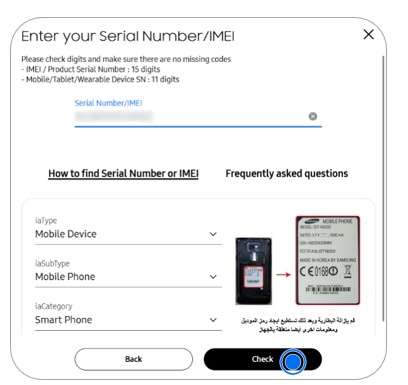
The most reliable method is to use the SSD maker’s official warranty or support page. Avoid random warranty lookup websites because their information may be out of date or inaccurate.
Follow these steps:
-
Identify the SSD manufacturer from the label or your computer’s system information.
-
Open the manufacturer’s official support website.
-
Search for terms such as “warranty check,” “warranty validation,” or “product registration.”
-
Enter the SSD serial number.
-
Add the model number, purchase date, or country if the form requests it.
-
Review the warranty status, expiration date, and any TBW or usage conditions.
-
Save a screenshot or PDF of the result for your records.
-
Compare the online result with your receipt if the dates do not look right.
Some companies show an exact expiration date. Others show only whether the product is covered. A few estimate coverage from the manufacturing date, which may be earlier than your purchase date.
If the result says “invalid serial number,” check the following:
• You selected the correct product category
• You entered the serial number without extra spaces
• You used the correct regional website
• The drive is not an OEM model
• The serial number was not copied from the computer or box by mistake


This is the basic process for how to check SSD warranty status online, but the exact page differs by brand.
Brand-specific SSD warranty checks
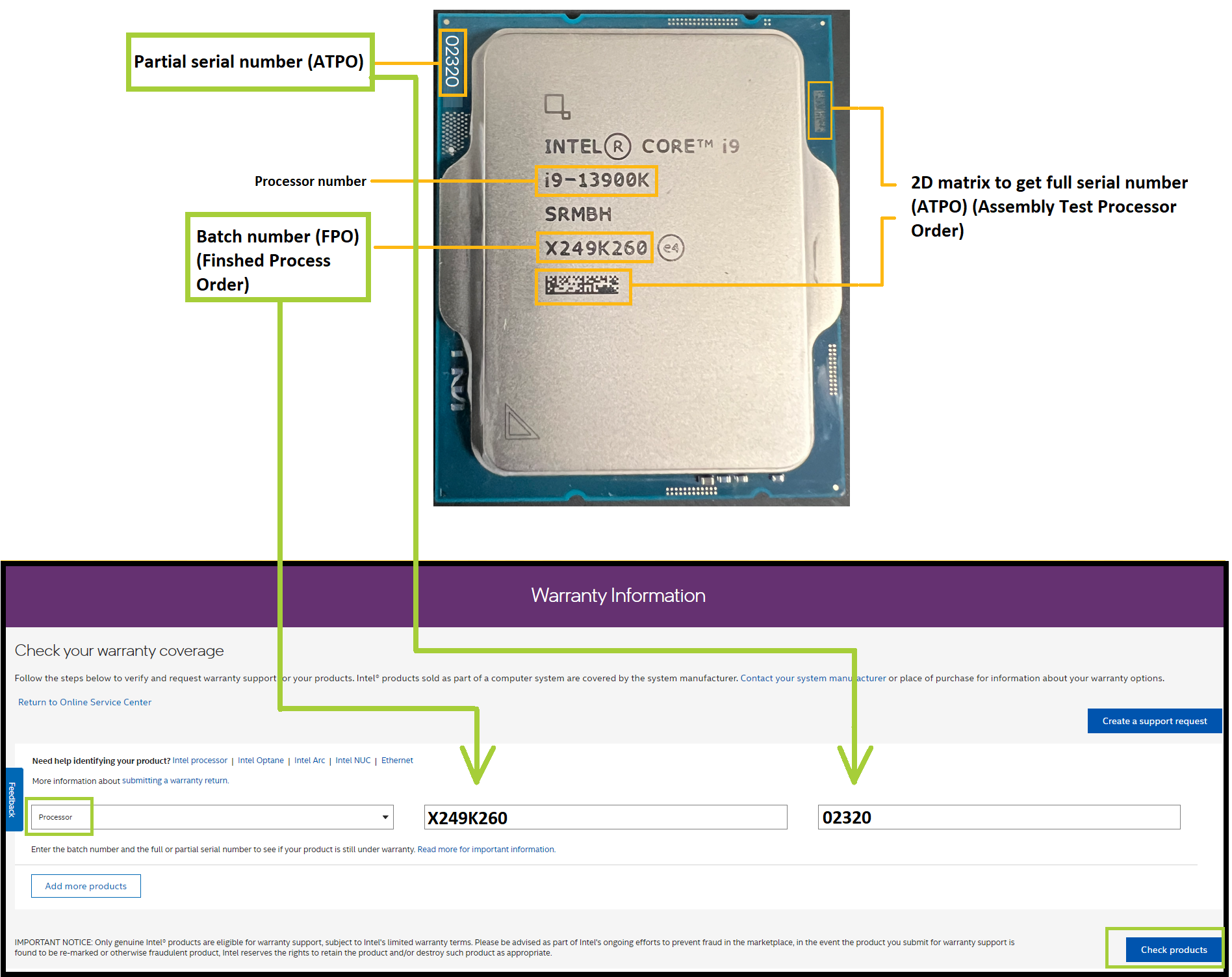
Each manufacturer uses a slightly different warranty system. The names and page layouts may change, so start from the company’s main support page rather than relying on an old bookmark.
Samsung SSD warranty check
Samsung SSD owners can usually find warranty information through Samsung Support. Samsung Magician can also identify many Samsung drives and display model details, firmware information, and drive health.
The serial number may appear in Samsung Magician, on the SSD label, or on the product packaging. Some Samsung warranty terms include both a time limit and a total bytes written limit.
If Samsung’s online tool cannot identify the drive, check whether it is an OEM model. An SSD installed by a laptop or desktop maker may have warranty support through that computer manufacturer instead.
Crucial SSD warranty check
Crucial provides support resources for checking product details and warranty information. The Crucial Storage Executive utility can help identify compatible Crucial drives and show important drive information.
Use the serial number from the physical SSD when possible. A reseller invoice may also help if the online system calculates coverage from the purchase date.
Crucial warranty coverage can vary by product family. Always review the terms for your exact model instead of assuming every Crucial SSD has the same limit.
Western Digital and SanDisk SSD warranty check
Western Digital and SanDisk use support pages that may request a serial number and region. Some products have separate support paths, so choose the correct SSD family before entering the number.
For older drives, the brand name on the label may differ from the current support site. If the lookup fails, search the model number on the manufacturer’s support page and confirm whether the product moved under another brand.
Kingston SSD warranty check
Kingston offers support tools and warranty information for its storage products. Enter the full serial number and model when the site asks for both.
Kingston SSD warranties may include a fixed time period, a TBW limit, or both. Keep the sales receipt because the company may need proof of purchase to establish the warranty start date.
Seagate, Sabrent, and other brands
Other SSD makers use similar methods. Visit the official support site, locate the warranty checker, and enter the serial number exactly as printed.
If there is no online lookup tool, contact support with:
• Model number
• Serial number
• Purchase date


• Seller name
• Proof of purchase
• A short description of the problem
This brand-by-brand approach makes it easier to check SSD warranty status online without relying on unsupported third-party websites.
How to find an SSD serial number
You can find the SSD serial number in several ways. The physical label is usually the best source because software may show a shortened or generic identifier.
On Windows
Open PowerShell as an administrator and run:
Get-PhysicalDisk | Select FriendlyName, SerialNumber, MediaType, Size
You can also try:
Get-CimInstance Win32_DiskDrive | Select Model, SerialNumber, Size
Some computers block access to the serial number or report a value from the storage controller. If the result looks blank or unusual, check the drive label.
Third-party tools such as CrystalDiskInfo can show drive health and identification data. Download such tools only from trusted sources, and remember that a health utility is not the same as an official warranty checker.
On macOS
Open Terminal and run:
system_profiler SPNVMeDataType
For some storage setups, this command may help:
diskutil list
Mac systems with Apple storage or certain external enclosures may not expose the original SSD serial number. In that case, check the enclosure, original packaging, system invoice, or manufacturer documentation.
On Linux
Open a terminal and try:
lsblk -o NAME,MODEL,SERIAL,SIZE
For more detailed information, use:
sudo smartctl -a /dev/nvme0
The device name may differ. NVMe drives often use names such as /dev/nvme0, while SATA drives may appear as /dev/sda.
Do not run commands that write to the drive while trying to identify it. Reading information is normally safe, but the wrong disk command can erase data.
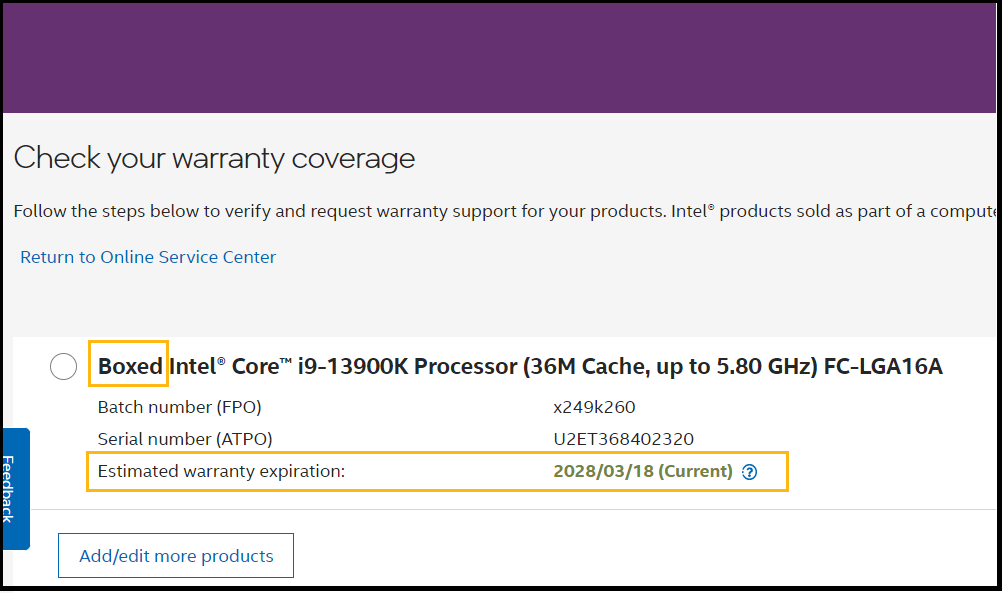
How to check SSD warranty status without a serial number
Checking SSD warranty status online is difficult without a serial number, but you still have several options.
Start with the purchase receipt. Some retailers record the exact model and serial number on the invoice. You can also check:


• The original product box
• Your online order history
• The computer manufacturer’s service record
• A warranty registration email
• The SSD label inside the computer
• A repair shop’s installation report
If the SSD came inside a Dell, HP, Lenovo, ASUS, Acer, or similar computer, the computer maker may control the warranty. In this case, the SSD may not have a separate retail warranty for you to claim.
Contact the manufacturer if the label is damaged. Support may ask for photos, proof of purchase, or the system’s service tag. Never guess the serial number. An incorrect number can attach your claim to a different product.
In my experience helping with storage problems, people often search for the SSD serial number inside Windows and stop when the result is missing. That is a common mistake. Firmware, RAID controllers, USB adapters, and laptop designs can hide the original identifier, so the physical label or invoice may be more useful.

How SSD warranty dates are calculated
An SSD warranty may begin on the purchase date, shipment date, or manufacturing date. The rule depends on the manufacturer and the product terms.
A purchase-date warranty is usually easiest to understand. If you bought the SSD on March 10, 2024, a five-year warranty may run until March 10, 2029, provided you stay within the TBW limit.
A manufacturing-date warranty may start before you bought the drive. This can happen when a product sits in a warehouse. A valid receipt may allow support to correct the date.
Some warranties also end when the drive reaches its rated TBW. TBW is a durability rating, not a guarantee that the drive will fail at that number. It is a limit used in product design and warranty terms.
To understand your status, compare:
• The warranty expiration date
• Total data written
• The SSD’s TBW limit
• The original purchase date
• The seller’s authorization
A drive can still be working after its warranty ends. It can also fail while under warranty. Warranty status and drive health are related, but they are not the same thing.


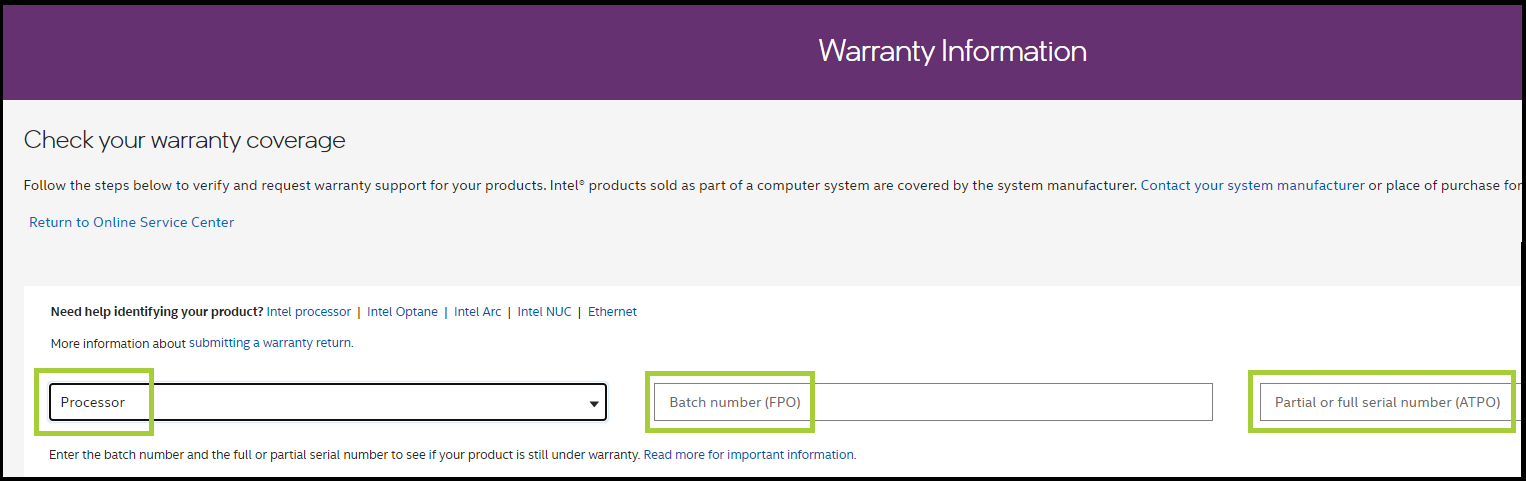
How to check SSD health before making a claim
Warranty lookup confirms coverage. It does not prove that the SSD has failed. Before starting a claim, check the drive’s health and back up your data if the drive is still readable.
Useful tools include:
• Samsung Magician for compatible Samsung SSDs
• Crucial Storage Executive for compatible Crucial SSDs
• Kingston SSD Manager for supported Kingston models
• Western Digital Dashboard for supported Western Digital drives
• S.M.A.R.T. tools such as CrystalDiskInfo or smartctl
Look for warning signs such as:
• The drive disappears from the BIOS or operating system
• Files become corrupted
• Read-only mode appears without explanation
• The health tool reports critical warnings
• The SSD becomes much slower than normal
• The computer crashes during storage access
Back up important files before testing when possible. Do not repeatedly run stressful tests on a failing drive. If the data is valuable, consider professional data recovery before sending the SSD to the manufacturer.
A replacement process may require you to erase the drive or ship it back. Manufacturers generally do not promise to return personal data.

What to do when the SSD warranty checker shows no coverage
A “no coverage” result does not always mean the SSD is truly out of warranty. It may indicate a data entry error, an incorrect region, an OEM product, or a missing purchase record.
Try these steps:
-
Reenter the serial number carefully.
-
Confirm the exact model family.
-
Visit the support site for your country.
-
Check the receipt for the purchase date.
-
Ask the retailer whether the drive was sold as new.
-
Contact the manufacturer with photos of the label and invoice.
-
Ask whether the product is an OEM or system-builder model.
A drive purchased from a marketplace may be counterfeit, previously used, or intended for another region. The manufacturer may limit support for such products.
I once saw a warranty lookup fail because the customer entered the serial number from the retail box while the SSD inside the computer had a different number. Matching the physical drive, box, and receipt resolved the issue. This small check can prevent a long support exchange.
How to file an SSD warranty claim
Once you confirm coverage, prepare a clear claim. Support teams can usually work faster when you provide complete information in the first message.
Include:
• SSD model and serial number
• Proof of purchase
• Warranty lookup result
• Computer or motherboard model
• Operating system
• Description of the failure
• Error messages or diagnostic results
• Steps you already tried
Explain the problem in simple terms. For example, say “The SSD disappears from BIOS after a cold boot” instead of only saying “It is broken.”
Follow the manufacturer’s instructions for return merchandise authorization, often called an RMA. Do not ship the drive to an address found in an old forum post. Use the current address provided by official support.
Before sending the SSD:
• Back up all readable files
• Remove personal labels if needed
• Confirm whether the manufacturer wants accessories included
• Record the serial number and shipping details
• Ask whether the replacement is new or refurbished
• Use tracking and suitable packaging
The company may replace the drive with the same model or a similar model with equal or greater capacity. The exact remedy depends on the warranty terms and available stock.
Mistakes to avoid when checking SSD warranty status online
Small mistakes can delay a claim or cause data loss. Keep these points in mind while checking SSD warranty status online.
• Do not use a third-party warranty page as your final proof.
• Do not assume the receipt date and warranty date are always the same.
• Do not ignore the TBW limit.
• Do not format a failing SSD before backing up important data.
• Do not open or physically modify the SSD.
• Do not send the drive without an official RMA number.
• Do not share your full serial number publicly.
• Do not assume an SSD inside a laptop has a separate retail warranty.
• Do not trust a health score as a guarantee that the drive will not fail.
SSD warranties also have regional and legal limits. Consumer protection laws may provide rights beyond the manufacturer’s written warranty, depending on where you live. In the United States, rules can differ by state and by whether the seller or manufacturer made the warranty promise.
Frequently asked questions about how to check SSD warranty status online
How do I check SSD warranty status online?
Find the SSD’s serial number, open the manufacturer’s official support page, and use its warranty lookup tool. Enter the model and purchase date if requested, then save the result for your records.
Can I check an SSD warranty with only the model number?
Usually, the model number alone is not enough because many drives share the same model. The manufacturer may still help if you provide a receipt, product photos, or the computer’s service tag.
Does an SSD warranty cover data recovery?
Usually, it does not. Most warranties cover hardware replacement, while file recovery is the owner’s responsibility.
Why does the warranty checker say my SSD is out of warranty?
The system may be using the manufacturing date, or the drive may have reached its TBW limit. It may also be an OEM product, an imported model, or a drive with an incorrect serial number.
Can I check an SSD warranty without removing the drive?
Often, yes. Windows, macOS, and Linux may display the serial number through system tools, but some computers hide it. If software cannot show the correct number, check the receipt, box, or physical label.
Does an SSD warranty cover normal wear?
An SSD may be covered if it fails within the stated time and usage limits. Normal aging alone does not always qualify for replacement, especially when the drive has exceeded its rated TBW.
Should I register my SSD after buying it?
Registration can make support easier, but it may not be required for warranty coverage. Keep the original receipt because it is often the strongest proof of purchase.
Conclusion
Learning how to check SSD warranty status online starts with three details: the correct manufacturer, the exact model, and the serial number. Use the official warranty page, check both the time limit and TBW limit, and keep your receipt in case the online result is incomplete.
If the SSD is failing, protect your files before testing or shipping it. Then follow the manufacturer’s RMA process and keep records of every step. Check your drive today, save the warranty result, and explore the manufacturer’s support resources before a storage problem becomes an emergency.