How To Choose Headphones: Smart Buying Guide
For shoppers in the United States, the best headphones depend on where and how you will use them. A pair for a noisy New York commute may not suit a home office, gym, gaming setup, or long flight from Los Angeles to Chicago.
Start with four questions:
- Where will you use the headphones?
- What device will you connect them to?
- Do you need a microphone, noise canceling, or water resistance?
- What fit feels comfortable for long periods?
Do not choose by brand name, bass claims, or price alone. A good match should fit your ears, support your devices, meet your safety needs, and sound pleasant to you.

1. Decide how you will use your headphones
Your main use should guide your choice. Headphones made for travel, calls, gaming, exercise, and home listening solve different problems.


| Main use | Features to prioritize | Features that may matter less |
|---|---|---|
| Travel | Active noise canceling, comfort, long battery life, folding design | Very large soundstage |
| Office calls | Clear microphone, comfort, multipoint Bluetooth, sidetone | Extreme bass |
| Exercise | Secure fit, sweat resistance, awareness mode | Large ear cups |
| Gaming | Low delay, microphone quality, platform support | Small size |
| Home listening | Sound quality, comfort, wired option | Water resistance |
| Music production | Neutral sound, wired connection, replaceable parts | Strong bass boost |
| TV watching | Low audio delay, stable connection, easy controls | Compact design |
Headphones for travel
For airplanes, trains, and buses, active noise canceling (ANC) is often the most useful feature. ANC uses microphones and electronic processing to reduce steady sounds, such as engine hum or air conditioning.
ANC is less effective against sudden voices, claps, and other sharp sounds. A good physical seal still matters. Over-ear headphones often block more outside sound than open earbuds, but they can feel warm or bulky.
Look for:
- Comfortable ear cushions
- A secure but gentle headband
- At least a full day of claimed battery life
- A wired backup mode
- A case that fits in your travel bag
- Controls that are easy to use without looking
Headphones for an office or remote work
Calls place more demand on the microphone than music does. A headset with a boom microphone may make your voice clearer than small wireless earbuds, especially in a busy room.
Useful office features include:
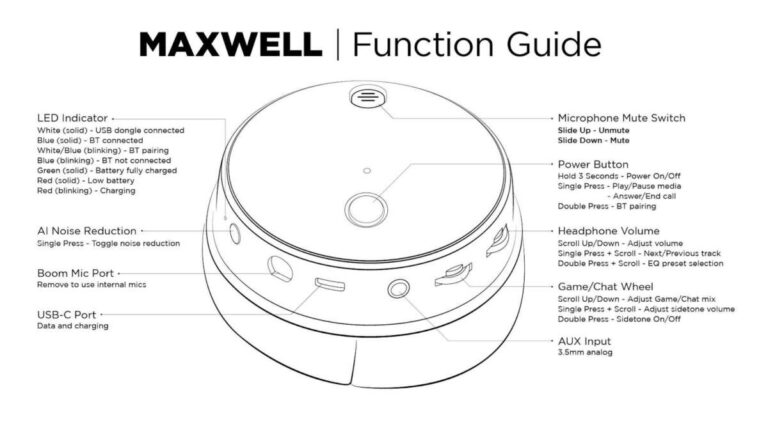
- A microphone mute button
- Sidetone, which lets you hear your own voice
- Multipoint Bluetooth for two devices
- A flip-to-mute microphone
- Comfortable ear pads
- Compatibility with your computer and phone
Check whether the headset works with the calling software you use. Bluetooth pairing does not always guarantee that every call control will work on every computer.
Headphones for exercise
Choose a secure fit before choosing powerful bass. Earbuds that move during a run can become unsafe and annoying.
For workouts, check:
- An ear hook, wing, or secure in-ear shape
- A stated sweat or water-resistance rating
- Easy-to-clean surfaces
- A transparency or awareness mode for outdoor use
- A charging case that closes firmly
A water-resistance rating is not the same as waterproofing. Do not assume that a product rated for sweat can be used while swimming. Follow the manufacturer’s limits.
Headphones for gaming
Gaming headphones need more than good music sound. Look for low audio delay, a clear microphone, and support for your platform.
Before buying, confirm compatibility with:


- PlayStation 5
- Xbox Series X or Series S
- Nintendo Switch
- Windows PCs
- macOS computers
- Mobile devices
Some wireless headsets use a USB transmitter instead of Bluetooth. This can reduce delay, but the transmitter may not work with every console. A wired headset is often the simplest option for broad compatibility.
2. Choose the right headphone type
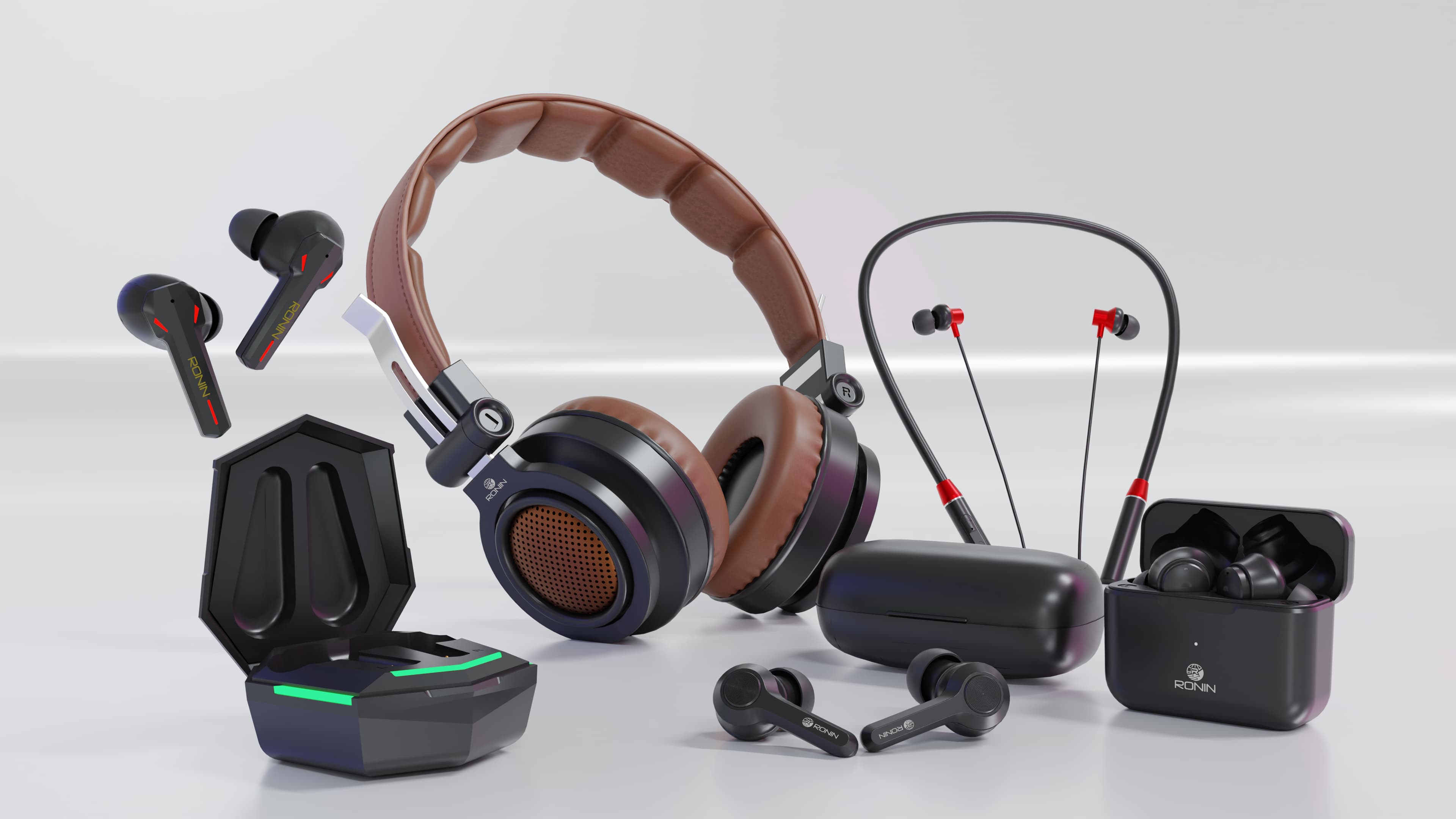
The four common types are earbuds, in-ear headphones, on-ear headphones, and over-ear headphones. Each type changes comfort, sound isolation, size, and stability.
Earbuds
Earbuds sit at the opening of the ear. They may have silicone tips, but some use a hard plastic shell.
They are small and light. Many people find them comfortable because they do not fill the ear canal. However, a loose fit can reduce bass and let in more outside sound.
Earbuds may suit you if you want:
- A small case
- Easy storage
- Light weight
- A relaxed fit
- Good awareness of your surroundings
In-ear headphones
In-ear headphones use ear tips that sit inside the ear canal. A proper seal can improve bass and reduce outside sound without electronic noise canceling.
The fit is personal. One tip size may feel too loose, while another may feel tight. Many models include small, medium, and large tips. Some include foam tips, which can change both comfort and isolation.
Do not force an ear tip into your ear. If you feel pain, pressure, or skin irritation, stop using it and try a different size or design.
On-ear headphones
On-ear headphones rest on the outer ear. They are often lighter and cooler than over-ear models.
Their main limits are pressure and sound leakage. The ear cups may press on your ears, and people nearby may hear your music. They can work well for short commutes or home use when you want a compact design.
Over-ear headphones
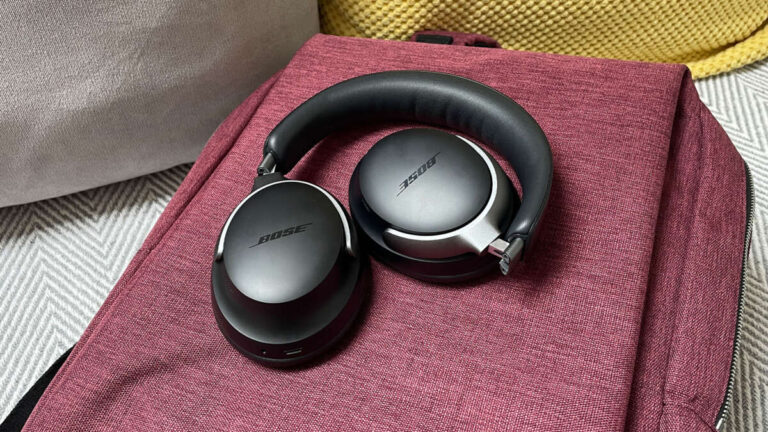
Over-ear headphones surround the ear. They often provide the best comfort for long sessions, but not for every listener.
They can offer:
- A stable fit
- More passive isolation
- Larger ear cushions
- Space for bigger drivers
- Less pressure on the ear itself
They may feel hot, heavy, or tight. Glasses can also affect the seal. Try them with your glasses if you wear them often.
3. Pick wired or wireless headphones
Wireless headphones offer freedom from a cable. Wired headphones offer simplicity, consistent performance, and no battery concern.


Wireless headphones
Bluetooth headphones connect to phones, tablets, laptops, and other devices. They are convenient for travel, work, and exercise.
Check these details before buying:
- Bluetooth version and supported profiles
- Battery life with ANC on and off
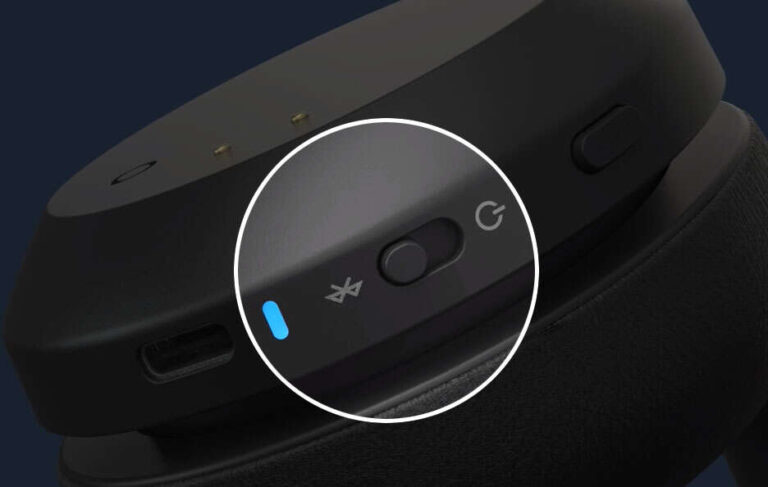
- Charging connector
- Charging time
- Multipoint support
- App requirements
- Codec support
- Performance in wired mode, if offered
Battery claims are usually measured under set conditions. Actual time may change with volume, ANC, calls, temperature, and wireless features.
Some wireless headphones can play while charging. Others cannot. If this matters to you, confirm it in the manual rather than assuming.
Wired headphones
Wired headphones do not need charging. They can also avoid some wireless delay and pairing problems.
Common connections include:
- A 3.5-millimeter headphone plug
- USB-C
- USB-A through an adapter
- A balanced connector used with some audio equipment
Many newer phones sold in the United States do not include a 3.5-millimeter jack. You may need a USB-C or Lightning adapter, depending on your device. Check whether the adapter includes a digital-to-analog converter (DAC). A passive adapter may not work with every phone.
Which is better?
Choose wireless headphones for convenience. Choose wired headphones when you want reliable connection, no charging, or easy use with audio equipment.
A wired backup can be useful for long flights or workdays. But some wireless models still need power even when a cable is connected.
4. Understand noise canceling and sound isolation
Noise control comes in three forms: passive isolation, active noise canceling, and transparency mode.
Passive noise isolation
Passive isolation comes from the physical design. Ear tips, ear cups, and padding block some outside sound.
A good seal can reduce noise without a battery. It can also improve bass response. The trade-off is that you may hear less of your surroundings.
Active noise canceling
ANC uses microphones and speakers to reduce outside noise. It works best with steady, low sounds, such as:
- Airplane engines
- Bus and train noise
- Office air conditioning
- Fans
- Road hum


ANC does not remove every sound. It may reduce voices without making them disappear. Some users also notice a feeling of pressure or a change in sound when ANC is active.
Transparency or awareness mode
Transparency mode uses microphones to bring outside sound into the headphones. It can help you hear announcements or speak without removing your earbuds.
Do not treat transparency mode as a guarantee that you will hear every danger. For road crossings, cycling, and other high-risk settings, remain alert and follow local safety rules.
Do you need ANC?
Choose ANC if you often travel, work near steady noise, or want to listen at a lower volume in loud places. Skip it if you mainly listen in quiet rooms and prefer a lower price, longer simplicity, or fewer electronic features.
5. Choose sound quality without relying on marketing terms
Sound quality is personal, but a few specifications can help you understand what you are buying.
Sound signature
A sound signature describes the balance between bass, midrange, and treble.
- Bass-forward: More impact from drums, bass lines, and effects
- Balanced: A more even presentation across the range
- Bright: More emphasis on upper tones, such as cymbals and detail
- Warm: Fuller lower mids and a softer top end
- Neutral: Aims to reproduce the recording with less added color
None is automatically best. If you enjoy hip-hop, electronic music, and action films, you may prefer more bass. If you listen to podcasts, classical music, or acoustic recordings, clear mids may matter more.
Frequency response
Frequency response shows the range of tones a headphone can reproduce. A wider number does not prove better sound. Human hearing does not cover every advertised frequency, and the graph does not show how evenly the headphone plays those tones.
Treat frequency response as one clue, not a final verdict.
Driver size
A larger driver does not automatically sound better. Driver material, tuning, enclosure design, fit, and digital processing also affect sound.
Do not choose a headphone only because it lists a large driver.
Codec support
Bluetooth codecs affect how audio is sent from a device to headphones. Common codecs include SBC, AAC, and, on some devices, higher-bandwidth options.
Both the source device and the headphones must support the same codec for it to work. Codec support can also affect battery life and delay. It does not guarantee that one model will sound better to every listener.
High-resolution audio claims
Terms such as “high-resolution audio” may describe supported files, codecs, or hardware limits. They do not guarantee better sound in normal use.


Fit, recording quality, tuning, and your listening environment often matter more. A secure seal can make a larger difference than a long specification list.
6. Check comfort and fit before you buy
Comfort is not a minor feature. If headphones hurt after 20 minutes, impressive sound will not fix the problem.
Check the following:
- Ear cup pressure
- Headband pressure
- Ear tip size
- Weight
- Heat buildup
- Glasses compatibility
- Hair and hat interference
- Stability when you move
For earbuds, test each included tip size. The correct tip should seal without sharp pressure. If the sound becomes much fuller after you adjust the tip, the seal may have improved.
For over-ear headphones, your ears should fit inside the cushions. If your ears touch the inner speaker cover, the model may cause discomfort during long use.
Buy from a seller with a clear return policy. Comfort cannot be confirmed from specifications alone.
7. Match headphones to your devices
Compatibility problems often appear after the purchase. Check the complete setup before you order.
Phone and tablet compatibility
Confirm:
- Bluetooth support
- Charging connector
- App support for your operating system
- Call controls
- Voice assistant support
- Wired adapter needs
A headphone app may require a recent version of iOS or Android. Some features may not work without the app, such as equalizer controls, firmware updates, or button customization.
Laptop compatibility
Windows and macOS computers can connect to Bluetooth headphones, but call quality may change when the microphone is active. Bluetooth may switch to a lower-quality call mode to send and receive microphone audio.
A USB headset or wired headset can avoid some of these limits.
Television compatibility
Some TVs support Bluetooth headphones. Others need a Bluetooth transmitter connected to an audio output.
Check for audio delay. A small delay between speech and sound can make shows hard to watch. A model with a low-latency mode may help, but the TV and headphones must both support the required connection.
Game console compatibility
Do not assume that Bluetooth headphones work with every console. Some systems restrict Bluetooth audio or support only certain accessories.


A USB wireless transmitter, console-specific headset, or wired connection may be more reliable. Confirm whether chat audio, game audio, and microphone input all work together.
8. Evaluate battery life, controls, and maintenance
Battery life affects how often you charge. It should not be the only deciding factor.
Compare:
- Playback time with ANC off
- Playback time with ANC on
- Call time
- Charging time
- Quick-charge time
- Case capacity for earbuds
- Battery replacement options
Manufacturers may list separate figures for different modes. Compare like with like.
Physical buttons can be easier to use in cold weather or while walking. Touch controls may feel cleaner but can cause accidental taps. Try to learn how the headphones handle volume, play, calls, ANC, and transparency before you rely on them.
Clean headphones with a soft, dry cloth unless the manual says another method is safe. Keep ear tips clean. Do not push water into microphones, charging ports, or speaker openings.
Rechargeable batteries lose capacity over time. If you plan to keep the headphones for many years, look for replaceable cushions and a repair or battery service option.

9. Use hearing-safe listening habits
Headphones can expose you to loud sound for long periods. The risk depends on both volume and time.
The World Health Organization advises keeping personal listening devices at no more than about 60% of maximum volume and using features that monitor sound exposure. That level is a general guide, not a guarantee of safety for every device or person.
The National Institute on Deafness and Other Communication Disorders explains that loud noise can damage hearing. Warning signs include ringing, muffled hearing, or pain after listening.
Use these habits:
- Lower the volume before pressing play
- Take quiet breaks
- Use ANC in loud places so you do not raise the volume as much
- Avoid blocking awareness in unsafe settings
- Stop if you feel pain or notice ringing
- Seek medical advice for ongoing ringing or hearing changes
Headphones with good isolation can help, but they do not make high volume safe. If you need to raise the volume to understand speech, consider a hearing evaluation.
10. Set a budget based on features, not price alone
A higher price may buy better comfort, stronger materials, better microphones, longer support, or more useful software. It does not guarantee a sound signature you will enjoy.
Set your budget after listing your required features.
A simple buying method
- Write down your main use.
- Choose earbuds, on-ear, or over-ear design.
- Decide whether you need wireless, wired, or both.
- Mark required features, such as ANC or a microphone.
- Check device compatibility.
- Compare comfort, battery claims, and return terms.
- Read independent measurements or careful reviews.
- Test the fit and sound during the return period.
A budget pair with a comfortable fit may serve you better than an expensive model that hurts your ears.
11. Compare headphones with a decision scorecard
Use this scorecard when two or three models seem similar. Rate each from 1 to 5, then give extra weight to the features that matter most.
| Category | Weight | Model A | Model B |
|---|---|---|---|
| Comfort | 5 | ||
| Fit and stability | 5 | ||
| Sound | 4 | ||
| Microphone | 3 | ||
| Noise control | 3 | ||
| Battery | 3 | ||
| Device support | 5 | ||
| Durability and repair | 3 | ||
| Price and return policy | 4 |
Multiply each rating by its weight. This is not a scientific score. It is a way to prevent one flashy feature from hiding a major weakness.
For example, a traveler may give ANC and comfort a weight of 5. A home listener may give sound and comfort a weight of 5 but give water resistance a weight of 1.
Common headphone-buying mistakes
Choosing by driver size alone
Large drivers do not prove better sound. Fit and tuning can matter more.
Ignoring the microphone
Music headphones may not provide clear call audio. Check microphone reviews and compatibility if you work from home.
Assuming ANC blocks every sound
ANC reduces some sounds better than others. Physical fit still matters.
Forgetting the return policy
Ear shape and comfort vary. A return window protects you from a poor fit.
Buying without checking the connector
Your phone, laptop, TV, or console may need an adapter or transmitter.
Using high volume to overcome outside noise
Try better isolation or ANC first. Loud listening for long periods can harm hearing.
Confusing water resistance with waterproofing
Follow the exact rating and use limits. Sweat, rain, showers, and swimming are different conditions.
Overlooking replacement parts
Earpads, ear tips, cables, and batteries can determine how long a pair remains useful.
Frequently asked questions
Are wired headphones better than wireless headphones?
Neither is always better. Wired headphones avoid charging and may offer a simpler connection. Wireless headphones are easier to use while moving and often include ANC, transparency, and app controls.
Are over-ear headphones safer for your ears than earbuds?
The design alone does not determine safety. Volume and listening time matter most. Any headphone can expose you to harmful sound if played loudly for too long.
Do I need noise-canceling headphones?
You may benefit from ANC if you travel, work near steady noise, or often raise the volume to hear clearly. You may not need it for quiet rooms or short listening sessions.
How should headphones fit?
They should stay in place without pain. Earbuds should seal without sharp pressure. Over-ear cushions should surround your ears, and the headband should not create a painful hot spot.
How much should I spend on headphones?
Spend enough to meet your required features and comfort needs. Price does not reliably predict your personal preference. A clear return policy is often more valuable than a small specification advantage.
Can I use Bluetooth headphones with a TV or game console?
Sometimes. Compatibility depends on the device, connection type, audio delay, and microphone support. Check the manual for your exact TV or console before buying.
Final recommendation
The best way to choose headphones is to prioritize fit, use, device support, and safe listening. Start with your real routine, not a feature list.
For travel, focus on comfort, ANC, and battery life. For calls, focus on the microphone and computer support. For exercise, choose stability and the correct water-resistance limits. For home listening, compare comfort, sound, and a wired option.
Before you buy, confirm the connector, app support, return policy, and safety limits. Then choose the model that solves your main problem with the fewest compromises.