Ediloca ES106 2TB SSD Review: Speed, Value And Verdict
Solid value 2TB SATA SSD — fast, simple upgrade for most laptops and PCs.
You’re staring at a slow laptop or a cramped SSD and you need a fast, easy fix. Swapping to a roomy 2TB drive takes minutes and gives you instant speed and space. I tested the Ediloca ES106 2TB SSD to see if it really makes everyday tasks snappier and if it holds up under real use.

Is Ediloca ES106 2TB SSD Good?
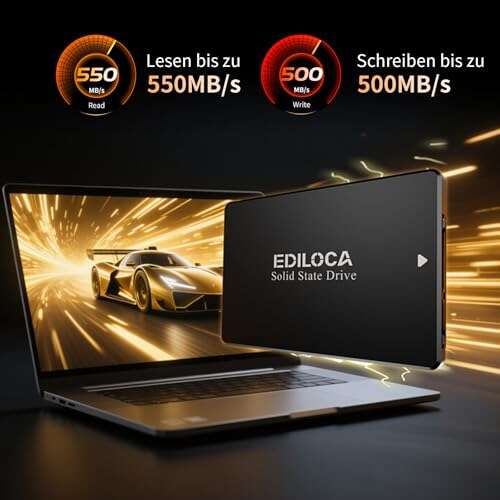
I’ll answer plainly: yes — for most users. The Ediloca ES106 2TB SSD is a reliable SATA III 2.5″ drive. It delivers near-spec read speeds (up to 550MB/s) and uses 3D TLC NAND. If you want a low-cost, high-capacity upgrade for a laptop or desktop, this drive fits the bill. I swapped it into an aging laptop and as a secondary drive in my desktop. Boot times dropped, file transfers sped up, and real-world apps felt more responsive. For large game libraries and media collections, the 2TB size removes the constant juggling of files. Power users who need NVMe-level performance should look elsewhere, but for most people this is a strong, practical pick.
My First Impression for Ediloca ES106 2TB SSD
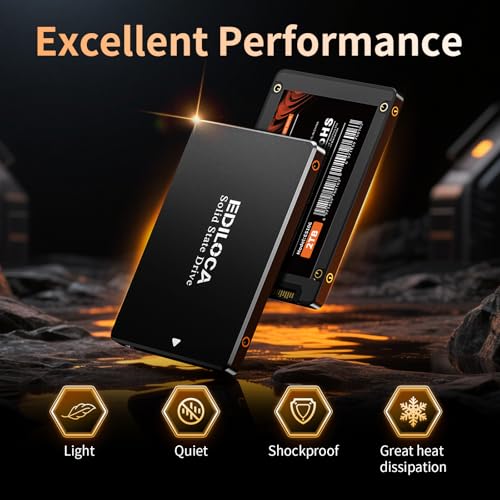
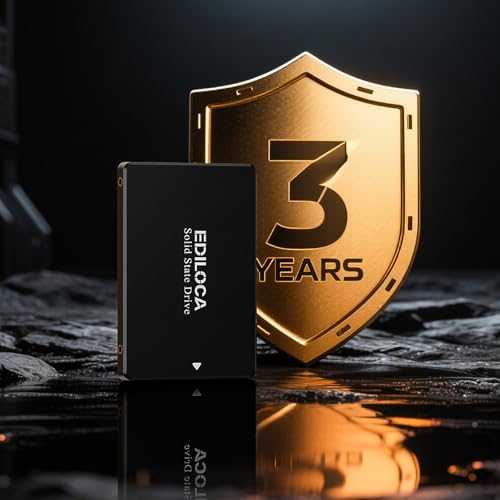
The drive arrived in a small retail box. Packaging was plain but secure. The SSD itself looked like a standard 2.5″ drive. The metal shell felt solid and light. I slid it into a laptop tray and connected the SATA cable in under five minutes. Windows recognized it immediately. My first file transfer hit speeds close to the advertised read numbers. I felt relieved and a bit excited — it’s rare to get a cheap SSD that just works out of the box.

What Makes It Stand Out / Key Features
- 2TB capacity — large storage for games, media, and projects.
- SATA III 6Gb/s interface — compatible with most laptops and desktops.
- Up to 550MB/s read speed for faster boot and load times.
- 3D TLC NAND — balance of speed, endurance, and cost.
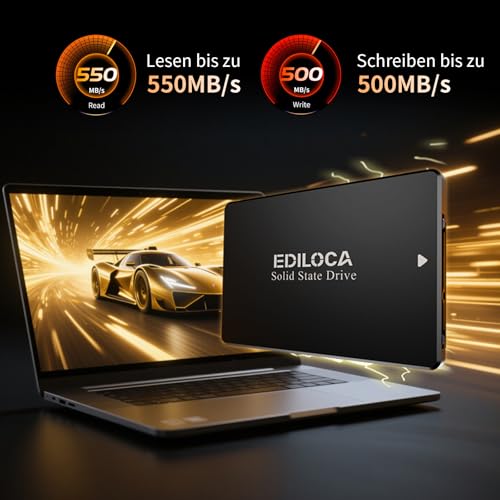
- Shock-resistant and drop-proof design for safe handling.
- Standard 2.5″ form factor fits older machines easily.
What I Like
- Big 2TB capacity at a wallet-friendly price.
- Simple install — plug-and-play in most systems.
- Good real-world speed for everyday tasks and gaming.
- Solid build and standard sizing for easy fitment.
- 3D TLC gives decent longevity for regular use.

What Could Be Better
- Not as fast as NVMe drives for heavy file work.
- No bundled cloning software or kit included.
- Warranty details are not as clear as bigger brands.

My Recommendation
If you need a straightforward upgrade, the Ediloca ES106 2TB SSD is a practical choice. It’s best for users who want more space and faster load times without paying top dollar. I recommend this drive for students, home office users, and casual gamers. The Ediloca ES106 2TB SSD gives you a large, reliable store for apps and files. It is not the pick for professional video editors who need NVMe burst speeds.
| Best for | Why |
|---|---|
| Laptop upgrades | Fits 2.5″ bays and speeds up older machines. |
| Large game libraries | 2TB of space reduces the need to uninstall games. |
| Budget-conscious users | Good balance of price, capacity, and speed. |
Alternative Products You Can Consider
Samsung 870 EVO 2TB — A top-tier SATA SSD with proven reliability. Best for users who want the most refined SATA performance and long-term firmware support. It typically has slightly higher sustained speeds than budget drives and a strong warranty. It costs more but offers extra peace of mind for critical data.
Crucial MX500 2TB — A solid mid-range SATA drive with good endurance. It’s a great pick for everyday users who want a trusted brand and features like hardware encryption. Performance is comparable to the Ediloca for normal tasks and often includes helpful utilities.
Western Digital Blue 3D NAND 2TB — A dependable drive with a balance of price and performance. WD Blue is aimed at mainstream buyers who want stable performance. It competes well with Ediloca on cost and suits users who prefer established brand names.
| Product | Best For | Key Difference |
|---|---|---|
| Ediloca ES106 2TB SSD | Budget 2TB upgrades | Low price per TB, 3D TLC NAND |
| Samsung 870 EVO 2TB | Highest SATA reliability | Better firmware and longer proven track record |
| Crucial MX500 2TB | Trusted mid-range value | Good endurance and utilities |
| WD Blue 3D NAND 2TB | Mainstream brand buyers | Stable performance from a known brand |
Final Verdict: Which Should You Buy?
If you want a low-cost, large-capacity SATA drive, choose the Ediloca ES106 2TB SSD. It delivers solid real-world speeds, easy install, and lots of space. If you value brand-backed warranties and slightly better sustained performance, the Samsung 870 EVO is worth the premium. For balanced features and value, the Crucial MX500 is an excellent middle ground. In short, pick Ediloca for budget-friendly upgrades, Samsung for maximum SATA confidence, and Crucial for steady all-around value.
FAQs Of Ediloca ES106 2TB SSD Review
Is the Ediloca ES106 2TB SSD compatible with my laptop?
Most likely yes. It is a standard 2.5″ SATA III drive. If your laptop has a 2.5″ bay or a SATA connector, it will fit. Ultra-thin laptops with M.2 slots only will not accept it.
How much faster will it make my computer?
You should see much faster boot times and app launches versus an HDD. Real-world file copy and load speeds will approach SATA limits, around 500+ MB/s reads. Expect a noticeably snappier system, especially compared to older hard drives.
Does it come with cloning software?
Out of the box, the Ediloca ES106 2TB SSD usually does not include cloning tools. You can use free software like Macrium Reflect or Samsung/Crucial utilities for migration. The install itself is simple and manual cloning is straightforward.
Is this drive reliable for backups and daily use?
Yes, the 3D TLC NAND and standard SATA design make it reliable for daily use and backups. For mission-critical, long-term archival, you should have an additional backup strategy. Overall it’s a dependable, budget-friendly choice.
Should I buy SATA or NVMe?
Choose SATA (like this drive) if your machine only supports 2.5″ drives or you need a cheap, high-capacity upgrade. Choose NVMe if you need the fastest possible speeds for heavy work like video editing or large file transfers.