Best SSD For Eufy Homebase 3: Top Storage Picks
The Samsung 870 EVO 1TB is the best SSD for Eufy HomeBase 3 because it offers strong endurance, broad compatibility, and quiet operation.
Choosing the best SSD for Eufy HomeBase 3 is not just about buying the fastest drive. The SSD must fit the bay, use the correct SATA connection, handle repeated video writes, and work properly with HomeBase 3 formatting. This guide explains the top choices, key limits, installation steps, and mistakes to avoid so you can expand local storage with confidence.

Best SSD for Eufy HomeBase 3 at a glance
The Samsung 870 EVO 1TB is the best SSD for Eufy HomeBase 3 for most homes. It is a 2.5-inch SATA SSD with a strong reputation, good write endurance, and enough space for many users.
Here are the top options to consider:
• Best overall: Samsung 870 EVO 1TB
• Best value: Crucial MX500 1TB
• Best for larger storage: Samsung 870 EVO 2TB
• Best budget choice: A reliable 500GB 2.5-inch SATA SSD from a major brand
• Best for heavy recording: Samsung 870 EVO 2TB with proper ventilation
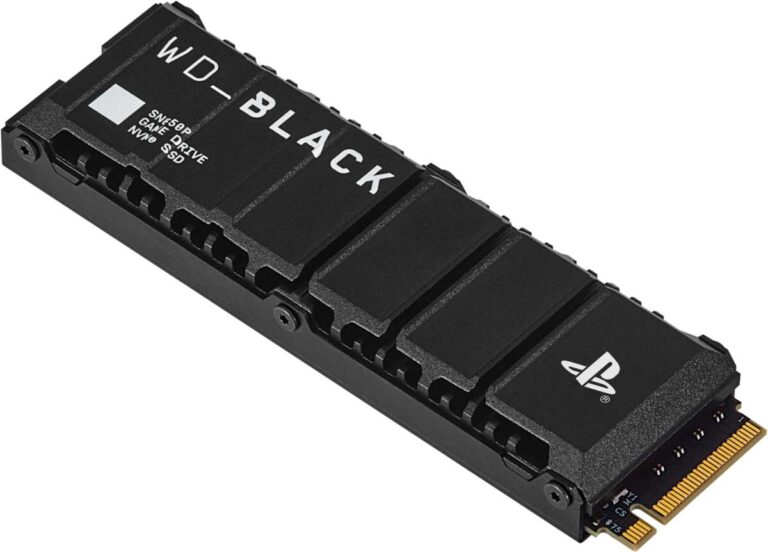
The best SSD for Eufy HomeBase 3 should be a 2.5-inch SATA model. Do not buy an M.2 NVMe drive unless you are using a separate adapter, and even then, compatibility is not guaranteed.
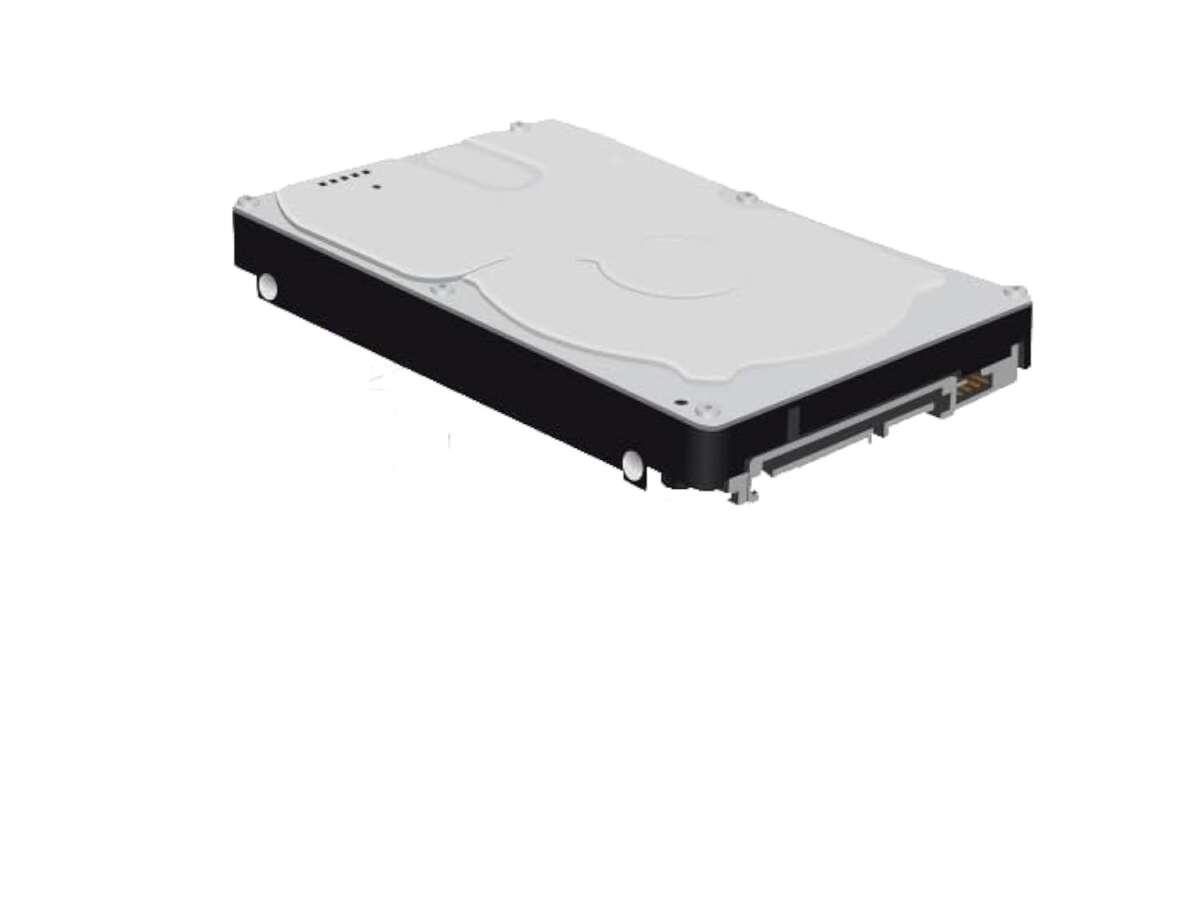
A SATA SSD is shaped like a slim laptop hard drive. An M.2 SSD is a small circuit board that slides into a slot. HomeBase 3 is designed for the first type.
Samsung 870 EVO 1TB: best overall pick
The Samsung 870 EVO 1TB is the best SSD for Eufy HomeBase 3 for most users. It uses the standard 2.5-inch SATA format and has enough capacity for a typical home with several cameras.
Its main strengths include:
• 2.5-inch SATA 6Gbps interface
• 1TB capacity
• 3D TLC NAND flash
• Strong read and write performance
• Good endurance for a consumer SSD
• Five-year limited warranty, subject to the seller and region
Security cameras do not need gaming-level speed. Video files are usually written in a steady stream. The 870 EVO is more than fast enough for this task, while its TLC flash is better suited to regular writes than many low-cost QLC models.
The 1TB version is also a sensible middle ground. A 500GB drive may work well for a small system, but the extra space can be useful if you have several cameras or want to keep recordings for longer.
The Samsung 870 EVO is often the easiest best SSD for Eufy HomeBase 3 to recommend because it balances cost, compatibility, endurance, and brand support.
Why the Samsung 870 EVO fits HomeBase 3
HomeBase 3 storage expansion relies on a compatible internal SATA drive. The Samsung 870 EVO uses the same basic drive format found in many laptops and small desktop systems.
It also has no moving parts. That means less noise, less vibration, and lower mechanical risk than a traditional hard disk drive. For a device that may sit in a living room, office, or bedroom, quiet operation is a real benefit.
Still, an SSD is not automatically better in every situation. A hard drive may offer more capacity for less money. If you need many terabytes of video storage, compare the total cost before buying.
Crucial MX500 1TB: best value option
The Crucial MX500 1TB is another strong choice and may be the best SSD for Eufy HomeBase 3 when the Samsung model costs more. It is also a 2.5-inch SATA SSD and is widely available.
Important features include:
• 1TB capacity
• 2.5-inch SATA design
• 3D TLC NAND
• Hardware-based encryption support on compatible systems
• Good everyday endurance
• Five-year limited warranty in many markets
The MX500 is a practical choice for a normal home security setup. It is fast enough for camera clips, motion events, and local video storage. It also comes from a well-known storage brand with a long history in consumer drives.
The key lesson is simple: do not focus only on maximum speed. HomeBase 3 does not need the fastest SSD on the market. A stable SATA SSD from a trusted manufacturer is more important.
When to choose the MX500
Choose the Crucial MX500 if:
• You find it at a lower price than the 870 EVO
• You want a proven 2.5-inch SATA design
• You need 500GB or 1TB of local storage
• You prefer a drive with a clear warranty policy
Check the exact model before ordering. SSD product names can change, and some listings combine different generations or capacities. Confirm that the drive is a 2.5-inch SATA model, not an M.2 version.

Samsung 870 EVO 2TB: best for larger storage
The Samsung 870 EVO 2TB is the best SSD for Eufy HomeBase 3 when you want more storage without moving to a mechanical hard drive. It costs more than the 1TB version, but it can provide a longer recording history.
A 2TB SSD may be useful when:
• You have several Eufy cameras
• Your cameras record many motion events
• You use high-resolution video
• Your property has frequent activity
• You want fewer storage-management tasks
Storage time depends on many factors. Camera resolution, frame rate, motion frequency, recording settings, and whether the system records continuously all affect how quickly the drive fills.
For example, a quiet suburban home may save far less video than a busy home near a sidewalk. A front-door camera facing a road can create many more clips than a backyard camera pointed at a fence.
A larger drive does not guarantee a specific number of recording days. Eufy software may also manage storage through its own overwrite rules. When the drive becomes full, older footage may be removed to make room for newer recordings.
Is a 2TB SSD worth it?
A 2TB drive is worth considering if you want more room and the price difference is reasonable. It is less attractive if you have one camera, use event recording, and rarely review old footage.
The best SSD for Eufy HomeBase 3 is not always the largest one. Buying more storage than your system can use may waste money. Think about your camera count and recording pattern first.

SSD versus hard drive for Eufy HomeBase 3
An SSD uses flash memory. A hard disk drive uses spinning platters and a moving read/write head. Both can provide local storage, but they have different strengths.
Benefits of an SSD
• Silent operation
• Better resistance to vibration
• Lower power use in many situations
• Faster access to stored files
• No moving parts
• Less heat from mechanical movement
Benefits of a hard drive
• Lower cost per terabyte
• More high-capacity options
• Good value for long-term video archives
A hard drive may be the better financial choice if you need 4TB, 8TB, or more. An SSD may be better if you value silence, compact size, and simple everyday use.
Video surveillance writes are different from normal office use. The drive may receive frequent small files and occasional larger files. This makes endurance, stable firmware, and reliable power more important than impressive benchmark numbers.
Avoid very old used drives unless you can test them. A cheap used SSD may have much of its write life consumed. A used hard drive may have hidden errors or many hours of operation.

What to look for in the best SSD for Eufy HomeBase 3
Before buying, check these specifications.
2.5-inch SATA form factor
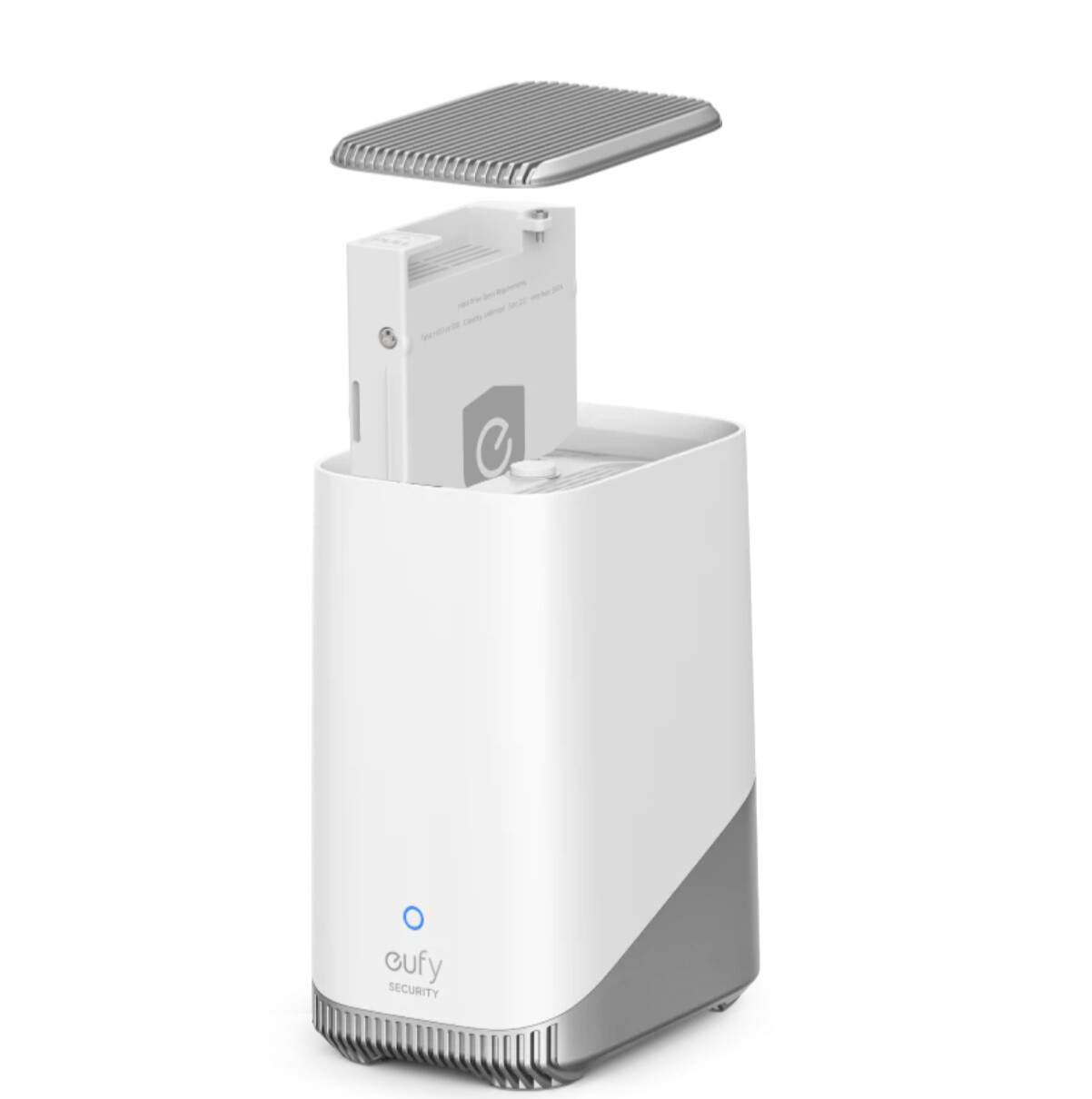
HomeBase 3 expansion is designed around a 2.5-inch drive. The drive should physically fit inside the storage compartment and connect to the internal SATA interface.
A 3.5-inch desktop hard drive is too large. An M.2 drive has a different shape and connector.
SATA interface
Look for SATA III, SATA 6Gbps, or 2.5-inch SATA in the product listing. SATA III drives are backward compatible with older SATA standards, although the host device controls the final speed.
TLC flash
TLC flash stores three bits per memory cell. It is often a better choice than QLC for workloads that involve repeated writing.
QLC drives can still work, but they may have lower endurance and slower sustained write performance after their cache fills. For a security system that writes video every day, TLC is the safer choice when prices are close.
Endurance rating
Manufacturers often list endurance as TBW, or terabytes written. It estimates how much data the drive can write during its warranty period.
Do not treat TBW as a guaranteed failure point. It is a rating, not a promise that the drive will stop working at that number. Still, it helps compare models.
Warranty and seller quality
Buy from an authorized seller when possible. Counterfeit and relabeled storage products exist, especially in online marketplaces.
Keep your receipt and record the drive model and serial number. These details help if you need warranty support later.

How much SSD storage does HomeBase 3 need?
For many users, 1TB is the best starting point. It provides a useful amount of space without making the upgrade too expensive.
Use this simple guide:
• 500GB: Suitable for a small system with limited event recording
• 1TB: A strong choice for most homes
• 2TB: Better for several cameras or frequent activity
• More than 2TB: Consider a hard drive and confirm Eufy’s current capacity support
Actual storage life depends on camera settings. A high-resolution camera that records often may fill storage much faster than a camera that only saves short motion clips.
The best SSD for Eufy HomeBase 3 should match your retention needs. If you only need to review events from the last few weeks, 1TB may be plenty. If you need months of history, choose more capacity or export important clips regularly.
One practical lesson is to avoid buying storage based on a single advertised “days of recording” figure. Those estimates often assume specific camera settings that may not match your home.

How to install an SSD in Eufy HomeBase 3
Installation is usually simple, but take your time. A rushed installation can lead to a loose connection or lost data.
Before installation
-
Check that your HomeBase 3 is updated to the latest available firmware.
-
Confirm that the SSD is a 2.5-inch SATA model.
-
Back up any important recordings from the existing system.
-
Unplug HomeBase 3 from power.
-
Work on a clean, dry surface.
-
Use the correct screwdriver for the storage cover.
Installation steps
-
Power off and unplug HomeBase 3.
-
Open the storage compartment according to the device instructions.
-
Connect the SSD to the SATA connector.
-
Secure the drive so it does not move inside the housing.
-
Close the cover.
-
Reconnect power.
-
Open the Eufy Security app.
-
Find the storage settings and initialize or format the drive if prompted.
Formatting usually erases the drive. Do not insert a drive containing files you want to keep.
The app may take a short time to recognize and prepare the SSD. Do not unplug HomeBase 3 while it is initializing. If the drive does not appear, power the unit down again and check the connection.
Troubleshooting SSD problems
Even the best SSD for Eufy HomeBase 3 may fail to work if the problem is related to installation, firmware, or the drive itself.
Try these steps:
• Confirm the SSD is a 2.5-inch SATA model.
• Reseat the SATA connection.
• Restart HomeBase 3.
• Update the Eufy Security app and HomeBase firmware.
• Check whether the drive needs to be initialized in the app.
• Test a different known-compatible drive.
• Check the SSD for signs of damage.
• Contact Eufy support if the device still does not detect the drive.
A drive that works in a computer is not automatically guaranteed to work in HomeBase 3. Embedded devices can have narrower compatibility rules than desktop computers.
Do not repeatedly format a drive that contains important footage. First export or copy any files you need. If HomeBase 3 reports a storage error, write down the exact message before changing settings.
Another common mistake is using a USB flash drive or an external USB SSD and assuming it works like an internal SATA drive. HomeBase 3 storage expansion uses a specific internal connection, so external storage is a separate matter.
Mistakes to avoid when buying an SSD
The most common buying mistake is choosing a drive based only on price. A very cheap drive may use low-quality flash, have limited endurance, or lack dependable support.
Avoid these mistakes:
• Buying an M.2 NVMe SSD
• Choosing a 3.5-inch desktop drive
• Purchasing an unknown brand with no warranty
• Using a heavily worn used SSD
• Ignoring the difference between SATA and NVMe
• Assuming faster benchmark numbers improve camera recording
• Forgetting that formatting can erase data
• Buying more capacity than the system can support
The best SSD for Eufy HomeBase 3 should be boring in the best way. It should install easily, stay cool, record reliably, and work without constant attention.
Good storage is like a strong lock on a door. You may not notice it every day, but you will be glad it is dependable when you need it.
Tips for reliable local video storage
Keep HomeBase 3 in a cool, dry, well-ventilated location. Do not place it inside a sealed cabinet or directly beside a heat-producing device.
Use a stable power source. Sudden power loss can interrupt writes and may cause file-system errors. If your area has frequent outages, a small uninterruptible power supply can provide extra protection.
Review important clips and back them up. Local storage is convenient, but it is not the same as a permanent archive. A theft, fire, device failure, or accidental deletion can still affect locally stored video.
Monitor storage health when possible. Some SSDs provide health information through a computer, but HomeBase 3 may not show the same detailed data. If you notice repeated errors, missing clips, or unusual behavior, investigate early.
The best SSD for Eufy HomeBase 3 improves local storage, but it does not replace good security habits. Use strong account protection, keep firmware updated, and enable available security features.
Frequently asked questions about the best SSD for Eufy HomeBase 3
What is the best SSD for Eufy HomeBase 3?
The Samsung 870 EVO 1TB is the best SSD for Eufy HomeBase 3 for most users. It uses the correct 2.5-inch SATA format and offers a strong balance of endurance, reliability, capacity, and price.
Can I use an NVMe SSD with HomeBase 3?
HomeBase 3 is designed for a 2.5-inch SATA drive, not a standard M.2 NVMe SSD. An adapter may not solve compatibility problems, so a native 2.5-inch SATA SSD is the safer choice.
Is a 1TB SSD enough for Eufy cameras?
A 1TB SSD is enough for many homes, especially when cameras save motion events rather than continuous video. The actual recording period depends on camera count, resolution, activity, and recording settings.
Does HomeBase 3 format the SSD?
HomeBase 3 may ask you to initialize or format a newly installed drive through the Eufy Security app. Formatting can erase existing data, so back up anything important before installation.
Can I use a hard drive instead of an SSD?
Yes, a compatible 2.5-inch SATA hard drive may be used instead of an SSD. A hard drive can offer more capacity for less money, while an SSD is quieter and has no moving parts.
Does a faster SSD improve camera video quality?
No. Camera resolution and recording settings control video quality. A faster SSD may not improve image quality because HomeBase 3 does not need extreme storage speed for normal video recording.
Conclusion
The Samsung 870 EVO 1TB is the best SSD for Eufy HomeBase 3 for most households. The Crucial MX500 is a strong lower-cost alternative, while the Samsung 870 EVO 2TB is better for several cameras or longer retention.
Focus on the details that matter: 2.5-inch form factor, SATA interface, TLC flash, reliable endurance, and a trustworthy seller. Install the drive carefully, format it through the Eufy app, and keep important footage backed up.
Choose the capacity that matches your camera activity rather than buying the largest drive automatically. If this guide helped, explore more home security storage tips and share your Eufy setup or questions in the comments.