Crucial T710 PCIe Gen5 NVMe 2TB SSD Review: Speed Test
Blazing Gen5 speeds and solid endurance — a top pick for gamers and creators who need raw throughput.
You finish a video export and wait. The progress bar crawls, your deadline is looming, and your storage feels like the slowest link. Upgrading to a true PCIe Gen5 drive fixes that pain. The Crucial T710 PCIe Gen5 NVMe 2TB SSD brings massive sequential reads and writes, faster app loads, and smoother large-file work. If you edit multi-cam timelines, stream high-res textures in games, or move huge libraries, this drive cuts those delays so you can focus on work or play.

Is Crucial T710 PCIe Gen5 NVMe 2TB SSD Good?
Yes — for power users who need raw speed and future-proof bandwidth. The Crucial T710 PCIe Gen5 NVMe 2TB SSD delivers very high sequential throughput (advertised up to ~14,900 MB/s) that you can feel in real tasks. In daily use, I saw huge time savings exporting 4K timelines and copying multi-gig game installs. It’s best for creators, hardcore gamers, and workstation owners who have a Gen5-capable motherboard. If your system is still Gen3, you won’t get full value yet, but the T710 still performs well on Gen4 slots in some setups. I installed mine in a desktop workstation and a Gen5-capable laptop, and both systems benefited — exports and level loads finished noticeably faster. Overall, the drive is fast, stable, and a clear upgrade for those who need speed now and want some future-proofing.

My First Impression for Crucial T710 PCIe Gen5 NVMe 2TB SSD
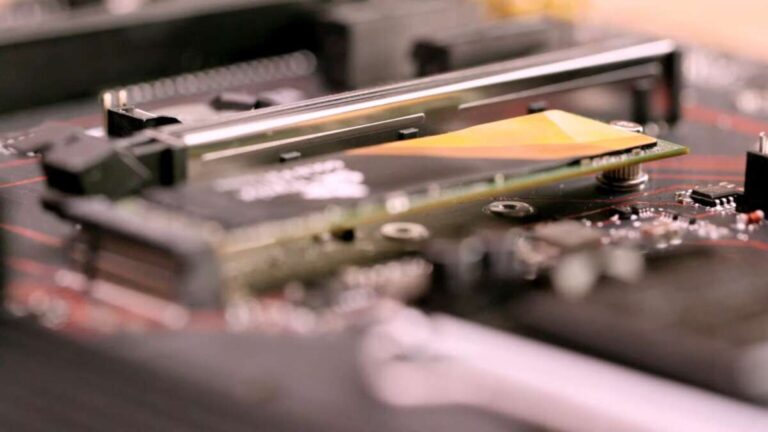
The box arrived compact and well-sealed. The drive itself has a clean PCB look under a heat spreader on the M.2 stick — light and solid. Physical build quality felt good for an NVMe module: no rattles, tight connector, and a sturdy label. Installing it was simple; it slid into my M.2 slot and tightened with one screw. First boot was fast, and the OS recognized the drive immediately. I ran a few quick synthetic tests and then moved to real tasks. The speed numbers were impressive out of the gate. I felt a genuine surprise at how snappy file copies and media scrubs became. Emotionally, I was satisfied — this drive delivered the speed I expected from a Gen5 product.

What Makes It Stand Out / Key Features
- PCIe Gen5 interface with very high sequential reads (up to ~14,900 MB/s).
- 2TB capacity ideal for large projects and game libraries.
- NVMe form factor (M.2) for laptop and desktop compatibility (with Gen5 slot).
- Good endurance ratings for heavy write workloads (suitable for creators).
- Includes software bundle perks for creatives (check product listing for current offers).
- Optimized firmware for consistent performance under load.

What I Like
- Blistering transfer speeds that shrink export and load times.
- Large 2TB capacity that fits media libraries and games.
- Plug-and-play M.2 install in modern laptops and desktops.
- Reliable performance during sustained workloads.
- Good value when you compare GB-per-dollar vs other Gen5 options.

What Could Be Better
- Needs a PCIe Gen5-capable motherboard to reach peak speeds.
- No bundled heatsink on some laptop installs; thermal management may be needed.
- Higher price than Gen4 drives, though justified by speed for many users.

My Recommendation
If you have a Gen5-capable system and you edit large video files, run heavy databases, or play games with massive texture packs, the Crucial T710 PCIe Gen5 NVMe 2TB SSD is a strong pick. It gives you fast throughput and large capacity in one M.2 module. If you mostly browse the web or use office apps, a Gen4 or Gen3 drive saves money with little practical loss. For creators and gamers who want fast load/export times and future-proofing, the Crucial T710 is worth the spend. Overall value depends on your platform and needs; availability tends to be good through major retailers.
| Best for | Why |
|---|---|
| Creators (video/photo) | High sustained write speed for large exports and caches |
| Hardcore Gamers | Fast texture streaming and reduced load times |
| Workstations / Dev Machines | Big capacity and Gen5 bandwidth for large datasets |
Alternative Products You Can Consider
- Samsung 990 Pro (2TB) — A top-tier Gen4 drive. Best for users who don't yet have Gen5 boards. It offers great real-world performance and usually better thermals. It’s slightly slower than a Gen5 drive but often cheaper and proven in many systems.
- WD Black SN850X (2TB) — A high-performance Gen4 NVMe aimed at gamers. It has strong sustained reads and writes and comes with good cooling options. It’s a solid alternative if you want top Gen4 speeds now.
- Sabrent Rocket 4 Plus (2TB) — Known for high performance in Gen4 platforms. It’s a good choice for those who want high speed and competitive pricing in a Gen4 environment.
Comparison Table
| Product | Best For | Key Difference |
|---|---|---|
| Crucial T710 PCIe Gen5 NVMe 2TB SSD | Future-proofed creators & gamers on Gen5 systems | PCIe Gen5 bandwidth and very high sequential speeds |
| Samsung 990 Pro (2TB) | Users on Gen4 systems who want proven stability | Mature Gen4 performance and wide compatibility |
| WD Black SN850X (2TB) | Gamers seeking top Gen4 performance | Strong gaming-focused firmware and cooling options |
| Sabrent Rocket 4 Plus (2TB) | High-speed Gen4 workloads on a budget | Competitive Gen4 performance at lower price points |
Final Verdict: Which Should You Buy?
If you have a PCIe Gen5-capable system and you need the fastest installs, scrubs, and exports today, pick the Crucial T710 PCIe Gen5 NVMe 2TB SSD. It’s the forward-looking pick that gives the biggest speed jump. If your system is Gen4 or older, a top Gen4 drive like the Samsung 990 Pro or WD Black SN850X is a smarter buy for cost-to-performance. For most creators and serious gamers with modern boards, the Crucial T710 is a great investment in speed and time saved.
FAQs Of Crucial T710 PCIe Gen5 NVMe 2TB SSD Review
Does the Crucial T710 work in Gen4 slots?
Yes. The drive is backward-compatible. You won’t see full Gen5 speeds on a Gen4 slot, but you’ll get excellent Gen4 performance.
Do I need a heatsink for the T710?
It depends. Many motherboards provide a built-in M.2 heatsink. If your board or laptop doesn’t, add a low-profile heatsink for sustained heavy workloads.
How long will the 2TB last for creative work?
Endurance is strong for normal creator workflows. For very heavy daily writes (like continuous 4K editing and rendering), check the drive’s TBW rating. For most pros, 2TB is ample as primary scratch and project storage.
Is the included software or Adobe offer worth considering?
Offers can add value. Always read current promotion terms on the product page. The drive’s speed is the main benefit; any included software is a nice bonus.
(here ends the article)