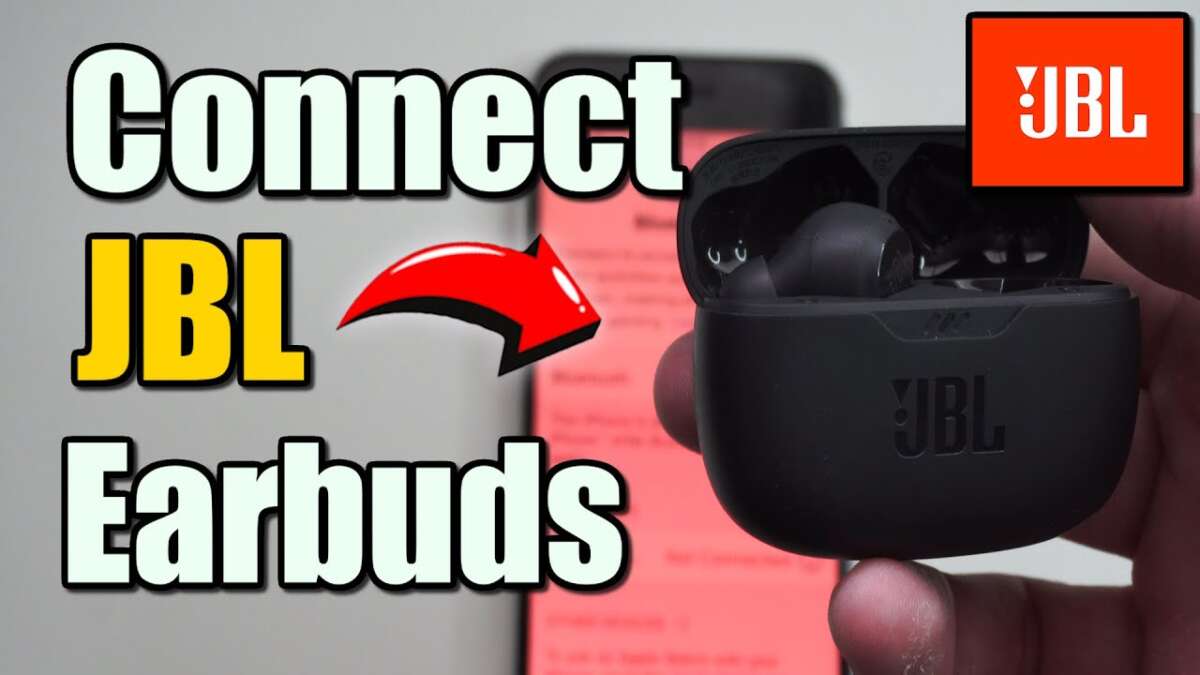
How To Pair JBL Vibe Earbuds: Quick Setup Guide
To pair JBL Vibe earbuds, open the case, enable Bluetooth, and select your JBL Vibe model from the device list.
Learning how to pair JBL Vibe earbuds is simple once you know what each light and prompt means. This guide covers first-time setup, reconnecting, pairing with phones and computers, fixing common problems, and resetting the earbuds when needed.
How to pair JBL Vibe earbuds for the first time
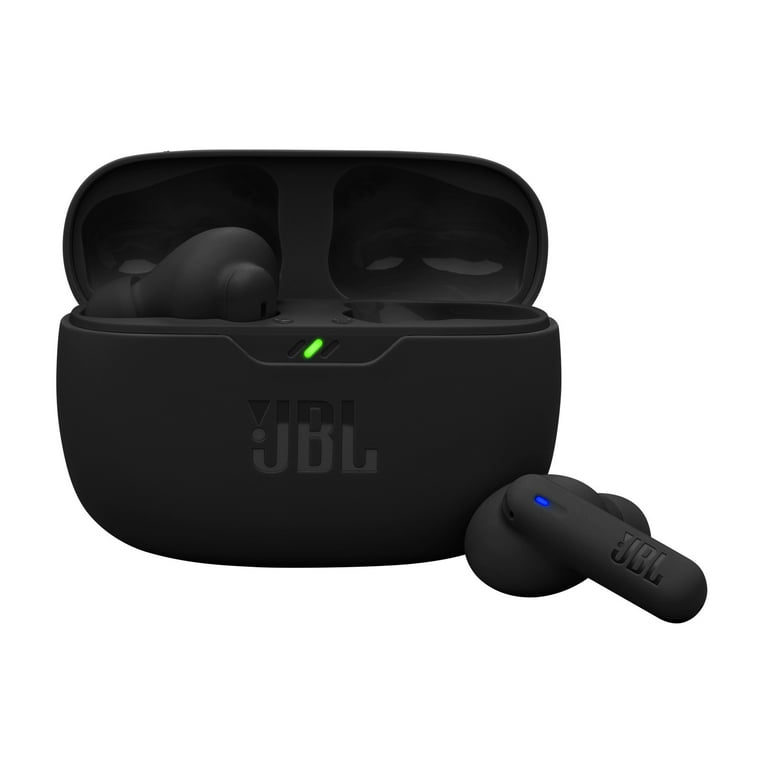
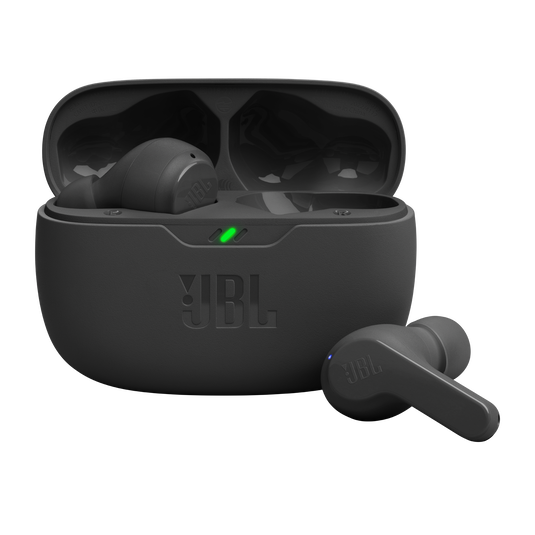
JBL Vibe earbuds usually enter pairing mode when you open the charging case and remove both earbuds. The exact steps can vary slightly between models such as the JBL Vibe Buds, Vibe Beam, and Vibe Flex.
Follow these steps:
- Place both earbuds in the charging case.
- Charge the case and earbuds for a few minutes if they are new.
- Open the case.
- Remove both earbuds.
- Open the Bluetooth settings on your phone.
- Turn Bluetooth on.
- Look for a name such as “JBL Vibe Buds,” “JBL Vibe Beam,” or “JBL Vibe Flex.”
- Tap the matching name.
- Wait for the status to show “Connected.”


You do not usually need the JBL Headphones app for the first Bluetooth connection. The app can help with updates, controls, and sound settings after the earbuds connect.
If your earbuds do not appear, place them back in the case, close the lid, and wait about 10 seconds. Then open the case and remove them again. This often restarts the pairing process.

How to pair JBL Vibe earbuds with an iPhone
Pairing JBL Vibe earbuds with an iPhone takes less than a minute in most cases. Keep the earbuds close to your iPhone during setup, and make sure they have enough battery power.
- Open the Settings app on your iPhone.
- Tap Bluetooth.
- Turn Bluetooth on.
- Open the JBL Vibe charging case.
- Remove the earbuds.
- Tap the JBL Vibe name under Other Devices.
- Wait for the word Connected to appear.
After the first connection, your iPhone should reconnect to the earbuds when you open the case. If it connects to another Bluetooth device first, such as a car stereo, select the JBL earbuds manually from the Bluetooth list.
When learning how to pair JBL Vibe earbuds with an iPhone, avoid opening several Bluetooth menus at once. A clean setup reduces confusion and makes it easier to identify the correct JBL name.

How to pair JBL Vibe earbuds with an Android phone
Android menus differ by brand, but the basic process remains the same. The steps work with phones from Samsung, Google, Motorola, OnePlus, and most other Android brands.
- Open Settings.
- Select Connected devices, Connections, or Bluetooth.
- Tap Pair new device if that option appears.
- Open the JBL Vibe case.
- Remove both earbuds.
- Select the JBL Vibe earbuds from the available devices.
- Approve the pairing request if your phone asks.
Some Android phones show a pop-up when they detect JBL earbuds. If the pop-up appears, tap Connect and follow the instructions on screen.
If you previously used the earbuds with another phone, that phone may connect first. Turn Bluetooth off on the old phone for a moment, then try pairing the JBL Vibe earbuds with your current device.
How to pair JBL Vibe earbuds with a Windows PC
JBL Vibe earbuds can connect to a Windows laptop or desktop for music, video calls, and online meetings. Before starting, disconnect the earbuds from your phone if they keep returning to it.


On Windows 11:
- Open Settings.
- Select Bluetooth & devices.
- Turn Bluetooth on.
- Click Add device.
- Choose Bluetooth.
- Open the JBL Vibe charging case.
- Remove the earbuds.
- Select the JBL Vibe model.
- Click Done.
On Windows 10, open Settings, select Devices, choose Bluetooth & other devices, and click Add Bluetooth or other device.
Windows may show two audio choices after pairing. Choose the JBL earbuds as the output device. For calls, select them as both the speaker and microphone in your meeting app.
A useful tip from hands-on setup work is to pair the earbuds before opening Zoom, Teams, or another call app. Many programs keep the old audio device selected until you change it manually.
How to pair JBL Vibe earbuds with a Mac
Mac users can connect JBL Vibe earbuds through System Settings or System Preferences. The earbuds must be in pairing mode before the Mac can find them.
- Open the Apple menu.
- Select System Settings.
- Click Bluetooth.
- Turn Bluetooth on.
- Open the JBL Vibe case.
- Remove both earbuds.
- Find the JBL Vibe name.
- Click Connect.
On older macOS versions, Bluetooth is inside System Preferences. The names may look different, but the pairing process is nearly identical.
After pairing, click the Control Center icon in the menu bar and choose the JBL earbuds under Sound. This confirms that your Mac is sending audio to the earbuds instead of its built-in speakers.

How to pair JBL Vibe earbuds after they have been used before
Previously paired earbuds usually connect automatically to the last device they used. If they do not, open the Bluetooth menu on that device and select the JBL Vibe earbuds manually.
If you want to use them with a new device, turn Bluetooth off on the old device first. Then open the case, remove the earbuds, and search for them on the new device.
Here is the usual process:
• Disconnect the earbuds from the old device.
• Turn off Bluetooth on that device.
• Open the JBL Vibe case.
• Remove both earbuds.
• Search for the earbuds on the new device.


• Tap the JBL Vibe name to connect.
Many JBL Vibe models do not support active connections to two devices at the same time. That means you may need to disconnect one device before using another.
What to do when JBL Vibe earbuds do not appear
If the earbuds do not appear in the Bluetooth list, the problem is often simple. The earbuds may be connected to another device, may not have entered pairing mode, or may have a low battery.
Try these fixes in order:
- Put both earbuds in the case.
- Close the lid for 10 to 15 seconds.
- Charge the case if its battery is low.
- Turn Bluetooth off and on again.
- Move the earbuds close to your phone or computer.
- Turn Bluetooth off on nearby devices.
- Remove the old JBL Vibe entry from your device.
- Open the case and search again.
Keep the earbuds within a few feet of the device during setup. Bluetooth can work over a longer distance, but close range gives you the best chance of a stable first connection.
Also check the earbud contacts and charging pins. Dust or pocket lint can stop an earbud from charging, which may prevent it from turning on or entering pairing mode.

How to forget and reconnect JBL Vibe earbuds
Sometimes a device remembers an old connection but cannot complete a new one. Forgetting the earbuds removes that saved Bluetooth profile and gives you a clean start.
On an iPhone:
- Open Settings.
- Tap Bluetooth.
- Tap the information icon beside the JBL Vibe earbuds.
- Choose Forget This Device.
- Confirm the choice.
- Pair the earbuds again.
On Android, tap the gear icon beside the JBL Vibe name and select Forget or Unpair. On Windows and Mac, remove the earbuds from the Bluetooth device list.
After forgetting the earbuds, place them in the case and close the lid. Wait briefly, open it, and try pairing again. This method solves many connection loops without requiring a full reset.

How to reset JBL Vibe earbuds
A reset can help when one earbud does not connect, the earbuds keep dropping out, or the device list shows an old connection. Reset instructions can differ by JBL Vibe model, so check the model-specific quick start guide before using a touch-control reset.
In many JBL true wireless models, the reset process involves:
- Removing the earbuds from the case.
- Making sure they are powered on.
- Using the touch controls in the required sequence.
- Waiting for the earbuds to restart.
- Forgetting the old Bluetooth connection.
- Pairing them again as new earbuds.
Do not guess the touch pattern if your model uses a different control system. A wrong tap sequence may pause music or activate another feature instead of resetting the earbuds.


After a successful reset, the old Bluetooth name may remain in your phone. Delete that entry before searching for the earbuds again. This is an important part of learning how to pair JBL Vibe earbuds after a reset.
How to pair JBL Vibe earbuds when only one earbud works
One-earbud problems often happen when the earbuds lose synchronization with each other. They may still connect to the phone, but only the left or right side produces sound.
Try this basic recovery process:
• Put both earbuds into the charging case.
• Make sure both earbuds show signs of charging.
• Close the lid for about 10 seconds.
• Remove both earbuds at the same time.
• Forget the JBL Vibe entry from your device.
• Pair the earbuds again.
Clean the charging contacts with a dry cotton swab. Do not use water or spray cleaner inside the case. If one earbud still does not turn on, it may have a charging or hardware problem rather than a Bluetooth problem.
The JBL Headphones app may also show separate battery levels. If one side displays a very low battery, charge the case and earbuds fully before trying another pairing attempt.
Tips for a stronger JBL Vibe Bluetooth connection
A good Bluetooth connection depends on more than the pairing step. Your phone, earbuds, software, and surroundings can all affect performance.
Use these practical tips:
• Keep your phone close to the earbuds during setup.
• Keep the JBL firmware and phone software updated.
• Avoid pairing in a crowded Bluetooth area when possible.
• Keep the case charged.
• Remove thick dirt from the charging contacts.
• Do not cover the phone with a metal object during testing.


• Use the correct JBL Vibe name instead of a similar nearby device.
Bluetooth uses the 2.4 GHz radio band, which is also used by Wi-Fi and many wireless accessories. Heavy wireless traffic can sometimes cause short dropouts. Walls, the human body, and large metal objects may also reduce signal quality.
In everyday use, I have found that most pairing trouble comes from an old saved connection, not from a broken earbud. Forgetting the old entry and starting again is often faster than repeatedly tapping Connect.
JBL Vibe earbuds pairing limitations
JBL Vibe earbuds are designed for simple Bluetooth listening, but they have limits. Features can vary by model, firmware version, and phone software.
Important points include:
• Some models do not support multipoint connections.
• Touch controls may differ between the left and right earbud.
• Reset steps are not identical across every JBL Vibe model.
• Battery readings may be more accurate after a full charge.
• The JBL Headphones app may not support every feature on every model.
• Bluetooth range changes with walls, interference, and device placement.
These limits do not usually prevent normal use. They simply explain why instructions for Vibe Buds may not exactly match instructions for Vibe Beam or Vibe Flex.
For the most accurate control and reset steps, use the quick start guide for the exact model printed on the case, box, or Bluetooth name.
Frequently Asked Questions About How to Pair JBL Vibe Earbuds
How do I put JBL Vibe earbuds into pairing mode?
Open the charging case and remove both earbuds. If they do not appear, turn off Bluetooth on previously connected devices, place the earbuds back in the case, and try again.
Why are my JBL Vibe earbuds not showing on Bluetooth?
They may be connected to another device, have a low battery, or need to restart. Forget the old JBL Vibe entry, close the case for a few seconds, and search again.
Can I pair JBL Vibe earbuds with two devices?
Many JBL Vibe models do not support active connections to two devices at the same time. You may need to disconnect one device before pairing with another.


How do I connect JBL Vibe earbuds to my laptop?
Turn on Bluetooth on the laptop, open the JBL Vibe case, remove the earbuds, and select their name from the Bluetooth device list. Then choose the earbuds as the laptop’s sound output.
How do I reset JBL Vibe earbuds?
Reset steps vary by model. Check the model’s JBL quick start guide, then forget the old Bluetooth connection and pair the earbuds again after the reset.
Why does only one JBL Vibe earbud connect?
The earbuds may have lost their link with each other, or one side may not be charging. Place both earbuds in the case, confirm both are charging, forget the Bluetooth connection, and pair them again.
Conclusion
Learning how to pair JBL Vibe earbuds is usually a quick process: charge them, open the case, remove both earbuds, turn on Bluetooth, and select the correct JBL name. If pairing fails, disconnect other devices, forget the old connection, check the charging contacts, and reset the earbuds only when needed.
Start with the simple steps before trying advanced fixes. Once your earbuds connect, save this guide for future device changes and explore the JBL Headphones app for supported controls and updates.