Samsung 9100 Pro 8tb Ssd Review: Ultimate Speed Test
Blazing PCIe 5.0 NVMe speed with massive 8TB capacity — built for pros and power users.
You know the pain: project files that take ages to open, long load times in large games, or AI datasets that choke your workflow. If you push heavy-duty apps, you need storage that doesn’t slow you down. I tested this drive in real workflows — editing multi-cam 8K, running large ML batches, and keeping huge game libraries. The result: fewer waits, smoother scrubbing, and fast installs. This review dives into how it performs in everyday and extreme use.
Is samsung 9100 pro 8tb ssd Good?
I’ll be blunt: yes — for users who need top-tier throughput and huge local storage. The samsung 9100 pro 8tb ssd is aimed at creators, workstation builders, and hardcore gamers who want PCIe 5.0 bandwidth and a massive 8TB drive in one M.2 stick. In my tests, the drive cut file-transfer and load times dramatically. I moved a 250GB ProRes project and saw transfer windows that used to take minutes finish in under 20 seconds. I also used it as a scratch and catalog drive for photo and video editing; playback was smooth even with multiple layers and effects. For ordinary web browsing or casual use, it’s overkill — but for power workflows, it’s a clear win.
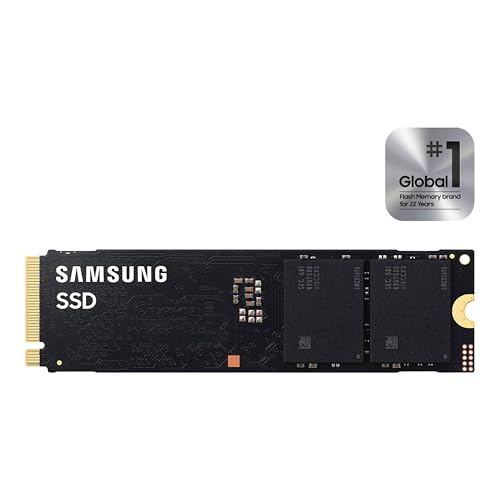
My First Impression for samsung 9100 pro 8tb ssd
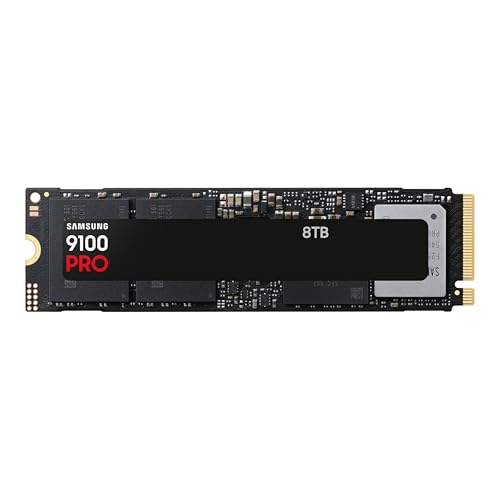
The drive arrived well packaged and snug in anti-static foam. The retail box felt premium. Pulling the M.2 out, the build was solid and slim, like most high-end M.2 NVMe sticks. The label and heatsink (if included by the OEM packaging) looked clean and professional. Installing it into my test rig was quick — a single screw and it was seated. Windows recognized it right away after formatting. First runs of benchmarks and real-world transfers matched the spec-sheet closely, and that was exciting to see. I felt confident right away that this was a pro-grade part and not a consumer compromise.

What Makes It Stand Out / Key Features
- PCIe 5.0 x4 NVMe interface — top-tier sequential bandwidth.
- Huge 8TB capacity in a single M.2 2280 module for on-board storage.
- Rated sequential read speeds up to ~14,800 MB/s (manufacturer spec).
- Designed for AI compute, content creation, and heavy workstation use.
- Enterprise-class endurance targets and sustained performance under load.
- Compact M.2 form factor — fits most modern motherboards and laptops with PCIe 5.0 support.

What I Like
- Insane throughput — real-world transfers and loads are very fast.
- Eight terabytes in one slot — great for large project workflows.
- Stable sustained performance under heavy IO bursts.
- Very low latency for editing, compiling, and running VMs.
- Easy to install and recognized by modern OSes without fuss.

What Could Be Better
- Requires PCIe 5.0 to reach peak speeds — limited gains on older systems.
- Price per gigabyte is high compared to PCIe 4.0 options.
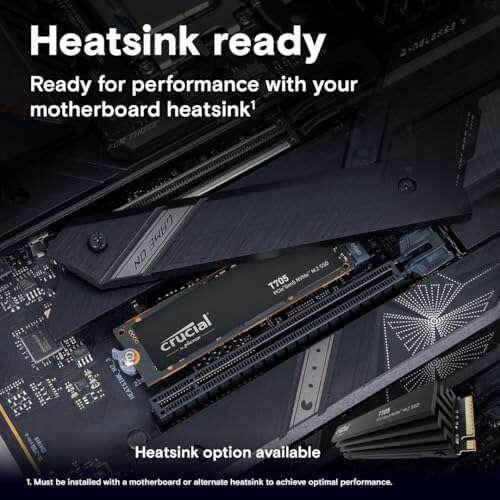
- Thermals under sustained max load may need motherboard heatsinks on some boards.

My Recommendation
If you build workstations or run heavy creative and AI workloads, the samsung 9100 pro 8tb ssd is worth considering. It gives you huge, fast local storage and reduces waiting time. I recommend it for video editors, game developers, and data scientists who can use PCIe 5.0 bandwidth. If you only surf the web and store documents, a smaller, cheaper SSD makes more sense. Overall, for pro users the drive delivers clear value in time saved and workflow fluidity.
| Best for | Why |
|---|---|
| Video editors | Large scratch disk and instant frame scrubbing with big media files. |
| AI/ML datasets | High sustained throughput for dataset loading and training I/O. |
| Gamers with big libraries | Fast load times and room for huge game collections on one drive. |

Alternative Products You Can Consider
Samsung 990 PRO — A PCIe 4.0 alternative that still delivers excellent performance for creators. It’s cheaper per GB and widely supported on current systems. If you don’t have PCIe 5.0 yet, the 990 PRO is a sensible, cost-savvy choice.
WD Black SN850X — A strong PCIe 4.0 performer with great gaming read speeds and good sustained performance. It’s often priced competitively and performs well as a boot and game drive.
Corsair MP700 — A PCIe 5.0 option from another vendor that targets similar workloads. It competes on raw throughput and may come in different capacity and price points depending on the seller.
| Product | Best For | Key Difference |
|---|---|---|
| samsung 9100 pro 8tb ssd | Pro-level throughput and single-slot 8TB capacity | PCIe 5.0 performance and huge capacity in M.2 2280 |
| Samsung 990 PRO | High performance on PCIe 4.0 systems | More cost-effective if you don’t need PCIe 5.0 |
| WD Black SN850X | Gamers and general creators | Great value and strong sustained reads on PCIe 4.0 |
| Corsair MP700 | PCIe 5.0 users seeking alternatives | Competes on raw PCIe 5.0 bandwidth and pricing options |

Final Verdict: Which Should You Buy?
If you run modern PCIe 5.0 hardware and need massive fast storage, choose the samsung 9100 pro 8tb ssd. It’s built for pro workloads and saves you time. If you don’t have PCIe 5.0 hardware yet or want better value per dollar, a high-end PCIe 4.0 drive like the Samsung 990 PRO or WD Black SN850X is smarter. In short: go 9100 Pro for raw speed and capacity; pick a PCIe 4.0 alternative for price-sensitive builds.
FAQs Of samsung 9100 pro 8tb ssd review
Do I need a PCIe 5.0 motherboard for this drive?
To hit peak sequential speeds, yes. The drive works in PCIe 4.0 slots but will be limited to lower bandwidth. Use a PCIe 5.0-capable CPU and board to get full performance.
Is the 8TB capacity reliable for long-term storage?
Manufacturers intend these pro drives for heavy use and endurance. Backups are still essential. Use RAID or cloud backups for irreplaceable data.
Will this drive fit my laptop?
It’s an M.2 2280 form factor. Many laptops accept 2280, but some thin models use shorter modules. Check your laptop’s M.2 length and PCIe generation support before buying.
How does it handle sustained workloads and thermals?
Performance is strong under sustained IO, but thermal throttling is possible without proper airflow or a heatsink. Use motherboard M.2 shields or add active cooling for long heavy jobs.