Is A 1 TB SSD Enough: The Ultimate Storage Guide
A 1 TB SSD is enough for most users, offering a strong balance of speed, space, and value.
If you are asking, “is a 1 TB SSD enough,” the honest answer depends on how you use your computer. A 1 TB drive can comfortably handle Windows, apps, documents, photos, and several large games, but heavy video work or a huge media library may require more. This guide explains real usable capacity, everyday workloads, gaming needs, upgrade planning, and the mistakes worth avoiding.
What Does 1 TB of SSD Storage Really Mean?
A 1 TB SSD provides 1 terabyte of advertised storage. However, your computer will show less space because manufacturers use decimal units, while operating systems often display capacity using binary measurements.
In practice, a new 1 TB SSD usually shows about 931 GB of usable space before formatting and system files. Windows, macOS, recovery tools, updates, and preinstalled software may use another 30 GB to 80 GB over time.


That means you should not plan to fill the drive to its printed limit. Keeping about 10% to 20% free space helps maintain smooth performance and gives the SSD room to manage data.
A simple capacity estimate looks like this:
| Storage item | Typical space used |
|---|---|
| Windows or macOS | 25 GB to 50 GB |
| Common applications | 30 GB to 100 GB |
| Ten modern games | 700 GB to 1.5 TB |
| 10,000 smartphone photos | 30 GB to 80 GB |
| One hour of 4K video | 20 GB to 60 GB |
| Music collection of 5,000 songs | 30 GB to 50 GB |
Game sizes, video formats, and app requirements vary widely. A compressed photo takes far less space than a RAW image, and a short 4K clip can consume more storage than thousands of regular phone photos.
Is a 1 TB SSD Enough for Everyday Use?
For everyday computing, a 1 TB SSD is usually more than enough. It gives most people room for the operating system, work files, school projects, browser downloads, photos, and a useful collection of applications.
A 1 TB SSD works well for:
• Web browsing and email
• Microsoft 365 or Google Workspace
• Schoolwork and office documents
• Video calls and streaming
• Light photo editing
• Programming and development tools
• Personal finance software
• Local music and movie storage
• A moderate number of games
For a family computer, the answer may change. Several users can fill one drive quickly with downloads, photos, videos, and games. In that case, cloud storage, an external SSD, or a second internal drive can help.


From my experience helping people upgrade older laptops, storage anxiety often comes from poor file organization rather than a lack of capacity. One person had less than 20 GB left because years of downloads and duplicate videos were sitting in hidden folders. After cleanup, more than 300 GB became available.

Is a 1 TB SSD Enough for Gaming?
For many gamers, a 1 TB SSD is a good starting point but not always a long-term solution. Modern PC and console games can be very large, with some titles requiring more than 100 GB after updates and downloadable content.
A 1 TB SSD may hold:
• One operating system
• Ten to fifteen smaller games
• Five to eight large AAA games
• Game launchers and voice chat apps
• Screenshots and saved clips
Actual results depend on the games you play. A library of independent games may fit easily, while a collection of Call of Duty, Microsoft Flight Simulator, Red Dead Redemption 2, and other large titles can fill the drive quickly.
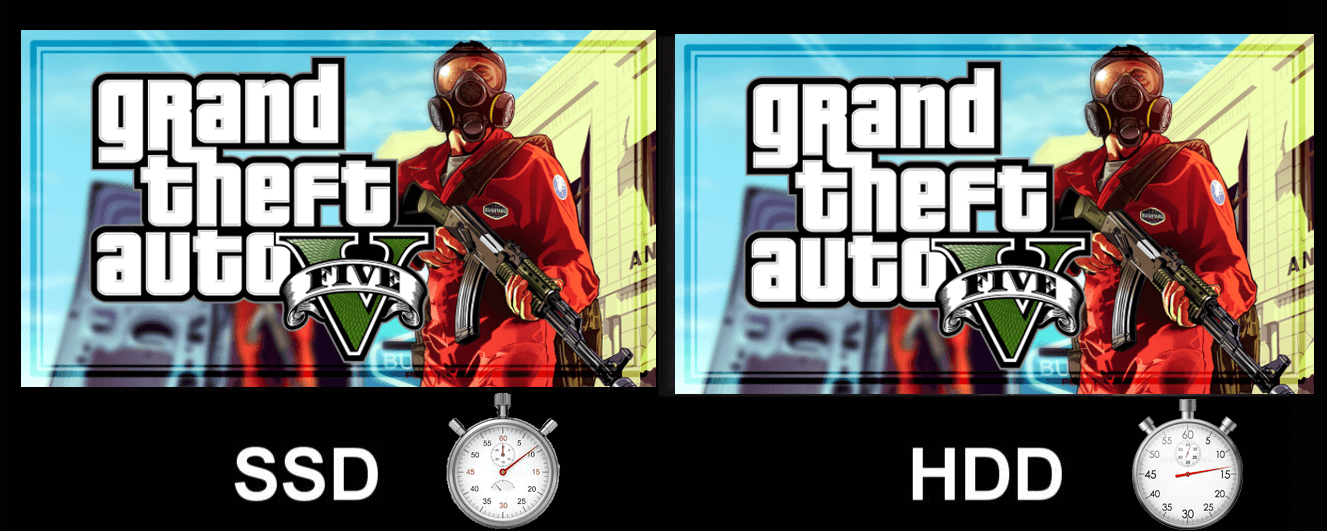
A 1 TB SSD also improves loading times compared with a hard disk drive. It does not usually increase gaming frame rates by a large amount, because frames per second depend more on the graphics card and processor. However, faster storage can reduce loading screens, texture pop-in, and installation time.
Console users should also check compatibility. Some consoles require approved expansion cards or specific NVMe formats. A standard internal SSD may not work in every system.
For serious PC gaming, a practical setup is often:
• 1 TB SSD for Windows and frequently played games
• A second 1 TB or 2 TB SSD for the wider game library
• An external drive for backups and older games
This arrangement keeps your main drive fast and organized without forcing you to delete a game every time you install a new one.

Is a 1 TB SSD Enough for Work and School?
For office work and school, a 1 TB SSD is usually generous. Text documents, spreadsheets, presentations, PDFs, and research notes are small compared with games and videos.
Even a student with years of coursework will rarely fill 1 TB with documents alone. The main storage risks are usually:


• Large recorded lectures
• Local virtual machines
• Design files
• Software development environments
• Raw photos
• Downloaded movies
• Device backups
Developers may need more space if they run Docker containers, Android emulators, virtual machines, or large code repositories. A single virtual machine can consume 40 GB to 100 GB, and development tools can create large caches.
If you work from home, a 1 TB SSD can store active files while cloud storage or a network-attached storage device holds archives. Keep at least one separate backup. An SSD is fast, but it is not immune to failure, theft, accidental deletion, or malware.

Is a 1 TB SSD Enough for Photos and Video?
A 1 TB SSD is enough for casual photographers and many content creators, but professional media work changes the calculation.
JPEG photos are small, often between 2 MB and 10 MB each. RAW images can range from 20 MB to more than 100 MB. A photographer who takes 5,000 RAW photos may need 150 GB to 500 GB before adding edited copies and project previews.
Video consumes space much faster. A 4K video recorded at a high bitrate can use several gigabytes in a short session. Video editors also need space for:
• Original camera files
• Proxy files
• Project files
• Rendered previews
• Exported videos
• Audio files
• Auto-save files
A useful rule is to keep at least two to three times the size of a video project available during editing. A 200 GB project may need 400 GB or more for temporary files and exports.
For occasional photo editing and short videos, 1 TB is practical. For professional 4K, 6K, or 8K production, a 2 TB or 4 TB SSD is often more comfortable. You can also use a fast internal SSD for active projects and a larger external drive for completed work.
Never treat the working SSD as your only copy. The 3-2-1 backup approach is safer:
-
Keep three copies of important files.
-
Use at least two different storage types.
-
Keep one copy in another location or in secure cloud storage.


The Benefits of Choosing a 1 TB SSD
A 1 TB SSD sits in a useful middle ground. Smaller drives can feel cramped, while larger drives cost more and may offer capacity you do not use.
Key benefits include:
• Faster boot times than a hard disk drive
• Quick application launches
• Better responsiveness during multitasking
• Enough room for most daily workloads
• Lower power use in many laptops
• No moving parts
• Less noise and vibration
• Good value per gigabyte
A solid-state drive also makes an older computer feel much faster if it replaces a mechanical hard drive. The improvement is especially clear during startup, file searches, software launches, and system updates.
Still, not all SSDs perform the same. SATA SSDs are limited by the SATA interface, while NVMe SSDs use PCIe and can reach much higher speeds. For normal browsing and office work, both feel fast. For large file transfers, professional editing, and heavy workloads, NVMe is usually the better choice.

The Limitations of a 1 TB SSD
The main limitation is that modern files keep getting larger. Games, camera footage, operating systems, and creative applications can consume hundreds of gigabytes without warning.
A 1 TB SSD may feel small if you:
• Install many large games
• Record frequent 4K video
• Store a large movie collection
• Use several virtual machines
• Keep full computer backups on the same drive
• Work with large scientific or engineering datasets
• Share one computer with many people


Another issue is free space. When an SSD becomes nearly full, you may notice slower write performance, failed updates, or difficulty creating temporary files. The drive may still work, but managing storage becomes a daily chore.
I have seen users buy a 1 TB SSD because it was cheaper, then upgrade again within a year after adding games and video projects. The lesson is simple: purchase for your next two or three years, not only for today.

How Much SSD Storage Should You Buy?
The best capacity depends on your workload, budget, and upgrade options.
| User type | Recommended capacity |
|---|---|
| Basic office user | 500 GB to 1 TB |
| Student | 1 TB |
| General home user | 1 TB |
| Casual gamer | 1 TB |
| Serious gamer | 2 TB or more |
| Photographer | 1 TB to 2 TB |
| Video editor | 2 TB to 4 TB |
| Developer using virtual machines | 1 TB to 2 TB |
| Professional creator | 2 TB or more |
A 500 GB SSD can work for basic use, but it leaves less room for games, media, and future software. A 2 TB SSD costs more, yet it can offer better convenience and value if you regularly store large files.
Check the price per usable gigabyte rather than only the total drive price. Also compare warranty length, endurance rating, controller quality, and the type of NAND flash. A cheap drive with poor sustained performance may not be a good deal for heavy workloads.

How to Keep a 1 TB SSD From Filling Up
Good storage habits can make a 1 TB SSD last much longer.
-
Keep at least 100 GB to 200 GB free when possible.
-
Remove old installers, temporary files, and duplicate downloads.
-
Move finished video projects to an external drive.
-
Use cloud storage for documents that do not need local access.
-
Uninstall games you no longer play.
-
Check the largest folders every few months.
-
Store backups on a separate device.
-
Avoid downloading large files to the desktop by default.
Windows Storage Sense and macOS storage tools can show which categories use the most space. Dedicated disk analyzers can also reveal forgotten folders, but download software only from trusted sources.
Do not repeatedly defragment an SSD. Modern operating systems use appropriate maintenance commands, such as TRIM, automatically. You should also keep firmware and system updates current, while avoiding risky firmware changes unless the manufacturer recommends them.
Is a Larger SSD Always Better?
A larger SSD is not automatically better for every user. Capacity is only one part of the buying decision.
Consider these factors:
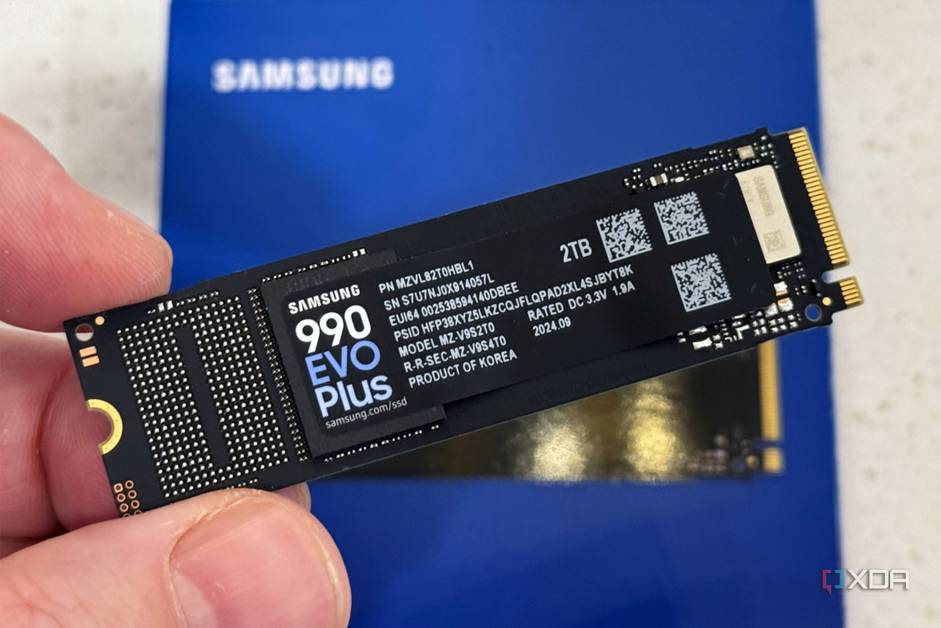
• Interface: SATA or NVMe
• PCIe generation: Gen 3, Gen 4, or newer
• Sequential and random performance
• Drive endurance rating
• Warranty length


• Thermal control
• Laptop or desktop compatibility
• Upgrade difficulty
A high-end PCIe 5.0 SSD may look impressive on a specification sheet, but it can produce extra heat and cost more than needed for office work. A reliable PCIe 3.0 or PCIe 4.0 SSD may be a smarter choice for most people.
Also check whether your computer supports the drive. M.2 is a physical shape, not a guarantee of compatibility. Some M.2 slots support SATA only, while others support NVMe. Laptop upgrades may also require a particular thickness or single-sided design.
Should You Buy One 2 TB SSD or Two 1 TB SSDs?
One 2 TB SSD is often easier to manage. It gives you one large space for applications, games, and projects. It also leaves an extra drive bay or slot available for future expansion.
Two 1 TB SSDs can be useful when you want to separate the operating system from games or work files. If one drive fails, however, the other does not protect your data unless you maintain a backup.
A sensible layout might be:
• Drive one: operating system and applications
• Drive two: games and active projects
• External drive: backups and archives
Do not confuse separating files with backing them up. If both internal drives are in the same computer and that computer is stolen or damaged, both may be lost.
Common Mistakes When Buying a 1 TB SSD
Many storage problems come from choosing based on one number alone.
Avoid these mistakes:
• Buying an incompatible SATA or NVMe drive
• Filling the SSD to its maximum capacity
• Ignoring heat in a small laptop or desktop
• Storing the only copy of important files on the SSD
• Choosing an unknown brand without a clear warranty
• Assuming faster sequential speed improves every task
• Forgetting the cost of an enclosure or adapter
• Buying too little storage for a planned video or gaming library
A reliable 1 TB SSD from an established manufacturer is usually a safer choice than a very cheap model with unclear specifications. Read independent reviews that test sustained writes, temperature, power use, and performance after the cache fills.
Frequently Asked Questions About Is a 1 TB SSD Enough
Is a 1 TB SSD enough for Windows 11?
Yes, a 1 TB SSD is more than enough for Windows 11, applications, documents, and normal personal files. Leave free space for updates, temporary files, and future software rather than using the entire drive.
Is a 1 TB SSD enough for gaming?
A 1 TB SSD is enough for casual gaming and several large titles. Heavy gamers may prefer 2 TB or more because modern games can require 100 GB or more each.
Is a 1 TB SSD enough for a laptop?
For most laptops, 1 TB is a strong capacity choice. It can handle schoolwork, office apps, photos, downloads, and a moderate game library without feeling cramped.
Is a 1 TB SSD enough for video editing?
It can be enough for short projects and occasional editing, especially when completed files are moved elsewhere. Professional 4K or higher-resolution work usually benefits from a 2 TB or larger SSD because source files and temporary renders need extra room.
How much usable space does a 1 TB SSD have?
A 1 TB SSD normally provides about 931 GB of usable capacity before operating system files and formatting. The available space will be lower after installing Windows, macOS, applications, and updates.
Does a 1 TB SSD improve FPS?
An SSD mainly improves boot times, loading screens, and file access. It usually does not create a major FPS increase because frame rate depends mainly on the processor, graphics card, memory, and game settings.
Should I choose a 1 TB or 2 TB SSD?
Choose 1 TB for general use, school, office work, and moderate gaming. Choose 2 TB if you store many games, record video, use virtual machines, or want several years of extra space.
Conclusion
So, is a 1 TB SSD enough? For most home users, students, office workers, laptop owners, and casual gamers, it offers an excellent balance of capacity, speed, and price. It becomes less suitable when you manage large game libraries, professional video projects, virtual machines, or extensive media archives.
Plan around usable space, keep 10% to 20% free, and maintain a separate backup. If your needs are growing, paying more for 2 TB now may save you from another upgrade later. Check your computer’s compatibility, compare reliable models, and choose storage that fits the way you actually work.