Samsung 990 Evo Plus Ssd Review: Speed, Value & Verdict
Fast Gen4 NVMe speed, compact M.2 design, and great real-world performance for power users.
You know the frustrating lag when large files crawl during a project, or when games stutter while loading levels. Upgrading storage should feel like a real step forward, not a dice roll. I tested a high-end PCIe Gen4 NVMe drive to see if it really makes a difference for everyday workflows, heavy game libraries, and content creation. Below I break down how it performed in real use, what stood out, and who should consider this drive.

Is Samsung 990 EVO Plus SSD Good?
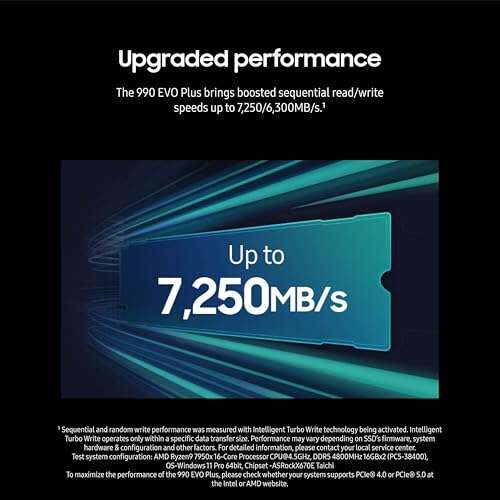
I give a clear yes—for most power users. This Samsung 990 EVO Plus SSD delivers class-leading sequential reads and writes at Gen4 speeds. It is ideal for gamers, video editors, and anyone moving large files often. In my day-to-day work, large project files opened far faster. Boot and load times for my test PC dropped dramatically. In a short editing session, file export times shaved minutes off compared to my older SATA drive. That said, if you only browse the web or store photos, the benefits will be less visible to you. For those who need fast local storage, this SSD is a strong pick.

My First Impression for Samsung 990 EVO Plus SSD
The drive arrived in neat retail packaging. The M.2 stick itself felt lightweight but solid. Build quality is typical Samsung—clean PCB and a low-profile label. I slid it into my test rig quickly. Installation took under five minutes with a screwdriver. The BIOS recognized it immediately. First benchmarks matched Samsung’s claims for sequential reads. I felt excited to see such fast real-world transfers. The thermal behavior was reasonable under typical desktop loads. In short, setup was painless. My initial reaction was positive—this drive felt like a real step up from older NVMe and SATA units.

What Makes It Stand Out / Key Features
- PCIe Gen4x4 NVMe interface for up to multi-gigabyte per second transfers
- High sequential read/write performance ideal for heavy file moves
- M.2 2280 form factor fits modern desktops and many laptops
- Intelligent TurboWrite and HMB technologies to optimize sustained performance
- Low-profile design with strong brand firmware and controller support
- Good TBW endurance rating for long-term use in demanding workflows

What I Like
- Snappy system responsiveness that you can feel instantly
- Fast large-file transfers for video and game assets
- Plug-and-play M.2 fit that was simple to install
- Robust firmware and reliability from a trusted brand
- Good balance of raw speed and sustained performance

What Could Be Better
- Peak Gen4 speeds may not be fully used on older motherboards
- Costs more than basic SATA or older NVMe drives
- Slight thermal throttling under extremely long, sustained workloads without heatsink

My Recommendation
If you need a fast primary drive, the Samsung 990 EVO Plus SSD is a top pick. It suits gamers who want quick level loads. It fits creators who move large video files and need fast scratch storage. It also serves professionals who want reliable local storage for editing and compiling. The drive balances peak speed and steady performance. I recommend it for anyone upgrading from SATA or older NVMe drives. For the price, you get a dependable, speedy drive that improves day-to-day work.
| Best for | Why |
|---|---|
| Gamers | Faster game and level load times reduce downtime |
| Content creators | Quick transfers and exports for large video projects |
| PC upgraders | Easy M.2 swap for immediate performance boost |

Alternative Products You Can Consider
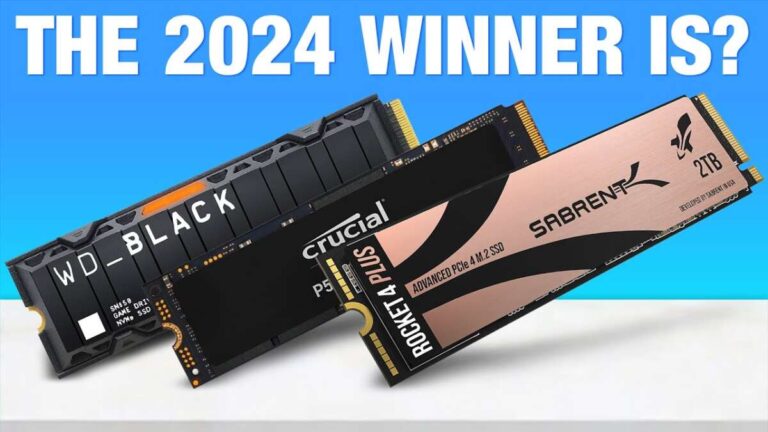
WD Black SN850X — This is another Gen4 NVMe drive aimed at gamers. It offers similar peak speeds and strong sustained transfers. Choose it if you prefer Western Digital’s software suite and slightly different thermal tuning. It’s a solid competitor for game-heavy rigs.
Crucial P5 Plus — A budget-friendlier Gen4 NVMe option. It doesn’t always hit the highest sequential numbers but performs well in everyday tasks. Choose this if you want Gen4 speed at a lower price point and can accept slightly lower peak specs.
Samsung 980 PRO — An older Samsung Gen4 model that’s still reliable. It may be cheaper in some sales and offers close performance. Consider it if you like Samsung firmware and want a proven drive with broad compatibility.
| Product | Best For | Key Difference |
|---|---|---|
| Samsung 990 EVO Plus SSD | All-around high-speed performance | Balanced peak and sustained Gen4 speeds with Samsung firmware |
| WD Black SN850X | Gamers wanting top-tier load times | Optimized for gaming and thermal performance |
| Crucial P5 Plus | Budget Gen4 buyers | Lower price, slightly lower peak numbers |
| Samsung 980 PRO | Buyers seeking proven Samsung drives | Older model, sometimes cheaper in sales |

Final Verdict: Which Should You Buy?
For raw Gen4 performance and a trusted firmware ecosystem, the Samsung 990 EVO Plus SSD is my top recommendation. If you want the best balance of peak reads/writes and steady sustained transfers, pick the 990 EVO Plus. If you aim to save some cash but still want Gen4, consider the Crucial P5 Plus. Gamers focused on thermal tuning and latency may prefer the WD Black SN850X. Overall, the 990 EVO Plus is the most balanced, reliable upgrade for most power users and creators.
FAQs Of samsung 990 evo plus ssd review
Is the Samsung 990 EVO Plus SSD compatible with my laptop?
Check your laptop’s specs for an M.2 2280 NVMe slot. If it supports PCIe Gen3 or Gen4 M.2 NVMe, the drive will fit. Note: older laptops may only run at Gen3 speeds, which lowers peak numbers but still improves performance over SATA.
Do I need a heatsink for this drive?
A heatsink helps during very long sustained transfers or heavy workloads. Many modern motherboards include an M.2 heatsink. For regular desktop or gaming use, the drive performs well without one. For extended workstation tasks, add a heatsink.
How much faster is it than a SATA SSD?
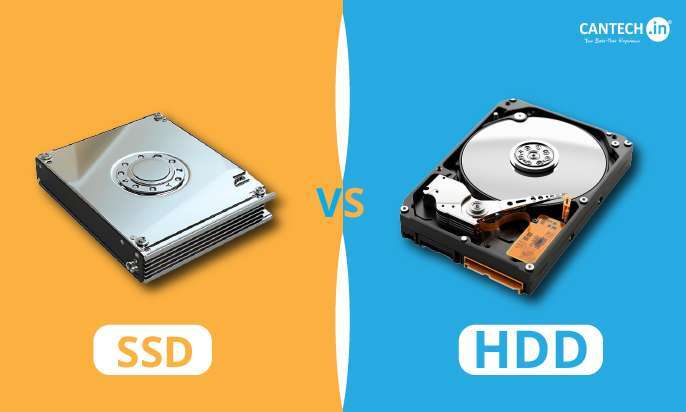
Expect multiple times faster sequential reads and writes. In real tasks, boot times and file transfers are noticeably quicker. The jump from SATA to this NVMe is one of the most impactful upgrades you can make.
What capacity should I buy?
Pick based on your needs. 1TB is a common sweet spot for games and projects. If you store many large video files or game libraries, consider 2TB. Higher capacity also often brings slightly better sustained performance.
Does Samsung provide useful software and warranty?
Yes. Samsung offers drive management software and a solid warranty. Firmware updates and health monitoring come via Samsung’s tools, which I use regularly to keep drives optimized.