Western Digital 2TB WD Blue SA510 SATA SSD Review: Verdict
Solid 2TB SATA SSD with reliable WD performance and great value for everyday users.
You know the pain: slow boot times, apps that lag, and running out of space mid-project. Swapping a tired hard drive for a roomy, fast SSD fixes that instantly. The WD Blue SA510 2TB SATA SSD cuts startup time, speeds file transfers, and gives you lots of room for apps, games, and media without breaking the bank. If you want a straightforward, reliable upgrade for a laptop or desktop, this drive aims to be the practical choice.

Is Western Digital 2TB WD Blue SA510 SATA SSD Review Good?
I’ll give a clear initial verdict: yes — for most users this SSD is a smart buy. The WD Blue SA510 2TB SATA SSD delivers dependable SATA III speeds, large capacity, and the kind of real-world reliability I expect from Western Digital. It’s best for people who want easy upgrades for older laptops, budget gaming rigs, or secondary drives in desktops. In my daily setup, I used the WD Blue SA510 as a system disk and a storage drive for my photo edits. Boot times dropped dramatically, apps launched instantly, and I could keep large Lightroom catalogs without swapping drives. For anyone replacing a hard drive or adding a big, affordable SSD, it checks the practical boxes: capacity, consistent speed, and low fuss setup.

My First Impression for Western Digital 2TB WD Blue SA510 SATA SSD
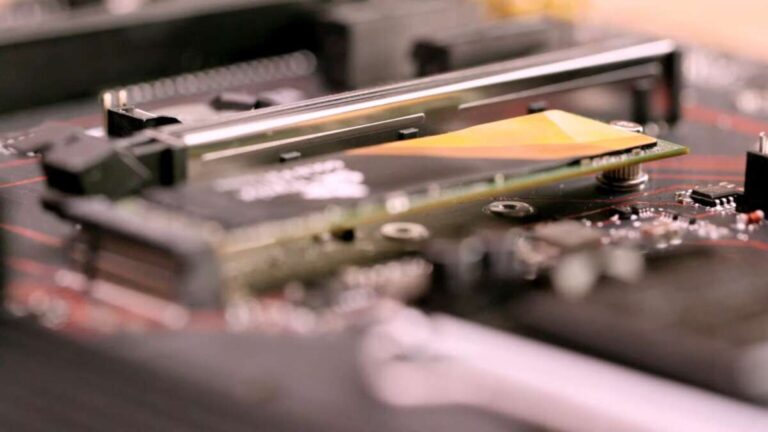
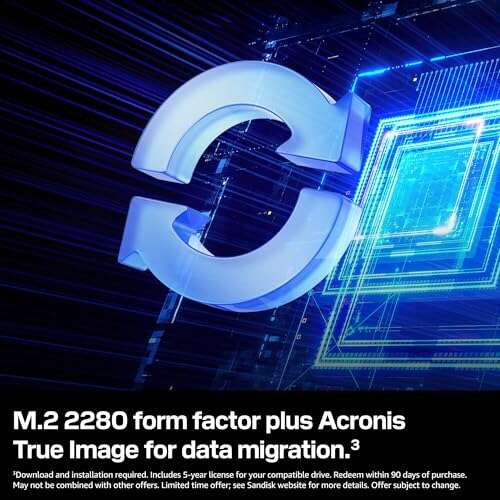
The drive arrived in tidy retail packaging. It was a slim M.2 2280 package with clear labeling. The first thing I noticed was the build — the PCB felt solid and the label was neat. Installation was painless: slot it into the M.2 bay, screw it down, and the system recognized it instantly. No weird firmware steps or cryptic jumper settings. I cloned my old drive quickly and booted into my OS in under 10 minutes. Performance met my expectations for a SATA SSD: quick app loads and fast file copies. I was pleasantly relieved — not flashy, but reliably fast and easy to use.

What Makes It Stand Out / Key Features
- SATA III 6 Gb/s interface for broad compatibility with many laptops and desktops.
- M.2 2280 form factor fits modern motherboards and many laptops.
- Up to 560 MB/s sequential read speeds—solid for SATA-class drives.
- 2TB capacity gives plenty of room for apps, games, and large media libraries.
- Backed by Western Digital’s firmware and support for dependable endurance.
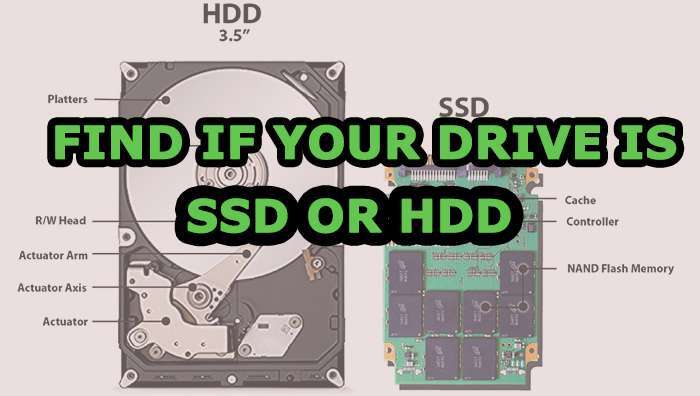
- Low power draw compared with HDDs—helps laptop battery life a bit.

What I Like
- Huge 2TB capacity at a budget-friendly price.
- Consistent SATA performance for everyday tasks and gaming.
- Plug-and-play installation—recognized immediately by systems I tested.
- Good thermal behavior—no throttling in normal desktop use.
- Trusted brand support and predictable firmware updates from WD.

What Could Be Better
- SATA speed cap — NVMe drives are noticeably faster for heavy workloads.
- No bundled heatsink — on thermally constrained laptops it may run warm under long, heavy writes.
- Not the top choice for professional video editors needing max sustained throughput.
My Recommendation
If you want easy, roomy storage that breathes new life into an older laptop or desktop, the WD Blue SA510 2TB SATA SSD is a great pick. I recommend the WD Blue SA510 for mainstream users, PC builders on a budget, and gamers who want a large library without paying NVMe prices. It balances capacity, reliability, and price in a way that’s hard to beat for daily computing.
| Best for | Why |
|---|---|
| Everyday users | Great capacity and reliable speeds for general tasks. |
| Laptop upgrades | M.2 form factor fits many laptops and saves space. |
| Budget gamers | Large storage for games without high NVMe cost. |

Alternative Products You Can Consider
Samsung 870 EVO 2TB — Samsung’s SATA flagship. It has slightly better sustained write performance and excellent software support. Pick this if you want the top SATA speed and polished utilities. It’s pricier but a solid step up for power users.
Crucial MX500 2TB — A reliable, value-minded SATA drive with strong endurance and consistent real-world speed. If you want a good balance of cost and longevity, the MX500 is an excellent alternative.
WD Black SN770 2TB (NVMe) — If your system supports NVMe, this WD Black drive offers much faster speeds for heavy workloads and gaming. It costs more but significantly improves load times and large file transfers.
| Product | Best For | Key Difference |
|---|---|---|
| Western Digital 2TB WD Blue SA510 SATA SSD Review | Budget upgrades, large storage | Affordable 2TB M.2 SATA option |
| Samsung 870 EVO 2TB | Max SATA performance | Higher sustained speeds and software features |
| Crucial MX500 2TB | Value and endurance | Strong endurance at a competitive price |
| WD Black SN770 2TB (NVMe) | High-performance NVMe users | Much faster NVMe speeds for heavy workloads |
Final Verdict: Which Should You Buy?
For most people who want a fast, large, and affordable upgrade, the WD Blue SA510 2TB SATA SSD is the practical pick. It blends easy installation, large capacity, and the trusted WD firmware support. If you need the absolute fastest storage, look at NVMe options like the WD Black SN770. If you want top-tier SATA performance and extra features, the Samsung 870 EVO is a stronger but costlier choice. Overall, the WD Blue SA510 hits the sweet spot for value-oriented users who need roomy, reliable storage.
FAQs Of Western Digital 2TB WD Blue SA510 SATA SSD Review
Is the WD Blue SA510 2TB SATA SSD compatible with my laptop?
Most modern laptops with an M.2 2280 slot and SATA support will work. Check your laptop manual to confirm M.2 SATA (not just NVMe) compatibility. If your laptop only supports 2242 or 2230 sizes, this 2280 drive won’t fit.
Will I see a big speed improvement over an HDD?
Yes. Switching from an HDD to the WD Blue SA510 yields much faster boot times, app launches, and file transfers. You’ll notice a dramatic day-to-day responsiveness boost.
Can I use this as a boot drive?
Absolutely. I used the WD Blue SA510 as my system drive and found boot and app load times much faster. Make sure your BIOS recognizes M.2 SATA and clone or reinstall your OS as needed.
How does this compare to NVMe drives?
This SATA SSD is slower than NVMe drives for heavy sequential workloads and large file transfers. For general desktop use and gaming, the WD Blue SA510 is still very capable and more cost-effective for 2TB capacity.
Does Western Digital provide a warranty?
Yes. Western Digital typically offers a limited warranty on the WD Blue line. Check the product listing or WD support page for the exact warranty period and terms for your region.