Is Nvme Faster Than Ssd: NVMe Vs SSD Speed Compared
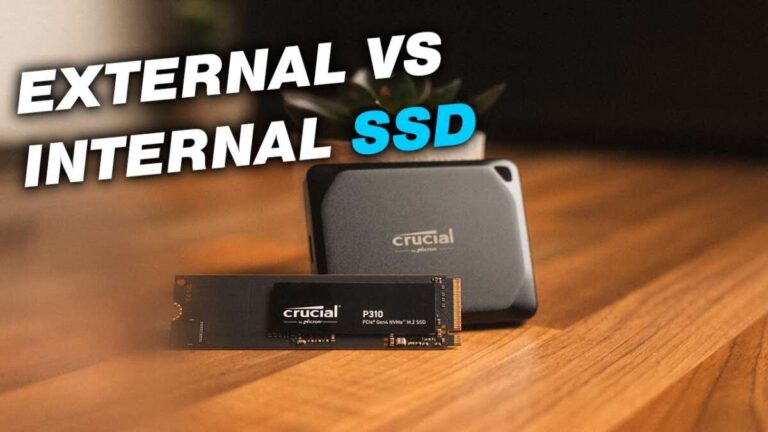
For people buying or upgrading a Windows PC in the United States, NVMe is usually faster than a SATA SSD. Both use flash memory and have no moving parts, but NVMe drives connect through PCIe, while most older SSDs use the slower SATA interface.
The difference is easy to see in file transfers, video work, large game installs, and other heavy tasks. For everyday web use, email, and office work, both types can feel much faster than a hard drive, so the real-world gap may be small.

Quick answer: Is NVMe faster than an SSD?
Yes—NVMe is generally faster than a SATA SSD.
However, “NVMe” and “SSD” are not direct opposites. NVMe drives are also SSDs. The more accurate comparison is:


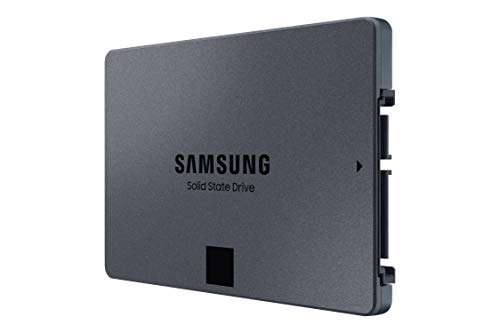
- SATA SSD: A solid-state drive that uses the SATA connection.
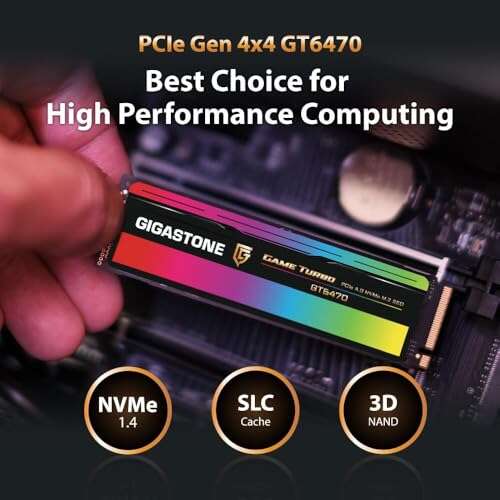
- NVMe SSD: A solid-state drive that uses the PCIe connection and the NVMe protocol.
A typical SATA SSD can reach about 500–550 MB/s in sequential read or write tests. An NVMe SSD may reach roughly:
- 3,000–3,500 MB/s with PCIe 3.0 x4
- 5,000–7,500 MB/s with PCIe 4.0 x4
- 10,000 MB/s or more with some PCIe 5.0 x4 models
These are broad performance ranges, not guarantees. The exact speed depends on the drive, computer, workload, temperature, and available PCIe lanes.
What is the difference between SATA SSD and NVMe SSD?
The main difference is the connection and communication method.
A SATA SSD uses the same basic interface created for older hard drives. SATA III has a signaling limit of 6 gigabits per second. After overhead, real drive speeds usually top out near 550 MB/s.
An NVMe SSD communicates through PCIe. PCIe provides much more bandwidth and supports many parallel command queues. NVMe was designed for flash storage, while SATA and its older command system were designed when hard drives were the main storage device.
Think of the difference like a road:
- SATA is a two-lane road with a fixed speed limit.
- NVMe is a wider highway with more lanes.
- A faster highway helps most when traffic is heavy.
- A short trip may take nearly the same time on either road.
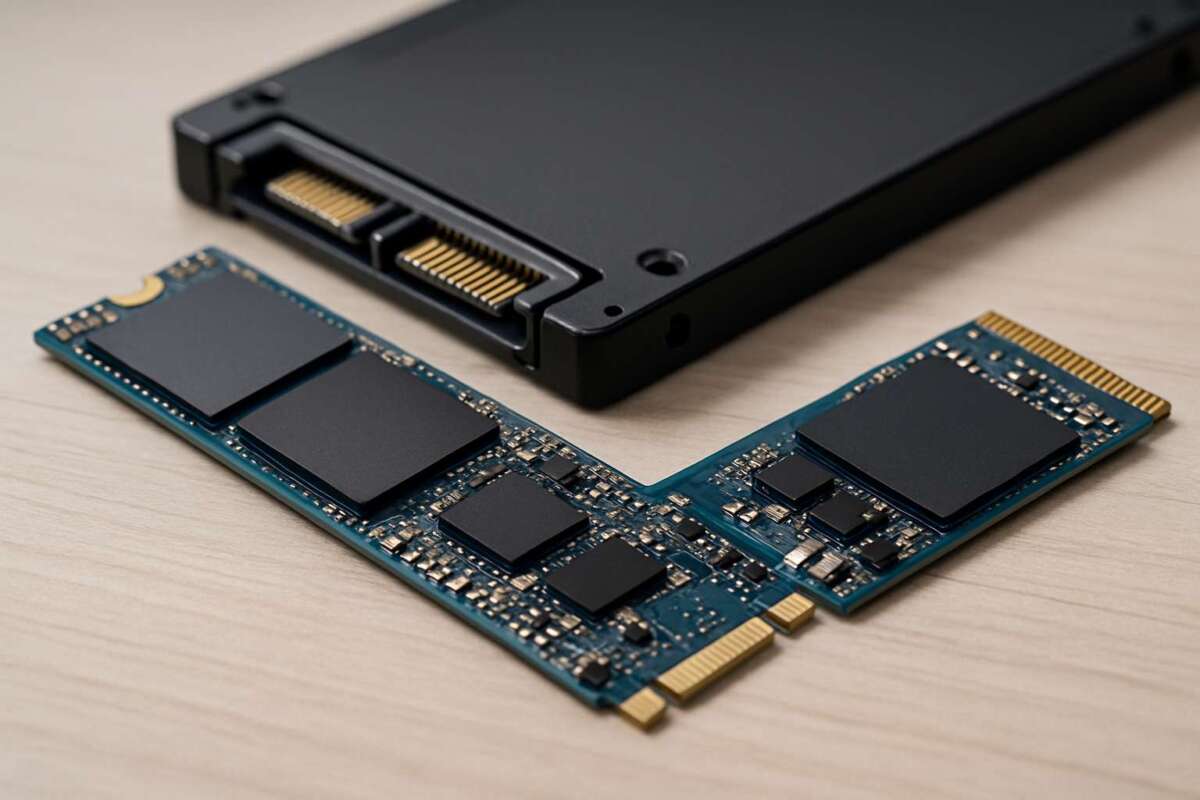
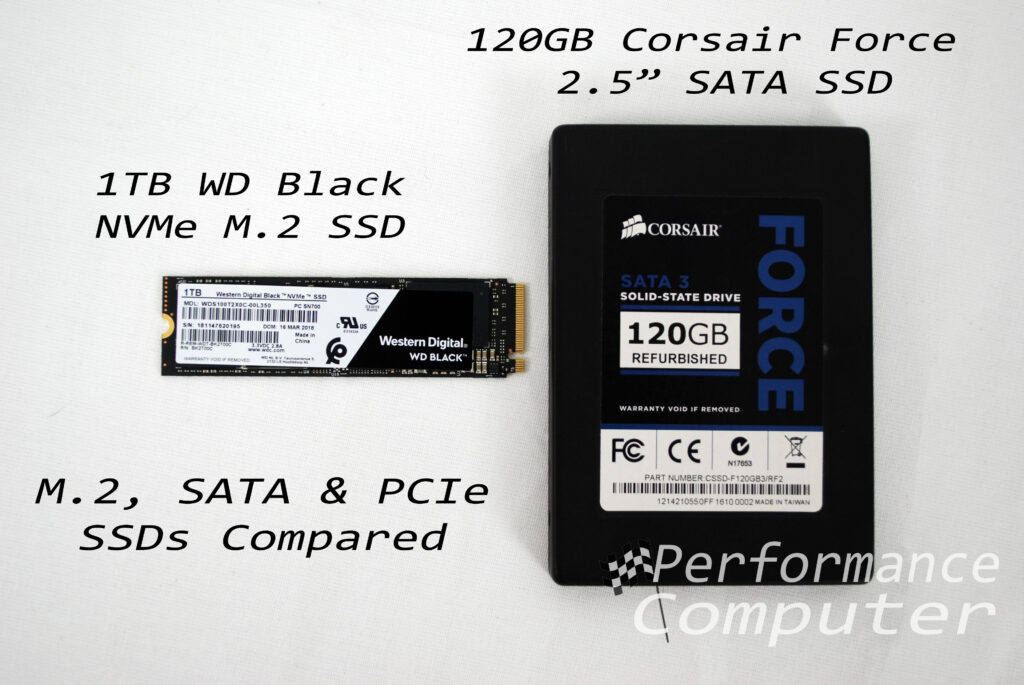
The word M.2 adds some confusion. M.2 describes the physical shape of a small storage device. An M.2 drive may use SATA or NVMe. Always check the drive and motherboard specifications rather than assuming every M.2 drive is NVMe.

How much faster is NVMe in real use?
NVMe is much faster in benchmarks, but the visible improvement depends on what you do.


Large file transfers
NVMe has a major advantage when reading or writing large files. A PCIe 4.0 NVMe drive can move several gigabytes per second under suitable conditions, while a SATA SSD usually stays close to its 550 MB/s limit.
This matters when you:
- Copy large video files
- Export high-resolution media
- Create disk images
- Move virtual machines
- Work with large databases
- Install or unpack large software packages
The computer must also have a fast source or destination drive. Copying from a slow external drive will not make the NVMe drive reach its rated speed.
Starting Windows and apps
NVMe can improve boot and application load times, but the difference from a good SATA SSD is often modest.
Starting an operating system involves many small files, device checks, and background services. The storage drive is only one part of that process. CPU speed, memory, drivers, startup programs, and software design also affect the result.
Moving from a hard drive to either type of SSD usually feels dramatic. Moving from SATA SSD to NVMe often feels like a smaller step.
Gaming
NVMe can reduce some load times, especially in games that read large amounts of data. Newer PC games may also use technologies such as Microsoft DirectStorage to stream game assets from an NVMe drive to the graphics processor.
Still, a game’s loading time can depend on:
- Game engine design
- CPU performance
- Graphics card
- System memory
- Asset compression
- Shader compilation
- Network services
- Background tasks
An NVMe SSD is useful for a new gaming PC, but it will not automatically increase frame rates. The graphics card and processor remain the main parts that determine average frames per second.
Everyday work
For web browsing, email, word processing, streaming, and light office work, a SATA SSD is already fast. NVMe may reduce some load times, but many users will not notice a large difference during normal use.
The benefit may be easier to notice when many programs run at once or when the computer handles large files in the background.
SATA SSD vs. NVMe SSD: comparison table
The table below shows the usual differences between the two storage types.
| Feature | SATA SSD | NVMe SSD |
|---|---|---|
| Interface | SATA III | PCIe |
| Protocol | AHCI or SATA command system | NVMe |
| Typical sequential speed | Up to about 550 MB/s | About 3,000–14,000+ MB/s, depending on PCIe generation |
| Latency | Low | Usually lower |
| Best use | General upgrades and older PCs | New PCs, heavy work, gaming, large files |
| Common form factors | 2.5-inch and M.2 SATA | M.2, add-in card, and some 2.5-inch enterprise designs |
| Compatibility | Broad support | Requires compatible PCIe/NVMe support |
| Heat output | Often lower | Can be higher, especially with high-end PCIe 5.0 drives |
| Cost per gigabyte | Often competitive | Varies by capacity and generation |
Sequential speed measures long, continuous transfers. It does not describe every type of storage work. Small random reads and writes, which are common during app use, may show a much smaller gap.

Which is better for your computer?
The better choice depends on your computer and workload, not only the top speed on the product box.


Choose NVMe when:
- Your motherboard supports the correct NVMe drive type.
- You regularly move large files.
- You edit video or high-resolution photos.
- You use virtual machines or large development tools.
- You want a modern primary drive for a new desktop or laptop.
- The price difference is small at the same capacity.
- You want the higher storage performance available from your system.
Choose a SATA SSD when:
- Your computer lacks an NVMe slot.
- You are replacing a hard drive in an older laptop.
- You need a 2.5-inch drive.
- Your work mainly involves browsing and office programs.
- You want inexpensive secondary storage.
- Your system does not support the PCIe generation required by the NVMe drive.
- You already have a good SATA SSD and do not perform storage-heavy work.
For many older computers, a SATA SSD is the practical upgrade. It can make startup and application loading much faster without requiring a new motherboard.
How to check NVMe compatibility before buying
Check compatibility before ordering. An NVMe drive will not work in every M.2 slot.
1. Check the motherboard or laptop manual
Look for terms such as:
- M.2 PCIe
- M.2 NVMe
- PCIe x4 storage
- 2280 support
- Gen 3, Gen 4, or Gen 5
A slot labeled only M.2 SATA may not support an NVMe drive. Some slots support both SATA and NVMe, but the manual should confirm this.
2. Check the physical size
The most common M.2 size in desktop computers and laptops is 2280. This means:
- 22 millimeters wide
- 80 millimeters long
Some laptops use shorter drives, such as 2230 or 2242. A 2280 drive may not fit in a space designed for a shorter model.
3. Check the key notch
M.2 drives have different connector key patterns. A compatible slot and drive must match electrically and physically.
Do not rely on the notch alone. The motherboard manual is more reliable because some connectors look similar but support different interfaces.
4. Check PCIe generation support
A PCIe 4.0 NVMe drive may work in a PCIe 3.0 slot, but it will operate at the older slot’s speed. A PCIe 5.0 drive may also work in some older systems, but the system will limit its performance.
This is called backward compatibility, but it does not create extra bandwidth.
5. Check laptop limits
Laptop upgrades can have extra restrictions:


- A drive may be single-sided or double-sided.
- The laptop may need a specific thickness.
- The slot may support only one PCIe generation.
- A heat spreader may not fit.
- Some systems reserve an M.2 slot for wireless hardware.
- The manufacturer may limit supported capacities.
Use the exact laptop model and service manual when possible.
Do NVMe drives make a computer faster?
NVMe can make storage tasks faster, but it does not speed up every part of a computer.
It can improve:
- File transfers
- Large application installs
- Some game loading times
- Video project work
- Virtual machine use
- Large file searches and indexing
- Workloads with many simultaneous storage requests
It does not directly increase:
- CPU clock speed
- Graphics performance
- Internet speed
- Game frame rates
- Monitor refresh rate
- Available system memory
If a computer feels slow because it has too little RAM or an aging processor, replacing a SATA SSD with NVMe may not solve the main problem.
Why an NVMe SSD may not reach its advertised speed
Advertised speeds usually come from controlled tests. Your drive may run slower for several valid reasons.
The source or destination is slower
A drive cannot transfer data faster than the other storage device, USB enclosure, network connection, or external drive allows.
The drive is nearly full
Many SSDs use spare flash memory to maintain performance. When little free space remains, sustained writes may slow down.
Keeping some free capacity can help the drive manage data, although the exact amount depends on the model and controller.
The drive gets hot
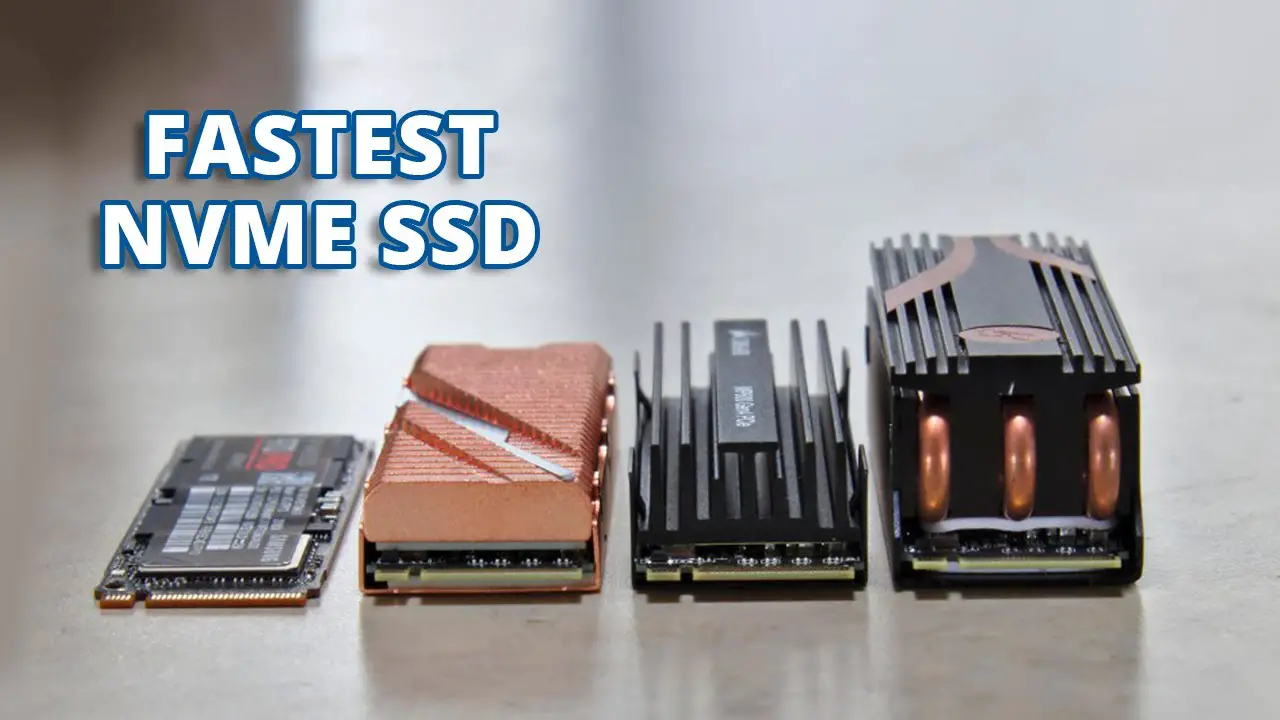
Fast NVMe drives can produce significant heat. When the controller reaches a protective temperature, the drive may reduce speed. This process is called thermal throttling.
A motherboard heatsink, laptop heat shield, or suitable aftermarket cooler may help. Cooling must fit the system and should not put pressure on the drive.
The workload is not sequential
A benchmark that reads one large file is different from an operating system reading thousands of small files. Small random workloads often produce lower speeds than the headline sequential rating.
The drive uses a cache
Some SSDs use a temporary high-speed cache. After a long write exceeds that cache, sustained speed may drop. This is normal behavior for many consumer drives.
The PCIe slot has fewer lanes
An NVMe drive designed for PCIe x4 may run at reduced speed in a slot connected with fewer lanes. Other devices may also share bandwidth on some motherboards.


Is NVMe more reliable than SATA SSD?
NVMe is not automatically more reliable than SATA. Reliability depends on the flash type, controller, firmware, workload, temperature, power conditions, and manufacturing quality.
Useful specifications include:
- Terabytes written, or TBW
- Warranty length
- Drive endurance rating
- Error correction features
- Firmware support
- Power-loss protection for professional workloads
- Manufacturer support history
TBW is an endurance rating, not a guaranteed failure point or a promise that the drive will last exactly that long. Consumer drives often work beyond their rated TBW, while any storage device can fail earlier.
Keep at least one current backup of important files. RAID, cloud sync, and a second drive can improve availability, but they do not replace a separate backup.
Does NVMe use more power than SATA SSD?
Power use varies by model and workload. A basic NVMe drive may use little power when idle, while a high-performance PCIe 5.0 drive can use more power and produce more heat during heavy transfers.
This difference matters more in laptops than desktops. Higher power use can affect battery life and temperature, but the result depends on the drive’s power states, firmware, laptop design, and workload.
For a laptop, compare measured power data from a reliable review of the exact model. Do not assume that every NVMe drive has the same battery impact.
Common mistakes when buying an NVMe SSD
Avoid these mistakes:
-
Treating M.2 as a speed rating
M.2 is a form factor. Confirm whether the drive uses SATA or NVMe. -
Buying by sequential speed alone
Review random performance, sustained writes, endurance, temperature, and warranty too. -
Ignoring capacity
A larger drive may have better performance and endurance than a smaller version of the same product line. -
Installing a PCIe 5.0 drive in an older slot and expecting Gen 5 speed
The motherboard sets the available PCIe generation and lane count. -
Forgetting the heatsink or clearance
Some laptops and compact desktops cannot fit a thick heatsink. -
Using an incompatible enclosure
An M.2 SATA enclosure and an M.2 NVMe enclosure may use different controllers. -
Treating an SSD as a backup
A storage upgrade improves speed. It does not protect files from deletion, theft, malware, or hardware failure.
Frequently asked questions
Is NVMe always faster than a SATA SSD?
No. NVMe has a higher performance ceiling, but a low-end NVMe drive may perform similarly to a strong SATA SSD in some tasks. Thermal limits, drive capacity, and workload also matter.
Is NVMe worth it for gaming?
Usually, NVMe is a good fit for a new gaming PC when the price is reasonable and the system supports it. It may improve some loading and installation tasks, but it does not usually increase game frame rates.
Can I replace a SATA SSD with an NVMe SSD?
Only if the computer has a compatible PCIe/NVMe slot and supports the drive’s physical size. A 2.5-inch SATA bay cannot accept an M.2 NVMe drive without the right hardware and system support.
Which lasts longer: SATA SSD or NVMe?
Neither interface guarantees longer life. Compare the exact drive’s endurance rating, warranty, temperature behavior, firmware, and workload suitability.
Is NVMe faster than a hard drive?
Yes. NVMe is much faster than a mechanical hard drive in access time and most transfer tasks. A SATA SSD is also much faster than a hard drive, so either SSD type can be a major upgrade.
Final recommendation
Choose NVMe for the highest storage performance, especially in a new PC or a system used for large files, video work, software development, virtual machines, or demanding games.


Choose a SATA SSD when compatibility, low cost, or an older computer matters more than peak speed. For everyday use, the jump from a hard drive to any SSD is usually more noticeable than the jump from SATA SSD to NVMe.
Before buying, check the motherboard or laptop manual, M.2 size, interface support, PCIe generation, cooling, capacity, and warranty. A compatible drive with enough space is better than a faster drive that your computer cannot use properly.
Sources and standards
- NVM Express: What Is NVMe?
- Serial ATA International Organization
- PCI-SIG PCI Express technology
- Microsoft DirectStorage overview
- Microsoft storage and Windows documentation
Conclusion
NVMe is generally faster than a SATA SSD because PCIe offers more bandwidth and NVMe handles parallel storage commands efficiently. The advantage is largest during heavy storage work, not simple web or office tasks.
For most US PC buyers, the practical decision is simple: use NVMe when your system supports it and the price is close; use SATA SSD when you need broad compatibility or an affordable upgrade. Either option is a strong improvement over a traditional hard drive.