What Is The Biggest Drawback To SSD Drives: Key Issue
The biggest drawback of SSD drives is their limited write endurance, which can cause data loss when the memory wears out.
Solid-state drives are fast, quiet, and more resistant to drops than hard disk drives. Yet the answer to “what is the biggest drawback to SSD drives” is not always simple. For most users, the main concern is flash memory wear, while higher cost, sudden failure, and difficult data recovery also matter. This guide explains the risks, shows who should worry, and offers practical ways to protect your files.
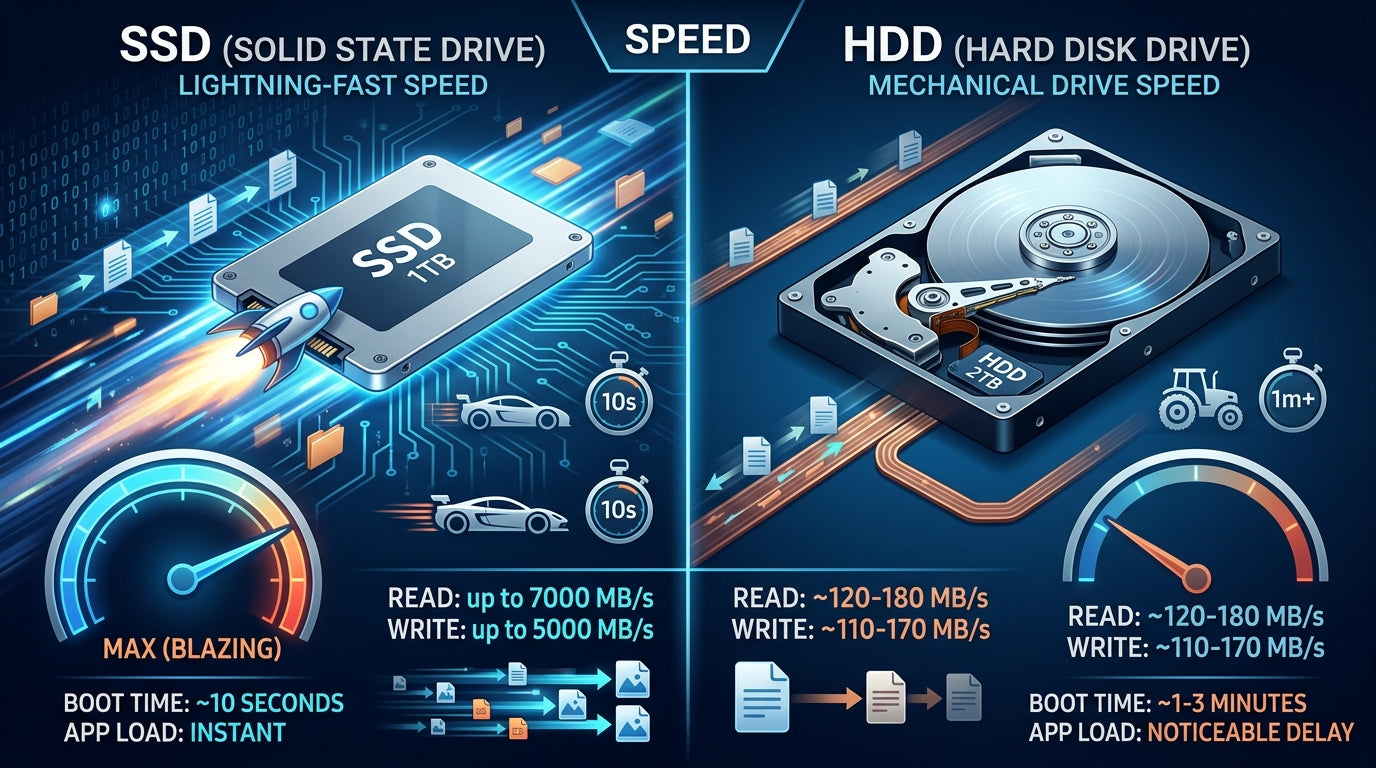
What is the biggest drawback to SSD drives?
The biggest drawback to SSD drives is that their flash memory cells can handle only a limited number of write and erase cycles. Each time data is written, the cells experience a small amount of wear. Over time, the drive may reach its rated endurance limit.


This does not mean an SSD will fail quickly. Modern SSDs use controllers, spare memory, and wear-leveling technology to spread writes across the drive. For normal home use, a good SSD can last for many years.
Still, SSD failure can be harder to predict than hard drive failure. A hard drive may show warning signs such as clicking sounds, slow operation, or bad sectors. An SSD can work normally one day and fail to start the next.
The practical answer to what is the biggest drawback to SSD drives depends on your workload:
• For a home user, the main concern may be a higher purchase price.
• For a video editor, the concern may be write endurance.
• For a business, sudden failure and data recovery may be the greatest risks.
• For long-term cold storage, data retention without power deserves attention.
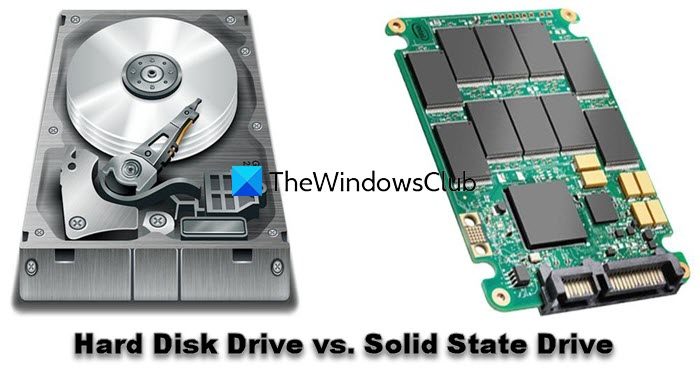
How SSD wear works
An SSD stores data in NAND flash memory. Unlike a hard drive, it has no spinning platters or moving read heads. This design makes the drive fast and quiet, but flash cells must be managed carefully.
When an SSD changes data, it usually cannot overwrite a single cell in the same way a hard drive can. The controller may need to erase and rewrite a larger memory block. This process adds wear.
Key terms help explain SSD endurance:
• TBW, or terabytes written, estimates how much data can be written before the warranty endurance limit is reached.


• DWPD, or drive writes per day, shows how many full drive writes are supported each day during the warranty period.
• Wear leveling spreads writes across memory cells to prevent a small area from wearing out early.
• Overprovisioning reserves extra memory for replacements and background maintenance.
• Garbage collection reorganizes data and clears unused blocks.
For example, a 1 TB SSD rated at 600 TBW is designed to support about 600 terabytes of total writes under the maker’s test conditions. Writing 100 GB each day would take more than 16 years to reach that figure. Real results vary by model, temperature, workload, and available free space.
This is why the answer to what is the biggest drawback to SSD drives should include context. Endurance is a real limit, but most people never reach it during normal use.

Why limited write endurance matters
Write endurance matters most when a computer constantly creates, changes, and deletes large files. These workloads can produce far more internal activity than the user sees.
Common examples include:
• 4K and 8K video editing
• Database servers
• Virtual machines
• Security camera recording
• Large software build systems
• Scientific data processing
• Cryptocurrency plotting
• Heavy scratch-disk use
A drive may write more data internally than the operating system reports. This can happen because of write amplification. Write amplification occurs when the SSD moves and rewrites data during garbage collection and block management.
For instance, saving a small file may cause the controller to move other data within the same block. The user sees one write, but the flash memory may perform several operations.
High drive temperatures can also reduce performance. Many NVMe SSDs slow down when they become hot. This behavior is called thermal throttling. It protects the drive, but it can reduce speed during long transfers.
What is the biggest drawback to SSD drives for heavy users? It is the combination of finite write endurance, heat, and workload unpredictability. A model with a higher TBW rating and good cooling is usually a better choice for these tasks.


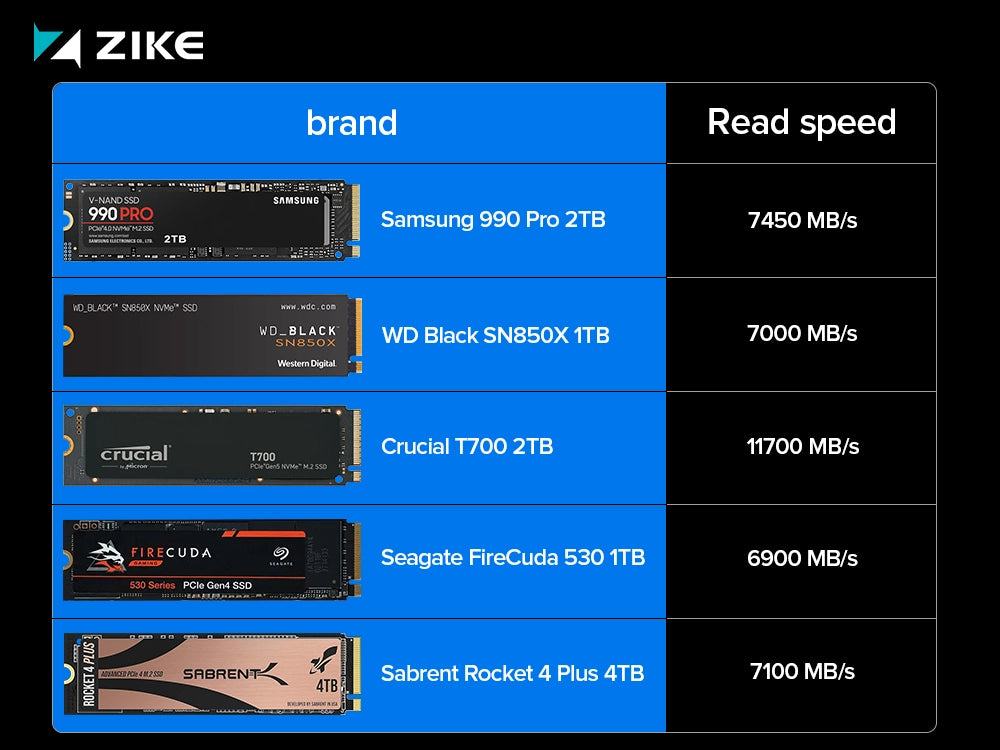
Other important drawbacks of SSDs
Limited endurance is important, but it is not the only weakness. Understanding the full picture can help you choose the right storage device.
Higher cost per terabyte
SSDs usually cost more per terabyte than hard disk drives. Prices have fallen greatly, but large HDDs remain attractive for backups, media libraries, and archives.
A useful setup may combine both types:
• Use an SSD for the operating system and applications.
• Use an HDD for large media files and local backups.
• Use cloud storage or another external drive for off-site protection.
Sudden failure
An SSD may fail because of a worn-out flash chip, damaged controller, power surge, or firmware problem. When the controller fails, the stored data may become inaccessible even if the memory chips are still intact.
This makes backups essential. No storage device should be treated as a permanent copy of important data.
Difficult data recovery
Recovering files from a failed SSD can be more difficult than recovering files from some hard drives. Features such as TRIM, encryption, and garbage collection may remove or reorganize deleted data.
Professional recovery is sometimes possible, but it can be expensive and is never guaranteed. If the data is important, prevention is far cheaper than recovery.
Data retention without power
NAND flash can slowly lose charge when stored without power for a long time. Heat can speed up this process. Consumer SSDs are generally designed for normal powered use, not for decades of offline archival storage.
For long-term storage, check the manufacturer’s guidance and keep more than one verified copy.

SSD versus HDD: Which has the bigger weakness?
The answer to what is the biggest drawback to SSD drives becomes clearer when SSDs are compared with HDDs.
| Feature | SSD | HDD |
|---|---|---|
| Speed | Very fast | Slower |
| Noise | Silent | May produce noise |
| Shock resistance | Strong | More fragile |
| Cost per terabyte | Usually higher | Usually lower |
| Failure behavior | Can be sudden | May show warning signs |
| Write endurance | Limited by flash wear | Mechanical parts wear out |
| Data recovery | Often difficult | Sometimes easier |
| Power use | Usually lower | Usually higher |
Hard drives also have serious weaknesses. Their moving parts can fail from shock, motor problems, or head crashes. They may also be slower and louder.
For daily computing, an SSD is usually the better choice. For cheap, high-capacity storage, an HDD may still be useful. The best option depends on speed, capacity, budget, and backup needs.


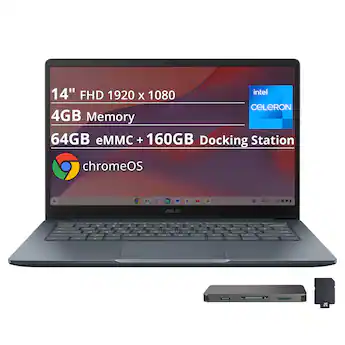
How long do SSDs last?
Many SSDs last far beyond their warranty endurance rating. The TBW number is not a precise expiration date. It is a design and warranty estimate based on controlled testing.
A drive rated for 300 TBW may continue working after 300 TB has been written. However, the manufacturer may not cover it beyond that limit. Some drives also reserve more spare memory than others, which can improve endurance.
Drive life depends on several factors:
• Total data written
• Drive capacity
• NAND type
• Controller quality
• Temperature
• Available free space
• Firmware design
• Write amplification
Larger SSDs often have better endurance because they contain more flash cells. The workload is spread across a larger pool of memory.
What is the biggest drawback to SSD drives in terms of lifespan? It is not that every SSD wears out quickly. The real issue is that flash memory has a finite write life, and the exact failure point is difficult to predict.

SSD types and their endurance
Not all SSDs use the same kind of NAND flash. The main types include:
• SLC stores one bit per cell and offers excellent endurance, but it is expensive.
• MLC stores two bits per cell and balances speed, cost, and endurance.
• TLC stores three bits per cell and is common in consumer SSDs.
• QLC stores four bits per cell and provides low cost and high capacity, but often has lower write endurance.
Most home users do well with a quality TLC SSD. QLC drives can be excellent for games, documents, photos, and general storage. However, they may be less suitable for constant heavy writes.


Do not judge a drive by NAND type alone. The controller, firmware, cache, cooling, warranty, and TBW rating also matter.
Practical ways to reduce SSD wear
You do not need to avoid SSDs. A few simple habits can lower unnecessary writes and protect your data.
-
Keep at least 10% to 20% of the drive free. Free space helps the controller manage data and reduce write amplification.
-
Install firmware updates from the drive maker. Updates may fix bugs and improve reliability.
-
Keep the drive cool. Use a heatsink for high-speed NVMe models when the computer case has limited airflow.
-
Avoid constant benchmarking. Repeated benchmarks create large amounts of unnecessary data.
-
Do not use old defragmentation tools on SSDs. Modern operating systems handle SSD maintenance differently.
-
Enable TRIM. TRIM helps the drive identify blocks that are no longer needed.
-
Monitor drive health. Tools may report temperature, estimated life, total writes, and error counts.
-
Use a surge protector or reliable power supply. Sudden power loss can damage data or the drive’s mapping information.
-
Maintain tested backups. A backup is useful only if you can restore it.
From practical testing and system maintenance, the most common mistake is not buying the wrong SSD. It is assuming that a fast drive is also a backup. It is not. Speed and safety are different jobs.
How to choose an SSD safely
If you are buying an SSD, start with your workload rather than the advertised speed. A very fast drive may offer little benefit for simple office work.
Consider these points:
• Capacity: Choose enough space to keep free room available.
• NAND type: TLC is a strong general-purpose choice.
• TBW rating: Look for a higher rating if you write large files often.
• Warranty: A longer warranty can indicate greater manufacturer confidence.
• Temperature: Check whether the drive needs a heatsink.
• Form factor: Confirm that your computer supports 2.5-inch SATA, M.2 SATA, or M.2 NVMe.
• Endurance reviews: Look for independent testing, not only marketing claims.
• Backup plan: Decide where your second and third copies will live.
The answer to what is the biggest drawback to SSD drives should not stop you from buying one. It should help you match the drive to the job.
Can an SSD lose data when it is unplugged?
An SSD can lose stored charge over a long period without power, especially in high heat. This risk is more relevant to archival storage than to a computer used every week.


For important files, connect archival SSDs from time to time, check their health, and copy the data to another verified device. Keep at least one backup in a different location.
Are SSDs more reliable than hard drives?
SSDs are often more resistant to physical shock because they have no moving parts. However, reliability depends on the model, workload, temperature, power quality, and backup habits.
An SSD can be more reliable for everyday computing, but no SSD is immune to sudden failure.
Do SSDs slow down as they fill up?
Many SSDs slow down when they become nearly full. The controller has fewer free blocks available for efficient writing and garbage collection.
Keeping roughly 10% to 20% of the drive empty can help maintain performance, although the ideal amount varies by model.
What is the biggest drawback to SSD drives for gaming?
For gaming, the biggest drawbacks are usually price per terabyte and limited benefits after the initial loading improvement. Game installs create writes, but most gaming workloads are not heavy enough to quickly wear out a modern SSD.
A good budget SSD is usually more than adequate for game storage.
Can a failed SSD be repaired?
A failed SSD may be repaired in some cases through firmware recovery, board repair, or professional data recovery. Success is not guaranteed, especially when encryption, TRIM, or controller failure is involved.
Regular backups remain the safest and most affordable solution.
Conclusion
The biggest drawback to SSD drives is finite flash memory endurance, combined with the possibility of sudden failure and difficult data recovery. These limits matter most for heavy write workloads, long-term offline storage, and systems that lack backups.
For everyday use, a quality SSD is still one of the best upgrades you can make. Choose a suitable capacity, keep it cool, leave free space, monitor its health, and follow a reliable backup plan. Explore your drive’s endurance rating before buying, and share your storage questions or experience in the comments.