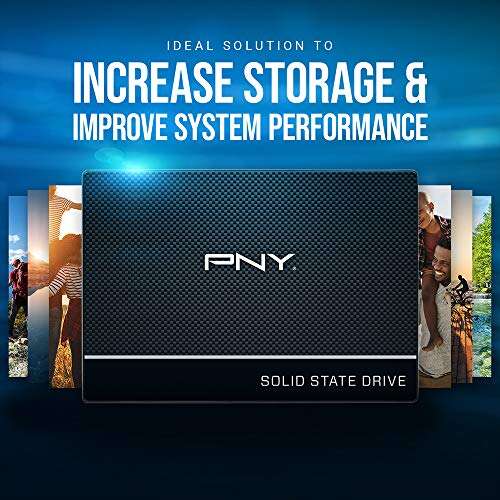
PNY CS900 2TB 3D NAND 2.5 SATA III SSD Review: Budget Speed
Solid value — roomy 2TB capacity with reliable SATA speeds for everyday upgrades.
You are staring at a slow laptop or a creaky desktop with all your apps and files fighting for space. Swapping an old hard drive for a roomy SSD fixes sluggish boots, long app load times, and storage headaches. I’ve swapped drives in office laptops and a gaming rig and the right 2TB SSD gives you speed and peace of mind without breaking the bank.

Is PNY CS900 2TB 3D NAND 2.5″ SATA III SSD Good?
The short answer is yes — for most users who want a fast, affordable capacity bump. The PNY CS900 2TB SSD delivers solid sequential read/write speeds (listed up to about 550/530 MB/s). That means faster boots, snappier app launches, and smooth file transfers for everyday use. If you need an ultra-fast drive for heavy video editing or extreme workloads, NVMe drives beat SATA, but for laptops, older desktops, and backups, this SSD hits the sweet spot.
I installed a 2TB CS900 into an older work laptop. The upgrade cut boot time by more than half and made Excel and Chrome far more responsive. I also swapped one into a media PC to store photos and 4K clips; playback and exporting were steady. In short, yes for general users, creators on a budget, and gamers who need extra mass storage rather than top-tier NVMe speeds.

My First Impression for PNY CS900 2TB 3D NAND 2.5″ SATA III SSD
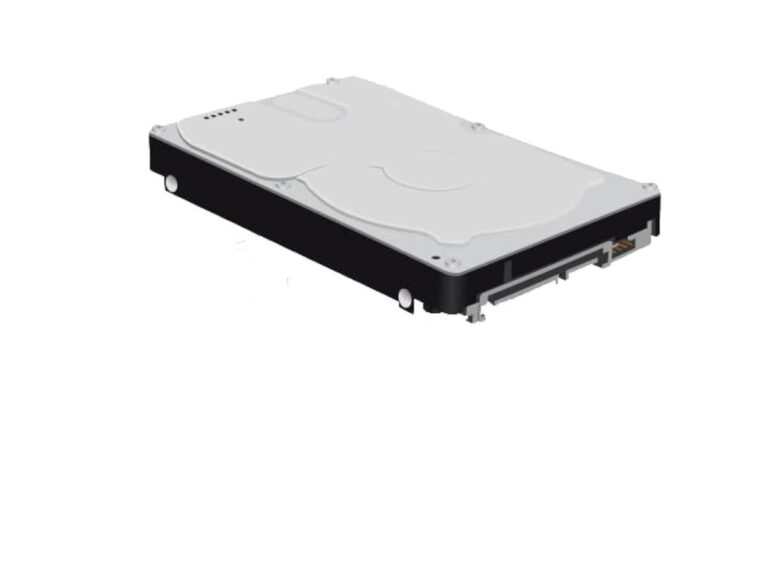
The drive arrived in compact retail packaging. The box was tidy and the SSD itself was slim and light. Out of the sleeve it feels like a solid budget SSD — plastic top shell, basic labeling, and a good fit for a 2.5″ bay. The build is not flashy, but it is fine for internal use.
Installation took me five minutes. I cloned my boot drive with a USB-SATA adapter and then dropped the CS900 into the laptop bay. The jumper-free, plug-and-play nature of the SATA form factor keeps things simple. Initial performance met my expectations for a SATA SSD: quick OS load, apps opened instantly, and file copies were steady. I felt relief more than thrill — it did exactly what an affordable SSD should do.

What Makes It Stand Out / Key Features
- 2TB capacity in a 2.5″ SATA form factor — lots of room for apps, games, and media
- 3D NAND flash for better endurance and efficiency vs older planar NAND
- Up to ~550 MB/s read and ~530 MB/s write speeds (SATA III limits)
- Low power draw, ideal for laptops and small desktops
- Plug-and-play compatibility with most systems that support 2.5″ SATA
- Compact, thin design that fits in standard laptop bays and desktop trays

What I Like
- Great price per gigabyte for a 2TB SSD
- Reliable everyday performance for OS and app responsiveness
- Wide compatibility with older machines that lack NVMe slots
- Easy installation and quick cloning process
- Low heat and quiet operation compared to mechanical drives

What Could Be Better
- No bundled cloning software or advanced utilities — basic users may need third-party tools
- SATA speed ceiling limits peak performance compared to NVMe SSDs
- Basic aesthetic and plastic casing — not built for showy builds

My Recommendation
If you need a big, reliable drive for daily work, media libraries, or extra game storage, the PNY CS900 2TB SSD is a solid pick. It balances capacity and cost and is easy to install. I often recommend this drive to friends upgrading old laptops or anyone who needs large SATA storage without premium NVMe pricing.
| Best for | Why |
|---|---|
| Everyday laptop upgrades | Large capacity and low power draw improve speed and battery life |
| Budget-conscious creators | Good space for photos and video projects without high NVMe cost |
| Gamers needing mass storage | Stores many titles cheaply; load times still much better than HDD |

Alternative Products You Can Consider
Samsung 870 EVO 2TB — A top-tier SATA option with excellent endurance and a trusted firmware package. It costs more but offers strong long-term reliability and some bundled tools. Best for users who want a premium SATA drive and top-notch warranties.
Crucial MX500 2TB — A balanced SSD with good performance and decent price. It competes closely with PNY on value but often includes helpful software like cloning and health monitoring. Great for those who want a reliable brand and utilities.
WD Blue 3D NAND 2TB — Western Digital’s mainstream SATA SSD. It’s affordable with solid speeds and a reliable track record. Good for users who prefer brand familiarity and steady performance.
| Product | Best For | Key Difference |
|---|---|---|
| PNY CS900 2TB SSD | Budget large-capacity upgrades | Best price per TB for everyday SATA use |
| Samsung 870 EVO 2TB | Users wanting premium SATA reliability | Stronger endurance and firmware support |
| Crucial MX500 2TB | Balanced performance and utility tools | Includes cloning software and monitoring tools |
| WD Blue 3D NAND 2TB | Brand-focused buyers and steady performers | Known brand stability and good value |

Final Verdict: Which Should You Buy?
The PNY CS900 2TB SSD is a clear winner if you want large capacity and dependable SATA performance at a good price. It shines for everyday users, students, office workers, and gamers who need big storage without premium NVMe speeds.
If you want the best SATA endurance and extra features, consider the Samsung 870 EVO. If you want bundled tools and balanced performance, the Crucial MX500 is a strong alternative. Overall, pick the PNY CS900 2TB SSD when budget and capacity matter most. Pick Samsung or Crucial if you value endurance or software extras.
FAQs Of PNY CS900 2TB 3D NAND 2.5″ SATA III SSD Review
Does this SSD work in older laptops?
Yes. The PNY CS900 uses a standard 2.5″ SATA interface. Most laptops with a 2.5″ bay or an M.2-to-SATA adapter will accept it. Check your laptop’s drive bay size and connector first.
Can I clone my current drive to the 2TB CS900?
Yes. You can clone with third-party tools or cloning software. The drive itself is compatible, but PNY does not always bundle cloning tools, so download a free utility or use your preferred cloning app.
Is the CS900 fast enough for gaming?
For loading games and storing many titles, yes. Loading times will improve compared to HDD. For maximum FPS or extreme load improvements, NVMe drives are faster, but SATA is fine for mass storage.
How reliable is the 3D NAND in this drive?
3D NAND generally offers better endurance and efficiency than older planar NAND. The CS900’s 3D NAND gives solid life expectancy for normal use. For heavy write workloads, check endurance ratings and warranty details.
Does the drive need extra cooling?
No. SATA SSDs like the CS900 produce little heat and work well with standard laptop airflow or desktop cases without extra cooling.